
Customer Feedback and Google Review System
You do not need a long survey to understand a customer’s experience. The ideal starting point I recommend to businesses is a three-step feedback form, an optional request for follow-up and a Google review link available to everyone, whatever rating they give. I build this workflow for your business, adapting its questions, appearance and follow-up process to the way you work.
I recommend this model because it serves three needs together: customers can explain their experience quickly, your business can identify improvements and anyone who wishes can independently share a review on Google. Collecting stars is only one part of the job. The useful outcome is a process your team can act on.
Explore the working form in Turkish or discuss a setup for your business.
What is a customer feedback system?
A customer feedback system helps people describe their experience to a business and helps the business follow up. A satisfaction survey is its data collection component. Choosing appropriate questions, saving responses and assigning someone to respond are the other parts of the system.
A hotel might request feedback after a stay, a retailer after a purchase or a service business after completing a job. Timing should reflect when the customer has actually experienced the service. Asking someone to rate an experience they have not had will not produce useful information.
For a small business, a short form and a regular review routine may be sufficient. A business with multiple locations also needs to decide which review link belongs to each branch, who can access responses and who handles follow-up. The ideal system is one your team will use consistently.
Private feedback and Google reviews have different roles
Private feedback helps your business evaluate its service and follow up on an issue. The stars and comments entered in your form are not automatically posted to Google. Access to those responses is determined as part of your internal process.
A Google review is a public contribution the customer separately submits on Google. Completing your private form does not create an obligation to leave a review. Equally, customers should not need to finish your survey before reaching the Google review page.
I make this distinction clear on the page. Customers should understand what they are sending to the business and what they are publishing for other people to read. The two sets of ratings should not be combined and presented as a single Google rating.
The three-step satisfaction form I recommend
1. How did you find us, and how was your experience?
The first screen lets customers select how they found the business: Google, social media, a recommendation, a previous relationship or another source. This selection is optional. They then rate their experience from one to five stars, with no rating selected in advance.
These questions measure different things. One describes the source of the relationship; the other describes the experience. A customer saying they found you on Google does not prove which advertisement they saw. That requires separate conversion tracking.
2. A follow-up question suited to the rating
- Four or five stars: “What did you like most?” This helps you understand what worked well in the customer’s own words.
- Three stars: “What could we have done better?” This creates space for practical suggestions.
- One or two stars: “Would you like us to contact you about your experience?” Customers who want a response can leave a phone number or email address.
These follow-up questions are optional. A customer who gives a low rating can continue without requesting contact. The rating changes only the private follow-up question; it never changes access to the Google review link.
3. Is there anything else you would like to add?
Everyone sees the same final question. It gives customers space to mention something the earlier choices did not cover. This field is optional too. The form confirms completion only after the response has been saved; a connection problem should allow a retry.
The Google review invitation remains accessible independently of the form and is also available on the completion screen. Customers can send private feedback, leave a public review or choose to do both.
Everyone should have access to the Google review link
Asking for a rating and then directing only satisfied customers to Google is commonly called review gating. The system I recommend does not filter people this way. Someone who gives one star can reach the same review invitation as someone who gives five.
Google prohibits discouraging negative reviews, selectively requesting positive reviews and offering incentives for reviews. I therefore recommend asking for the customer’s own experience without discounts, gifts or a required rating. Source: Google’s user contribution policy.
Businesses can share a review link or QR code. Posting a Google review is a separate action that requires signing into a Google Account. Setup includes checking that the link points to the correct business and location. Source: Google’s guide to requesting reviews.
What do I set up for your business?
I define the initial scope around your actual needs:
- A page for your business: A short form with your branding that is comfortable to use on a phone.
- Appropriate questions: Source, rating, follow-up and a final note, without unnecessary personal information.
- Response storage: Private feedback kept separate from public Google reviews.
- Optional contact: A way for customers who want a response to leave their contact details.
- The correct review link: Equal access across all ratings and the right business profile as the destination.
- Checks before launch: All five ratings, saving responses, error states and mobile usability.
A management dashboard, email notifications, CRM integration, multiple locations and detailed measurement are additional requirements. I do not present them as automatically included in the starting scope. They can be specified around your team’s workflow. If you need a broader process, I can consider it alongside a custom web application for your business.
What should your team do with incoming feedback?
Before launch, decide who will read responses, who will contact customers who request a reply and how open issues will be tracked. Publishing the form does not carry out those responsibilities automatically.
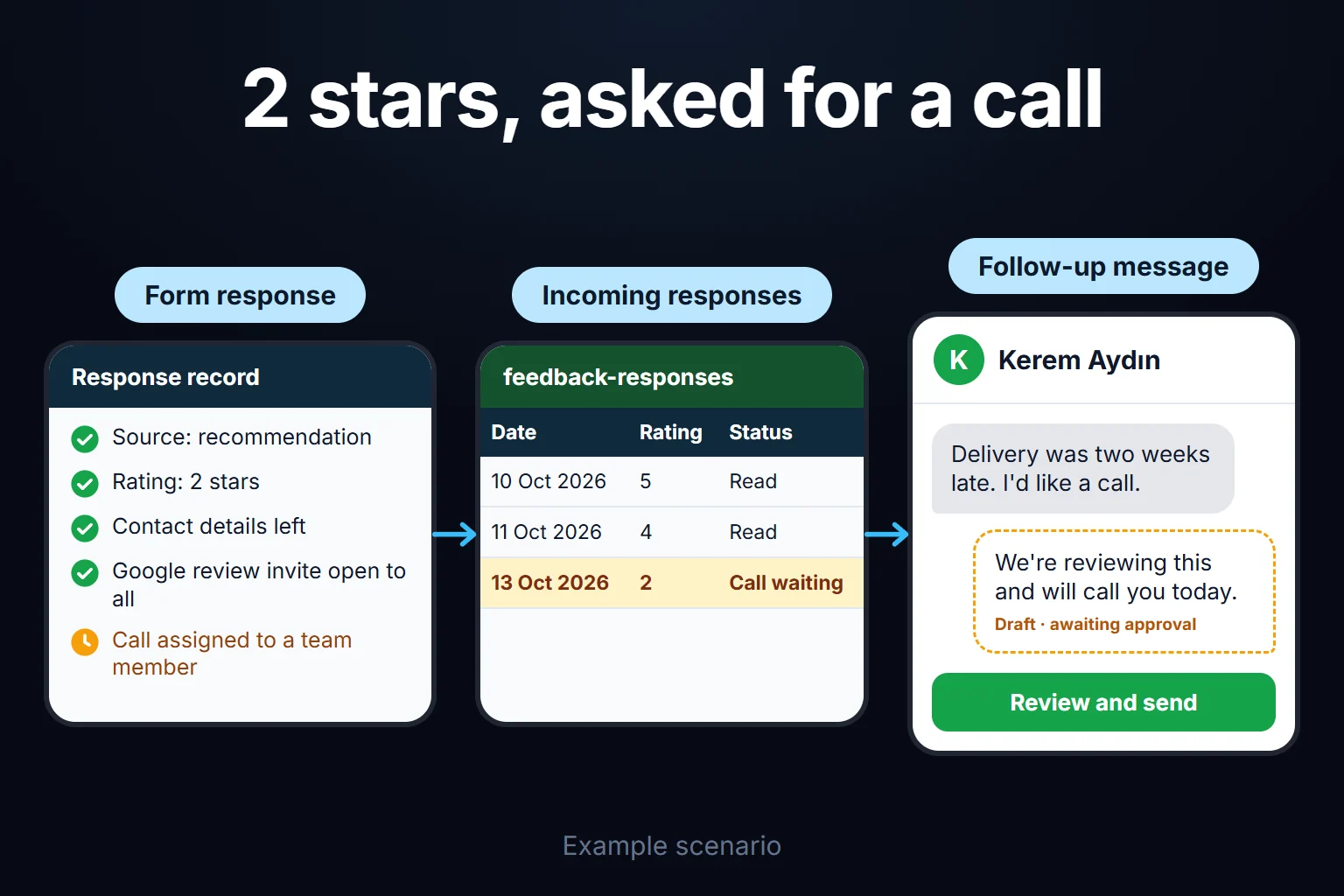
For example, a customer might report a delayed delivery and ask for a call. The responsible person checks the details, contacts the customer and records the agreed next step. If the same issue appears in other responses, the team reviews the delivery process. This is a hypothetical example of the workflow I recommend.
Phone numbers, email addresses and order details obtained privately should stay out of public review replies. Resolving an issue should not be conditional on the customer changing their review.
Which results are useful to measure?
An average star rating is not enough on its own. Response count, rating distribution, recurring topics, time to respond to contact requests and unresolved issues provide a more useful picture.
If visits and form starts are not measured, you cannot calculate completion rates that depend on them. Even when Google review-link clicks are tracked, a click is not a published review. Report your private form’s average separately from your Google Business Profile rating.
What is included in the working example?
The OHE Review example includes source selection, star ratings, a rating-specific question, optional contact requests and response storage. The example form is in Turkish; this service description is available in both English and Turkish.
The example’s Google review destination has not yet been configured, so an explanatory message is shown in its place. A setup for your business should use your verified review link. The current example does not include a management dashboard, automated email notifications or click analytics.
Frequently Asked Questions
Will this increase my Google reviews or search rankings?
I do not guarantee a review count, star rating or search position. The system makes it easier to give feedback and reach the review page. Customers decide whether to write a review; publication and visibility depend on the platform’s rules.
Can customers who give low ratings still go to Google?
Yes. Everyone has access to the same invitation. A low rating changes only the private follow-up question.
Is a phone number or email address required?
No. Contact details are requested from customers who give a low rating and choose to ask for a follow-up. Anyone who does not want contact can continue without providing them.
What do I need to prepare for setup?
Start with your business name, the domain you want to use, the correct Google review link, the point in the customer journey when you will request feedback and the person responsible for responses. I use those needs to define any additional features.
Set up a feedback process your team can use
My recommendation is to start with this foundation: an easy way for customers to respond and a process your team can follow. Add features when there is a real need for them.
Tell me about your business and where you want to collect feedback, and I will help define the questions, setup scope and any additional features you need.
How do I work?
Work-hour packages
Tell me about your business and what you need on WhatsApp or by phone; we agree on a work block of somewhere between 5 and 40 hours and I start doing what is needed. What you get is not a calendar window — it is net working hours spent directly on your business. I can use 40 hours working three days straight, or deliberately spread it out and finish it over a year — whatever the work calls for. I do not spend my time estimating how long something will take, I spend it doing the work; every hour I spend leaves a lasting result in your business. We keep going for as long as you find it useful.
Why not monthly?
Is 40 hours a week?
On a fixed monthly fee both sides are watching the wrong thing: you watch a fixed cost, the other side watches how many more contracts like this they can line up. Working by the hour puts us both in front of the same thing — the real value of the work that got done. I know not having an upfront answer to "how much will this cost in total?" is the natural cost of this model. But instead of paying a fixed fee for months to a setup that is not producing results, you only pay for the qualified time spent on your work — and you see exactly where that time went, start to finish. That is why my clients keep coming back.