
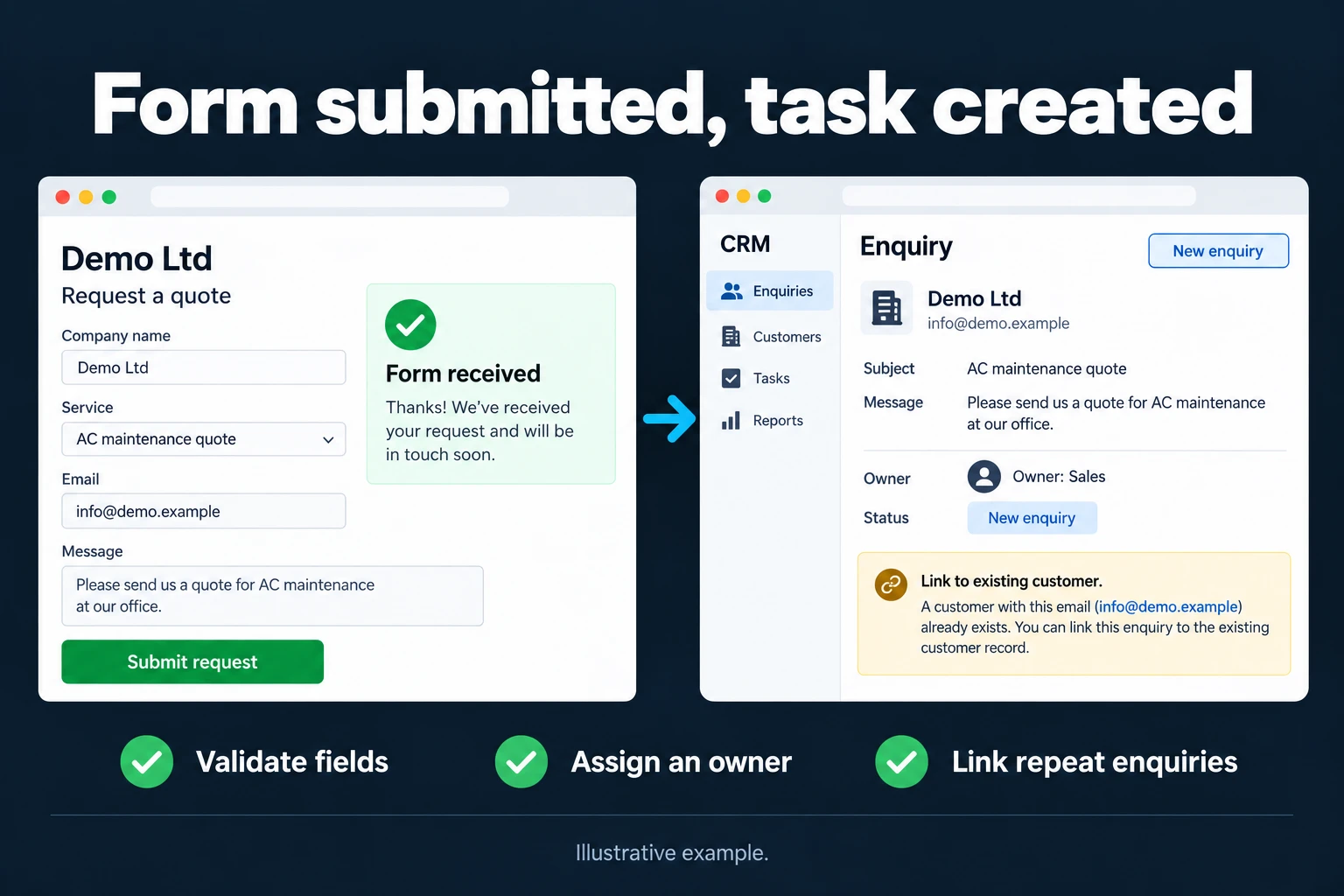
Connect Website Forms to Your Team’s Work Tracking Screen
A website enquiry may sit in an inbox before someone copies it into a tracking sheet. I can connect that step to a workflow that creates a shared record and assigns an owner. Your existing CRM, Excel or Google Sheets process can be the starting point; I can develop a custom tracking app where your team needs one.
Route each form to the right owner
We define the fields each form sends and where the record should go. Product, region or enquiry type can determine ownership. Missing required information is separated for review, and repeat enquiries can link to an existing customer. First-contact and pending-follow-up statuses stay visible. Failed record creation or notifications are logged, with an agreed retry method.
Start with your CRM or a custom panel
One form and one target give us a focused first workflow to try quickly. We submit a test enquiry and check that the right person receives the record and notification. An existing CRM can remain the main system; form routing does not require a new CRM. A simple sheet can also be the target. Separate entry screens and access requirements may justify a custom panel. Spam checks and retention are defined for the actual form used.
Frequently Asked Questions
Can this work without a CRM?
Yes. Google Sheets or a custom tracking screen can receive the records once the required fields and follow-up process are agreed.
What happens when the same person submits again?
We can create a new enquiry linked to the customer or continue the existing opportunity. The follow-up rule determines the treatment rather than automatically deleting repeat submissions.
Discuss your workflow
Describe your workflow on the contact page.
Related services
How do I work?
Work-hour packages
Tell me about your business and what you need on WhatsApp or by phone; we agree on a work block of somewhere between 5 and 40 hours and I start doing what is needed. What you get is not a calendar window — it is net working hours spent directly on your business. I can use 40 hours working three days straight, or deliberately spread it out and finish it over a year — whatever the work calls for. I do not spend my time estimating how long something will take, I spend it doing the work; every hour I spend leaves a lasting result in your business. We keep going for as long as you find it useful.
Why not monthly?
Is 40 hours a week?
On a fixed monthly fee both sides are watching the wrong thing: you watch a fixed cost, the other side watches how many more contracts like this they can line up. Working by the hour puts us both in front of the same thing — the real value of the work that got done. I know not having an upfront answer to "how much will this cost in total?" is the natural cost of this model. But instead of paying a fixed fee for months to a setup that is not producing results, you only pay for the qualified time spent on your work — and you see exactly where that time went, start to finish. That is why my clients keep coming back.