
Agentic AI Skills vs Tools vs MCP: Clearing Up the Difference
They answer three different questions. A Tool says what an AI agent can do: a single function it can call, such as “fetch the GA4 report”. MCP says where those tools come from: an open protocol that connects the agent to tools and data sources in a standard way. A Skill says how the agent should use them: a package of instructions describing which steps to follow, in what order, and which pitfalls to avoid. None replaces another; they are three layers of the same system.
The three terms side by side
| Tool | MCP | Skill | |
|---|---|---|---|
| Question it answers | What can I do? | Where do tools come from? | How do I do this job? |
| What it is | A single function or API endpoint | A standard connection protocol between the agent and outside systems | A folder of instructions, with optional scripts and reference files |
| Executable? | Yes, called directly | No, it is a connection layer; its server offers tools, data and ready-made prompts | Not by itself; the agent can run a script bundled with it |
| How predictable is the output | Same input, same output (if the tool is well written) | As predictable as the tools it offers | The model interprets the instructions, so two runs can differ |
| Concrete example | A “pull Google Ads report” function | A Google Ads or Figma MCP server | A file saying “on a new client account, check these things in this order” |
Tool. While carrying out a task, the agent picks one of its tools, fills in the parameters and uses the result. “Send an email”, “read a file” and “query a database” are each a tool.
MCP. The Model Context Protocol is compared to a USB-C port for AI applications on its own introduction page: one standard instead of a separate cable per device. An agent can call tools without MCP too, but every integration then needs custom code. With MCP, the same server can be used by different applications such as Claude, ChatGPT or Cursor without rewriting anything. Because an MCP server also carries tools, “MCP or Tool?” is the wrong question: an MCP server delivers Tools.
Skill. In Claude, a Skill is a folder containing a SKILL.md file; the name and description at the top tell the agent when the Skill applies. According to Anthropic’s documentation (as of October 2026), the agent loads only the name and description at startup, roughly 100 tokens per Skill; the body is read only when a request matches, and bundled scripts and reference files only when needed. When a script runs, only its output enters the context. That is why installing many Skills does not bloat the context. Skills work in claude.ai, the Claude API and Claude Code, and they are not synced automatically between those surfaces. For more, see What Is Claude Skills; to write your own, How to Write a SKILL.md.
Which one do I need?
In practice all three work together; the question is not “which one” but “which layer is missing”. Three questions are enough:
- Should the agent do a job in the same order every time? A Skill is missing. Write the instructions.
- Does the agent need to pull outside data or trigger an action? A Tool is missing. Add a function with one clear purpose.
- Will several agents or applications connect to the same data source? MCP makes sense. For one agent and one tool, the gain from a standard is limited.
One more criterion: if the result must be exact and auditable (reading a system of record, feeding an automated next step), let a tool do it. If it needs judgment (deciding what is customer-facing, matching a house tone) and a person will read the output, a Skill fits. A Skill’s interpretation can drift quietly in the wrong direction, so put a reader in front of anything important.
⚠️ A Skill file carries instructions and scripts, so treat it like installing software. Anthropic’s documentation advises using only Skills from sources you trust, and reading everything bundled in one from elsewhere, scripts included, before you install it.
Example flow: a weekly report
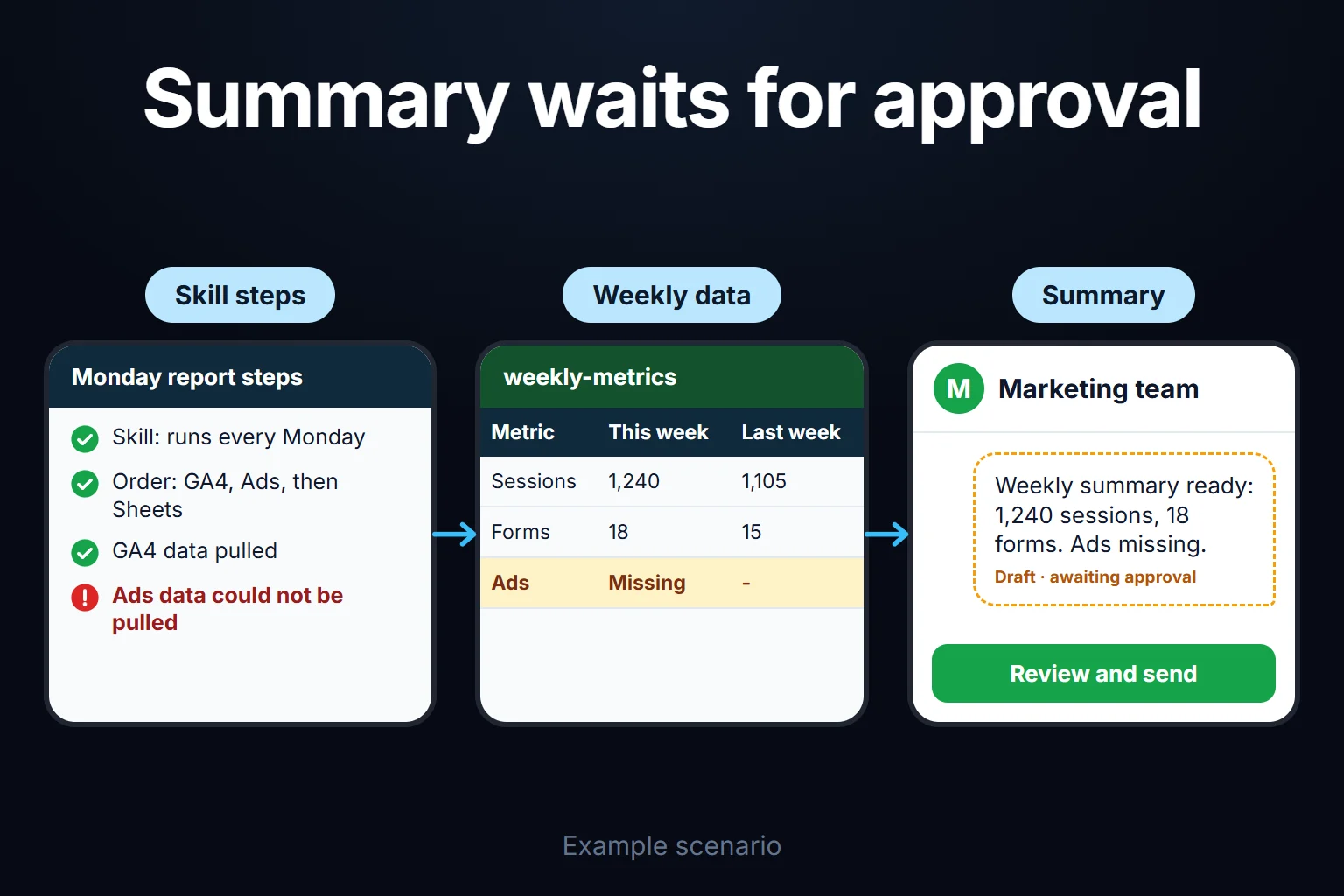
Picture an agency’s weekly reporting process (a hypothetical example). The agent first reads a Skill: “every Monday, summarise these three metrics in this format.” It reaches the data through an MCP server, which takes care of which account it connects to. To get the data it calls individual Tools: “fetch the GA4 report”, “fetch Ads spend”, “write to Sheets”. The Skill supplies the order and the rules, MCP the connection, the Tools the action.
How this split looks in my own work
Pulling a report from Google Ads accounts is a tool call; I do it with a Python script I wrote myself, not an MCP server. What to check when I first open a new account, in what order, and which mistakes recur most often is written in an instruction file; that is my Skill layer, and it makes me look at every account in the same order. The script works, but connecting to a new tool means custom code each time, and that is exactly the problem MCP solves. So all three layers are real, but they are not equally mature in my setup.
For the MCP servers and APIs that work for digital marketing, see the MCP and API List for Digital Marketers. I cover how a Skill relates to prompts and agents in Prompt vs Skill vs Agent, and how MCP differs from tools like Zapier in MCP vs Zapier; for the whole picture, the Agentic AI Guide.
You can ask me to do this
We can work out together whether your business is missing a Skill, a Tool or an MCP connection. It is remote work, billed hourly. For details and to book, see the AI Consulting page.
Frequently Asked Questions
Can you build an agentic system with just Tools and MCP, without a Skill?
You can, but the order and the rules of the job are left to the model’s judgment every time. Tools and MCP define what the agent can call; a Skill says in what order and under what conditions. If you want repeatable results, you have to write those rules down somewhere, and that place is often a Skill file.
Can you use a Tool without MCP?
Yes. Tool calling existed before MCP; MCP standardises that call. It works without it, but each connection needs custom code.
Can a Skill call a Tool?
Yes, that is usually how it works. A Skill is the instruction describing which tools to call in what order; it is not a tool. A reporting Skill might list three tool calls in sequence: “first fetch GA4 data, then Ads data, then compare.”
Is it worth setting up MCP for a small business?
Usually not. With a single tool and a single agent, MCP’s advantage as a standard does not show up. It starts to matter when several agents or applications connect to the same data source. At small scale, get the Skill and Tool layers right first.