
Google Sheets and Calendar Synchronisation
When job dates live in Google Sheets and staff schedules live in a calendar, the same change may need to be entered twice. I connect each business record to a particular calendar event so that a change has a clear destination.
Creating an event from a new row is only the first step. The ongoing workflow must handle changed dates, cancellations and edits made directly in the calendar. I define those behaviours before treating the integration as complete.
Example: J-18 changes time without becoming a duplicate
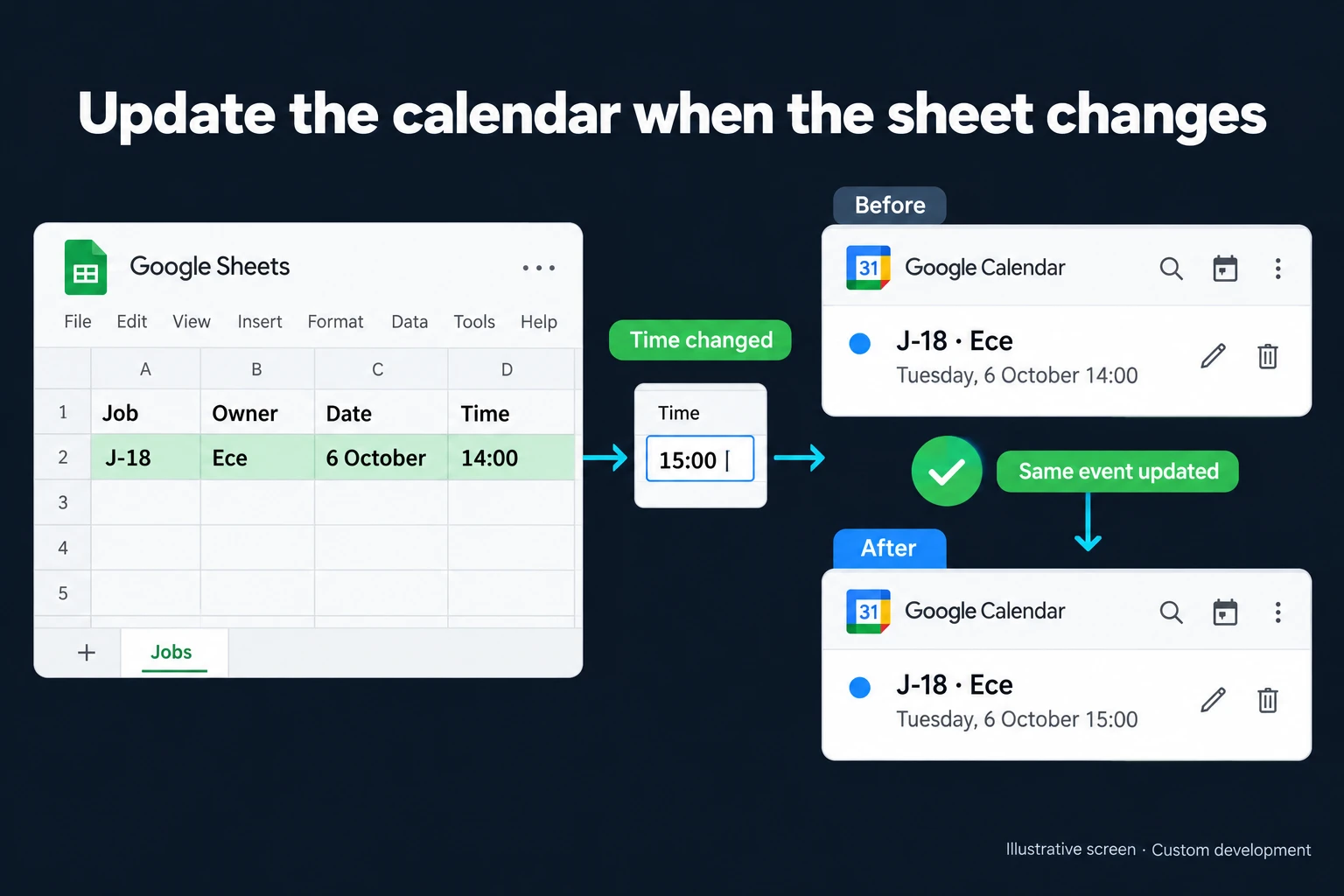
The fictional illustration shows job J-18, owned by Ece, at 6 October 14:00. When the sheet changes the time to 15:00, the same calendar event is updated. A second J-18 is not created, and the old 14:00 event is not left behind as if it were still valid.
Spreadsheet rows can move when someone sorts the table. I therefore map the job’s stable identifier to the calendar event identifier rather than relying on “the event from row 18.” That mapping lets a repeated import locate the existing event. The person and date shown are illustrative, not an actual appointment.
When existing automation is enough
Apps Script and integration tools can connect Sheets with a calendar. Google Calendar’s API supports updating an event by its identifier. A simple one-way flow with a few fields may be well served by those tools.
A dedicated control screen becomes useful when staff need to see failed updates, manage several calendars, separate permissions or resolve conflicting changes. Sending calendar edits back to the spreadsheet is a separate requirement, governed by two-way synchronisation rules.
Timezones and ownership of fields
I specify the timezone of the source record. A colleague in another country may see the same event in their local time; writing information back must not reinterpret that display as the source time. Missing dates, end times before start times and incomplete records go to review instead of being filled with arbitrary values.
If Sheets owns the schedule, a manual calendar edit needs an agreed policy. We might flag it, require review or limit automation to particular fields. A private note in the event description should not disappear simply because the spreadsheet title changed.
The integration also needs to distinguish update success from an attempt. If access to a calendar is removed, the control screen should show the failure and the last successful update rather than continuing to imply that both sides match.
Cancellations, delivery and maintenance
A source row disappearing does not always mean the event was cancelled. It could reflect a filter, an access problem or an actual deletion. An explicit cancellation field is often clearer. Notification behaviour for attendees is tested alongside the calendar settings.
The scope includes account ownership, field mappings, update frequency and retries. Tests repeat the same job, move its time, remove calendar access and edit both sides. If the workflow also needs resource availability checks, I scope those separately: writing an event does not automatically solve booking conflicts.
Service work orders and periodic maintenance records can be the source. The operating plan explains how to renew access when account ownership changes and what happens if an event is manually deleted.
Frequently Asked Questions
Will changing the time in Calendar update Sheets?
Only if that direction is included. A one-way integration does not imply two-way behaviour. We document which system is allowed to change each field.
Does each refresh create a new event?
No, the intended flow retains the job-to-event mapping. A manually deleted event follows a separate policy for recreation or review.
Discuss your workflow
Share the sheet containing your dates and the calendars the team uses. I can map an integration that handles both the first event and the changes that follow.
How do I work?
Work-hour packages
Tell me about your business and what you need on WhatsApp or by phone; we agree on a work block of somewhere between 5 and 40 hours and I start doing what is needed. What you get is not a calendar window — it is net working hours spent directly on your business. I can use 40 hours working three days straight, or deliberately spread it out and finish it over a year — whatever the work calls for. I do not spend my time estimating how long something will take, I spend it doing the work; every hour I spend leaves a lasting result in your business. We keep going for as long as you find it useful.
Why not monthly?
Is 40 hours a week?
On a fixed monthly fee both sides are watching the wrong thing: you watch a fixed cost, the other side watches how many more contracts like this they can line up. Working by the hour puts us both in front of the same thing — the real value of the work that got done. I know not having an upfront answer to "how much will this cost in total?" is the natural cost of this model. But instead of paying a fixed fee for months to a setup that is not producing results, you only pay for the qualified time spent on your work — and you see exactly where that time went, start to finish. That is why my clients keep coming back.