
Service Work Order Tracking: SLA Clocks, Warranty vs Billable, Repeat Faults
In one example month at a fictional refrigeration service firm with 22 field technicians, three things slip through: four of the nine emergencies logged out of hours miss their on-site target, 44 of the 61 second visits happen because the part wasn’t in the van, and 17 closed billable jobs sit in a queue, not ready to invoice. All three stay invisible because a spreadsheet row holds only where a job is now, not its hour-by-hour history: when and why the SLA clock (the call-back and on-site times you promised) stopped, what’s in the van, which signature is missing. I build web apps that keep every customer fault in one record, hour by hour, from call to invoice, for firms servicing business customers’ equipment. Halfway down, four questions test whether your current tools are enough.
This page covers faults reported by customers. Planned maintenance of your own equipment belongs to the periodic maintenance tracking app; faults reported on WhatsApp are covered in WhatsApp job tracking for technical service. Which channels you take requests from, we choose together at the first step.
What steps does a service request go through?
A request goes through five stages, each with its own timestamp, and SLA and billing are calculated from those timestamps, not from the latest status: (1) request, fault category and priority; (2) assignment, call-back and arrival, which are separate clocks; (3) on-site work, readings, photos and parts with serial numbers; (4) billing type, set by rule rather than by the technician, and customer sign-off; (5) closed and ready to invoice. The app prepares invoice lines; it doesn’t raise invoices.
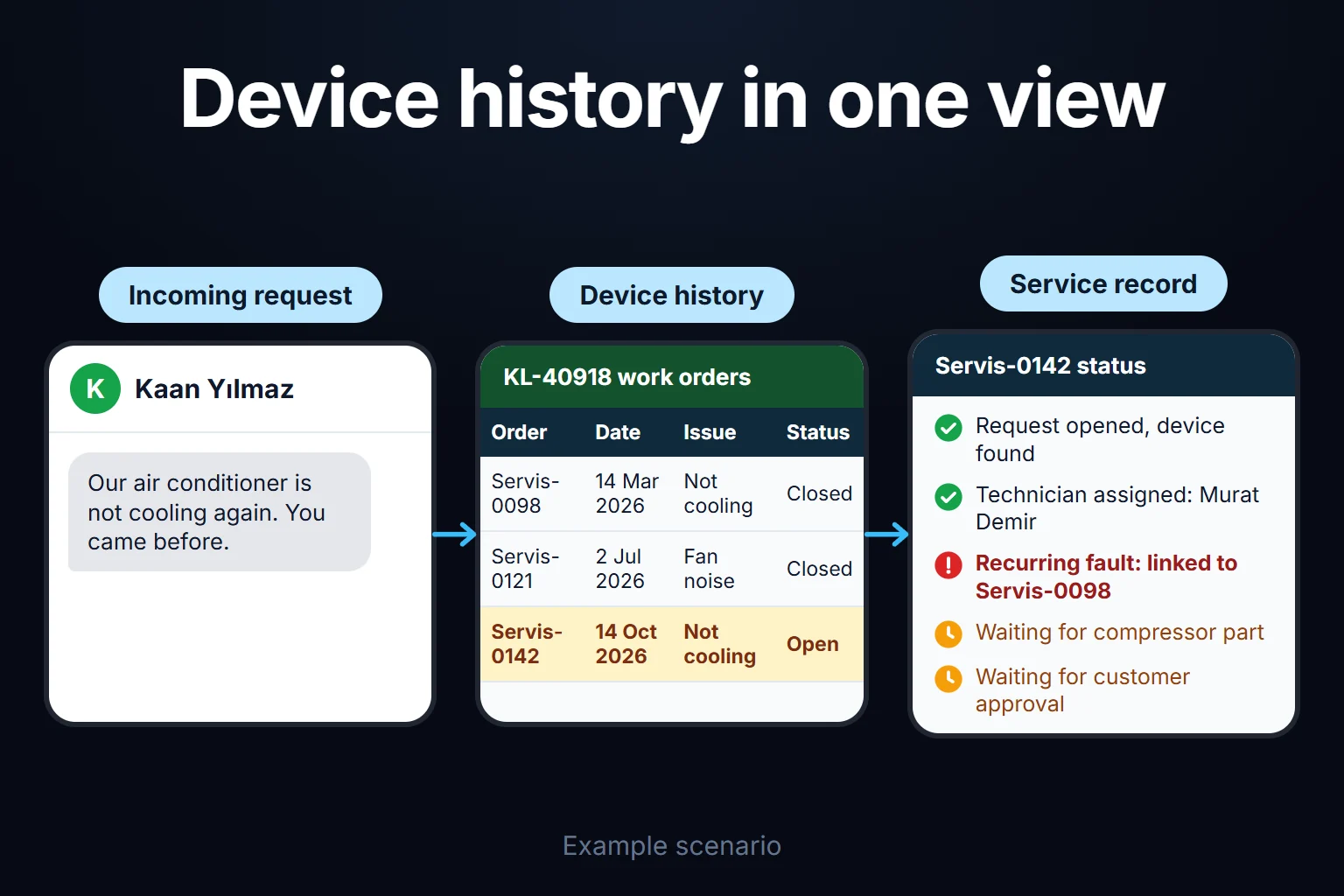
Priority starts the SLA clock: P1 is an emergency (production or the cold chain has stopped), P2 means the unit runs but is in alarm, P3 can be planned. The SLA clock is the promised time. Billing type: warranty, maintenance contract, billable or repeat visit. A repeat visit is a new request on the same asset and fault category within 30 days of the previous job closing; a second visit is another trip for the same job.
Every threshold and rule here is my starting suggestion, not a measured value; it’s adjusted to your contracts and agreed in writing at the first step.
An example month: 312 requests, 22 technicians
The firm and figures are fictional, cross-checked with a script. Of 58 people, 22 are field technicians; there are also 3 call handlers, a service manager, a planner, 2 storekeepers and 3 in accounts, with 26 in sales, installation and management. There are 140 business customers and 610 assets: chillers (water-cooling plant), cold room units, VRF systems (one outdoor unit serving many indoor units) and compressors. The month starts on a Monday. Office hours are weekdays 08:00–18:00; out of hours means weekday nights and weekends, when calls divert to the service manager’s phone.
| example month (sample data) | count |
|---|---|
| Requests opened | 312 (P1: 26 · P2: 118 · P3: 168) |
| Closed / carried over | 287 / 25 |
| Billing type of closed jobs | Contract 121 · Warranty 38 · Billable 104 · Repeat visit 24 (8.4%) |
| Fixed on the first visit | 201 of 262 jobs needing a visit = 76.7% |
| Reason for a second visit | No part 44 · Wrong diagnosis 12 · Other 5 |
| P1 on site within target | 21 / 26 = 80.8% |
| P2 on site within target | 109 / 118 = 92.4% (87.3% without the pause rule, which stops the clock during customer-caused waits) |
| Closed billable jobs not ready to invoice | 17 of 104 |
Why do after-hours emergencies miss their target?
The P1 on-site target is 4 hours on a 24/7 clock. The median is the middle value when times are sorted, so one very late job doesn’t distort it.
| P1 (sample data) | requests | missed target | median time to site |
|---|---|---|---|
| Logged in office hours | 17 | 1 | 2 h 15 min |
| Logged out of hours | 9 | 4 | 3 h 45 min |
An overall 80.8% looks fine; split by time, four of the five misses are out of hours. The numbers are small, but in three of those four, over 90 minutes passed before a technician accepted: more than a third of the four-hour target was gone before anyone set off, and the rest wasn’t enough for the drive.
44 second visits: the part wasn’t in the van
Of 61 second visits, 44 happened because the part wasn’t in the van; 27 of those involve five part groups: fan motors, expansion valves, pressure sensors, contactors and filter driers (sample data).
One chiller, three visits
- Day 1 (Monday): P2, “high-pressure alarm”. Condenser cleaned, alarm reset. Billing: maintenance contract.
- Day 9 (Tuesday), 21:40: “Chiller 2 is on high-pressure alarm again, the room has gone from 4 to 9 degrees, and there’s product inside.” The app flags a repeat visit. The manager calls back at 21:52, but finding a technician takes until 23:35; arrival is 02:15, 35 minutes past target. Billing: repeat visit, no labor charge.
- Day 23 (Tuesday): Same alarm, flagged “third in 30 days”. A senior technician finds a faulty condenser fan speed controller and replaces it. The rule classes this job as a repeat visit too, but the firm installed the chiller 14 months ago under a 24-month warranty (sample terms), so the manager changes it to warranty with a reason: “Root cause is a board covered by warranty; claim it from the supplier.”
The day 9 flag was only a warning, and the job went to the next technician in line; on day 23 it took the manager spotting the pattern.
17 closed jobs not ready to invoice
Of 104 closed billable jobs, 11 lack a customer signature or approval, and 6 lack parts lines (a van part used but not entered). In the app, “closed” and “ready to invoice” are separate states with their own queue.
What did the service manager decide?
The month-end summary shows just five numbers; the most common dashboard mistake I see is trying to show everything. Four decisions, with the number to watch next month:
- Weekly on-call schedule with a backup; for an out-of-hours P1 the app proposes the on-call technician and a person confirms. On-call cover costs money, which is the other side of this decision. Watch: out-of-hours P1s missing target (4 of 9).
- Standard van stock for the five part groups, topped up at the weekly count; I suggest building the list from three months of second-visit records. Watch: second visits caused by parts (44).
- Two working days after closing, a billable job not ready to invoice goes to the manager’s and accounts’ queue; closing unsigned needs the manager’s approval. Watch: jobs not ready to invoice (17).
- Root cause on the third visit: a second repeat visit within 30 days goes straight to a senior technician and the manager. Watch: repeat visit rate (8.4%).
What a missed SLA costs depends on your contract. If it has penalty or discount clauses, I suggest flagging breaches as discount candidates at invoicing; I haven’t calculated an amount here.
Priority and SLA rules
Thresholds come from your contracts and can differ by customer; the app checks the contract first and falls back to my starting suggestion:
| priority | call-back | on site | clock |
|---|---|---|---|
| P1 (also anything affecting people’s safety) | 30 min | 4 hours | 24/7 |
| P2 | 2 working hours | 8 working hours | Office hours |
| P3 | 1 working day | Within 3 working days, by appointment | Working days |
Customers can suggest a priority, but the clock starts on the one the call handler confirms; the service manager can change it with a reason. My starting suggestion: an unconfirmed customer P1 flags the service manager after five minutes; priority never rises by itself.
When does the SLA clock stop?
A pause stops the SLA clock only while the customer is the cause of the wait: no site access, a moved appointment, a pending approval. The reason shows in the audit trail and on the customer’s screen. Waiting for parts doesn’t stop the arrival clock, since arrival has already happened; whether it pauses a fix-time target is read from the contract. “No technician free” never stops it.
Example: a P2 is logged on day 5 (Friday) at 16:30. Friday counts 1.5 working hours and the other 6.5 run from 08:00 Monday: target day 8, 14:30. The site is closed until noon on Monday, so the clock pauses 08:00–12:00; six hours run to 18:00 and the last half hour carries over: new target day 9 (Tuesday), 08:30. Arrival at 08:10 is on time. Six of the month’s 15 P2 breaches were like this; with the rule, there are 9.
On a 24/7 clock the same P2 would have been due at 00:30 on Saturday. One example: Microsoft’s field service documentation says that without business hours on an SLA, “the work hours are considered to be all day, every day” (Microsoft Learn, Dynamics 365 Field Service, read 15 October 2026). So I define working hours, holidays and pause reasons first.
Warranty, contract, billable: who decides the billing type?
The app applies four rules in order; technicians don’t choose, they can only add a note for the service manager.
- Repeat visit (from past work orders): no labor charge. If the cause turns out different, the manager makes it billable; if the root cause is under warranty, warranty.
- Warranty (serial, install date and warranty end on the asset record): no charge; the part is claimed from the supplier and the faulty one returned.
- Maintenance contract (scope, end date, SLAs on the contract record): what the contract says; in the example, labor included, parts charged.
- Billable: labor, parts, travel, from a price list in a file or your ERP; I assess the import options at the first step.
A fault caused by misuse may fall outside warranty; the manager decides from the technician’s photos and notes. Warranty costs the firm even when it’s free to the customer, so it’s reported separately.
Repeat faults: do you reopen the old job?
No. A repeat fault gets a new request linked to the old one, so the first job’s SLA result stays put, the second gets its own clock, and the first-visit fix rate doesn’t hide it. Reopening a closed job is only for correcting the record, done by the service manager with a reason.
Parts follow the same logic. Each van is a stock location, and a part leaves it only on a work order. The weekly van count is compared with the system and the van’s standard list, which is how the six uninvoiced jobs were found.
Where exactly does Excel break?
You can keep a work order list in Excel; what breaks is the job’s hour-by-hour history and the billing rules. Columns: A work order no., B asset code, C fault category, D opened (a real date-time value), E closed (blank while open), F priority. In English Excel:
- Target time (G2):
=IF(F2="P1",D2+4/24,IF(F2="P3",WORKDAY(INT(D2),3,Holidays)+18/24,"")). Holidays is a named range of public holidays. - Closed jobs on the same asset and category in the last 30 days (H2):
=COUNTIFS($B$2:$B$2000,B2,$C$2:$C$2000,C2,$E$2:$E$2000,">="&(D2-30),$E$2:$E$2000,"<"&D2). 1 means a repeat visit; 2 or more, root cause.
I left P2 blank on purpose: once weekends, holidays and pauses go into a working-hours formula, nobody but its author can fix it. I tested the logic in Python on the example rows (the day 23 chiller job gives 2); try it once in your own file.
Where it breaks as you grow: status holds only the latest state, so when and why the clock stopped is lost; prices can’t be hidden from technicians, or customers from each other, row by row in a shared file; billing type lives in people’s heads (warranty dates on one sheet, contract scope in a PDF); and a “closed” row with a missing signature lands on nobody’s desk.
In a web app, a business rule is applied as data is entered: when a technician taps close, the missing parts line or signature is asked for there and then.
When Excel or your existing service software is enough
With five or six technicians in one area, no written SLAs and mostly one billing type, a well-organized spreadsheet and a shared calendar are enough. If your ERP’s service module or a field service product already does this and your team uses it, use it fully first; the product documented above, for example, can attach SLAs to work orders with business hours and pauses. I haven’t verified every product.
Four questions: (1) does it stop the SLA clock for customer-caused waits and show the customer why, (2) does it work out billing type from warranty dates, contract and the repeat visit rule, (3) does it queue closed jobs not ready to invoice, (4) does it have a customer screen showing only that customer’s jobs? Four yeses: you don’t need a custom app. A custom one makes sense when contracts carry different SLAs per customer, your billing rules don’t fit the product, or technicians struggle with its screens in the field.
Who sees what, and what gets recorded?
Technicians don’t see prices, customers don’t see other customers, storekeepers don’t see service notes. A sample split:
- Call handler: logs requests, sets priority, starts customer-caused pauses, confirms the on-call proposal.
- Service manager and planner: assign; change priority and billing type with a reason; approve unsigned closing; reopen jobs for corrections. See everything, including costs.
- Technician: sees assigned jobs and that asset’s history; enters work, readings, photos and parts; closes signed jobs; can only add a note on billing type.
- Storekeeper: approves parts issues and returns; sees van stock.
- Accounts: sees closed jobs and billing fields; sends them to invoicing.
- Customer user: invited by your firm; sees their own sites’ jobs, the SLA clock with any pause reason, and service reports. A work order number doesn’t open another customer’s job.
An auditor reads everything and exports the audit trail. Long installation projects, where the customer follows stages and approves files, suit a client project status portal instead.
The audit trail keeps a permanent line for every status change, assignment, pause and billing change: who, when, old and new value, reason. SLA is calculated from these lines, and the day 23 switch to warranty sits there with the manager’s reason. I set retention to ten years by default; your accountant confirms the legal period.
What does AI do, and where does it stop?
AI suggests; priority, billing type, SLA and closing stay with people. Three uses:
- Category and priority from the request text, with reasoning. My starting suggestion: the model may only flag priority upwards; lowering it is a human decision.
- Similar past jobs and parts to bring, from notes on the same model. On day 23: “On the same model, this alarm was closed at two other customers by replacing the fan speed controller.” The technician diagnoses.
- Service report draft from the technician’s notes, readings and parts lines. Numbers come from the form, not the model; nothing goes out until the technician approves.
The repeat visit flag, SLA calculation and billing type are rules, not AI. No row reaches the model without passing the permission filter first, and the answer names only customers and assets the user can see. If the AI service runs abroad, cross-border transfer rules apply to staff names and phone numbers in requests (GDPR Chapter V in the EU and UK), so I suggest masking them. Technicians’ location isn’t tracked continuously; arrival comes from their “on site” entry, visible to the customer.
Customer sign-off: what does a tablet signature prove?
A finger signature on a tablet records that the job was finished; don’t assume it counts as a handwritten signature. Under eIDAS, an electronic signature can’t be denied legal effect or admissibility as evidence just for being electronic, but only a qualified electronic signature is automatically treated as equivalent to a handwritten one (Article 25(1)–(2), UK retained version, read 15 October 2026; in the EU, check the current text). Whether a drawn signature is enough depends on your contract and the applicable law. I don’t give legal advice.
In the design, the signer’s name, time, photos and readings sit with the signature, and the report can’t be edited after signing. It goes to the contact named in the contract, by a route we choose at the first step; if that person isn’t on site, the job waits as “awaiting approval”. Which approvals count belongs in your contracts.
In Turkey: three local rules
Consumer law (Law No. 6502) covers people, including companies, acting for non-commercial purposes, so a factory or hotel calling you for its business generally falls outside it and your contract sets times and warranty, within the general rules of the Code of Obligations and the Commercial Code. Under the e-signature law (No. 5070, Arts. 4–5), handwritten-equivalent effect belongs to the secure electronic signature, made among other conditions with a tool under the signer’s sole control, which a drawn one isn’t. Sending personal data to an AI service abroad falls under KVKK Article 9. Article numbers and the amendments I checked are on the Turkish version of this page.
How do we start, and who owns the data and code?
The first step is mapping how you work today: three months of work orders, a few service reports, your contracts’ SLA and scope clauses, your asset and warranty list. The written output covers the rules on this page in your terms, your last three months recalculated with them, and the first version’s scope and timeline, which depend most on the number of roles, the accounting export (depending on what your system can import), offline needs and the customer screen.
The most common mistake I see in automation projects is picking the most complex process to automate first; here, that would be starting with parts stock and the accounting export. My order: requests and service reports; SLA and on-call; billing rules and export; van stock; AI and the customer screen last. Mobile photos and field use are handled according to scope. If offline use is needed, syncing changes when the connection returns is designed separately; opening an app in a browser does not by itself provide offline operation.
The app runs on a server (VPS); the server, keys and accounts can be in your company’s name. The data is yours, exportable to Excel or CSV at any time, and the complete source code sits in a repository you can access, with run instructions, a dependency list and known limits. There’s no per-user license; the cost is the server’s monthly fee and maintenance, and for a small or mid-sized team adding users doesn’t change it. Because the app handles customer staff’s personal data, I assess access, security, hosting and maintenance separately at the start. If your ERP or accounting system changes, history stays in your database and only the export is rebuilt.
Send three months of work orders (customer names changed) through the contact page; in the first meeting we’ll split your SLA performance into office hours and after hours.
Frequently Asked Questions
How do you track one customer’s several sites and hundreds of assets?
Customer, site and asset are separate records; each work order links to an asset, with install date, warranty end and contract alongside. Two sites of one factory can have different SLAs; the threshold comes from the site’s contract.
Can our asset list and old work orders be migrated?
Yes. The asset list goes in first; missing fields come back to you as a list. Old work orders are then linked to assets, so the repeat visit rule sees history from day one. I migrate one sample month first and compare it with the old list.
Can our subcontractors use it?
It can be set up, but I’d keep it out of the first version. My suggested design: a separate role seeing only its assigned jobs, without prices or contracts.
How do I work?
Work-hour packages
Tell me about your business and what you need on WhatsApp or by phone; we agree on a work block of somewhere between 5 and 40 hours and I start doing what is needed. What you get is not a calendar window — it is net working hours spent directly on your business. I can use 40 hours working three days straight, or deliberately spread it out and finish it over a year — whatever the work calls for. I do not spend my time estimating how long something will take, I spend it doing the work; every hour I spend leaves a lasting result in your business. We keep going for as long as you find it useful.
Why not monthly?
Is 40 hours a week?
On a fixed monthly fee both sides are watching the wrong thing: you watch a fixed cost, the other side watches how many more contracts like this they can line up. Working by the hour puts us both in front of the same thing — the real value of the work that got done. I know not having an upfront answer to "how much will this cost in total?" is the natural cost of this model. But instead of paying a fixed fee for months to a setup that is not producing results, you only pay for the qualified time spent on your work — and you see exactly where that time went, start to finish. That is why my clients keep coming back.