
Payment Due Date Reminder App: Supplier Bills, Cheques and Tax Deadlines in One List
A payment due date reminder app keeps every amount your company has to pay in one list: supplier bills, cheques you have issued, promissory notes, tax and social security payments, loan instalments and rent. It links each due date to an owner, reminds that person at the right time, escalates unpaid items to a manager and shows how much cash the coming weeks need. I build these for companies. The app does not make payments; it organises preparing and tracking them.
A common trap is a reminder that reaches the wrong person or the wrong day: a tax date calculated from the statute rather than the published calendar, a post-dated cheque whose money stays tied up until it clears, a due-date list and a cash sheet in two separate files. In the fictional month below, a 180-person manufacturer has 65 due dates. The app shows on day 8 that the last week will go negative, and the finance manager decides 16 days before the month’s first tax deadline.
Which payments belong in the same list?
Everything that will take money out of the company’s account on a known date belongs in the list. The types stay separate, because what sets the date, whether it can move, and what proves “paid” differ for each.
| type | what sets the due date | can it move? | proof of “paid” |
|---|---|---|---|
| Supplier bill | Invoice date plus agreed payment terms | By agreement with the supplier | Bank debit or remittance reference |
| Issued cheque | The date written on the cheque | No, unless the holder agrees | The bank debit when the cheque clears |
| Promissory note | The note’s maturity date | Only if the holder agrees | Payment and return of the note |
| Tax and social security | Law and the tax authority’s calendar | No, unless the authority extends it | Payment receipt or bank debit |
| Loan instalment, rent, lease | The contract’s payment schedule | With the lender or landlord | Bank debit |
Payroll stays out of the reminder list and goes into the cash table as a fixed outflow. Subscription renewals are a different decision, “renew or cancel”, with their own page: subscription renewal and recurring expense tracking.
Where do statutory dates come from?
I take tax and social security dates from the calendar the authority publishes, not from the statute. The two can differ, and the authority can extend a deadline by notice. In the UK, for example, GOV.UK tells employers who pay PAYE monthly to pay by “the 22nd of the next tax month”, and a cheque sent by post must reach HMRC by the 19th (GOV.UK, read 14 October 2026). Each date rule carries its source and who entered it; accounting, not the app, tracks changes in the law.
In Turkey the gap is concrete. The VAT Law says the 24th for filing and the 26th for payment, but the Revenue Administration’s deadline list, which I downloaded on 14 October 2026, sets the 28th under an administrative circular. The monthly withholding and social security return is filed and its income tax paid by the 26th, while the premiums on the same return are due by month-end (Social Insurance Procedures Regulation, Art. 108/4-a): one return, two due dates. A tax deadline on a public holiday moves to the next working day (Tax Procedure Law, Art. 18). All as of 14 October 2026; sources, including the version dates of the legal texts, are on the Turkish version of this page.
How long does an issued cheque tie up cash? A cheque must be presented within 10 days, or one month if payable elsewhere, from the day after its date (Commercial Code, Art. 796), and until 31 December 2028 presenting it before its date is invalid (Cheque Law, Provisional Art. 3/5). The period ending doesn’t settle it: if the cheque hasn’t been countermanded, the bank may still pay it afterwards (Art. 799/2). So the money must be there on the written date, and you can’t know which day the holder will come. The app handles it like this:
- The amount counts as “tied up” until the cheque clears, and the cash table doesn’t show it as free money.
- If the presentation period passes and the cheque has not reached the bank, the item doesn’t close; it moves to “presentation period over, not paid” and accounting confirms with the bank. The amount stays tied up meanwhile.
A sample month: 65 due dates at a 180-person manufacturer
The company, amounts and dates below are fictional; I prepared them to show the method. Amounts have no currency, read them in yours. The sample month has 30 days and starts on a Monday, so weekends fall on days 6–7, 13–14, 20–21 and 27–28. The company pays last month’s taxes and premiums this month and keeps a minimum cash buffer of 1,500,000, also a sample policy. The statutory dates in this example are Turkish because the sample is a Turkish company; for another country the structure is identical and only the date rules table changes.
Due this month: 46 supplier bills, 9 post-dated cheques issued earlier, 2 promissory notes, 3 tax and social security payments, 2 loan instalments, 1 rent and 2 lease payments: 65 due dates. The statutory dates follow the Turkish calendar above: withholding tax on day 26 (Friday); VAT on day 28, a Sunday, so it moves to day 29 (Monday); social security premiums on day 30 (Tuesday).
Weekly cash need
| sample data | week 1 (1–5) | week 2 (8–12) | week 3 (15–19) | week 4 (22–26) | week 5 (29–30) |
|---|---|---|---|---|---|
| Opening balance | 7,400,000 | 3,920,000 | 3,550,000 | 3,950,000 | 1,480,000 |
| Expected receipts | 3,000,000 | 3,400,000 | 3,200,000 | 3,100,000 | 3,600,000 |
| Supplier bills (count) | 1,400,000 (8) | 2,300,000 (12) | 2,100,000 (10) | 2,600,000 (11) | 1,400,000 (5) |
| Issued cheques (count) | 600,000 (2) | 750,000 (2) | 300,000 (1) | 1,050,000 (3) | 450,000 (1) |
| Promissory notes | — | 200,000 | — | 250,000 | — |
| Tax and social security | — | — | — | 1,150,000 (withholding, 26) | 3,550,000 (VAT 29, premiums 30) |
| Loan, rent, lease | 380,000 | 520,000 | 400,000 | 520,000 | — |
| Payroll | 4,100,000 | — | — | — | — |
| Total out | 6,480,000 | 3,770,000 | 2,800,000 | 5,570,000 | 5,400,000 |
| Closing balance | 3,920,000 | 3,550,000 | 3,950,000 | 1,480,000 | −320,000 |
Expected receipts are not what this app is about, but the table cannot support a decision without them. Sales or finance own the forecast; I keep it as a weekly-updated row labelled “forecast”. When the actual receipt arrives on the bank line, the label goes and the weekly table recalculates. Tax amounts are estimates until mid-month: the app uses last month’s figure marked “estimate”, and the label goes once accounting enters the actual amount from the prepared return.
What showed up on day 8, and what was decided?
On Monday, day 8, two lines were red in the finance manager’s weekly summary: week 4 closes 20,000 below the buffer and week 5 closes 320,000 negative. On Wednesday, day 10, the finance manager first separated what cannot move: VAT, premiums, withholding tax, nine cheques, two notes and the loan instalment. Supplier bills were the only flexible item. The decision had two parts:
- Purchasing agreed with suppliers to move 4 bills totalling 1,100,000 into the first week of next month: two from week 4 (500,000, due on days 24 and 25) to days 1 and 2, and two from week 5 (600,000, due on days 29 and 30) to day 3. Next month starts on a Wednesday, so all three are working days. Each change kept the old date, new date, reason and approver.
- A 750,000 drawdown on the credit line was planned for Monday of week 5.
Week 4 now closes at 1,980,000 and week 5 at 1,530,000. This decision didn’t remove the problem, it moved it: the 1,100,000 now lands in the first week of next month. The app writes that amount into next month’s cash table with its new dates, so the finance manager sees whether next month is also tight before deciding. I haven’t costed the postponement or the credit line in this example (interest, a lost early-payment discount); the app records the reason and the approver, and costing it is for you or accounting.
The app also checks the statutory days individually. On the morning of day 29, VAT plus that day’s cheque need 2,350,000; the account holds 1,980,000 + 750,000 = 2,730,000. The 1,650,000 in premiums on day 30 needs at least 1,270,000 of receipts to arrive on day 29 (1,700,000 are expected); if they don’t, the finance manager gets a separate alert on the morning of day 30. This day-level check counts only the large items (VAT, that day’s cheque, premiums); supplier payments and the spread of receipts across days 29 and 30 are not split out in this simplified example. Made on day 26, the same decision would have left only the credit line, with no time to talk to suppliers.
What did the month-end show?
With the day counts in the rules table below, this month’s 65 due dates produced 133 scheduled reminders (three for each tax and social security item, two for the rest; some of those for the first days of the month were produced the month before). They were delivered as one daily digest per person. Five supplier bills were not paid on time:
- 2 bills: a quantity difference at goods receipt held the invoice in approval. A correct delay, reason on record.
- 1 bill: new supplier bank details took a day to verify. Also correct.
- 1 bill: the second bank approver was on leave and no delegate was set.
- 1 bill: the owner was on leave with no backup; the reminder sat on the absent person’s list.
All five went to the finance manager; one, for 380,000, above the sample company’s 300,000 threshold and still open two working days after its due date, also reached the managing director’s list. Month-end: 57 items closed; 2 partly paid and still open (on one, 150,000 of a 186,000 bill was paid while a credit note for the 36,000 price difference is awaited); 2 cheques not yet presented, their amounts still tied up; 4 bills moved to next month with new dates. 57 + 2 + 2 + 4 = 65.
The month’s decision came from the rules more than the numbers: the last two delays depended on one person. The finance manager made a backup mandatory for every owner and set a delegate for the second bank approval.
Reminder rules: my suggestion, your decision
The day counts below are my starting suggestion, not a measured optimum; the first month’s data changes them. Working days are counted against a public holiday list that accounting enters once a year.
| topic | my suggestion |
|---|---|
| How far ahead | Supplier bills and notes: 5 and 1 working days before. Cheques: a funds check 5 working days before, a “tied up” notice on the date. Tax and social security: “amount entered?” 5 working days before, “payment prepared?” 2 before, and the morning of the deadline. Loans, rent and leases: 3 and 1 before. |
| Who | Every due date has an owner and a backup; reminders go to the backup automatically when the owner is on leave. Roles are assigned, not people, so items move when the purchasing lead changes. |
| Escalation | Still open at 2 pm on the due date: finance manager. Above your amount threshold (sample threshold 300,000) and open 2 working days after: managing director too. Tax, social security and cheques reach the finance manager on the morning of the deadline whatever the amount. |
| Marking paid | No “paid” without a bank debit or remittance reference; until then the item stays “payment instructed”. Once marked paid, every pending reminder for it stops. |
| Partial payment | The paid part closes; the remainder becomes a linked open item with its own date and reason, and reminders continue on it. |
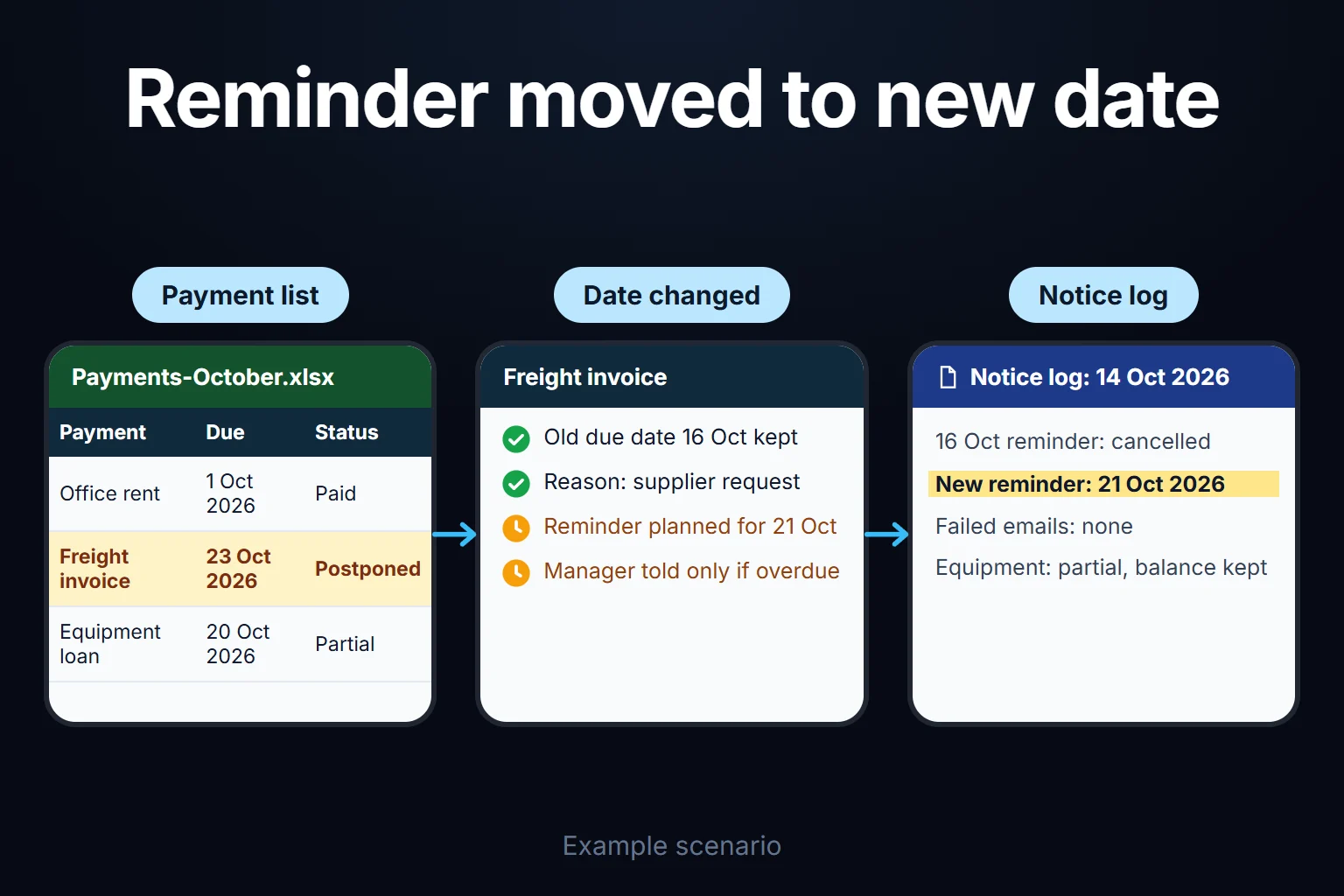
| Postponement | The old date is kept; new date, reason, requester and approver are recorded. Purchasing proposes, the finance manager approves. Tax and social security dates change only when an official extension is entered. |
| Weekends and holidays | A statutory date follows its jurisdiction’s rule. Reminders count working days back from the original date, not from the shifted one. If a supplier date falls on a weekend and the contract says nothing, I suggest paying on the working day before. |
| Repetition | One daily digest per person: due today, due this week, overdue. The same reminder is never produced twice on the same day. |
What does “paid” rest on?
“Paid” is a match, not a statement: an item closes when it is matched to a debit line on the bank statement or a remittance reference. When a statement is uploaded, debits are matched to open items by amount, counterparty and a date window, and a person confirms each match. Deciding which record a bank line belongs to works the same way as matching incoming money; I cover that in the bank and card settlement reconciliation app.
To stop the same bill being entered twice, the supplier’s tax number and invoice number together form a key (an e-invoice’s unique ID does the same job). A second entry is not rejected but flagged as a possible duplicate, because a supplier can send a credit or corrected invoice under the same number.
Who does what, and how is the audit trail kept?
Segregation of duties here means: whoever prepares a payment cannot close it as paid without evidence or change a supplier’s bank details alone. In the sample company a finance officer prepares payments, accounting or the finance manager confirms “paid”, purchasing enters new bank details and accounting verifies them, only the finance manager changes rules, and an auditor sees everything and changes nothing.
The audit trail keeps an undeletable line for every change: who, when, which record, old and new value, reason. “Why did this bill’s due date change three times?” is answered without searching inboxes. A shared spreadsheet cannot enforce this at row level.
What does AI do, and where does it stop?
AI suggests records here; it never confirms a date or marks anything paid. It helps in two places:
- Reading the due date from an invoice. From a PDF or e-invoice image it reads supplier, amount, dates and bank details and proposes a filled-in record. If the due date conflicts with the supplier’s payment terms, it shows both and picks neither. If the bank details differ from the record, it starts the bank-detail change flow instead of updating them: new details arriving on an invoice or email are the shortest route to paying the wrong account, so I suggest two people, not the model, handle that change.
- Drafting the weekly cash summary. It writes the text of Monday’s note to the finance manager. In the sample month: “Week 5 closes 320,000 negative. Fixed items: VAT, premiums and cheques. Flexible: 16 supplier bills in weeks 4 and 5, totalling 4,000,000.” The numbers come from the app’s table, not the model; every figure in the text is checked against the table, and the note is not sent if one doesn’t match.
No row reaches the model before the permission filter; the model’s answer only names records that user can see. If a supplier is a sole trader, their name and bank details are personal data. Sending them to an AI service in another country falls under the EU/UK GDPR’s international transfer rules (Chapter V). In Turkey, the equivalent is Article 9 of the data protection law (KVKK). I don’t give legal advice; the design states which data goes where, and I suggest sending a supplier code instead of a name.
Where exactly do spreadsheets and calendars break?
If you stay in Excel or Google Sheets, I suggest one shared table with one row per item (type, counterparty, document number, amount, original date, current date, owner, backup, status, payment date, bank reference), a dropdown-limited “Status”, a holiday sheet, =WORKDAY(original_date, -5, Holidays) for the reminder date and SUMIFS for weekly outflows.
As items and people grow, it breaks in specific places:
- Postponing erases the old date. Nobody can see how often a bill was pushed back.
- “Paid” is a cell, not evidence. Version history shows the cell changed, not which bank line it rests on.
- The reminder lives on one person’s phone. When the owner is on leave, it rings for them, not their backup, which was the last delay in the sample month.
- A partial payment creates no reminder for the remainder.
- The cash sheet is a separate file. Postponing a bill doesn’t update it, so the day-8 decision needs two files merged by hand.
- A cheque’s tied-up money has no place. It is either paid or unpaid in the table.
In the app, a defined business rule is applied when the record is entered and as the date approaches, not when someone reviews the sheet at month-end.
In the UK, “cash flow forecast template” gets about 880 searches a month against about 20 for “payment reminder app” (Google Ads Keyword Planner, rounded monthly average for October 2025 to September 2026, pulled 14 October 2026): people look for the template, not the app.
When your accounting system or bank is enough
I wouldn’t recommend a custom app if:
- You have a few dozen due items a month and one person tracks them all; the spreadsheet set-up above is enough.
- Your accounting or AP software already tracks due dates and cheques and your team uses it consistently. Use it fully first.
- You already schedule supplier payments as future-dated transfers in your bank, so dates are not missed. What’s left is cash planning and ownership.
A custom app makes sense when the list is split across several people, when cheques, tax and supplier payments pile up in the same weeks, and when the weekly cash decision should come straight from the due-date list. Bookkeeping and payments stay in your accounting system and bank.
How do we start, who owns the data and code, and how do users sign in?
The first step is mapping how you work today: the last three months’ due-date lists, your cheque register and any emails about late payments. The output is in writing:
- a reminder rules table with your day counts and thresholds,
- a role list: owner, backup and approver for each type of due item,
- the scope of the first version.
I build in this order:
- Due-date list, owner and backup, reminders, “paid” marking and audit trail.
- Cheque tie-up, statutory calendar, holiday list, escalation.
- Weekly cash table and confirming “paid” against bank statements.
- AI suggestions, once the rules have run cleanly.
How do reminders go out? Every user has a “due for me today” list inside the app. We choose the reminder channel together in the first step; I set it up the way that channel allows, and I don’t promise anything before I’ve seen it.
Where does the data live? The app runs on a server (VPS); the server, keys and accounts can be opened in your company’s name. The data is yours and can be exported to Excel or CSV at any time. There is no per-user licence; the cost is the server’s monthly fee plus maintenance, and in a small or mid-sized team adding users doesn’t change it.
How do users sign in? Everyone has their own account; I set out the sign-in method and user management in writing in the first step’s output.
Who owns the code? The full source sits in a repository you can access, with run instructions, a dependency list and known limits. Because the app handles payment and bank information, I assess access, security, hosting and maintenance separately at the start.
What if your accounting system or bank changes? Items and history stay in your database; only the import needs rebuilding for the new format, with its scope shared in writing beforehand, as is the first version’s scope and schedule once I’ve seen your set-up.
Send your last three months’ due-date list and cheque register, with supplier names masked, through the contact page. In the first meeting we’ll go through which payment waits at which step and with whom, and fill in the reminder rules table with your numbers.
Frequently Asked Questions
Does the app make payments or need my bank password?
No. It prepares and tracks payments; it doesn’t log in to your bank, ask for passwords or carry authority to send money. Your authorised people give payment instructions in your bank. The app only confirms the result against the debit line on your statement.
Are tax dates entered by hand every month?
No. A rule is defined once, such as “VAT, 28th of the following month”, and each month’s due date is generated from it. Two things are entered by hand: the year’s public holiday list and any official extensions. When an extension is entered, the old date stays on record with who changed it and on which notice.
How do foreign-currency liabilities appear in the cash table?
The due item keeps the liability in its own currency; the weekly cash table shows its equivalent in your reporting currency. I suggest converting at the rate on the day the table is calculated and labelling it “estimate”. On the payment day, the actual amount comes from the bank line and the item closes on that. Your accounting team sets which rate is used.
Can the same app chase customers for incoming payments?
It can be added to the scope, but it needs its own rules. The sample month’s table already holds the receipts forecast as a row. A reminder to a customer goes to someone outside the company, so its tone, frequency and channel need separate decisions from an internal reminder. That is why this page covers only what you pay. Working out which invoice an incoming payment belongs to is a reconciliation job.
How do I work?
Work-hour packages
Tell me about your business and what you need on WhatsApp or by phone; we agree on a work block of somewhere between 5 and 40 hours and I start doing what is needed. What you get is not a calendar window — it is net working hours spent directly on your business. I can use 40 hours working three days straight, or deliberately spread it out and finish it over a year — whatever the work calls for. I do not spend my time estimating how long something will take, I spend it doing the work; every hour I spend leaves a lasting result in your business. We keep going for as long as you find it useful.
Why not monthly?
Is 40 hours a week?
On a fixed monthly fee both sides are watching the wrong thing: you watch a fixed cost, the other side watches how many more contracts like this they can line up. Working by the hour puts us both in front of the same thing — the real value of the work that got done. I know not having an upfront answer to "how much will this cost in total?" is the natural cost of this model. But instead of paying a fixed fee for months to a setup that is not producing results, you only pay for the qualified time spent on your work — and you see exactly where that time went, start to finish. That is why my clients keep coming back.