
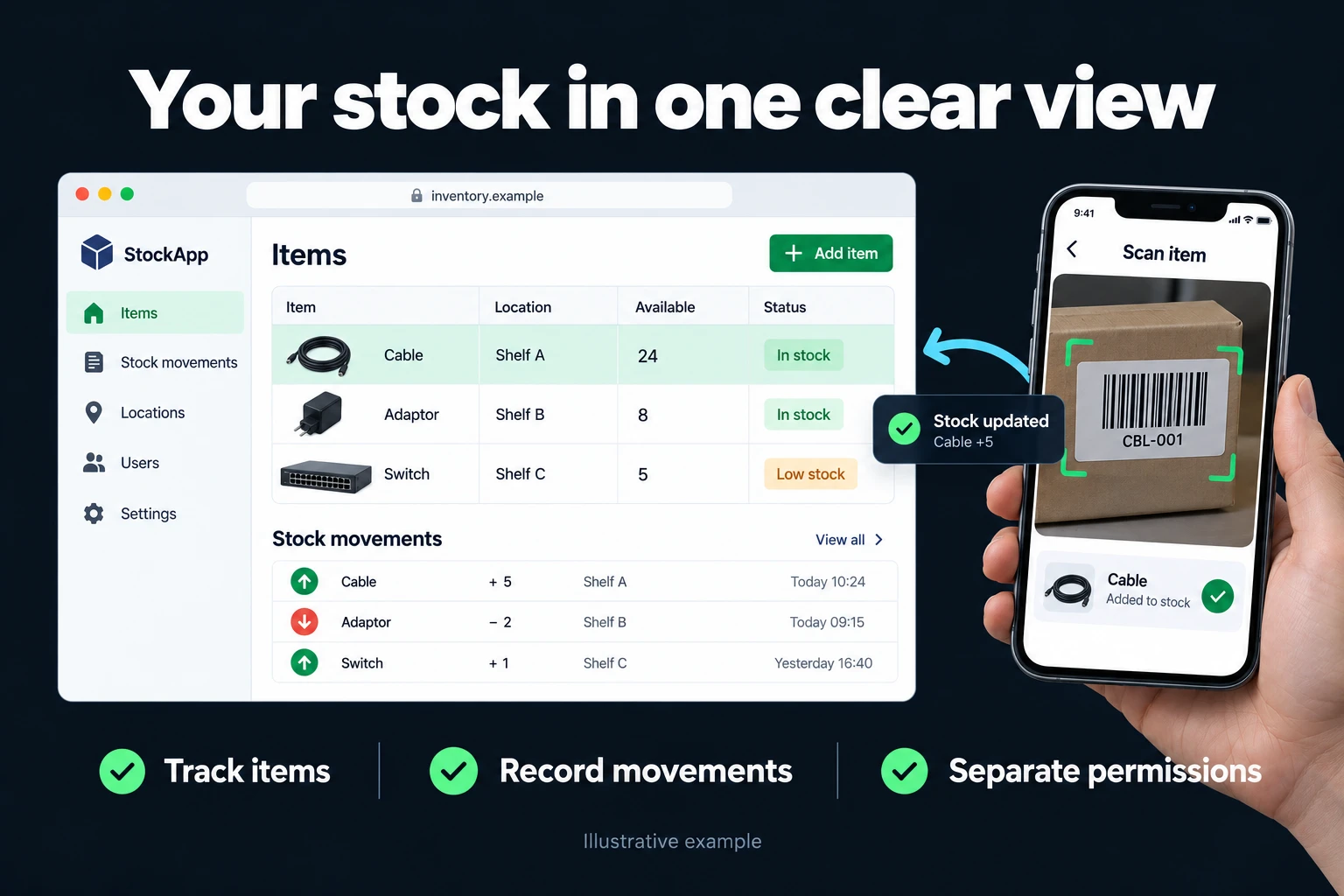
Custom Inventory Tracking Software Your Whole Team Uses
If you’re looking for inventory software, ask yourself one question first: does your work fit the mould of off-the-shelf products? If you sell in a shop with barcode checkout, issue invoices and deduct stock at the till, ready-made software is built for exactly that; use it. But if your stock sits in more than one warehouse, you need to separate goods promised to customers from goods you can sell, materials go out to projects or sites, or an issue needs someone’s approval, off-the-shelf software either can’t do it or tries to squeeze you into its own way of working.
In that second case, I turn the stock setup you’ve built in Excel or Google Sheets into a web app that runs on a server and that your team uses together from phones and laptops. The software knows your warehouses, your movement types and your rules.
Off-the-shelf software or custom software?
| Off-the-shelf inventory software | A custom web app for your business | |
|---|---|---|
| Best at | Retail sales, barcode checkout, invoicing | Your own warehouse, order and approval setup |
| Setup | Immediate | Days to a few weeks for the first version |
| Cost model | Monthly fee per user or location | Build cost + server and upkeep; no per-user licence |
| Your own rules | As far as the product’s settings allow | Whatever you need |
| Accounting and invoicing | Built into many products | Your accounting software stays; data can be exported to it |
| Where the data lives | On the vendor’s servers | On your server |
A custom app doesn’t replace your accounting or invoicing software. It keeps the movement of stock and your warehouse and role rules; official records stay in your accounting software.
Where off-the-shelf software struggles
- Several warehouses and transfers between them. The time goods are in transit from one to the other, and whose approval the transfer needed. Details: multi-warehouse stock tracking.
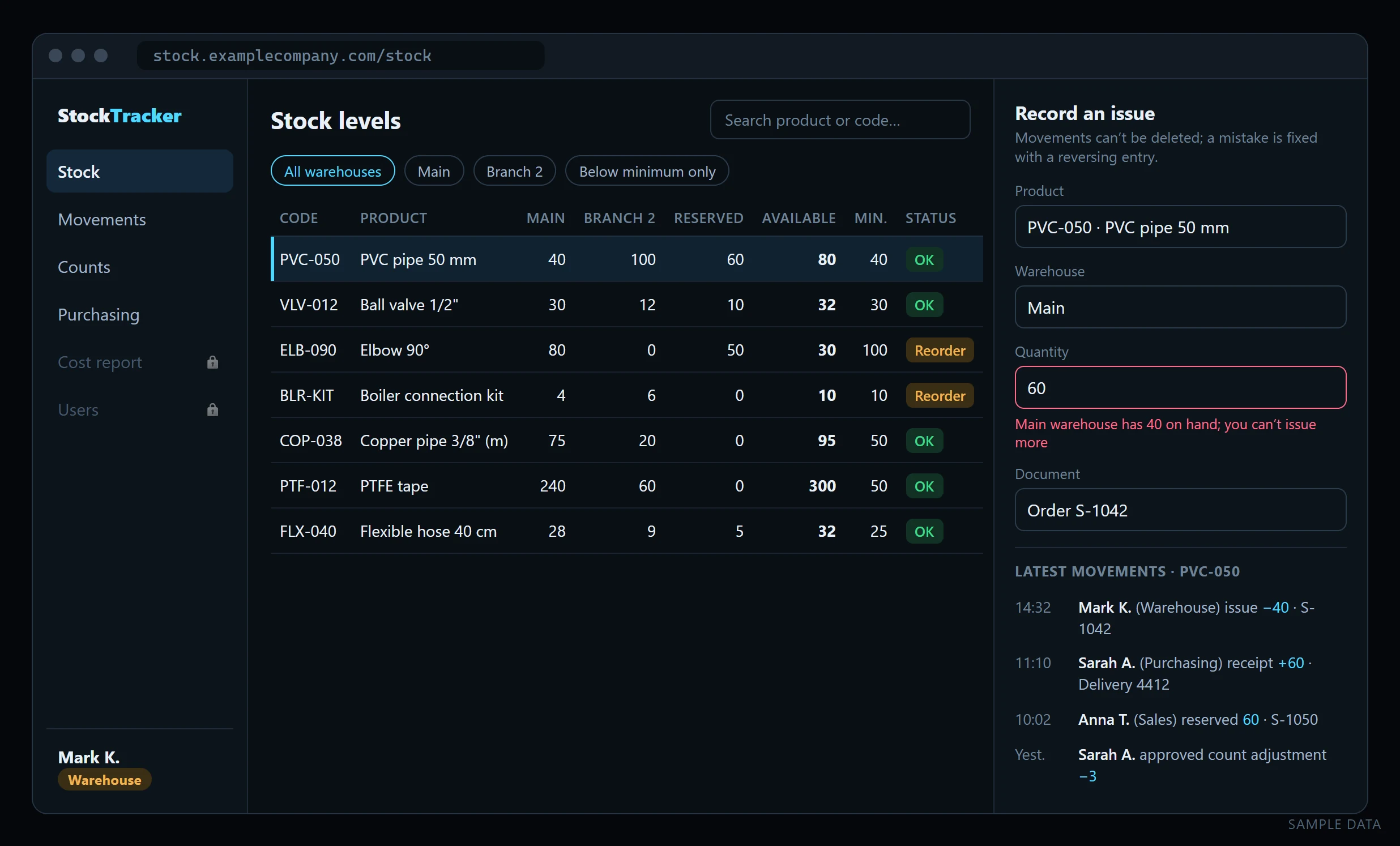
- Stock reserved for orders. There are 140 on the shelf, but 60 are promised to a customer; sales should see 80. Details: reserved stock tracking.
- Variants such as colour, size or dimensions. Each variant of the same product is its own stock. Details: variant stock tracking.
- Materials issued to projects or sites. The issue isn’t a sale; what matters is which project it went to and who asked for it.
- Approved issues. An issue of certain products or quantities isn’t final until a manager approves it.
- Purchasing needs. A product that reaches its minimum lands on the buyer’s list automatically. Details: low-stock purchasing.
What goes into the app
- Stock is calculated from movements. Current quantity is never typed in; it’s calculated from receipts, issues, returns, transfers and count adjustments. When a number looks wrong, you can see where it came from.
- Movements aren’t deleted. A wrong entry is corrected with a reversing movement, and who corrected it and why stays on record.
- Negative stock is blocked. Nobody can issue more than the warehouse holds. In Excel a paste can get around that rule; in the app it can’t.
- Screens by role. The warehouse records receipts and issues but never sees costs; sales sees available stock and reserves it; purchasing sees the low-stock list; the manager sees everything and approves.
- A stock count screen. Counts are done on a phone; any difference between counted and calculated goes for approval and is posted as a count adjustment once approved.
- Phone-friendly use. Someone in the warehouse picks a product and types a quantity on a one-screen form. Barcode scanning with the phone camera can be added.
- Export to Excel. Any list can be downloaded as an Excel file, so your reporting habits don’t have to change.
All of this is kept on a server in a PostgreSQL database, with permission rules enforced in the database and daily backups. The server setup and overall process: turn Excel or Google Sheets into a multi-user web app.
Connecting inventory to Turkey’s e-Dispatch workflow
Your accountant should establish whether Turkey’s e-Dispatch system (e-İrsaliye) applies to your business, including current deadlines and exceptions. I do not infer a turnover threshold from the software scope. Start with the Turkish Revenue Administration’s e-Document site for current legal and technical documents.
The inventory objective is to enter each shipment once. Warehouse dispatch, document lines and invoice information can be derived from a shared shipment record. Sending a document does not itself confirm stock movement or physical delivery; these states remain separate.
| Area | Possible application workflow |
|---|---|
| Outgoing document | Generate a draft from an approved shipment |
| Incoming goods | Create an intake draft; post it after quantity and acceptance checks |
| Products | Explicitly map provider line codes to inventory cards |
| Vehicle and driver | Connect required document fields to the shipment record |
| Cases and individual units | Product-specific conversion factors and a base stock unit |
Agree the provider and connection scope first. Where your authorised provider’s API, permissions and contract allow it, we can connect document submission and status retrieval. An action available in the provider’s portal is not automatically available through an API. Connection charges, failures and retry behaviour need separate agreement.
Access during transport is an acceptance check too. Your accountant should verify current display and print obligations against the applicable Revenue Administration rules. We also test whether a driver can open the correct document and what happens without connectivity.
During migration I plan a reconciliation report between provider documents and inventory movements. An unmatched entry does not identify its cause by itself: missing product mappings, transmission failures, cancellations or documents created separately in the portal are possible explanations. Differences must be investigated before creating another stock movement.
How we start
The starting point is the sheet you use today. Which warehouses there are, which movement types you use, who enters what, and which number doesn’t add up and why: I work these out from the sheet and a conversation with you. The first version is limited to the product list, a receipt-and-issue form and a stock levels screen; the team tries a real receipt, issue and return. Reservations, transfers, approvals and the purchasing list are added once the first version is proving useful. For the first few weeks the app and the sheet run side by side, and when the results match, the sheet goes to the archive.
If you’re not at the software stage yet, you can start with my Excel inventory tracking template, built on the same logic: products, movements and stock levels calculated by formula. When the template outgrows Excel, moving to an app is easy because the structure is the same.
Frequently Asked Questions
How is opening stock entered?
A stock count or verified spreadsheet at an agreed date becomes the opening quantity. We define when subsequent movements start to avoid counting old receipts again.
How do we correct a wrong quantity?
Movements aren’t deleted; a correction or reversal is recorded. The reason and the person responsible stay in the record so the quantity change can be reviewed.
Can we use a barcode scanner?
Yes. USB or Bluetooth scanners that act like a keyboard type straight into the form, and barcode scanning with the phone camera can be added too. If your products have no barcodes, printing labels with your own codes can be part of the scope.
Do we have to stop using our accounting software?
No. The stock app doesn’t issue invoices or keep the official books. Your accounting software stays in place; if needed, stock movements are exported in a form it can take in.
How many users and warehouses can we have?
There’s no per-user licence, and the number of warehouses isn’t a limit either. The running cost is the server’s monthly fee plus upkeep.
How is the work priced?
I work remotely and bill hourly. I send the scope and an estimate in writing after I’ve seen your spreadsheet.
Can I buy in cases and sell individual units?
Yes, the scope can define product-specific case-to-unit factors and a base stock unit. In the e-Dispatch workflow, document units must also map to inventory units, as described in the integration section above.
Discuss your workflow
Use the contact page to tell me briefly about the stock sheet you use and the task that causes the most trouble. Explore other examples of custom web apps for your team.
Related services
How do I work?
Work-hour packages
Tell me about your business and what you need on WhatsApp or by phone; we agree on a work block of somewhere between 5 and 40 hours and I start doing what is needed. What you get is not a calendar window — it is net working hours spent directly on your business. I can use 40 hours working three days straight, or deliberately spread it out and finish it over a year — whatever the work calls for. I do not spend my time estimating how long something will take, I spend it doing the work; every hour I spend leaves a lasting result in your business. We keep going for as long as you find it useful.
Why not monthly?
Is 40 hours a week?
On a fixed monthly fee both sides are watching the wrong thing: you watch a fixed cost, the other side watches how many more contracts like this they can line up. Working by the hour puts us both in front of the same thing — the real value of the work that got done. I know not having an upfront answer to "how much will this cost in total?" is the natural cost of this model. But instead of paying a fixed fee for months to a setup that is not producing results, you only pay for the qualified time spent on your work — and you see exactly where that time went, start to finish. That is why my clients keep coming back.