
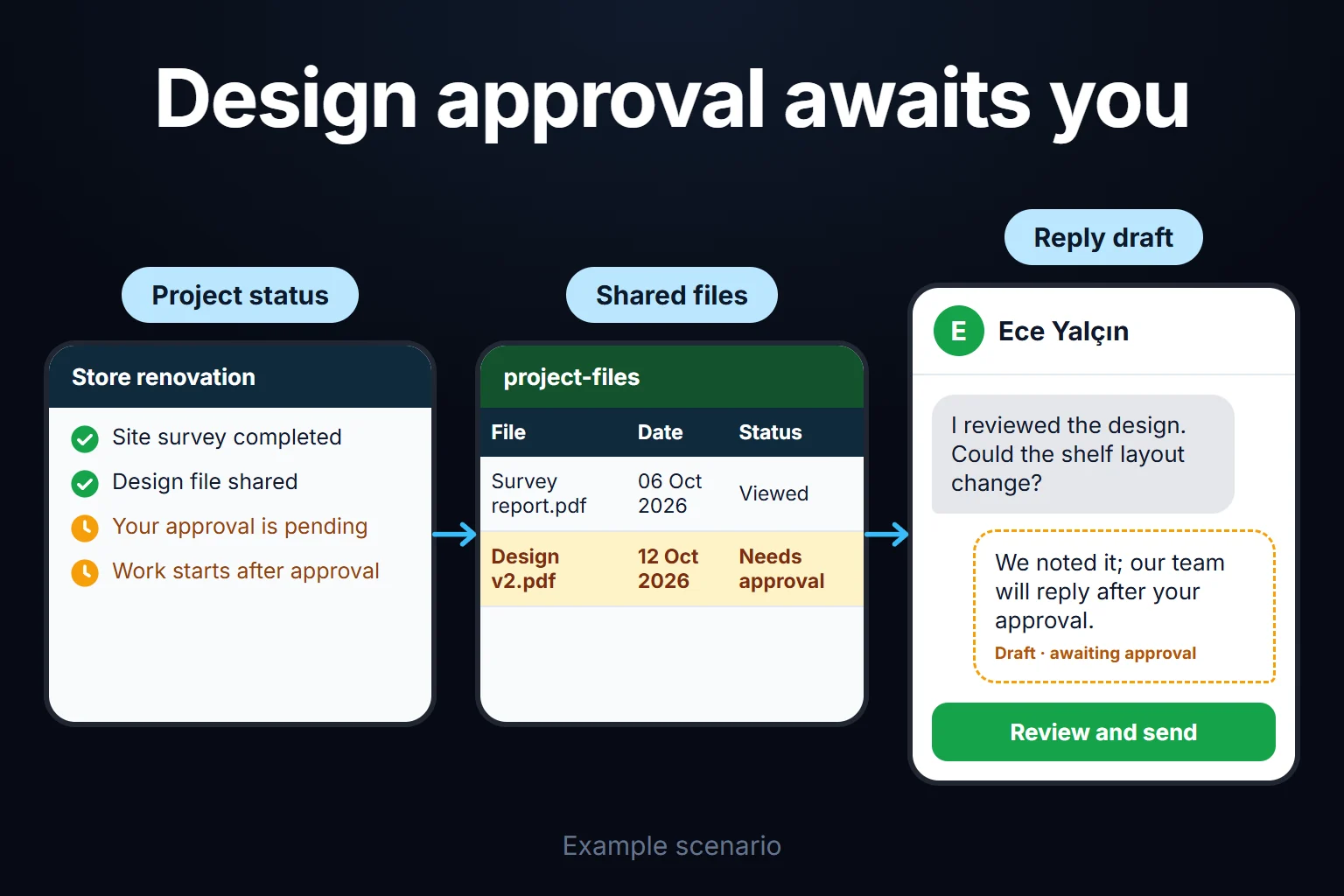
Client Project Status Portal: Published Milestones, Versioned Sign-Offs and Delivery Date Shifts
A client project status portal is a custom B2B web application where your external client logs into a dedicated screen to view only published project milestones, deliverable files awaiting sign-off, and how client approval delays affect the target delivery date—while your internal team notes, subcontractor costs, staff hours and unreviewed working drafts remain strictly inside your internal workspace. I build this portal around your project delivery workflow. Three traps break spreadsheet and email-based client tracking: sharing a Google Sheet tab or cloud folder accidentally exposes internal notes or unchecked draft drawings to the client; a client takes two weeks to approve a layout drawing and still expects the original 45-day contract completion date; and when a client replies “looks good, proceed” by email, nobody can prove whether they approved Layout_v2.pdf or Layout_v3.pdf. Below I follow one month at a fictional engineering contractor running 24 active industrial installation projects through all three.
This page focuses on the external client-facing status view, version-sealed client sign-offs and delivery-date adjustments caused by client waiting time. Tracking internal task assignments across your own staff is covered on the assigned records tracking portal page, while granting temporary access to external subcontractors or auditors is covered on the time-limited external team access page. If you run only a few short projects a year with a single final sign-off, you may not need this portal; see the checklist further down.
A sample company: an engineering contractor with 24 active projects, four roles and six terms
Sample data, fictional. Amounts are in a generic currency unit. Consider a 75-person industrial engineering firm that designs, fabricates and installs turnkey dust-extraction and filtration systems for manufacturing plants, managing 24 active client projects concurrently. Four project managers handle client schedules, design and fabrication engineers update internal work packages, company directors monitor schedule slip and milestone billing, and plant managers at the 24 client companies review drawings and site readiness.
Today each project relies on a shared spreadsheet schedule and a cloud folder. Last month a junior engineer dropped an unreviewed ducting cross-section into the shared folder; the client’s civil contractor cut wall openings to that draft before the project manager caught the error. On another project, a client held up electrical panel sign-off for 11 business days and later disputed the delayed commissioning date because client waiting days had never been logged separately.
Six terms used throughout this page:
- Internal work package vs published client milestone: Mapping 25–30 granular internal tasks (sheet-metal laser cutting, subcontractor painting, fan procurement, internal QA) into 6 clean client milestones (Site Survey, Layout Drawing Sign-Off, Fabrication, Site Installation, Commissioning, Final Handover).
- Publication gate (
client_visibleflag): No status change or uploaded file appears on the client screen automatically; an item becomes visible externally only when the project manager clicks Publish to Client Portal. - Version-sealed client sign-off: Instead of vague email replies, the client’s authorised approver clicks Approve for Production or Request Revision (With Reason) directly on a named file version (
Layout_Plan_v2.pdf) stamped with a cryptographic file hash and timestamp. - Client waiting counter and shifted target date: Once a milestone enters “Awaiting Client Sign-Off”, every business day beyond the contract’s standard review window (for example 3 business days) is counted as a client waiting day and added automatically to the target completion date.
- Out-of-scope change request split: When a client’s revision note asks for extra capacity or equipment not in the original contract, the project manager reclassifies the item from a standard revision to a Change Request with explicit schedule and budget impact.
- Read-only handover archive: A sealed final package generated at project close containing every approved drawing version, sign-off timestamp and handover certificate.
The four roles are internal project engineer, project manager, client approver and client viewer (read-only).
How project PRJ-108 looks internally vs on the client screen, and how the delivery date shifts
Sample data. Project PRJ-108 Foundry Dust Extraction Line has a baseline contract duration of 45 business days, with a contracted client review window of 3 business days per sign-off step.
Follow two sign-off milestones during execution:
- Milestone 2 — Layout and Ducting Isometric Sign-Off:
- The project manager publishes
Layout_v1.pdfto the client portal on Business Day 8. - The client approver responds on Business Day 10 ($10 - 8 = 2\text{ business days}$, within the 3-day window $\Rightarrow$ client delay $= 0\text{ days}$), requesting a 15-degree rotation on hood #2.
- The engineering team updates the drawing and publishes
Layout_v2.pdfon Business Day 12. - Waiting on their own internal board meeting, the client approves
Layout_v2.pdfon Business Day 21. Elapsed time is $21 - 12 = 9\text{ business days}$. Subtracting the 3-day contracted review window leaves 6 net client waiting days: $$9 - 3 = 6\text{ business days}$$
- The project manager publishes
- Milestone 4 — Pre-Installation Site Electrical and Plinth Readiness Sign-Off:
- Published on Business Day 31; the client finishes their site electrical feed and confirms readiness on Business Day 36 ($36 - 31 = 5\text{ business days}$ $\Rightarrow$ $5 - 3 = 2\text{ net client waiting days}$ beyond the 3-day window).
Total accumulated client waiting time: $6 + 2 = 8\text{ business days}$. Updated target completion day: $45\text{ baseline business days} + 8\text{ client waiting days} = \mathbf{Business\ Day\ 53}$.
Compare what the internal workspace and the external client portal display side by side:
| field / information | internal workspace (engineer + project manager) | external client project status portal |
|---|---|---|
| Schedule and target completion | Baseline: Day 45 · Client Waiting: +8 Days · Current Target: Day 53 | Baseline: Day 45 · Client Approval Waiting Adjustment: +8 Days · Current Target: Day 53 |
| Granular tasks and internal blockers | “Impeller supplier 2 days late; weekend welding shift scheduled to recover” (visible) | Never shown; displays only “Milestone 3: Fabrication in Progress (65%)” |
| Subcontractor costs, hours and margin | 410 staff hours logged, subcontractor bills and live project margin (visible to PM) | Never queried or sent to the client browser |
| Drawings and documents | Draft_Section_internal.dwg, Calc_Scratch.xlsx, Layout_v2.pdf (all visible) | Only published Layout_v1.pdf (Superseded) and Layout_v2.pdf (Approved — Business Day 21, 14:20) |
Publication gate, version seal and schedule-shift rules table
Below is the rule structure I recommend for the sample company (labelled as my starting suggestion; review windows are set to match your contracts):
| rule | starting suggestion in sample company | what it prevents |
|---|---|---|
| Two-stage publication gate | internal files and task notes remain invisible externally until the project manager sets client_visible = true | makes accidental leakage of rough drafts, cost notes or internal debates technically impossible |
| Version and SHA-256 hash seal | clicking Approve records file_name, version_no, sha256_hash, approver_user_id and timestamp in an immutable log | ends post-fabrication disputes over which revision the client actually signed off |
| Mandatory revision reason | selecting Request Revision requires entering a structured reason and pinning the affected drawing zone or item | stops vague rejections (“please review again”) that stall engineering work |
| Automated client waiting counter | while a step is in Awaiting Client Sign-Off, business days (excluding weekends and public holidays) beyond the 3-day window accrue in a separate counter | keeps client-caused delays visibly separate from contractor execution time |
| Out-of-scope change request split | if a revision request adds scope outside the baseline specification, the PM converts it into a Change Request with explicit time and cost fields | prevents scope creep from disguising itself as a routine drawing correction |
| Client-side role separation | separates Client Approver (authorised to sign off drawings and change requests) from Client Viewer (read-only site staff) | stops an unauthorised junior client employee from approving production drawings |
Roles and permissions: who does what internally and on the client side?
| action / view | internal project engineer | project manager | client viewer (read-only) | client approver |
|---|---|---|---|---|
| View / write internal tasks and team notes | yes | yes | no | no |
| View project budget, staff hours and margin | own hours only | full project financials | no | no |
| Publish milestone or file to client portal | uploads internal draft (“Ready for PM Review”) | reviews and clicks Publish to Client | views published items only | views published items only |
| Approve deliverable or request revision | no | cannot click Approve on client’s behalf | downloads files only | Approves or submits reasoned Revision Request |
| Approve out-of-scope Change Request | logs technical impact | publishes time and price impact | views | approves or withdraws request |
| View other clients’ projects | assigned projects only | assigned projects only | own company’s project only | own company’s project only |
One rule is non-negotiable: not even the project manager can click “Approve” on behalf of the client. If a client gives verbal sign-off in a meeting, the project manager uploads the meeting minutes and sends a one-click confirmation prompt so the client approver’s own account records the digital sign-off.
A sample month: 24 active projects, 68 client sign-off steps and protected timelines
Sample data. In the first month across 24 active projects, 68 client sign-off steps (layout drawings, site electrical readiness, material samples, factory acceptance tests) ran through the portal. Each step is counted once below:
| sign-off outcome | steps | schedule and operational impact |
|---|---|---|
| Approved on first version within the contracted 3-business-day window | 43 | zero schedule shift; fabrication or site work proceeded immediately |
| Total steps involving review delays, revisions or scope changes | 25 | broken down into the three categories below |
| · Approved on first version, but after exceeding the 3-business-day window (average 7 business days) | 14 | 56 total client waiting business days automatically added to the respective project completion dates |
· Standard technical revision requested by client and closed on v2 / v3 | 7 | exact production file sealed with SHA-256 hash; zero shop-floor builds from outdated drawings |
| · Revision note requested extra scope; split into formal Change Request workflow | 4 | 3 approved by the client with added budget and time; 1 withdrawn by the client to preserve the original schedule |
| Total | 68 | 24 active projects |
End-of-month decision. Analysing the 14 delayed sign-offs revealed that in 9 cases the client’s site engineer had reviewed the drawing within 48 hours, but the plant director with formal sign-off authority hesitated to click Approve without knowing whether their engineer had checked it. Management added a “Technical Pre-Check Complete” badge for the client viewer/engineer role: once the client’s engineer flags the drawing as checked, the plant director sees the internal endorsement on screen and signs off the same day.
Where Excel schedules and shared folders break on client projects
In Excel, calculating business-day client delays requires NETWORKDAYS.INTL (Microsoft Support). With publication date in B2, client sign-off date in C2, contracted review window (3 business days) in D2, and a Holidays range:
E2(Elapsed Business Days):=MAX(0, NETWORKDAYS.INTL(B2, C2, 1, Holidays) - 1)F2(Net Client Waiting Days):=MAX(0, E2 - D2)
While that formula handles a single pass, spreadsheet tracking breaks in three places on live projects:
- Multi-version review loops (
v1 → revision → v2 → sign-off): When a milestone cycles through three versions, a single spreadsheet row cannot hold multiple publication and response dates without breaking downstream formulas. - No cryptographic link between a cell and a file: Typing
"Approved"in columnGdoes not prove which PDF in a shared Drive folder was on screen when the client agreed. - Shared workbooks leak internal data: Giving a client access to a master tracking workbook risks exposing hidden cost columns or internal commentary tabs.
What AI does and does not do in a client project portal
AI never publishes a milestone to the client, never approves a document, and never alters a contract delivery date; all visibility gates and business-day calculations run in deterministic code. AI performs three assistive tasks, each requiring project manager confirmation:
- Drafting clean client progress summaries from internal engineering logs: At the end of the week, the model reads 12 internal technical updates (“Filter housing welds complete, grit blasting and epoxy primer coat applied, fan motor terminal test passed”) and drafts a concise two-sentence client update—stripping internal bottlenecks and cost figures—for the project manager to review and publish.
- Flagging potential scope creep in client revision notes: When a client writes “Please include ducting branches for polishing line #3 in this revision”, the model compares the note against the baseline scope summary and alerts the project manager: “This note references a third line not listed in the baseline scope; consider converting to a Change Request.”
- Portfolio queries for company leadership: A director can ask “Which active projects currently have a milestone waiting on client sign-off for more than 5 business days?” The model queries only authorised project records.
No record reaches the model without passing the user’s permission filter first, and client sessions have zero access to internal notes or cost tables. Where project records include client staff names and contact details, cross-border data transfer rules apply when using cloud-hosted models (under GDPR in the EU/UK, and in Turkey under KVKK Article 9 as amended effective 1 June 2024). I do not provide legal advice; I document every field sent to the model so your legal counsel can review compliance.
If your current project tool or email flow is enough, you do not need this portal
Check five questions before commissioning a custom portal:
- Do you run only 3 or 4 projects at a time with minimal client sign-off steps?
- Do client review delays rarely affect your delivery deadlines or milestone invoicing?
- Does your existing task tool (Jira, Asana, Monday) already provide a clean external client view that hides 100% of internal comments and hours without charging per-seat licence fees for every client contact?
- Do you never experience disputes over which drawing revision a client approved?
- Are routine drawing revisions and billable out-of-scope additions always clearly separated?
If you answer yes to all five, keep your current workflow. If your project managers spend hours writing status emails, absorb blame for client-caused schedule delays, or worry about internal notes leaking through shared folders, a dedicated client project status portal solves the problem cleanly.
How we start, who owns the data and code, and what happens to your internal task tool
You do not have to abandon the internal task board your engineers already like. First we define your 5 to 8 standard external client milestones, shareable deliverable types, contracted review window (for example 3 business days) and change-request rules in writing. We launch the portal across 2 or 3 active pilot projects, verify the publication gate and sign-off flow with your project managers, and then roll it out across your portfolio.
Data, code and hosting. The portal runs on a virtual private server (VPS) in your company’s name; all project logs, sign-off records and uploaded deliverables belong to you and can be exported to Excel, CSV or a sealed archive at any time. Source code, run instructions, dependency lists and known limits are delivered in a repository you control. There are no per-project or per-client-user licence fees; inviting 50 client stakeholders across 25 projects adds zero licensing cost, as your only ongoing cost is server hosting and maintenance. Every internal user and client contact logs in with an individual account, and every publication, file download and version sign-off is recorded in the audit log.
Share how many concurrent client projects you run and where sign-offs or delivery dates cause friction today via the contact page, and we will map out your internal-to-external milestone structure together.
Frequently Asked Questions
Do clients have to log in every day to check if something needs their approval?
No. When a project manager publishes a new milestone or drawing awaiting sign-off, the portal can send an automated alert to the designated client approver (we choose the notification channel together during onboarding). Clicking the secure link takes the approver straight to the exact versioned file and sign-off button.
What if one corporate client has three different projects running with us at the same time?
Each client user’s scope can be mapped to a single project or to their parent company. A plant engineer at Site A sees only Site A’s project, whereas the client’s group capital-projects director logs in once and sees summary cards for all three sites on one dashboard.
What happens to client portal access after final project handover?
Once a project reaches “Final Handover / Completed”, it switches to read-only archive mode. For your chosen retention period (such as the warranty term), the client can log in to download final as-built drawings, manuals and signed handover certificates, or you can export the sealed handover archive and close external access.
How do I work?
Work-hour packages
Tell me about your business and what you need on WhatsApp or by phone; we agree on a work block of somewhere between 5 and 40 hours and I start doing what is needed. What you get is not a calendar window — it is net working hours spent directly on your business. I can use 40 hours working three days straight, or deliberately spread it out and finish it over a year — whatever the work calls for. I do not spend my time estimating how long something will take, I spend it doing the work; every hour I spend leaves a lasting result in your business. We keep going for as long as you find it useful.
Why not monthly?
Is 40 hours a week?
On a fixed monthly fee both sides are watching the wrong thing: you watch a fixed cost, the other side watches how many more contracts like this they can line up. Working by the hour puts us both in front of the same thing — the real value of the work that got done. I know not having an upfront answer to "how much will this cost in total?" is the natural cost of this model. But instead of paying a fixed fee for months to a setup that is not producing results, you only pay for the qualified time spent on your work — and you see exactly where that time went, start to finish. That is why my clients keep coming back.