
Cost-Protected Quoting Portal: Reps See the Price, Not the Cost
A cost-protected quoting portal is a web app where a sales rep builds quotes from the list price and their own discount band, and never sees the product’s cost or margin. The sales manager sees margin, finance maintains cost, and any quote whose margin falls below a set floor goes to approval before it is sent. I build this portal to fit your company. Three traps: a hidden cost sheet in Excel travels with the file; a rep who can’t see margin can still estimate it from where the “needs approval” warning starts; and when exchange rates or material prices move, margin on open quotes quietly erodes. Below I follow one month at a fictional valve manufacturer through all three.
A sample company: a 180-person valve manufacturer, four roles and a customer
Sample data, fictional. Amounts are in a generic currency unit. A 180-person company makes stainless and brass industrial valves and sells them wholesale, with six reps (four domestic, two export), a sales manager and one costing person in finance. Stainless bar is bought in US dollars; domestic customers are quoted in the home currency, export customers in dollars.
Today price list and cost share one Excel workbook with the “Cost” sheet hidden. Last month a rep sent the workbook instead of a PDF; the customer’s buyer unhid the sheet and opened the next negotiation with the unit cost.
Six terms:
- List price: the undiscounted unit price on the price list.
- Discount band: the highest discount off list a role can give without approval.
- Unit cost: finance’s cost per unit, in two parts: dollar-linked materials, and labour and overhead in the home currency.
- Gross margin: (net price − unit cost) ÷ net price; net price is the unit price after discount.
- Margin floor: the gross margin below which a quote goes to approval.
- Hard floor: a lower margin below which the managing director must approve.
The four roles are sales rep, sales manager, finance and managing director. The customer never logs in and only receives the PDF.
How does the same quote line look to each role?
Each role sees the same quote line at a different depth: the rep sees price, the sales manager sees margin, finance and the managing director see the cost breakdown. The sample line (sample data):
DN50 stainless ball valve · 40 units · list price 4,800 · discount 10% · net price 4,320 · unit cost 3,400 (2,700 dollar-linked materials + 700 labour and overhead) · gross margin 21.3% · line total 172,800 (excl. tax)
| field | sales rep | sales manager | finance / managing director |
|---|---|---|---|
| list price | yes | yes | yes |
| discount band | own band only | all roles | all roles |
| net price and total | yes | yes | yes |
| gross margin | no | yes | yes |
| unit cost | no | not on screen (see below) | yes |
| cost breakdown, purchase price | no | no | yes; finance maintains |
| margin floor | no | yes | yes; managing director sets |
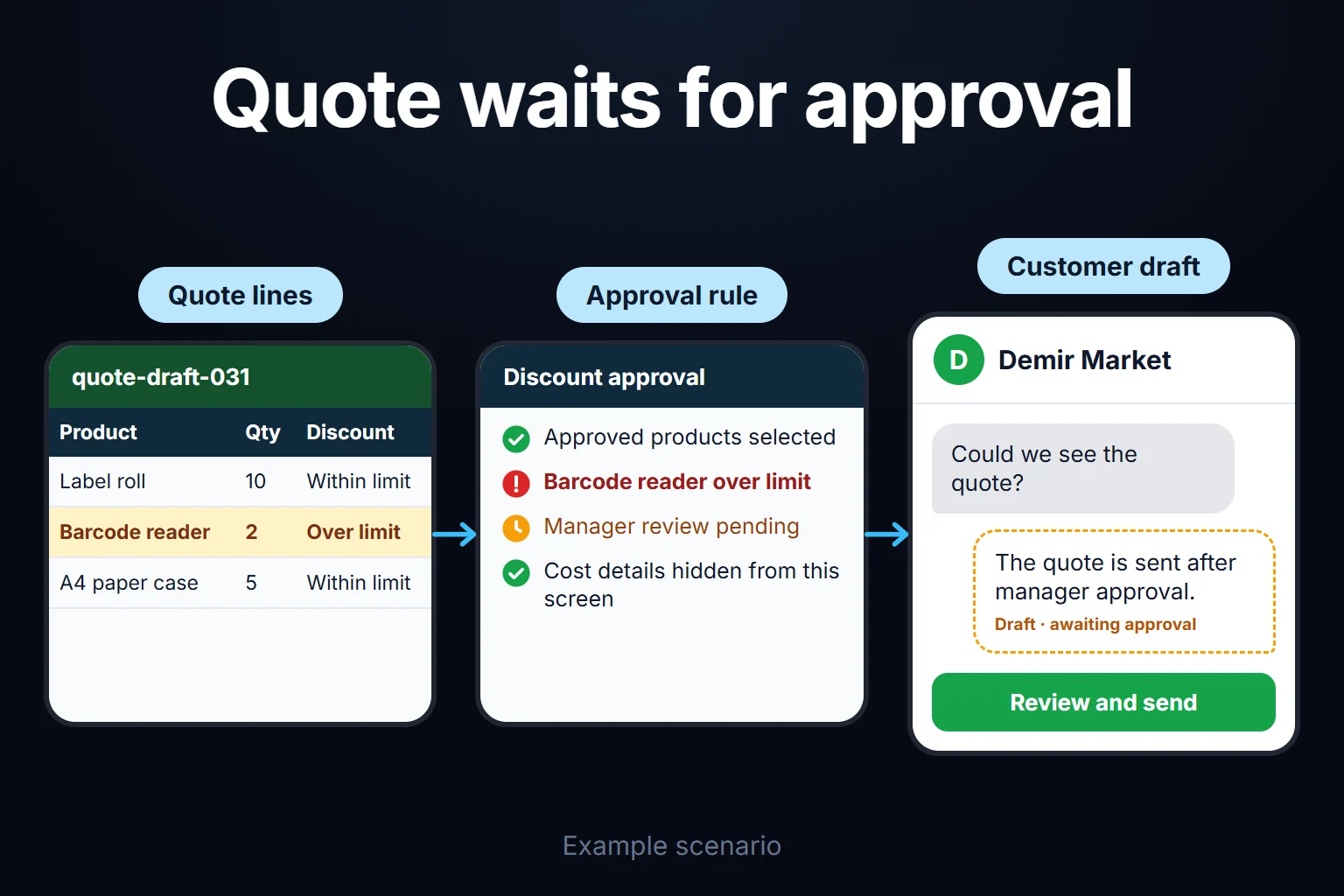
The rep quotes and sends within their band, and sends anything outside it to approval with a reason. The sales manager approves between the margin floor and the hard floor. Finance updates cost and rates but approves nothing. The managing director sets the floors and approves below the hard floor.
Cost and margin never reach the rep’s screen as data. Field-level permissions and export as a separate permission are covered on the expense permissions and reporting screen.
Whoever sees margin can work out cost. With a net price of 4,320 and 21.3% margin, unit cost is 4,320 × (1 − 0.213) ≈ 3,400. Giving the manager margin means giving them cost; what can still be kept from them is the supplier’s purchase price and the cost breakdown.
Margin and discount rules: which quote goes to approval?
A quote goes to approval for three reasons: the discount exceeds the sender’s band; the discount is within the band but gross margin falls below the floor; or the item isn’t on the price list. The second rule matters most when rates or costs move. My suggested rules for the sample company; your figures follow your pricing policy:
| rule | my suggestion for the sample company |
|---|---|
| Sales rep discount band | 0–10% off list, set per product group |
| Sales manager discount band | 10–15% |
| Margin floor | below 18% gross margin, sales manager approval, even within the rep’s band |
| Hard floor | below 12% margin, or a discount above 15%, managing director approval |
| Item not on the price list | the rep adds it as a custom item; finance enters its cost; the sales manager approves the price. A quote with an uncosted item can’t be sent |
| Line and quote total | the floor applies to each line and to the quote total |
| Self-approval | nobody approves their own quote; a sales manager’s own quote that needs approval goes to the managing director |
| Approval reason | approver or rejecter writes a one-line reason, kept on the quote |
| Quote validity | 30 days; shorter for home-currency quotes on dollar-costed products (see the month-end decision) |
| Rate lock | a sent quote’s price doesn’t change during validity; the rate source (for example your central bank’s reference rate) and date are stored on the quote |
| Cost update | finance saves the new cost with a start date and reason, keeping the old value; every quote knows which cost version it used. Open quotes are recalculated; those below the floor are flagged “needs repricing” in one batch after finance checks the recalculation. The rep sees the flag, not the new minimum price or margin, and prepares a new version within the band or sends it to approval. The sales manager sees old and new margin side by side (“at today’s cost this quote leaves 17.5%”) and decides; the app doesn’t |
Why both line and total? A heavily discounted add-on line can sit at 4% inside a quote whose total is 19%; and absorbing freight can pull a total below the floor while every line clears it.
What does the rate lock mean? The company carries the exchange-rate risk for the validity period, so validity is the price you put on that risk. The app recalculates open quotes on every rate change, so it catches slow drift as well as jumps; the only way to change a sent quote’s price is to send a new version.
A sample month: 186 quotes, 37 approvals, 25 flags and a decision
Sample data. Month-end figures (the month’s 16 revisions, the new-price versions described below, aren’t counted as separate quotes; a quote that hit approval for several reasons is counted once, under the highest level):
| quotes | |
|---|---|
| Quotes written in the month | 186 |
| Sent directly, within the rep’s band and above the floor | 149 |
| Sent to approval | 37 |
| · discount outside the rep’s band | 21 |
| · discount within the band, gross margin below 18% | 11 |
| · item not on the price list | 5 |
| Outcome: sales manager approved as is | 24 |
| Outcome: sales manager approved with a lower discount | 8 |
| Outcome: sales manager rejected | 2 |
| Outcome: below the hard floor, to the managing director (2 approved, 1 rejected) | 3 |
The 8 quotes approved at a lower discount added 14,600 in gross margin compared with what the reps had asked for.
In week three the dollar rose 6% against the home currency in a single week. The app recalculated only the dollar-linked part of unit cost: 2,700 × 1.06 = 2,862, while the 700 home-currency share stayed put. The sample valve’s unit cost went from 3,400 to 3,562 and its margin from 21.3% to 17.5%; on the 40-unit quote the margin amount fell from 36,800 to 30,320. Not a loss, but below the floor.
There were 71 open quotes (sent, awaiting an answer). 44 were home-currency quotes for dollar-costed products, and 19 of those fell below 18%. The same week the brass body supplier raised prices by 9%; finance updated the materials share of brass products and 6 more were flagged. Of the 25 flagged quotes:
- 16 got a new-price version. The customer hadn’t replied yet, so the rep sent a new version; these are the table’s 16 revisions. The old version’s validity hadn’t run out. Whether the customer can still accept it, and whether the new version supersedes it, depends on your quote terms and contracts; settle that with your legal adviser, as I don’t give legal advice. The app records which version was sent when; tracking versions is the subject of the quote revision and follow-up tracking app.
- 6 were left open at the old price. The sales manager chose not to send new versions for customer-relationship reasons. These 6 quotes total 486,000 net; their gross margin was 98,400 at the old cost and 77,300 at the new one. If the customers accept, the decision costs 21,100 in margin, and the manager made it seeing that figure.
- 3 expired or were withdrawn.
The month-end decision. In the stainless group the rep’s band went from 10% to 9%. The lowest net price that keeps 18% margin at the new cost is 3,562 ÷ 0.82 ≈ 4,344, about 9.5% off list; at 9% the net price is 4,368 and margin 18.5%. Validity for home-currency quotes on dollar-costed products went from 30 days to 10. Export quotes are in dollars, the cost currency, so they were unaffected. The change is a logged setting.
Why not update the list price, or quote in dollars? A list price update takes days at this company (finance recalculates, the managing director approves, customers are told) and doesn’t change quotes already sent; the narrower band and shorter validity cover that gap. A foreign-currency quote needs the customer to accept it, and a buyer budgeting in fixed home-currency prices may not. Whether currency-linked quotes or rate clauses are allowed in your domestic sales is for your accountant and legal adviser.
Can a rep estimate margin from the approval warning?
Yes. The margin floor shows on the rep’s screen only as the “needs approval” warning. After the rate move, with the band still at 10%, a rep raises the discount on one product in small steps: 8% (4,416), 9% (4,368) and 9.5% (4,344, margin exactly 18.0%) pass, and the warning appears at 10% (4,320). Knowing the floor percentage, they can narrow cost to between 4,320 × 0.82 ≈ 3,542 and 4,344 × 0.82 ≈ 3,562. The real figure is 3,562.
I narrow this leak in four ways:
- Reps aren’t told the floor. They know only their band, which is set with a buffer above the floor, so the warning usually marks the edge of the band.
- One approval reason. “Outside your band” and “below the margin floor” both read “needs approval under pricing policy” to the rep; the manager sees the difference.
- The check runs on send, not while typing. Every draft sent to approval lands on the manager’s screen, and three drafts of the same product at different discounts in a row raise a separate flag.
- Floors differ by product group, so one product’s cost is harder to infer from another’s.
The limits, plainly. Measure 2 only hides the reason outside the band: a rep knows their band, so a warning inside it can only come from margin. Measure 1 breaks when rates or costs move and the buffer erodes; after week three the warning appeared at the edge of the margin, not the band, and reps kept giving 10% out of habit; most of the 11 within-band approval requests are the trace. The leak is widest in that window, one more reason to narrow the band quickly.
The “needs repricing” flag is a leak too: a rep who sees which quotes were flagged after a rate move learns which products sit near the floor and that their cost is currency-linked. Flags go out in one batch after finance checks, each rep seeing only their own. Hiding them would leave quotes below the floor, so I’d suggest accepting this leak knowingly.
These measures make the leak expensive, not closed. The app guarantees only that cost is never written to the rep’s screen, files or customer documents; what remains is an estimate, not information.
Why is cost absent from the customer PDF rather than hidden?
The customer PDF is built only from customer-facing fields: product, quantity, unit price, total, tax, validity, delivery and payment terms. List price and discount rate appear only if you choose to show them. Cost and margin are never passed to the template as data, so cost isn’t hidden in the PDF; it was never generated, and no template error or text copy can reveal it.
In Excel, a hidden column or sheet stays in the file. Microsoft says that by default Excel copies hidden or filtered cells in addition to visible cells (Microsoft Support), so a rep pasting the quote table into an email may paste the hidden cost column too. Document Inspector finds hidden rows, hidden columns with data and hidden worksheets before sending (Microsoft Support), but someone must remember to run it every time.
In the portal, export follows the role: the rep downloads only the customer PDF; the sales manager’s Excel export leaves out margin, since a file leaves the app; finance gets the full export. Every export is logged.
How do you separate this in Excel, and where does it break?
In Excel, the reliable way to keep cost from sales is for cost never to be in the file the rep opens. Hidden sheets and sheet protection don’t do that; I quoted Microsoft’s and Google’s warnings on the budget vs actual expense dashboard. If you stay in Excel:
- Two files. The cost file stays with finance; the rep’s quote file holds only list prices, regenerated as values, not formulas, whenever prices change.
- Customers get PDFs only.
That works for a few reps with stable prices. Where it breaks:
- No margin floor. The rep’s file has no cost, so the check can’t run there.
- No warning on cost changes. After a 6% rate rise someone has to compare every open quote with the cost file by hand; the sample month’s 25 flagged quotes can go unnoticed if nobody does.
- Approvals live in email. At month end nobody can tabulate who approved which discount.
What does AI do in quoting, and what doesn’t it do?
AI does four jobs here, all as suggestions. It doesn’t produce price, discount or margin; those come from the app’s tables and the rules above.
- Extracting the request. “40 of the DN50 stainless ball valves, 20 of the DN25” becomes two proposed lines mapped to product codes; the rep confirms each. An item the model can’t match is left “unmatched”, not guessed.
- Similar items. “This customer also asked for flange gaskets on their last two quotes” comes only from quotes the rep may see.
- Cover letter draft, with every number a placeholder the app fills.
- A manager’s free-form question. “Over the last three months, which customers averaged the deepest discounts, and whose approval requests went up?” The model turns it into a filter and writes the sentence; the table produces the numbers. Net price and discount go to the model; cost and margin don’t.
The rule: no row reaches the model without passing the permission filter, and cost and margin are never sent to the model, whoever asks. “Apply a 30% discount” in a customer email is read only as the customer’s request; the model can’t change the price.
A customer email carries personal data such as the contact’s name. If the model runs in another jurisdiction, transfer rules apply: in the EU, Chapter V of the GDPR (EUR-Lex, Regulation (EU) 2016/679); in the UK, the UK GDPR has its own transfer rules (ICO). I don’t give legal advice; I list in writing which fields go to the model for your legal adviser.
If your CRM or ERP quoting module already does this, you don’t need the portal
If your quotes already live in a CRM or ERP quoting module, check five things first:
- Does it hide cost and margin from the rep role in exports and reports, not just on screen?
- Can it trigger approval on gross margin, at line and quote-total level?
- Is the cost field absent from the customer PDF template?
- Does it recalculate and flag open quotes when cost or the rate changes?
- Does it record who approved which discount, and why?
Five yeses: you don’t need a custom portal. Three or four: try the module’s settings or its vendor’s add-ons first. If the missing item is 1 or 3 (cost shows in exports or on the PDF) and can’t be fixed, you need a separate route in which the rep never sees cost; that is exactly what this page is about. If the missing item is 2 or 4 and can’t be fixed, a portal adds margin-based approval and recalculation of open quotes after a rate move. Two yeses or fewer: the module isn’t enough for this job, so keep cost out of anywhere a rep can open. Test with a rep account in your own setup: does the exported file contain a cost column?
My assessment: with two or three reps and a few dozen quotes a month, the two-file Excel setup is enough. The portal makes sense when cost depends on exchange rates or materials and open quotes are too many to track a rate move by hand.
How do we start, and where does the cost data live?
The first step is writing down your pricing policy, not software: who holds the price list, who calculates cost, who sets discount limits, which costs are currency-linked. The written output covers roles and bands, floors, approval levels, customer PDF fields and, for each role, the fields they must not see (for the rep: unit cost, gross margin, margin floor, purchase price). The first version’s permission test checks a rep account’s screen, exported file and PDF against that list.
Where does cost come from? Whether finance enters a unit cost per product or cost is built from the bill of materials is decided in the first step’s written output. For the first version I’d suggest finance-entered unit costs, with the dollar-linked part and the home-currency share entered separately, since the rate calculation depends on that split.
Open quotes on go-live day are imported in their sent versions, each assigned the cost and rate of its quote date. A quote whose cost can’t be found goes to finance as “cost not assigned” and stays out of the floor check until it has one.
I don’t switch everything on at once. Order: (1) price list, the rep’s quote screen and a cost-free customer PDF; (2) discount bands, margin floor and approval levels; (3) dated cost versions, rate source and flagging of open quotes; (4) AI, after every role passes its “must not see” test.
Data, code and sign-in. The app runs on a server (VPS) that can be opened in your company’s name; the data is yours, exportable in full as Excel or CSV. The source code sits in a repository you can access, with run instructions, a dependency list and known limitations; keys and accounts are in your name. There’s no per-user licence; in a small or mid-sized team, adding users doesn’t change the cost, which is the server fee plus maintenance. Everyone signs in with their own account. Because the app holds sensitive cost data and customer contacts, I assess access, security, hosting and maintenance separately at the start. If you change ERP, quote history, cost versions and rules stay in your database; the scope and timeline of the product and cost import from the new system are agreed in writing.
Tell me through the contact page who holds your cost file today, who sets discount limits and how many open quotes lost margin in the last rate move; in the first step we draft your roles, discount bands and margin floors together.
Frequently Asked Questions
Can we set customer-specific contract prices?
Yes. Their quotes open from the contract price and the rep’s band applies on top. Only the sales manager or managing director enters contract prices, each with an end date; the margin floor still applies.
Does a quote waiting for approval keep the customer waiting?
It can, so waiting time is tracked. An absent manager’s approvals go to a dated, logged deputy, and a quote waiting longer than a time you set (say one working day) triggers a reminder to the next approver.
Can we pull cost automatically from our ERP?
It depends on your ERP’s export options. In the first version, cost arrives as an ERP export matched by product code; unmatched rows aren’t loaded but go to a separate table for finance. A direct connection is a separate step; I share its scope and timeline in writing.
Does an accepted quote flow into an order or the ERP?
It can, but not necessarily in the first version. An accepted quote’s lines are exported to a file your ERP can import; opening the order automatically is discussed as a separate step. The exported file contains no cost or margin.
How do I work?
Work-hour packages
Tell me about your business and what you need on WhatsApp or by phone; we agree on a work block of somewhere between 5 and 40 hours and I start doing what is needed. What you get is not a calendar window — it is net working hours spent directly on your business. I can use 40 hours working three days straight, or deliberately spread it out and finish it over a year — whatever the work calls for. I do not spend my time estimating how long something will take, I spend it doing the work; every hour I spend leaves a lasting result in your business. We keep going for as long as you find it useful.
Why not monthly?
Is 40 hours a week?
On a fixed monthly fee both sides are watching the wrong thing: you watch a fixed cost, the other side watches how many more contracts like this they can line up. Working by the hour puts us both in front of the same thing — the real value of the work that got done. I know not having an upfront answer to "how much will this cost in total?" is the natural cost of this model. But instead of paying a fixed fee for months to a setup that is not producing results, you only pay for the qualified time spent on your work — and you see exactly where that time went, start to finish. That is why my clients keep coming back.