
Google Tag Manager Setup | Tags in One Place
For: businesses and development teams needing controlled tag management. Deliverables: a tag inventory, data-layer contract and version/test record. Scope is agreed in writing and work uses an hours package. Contact.
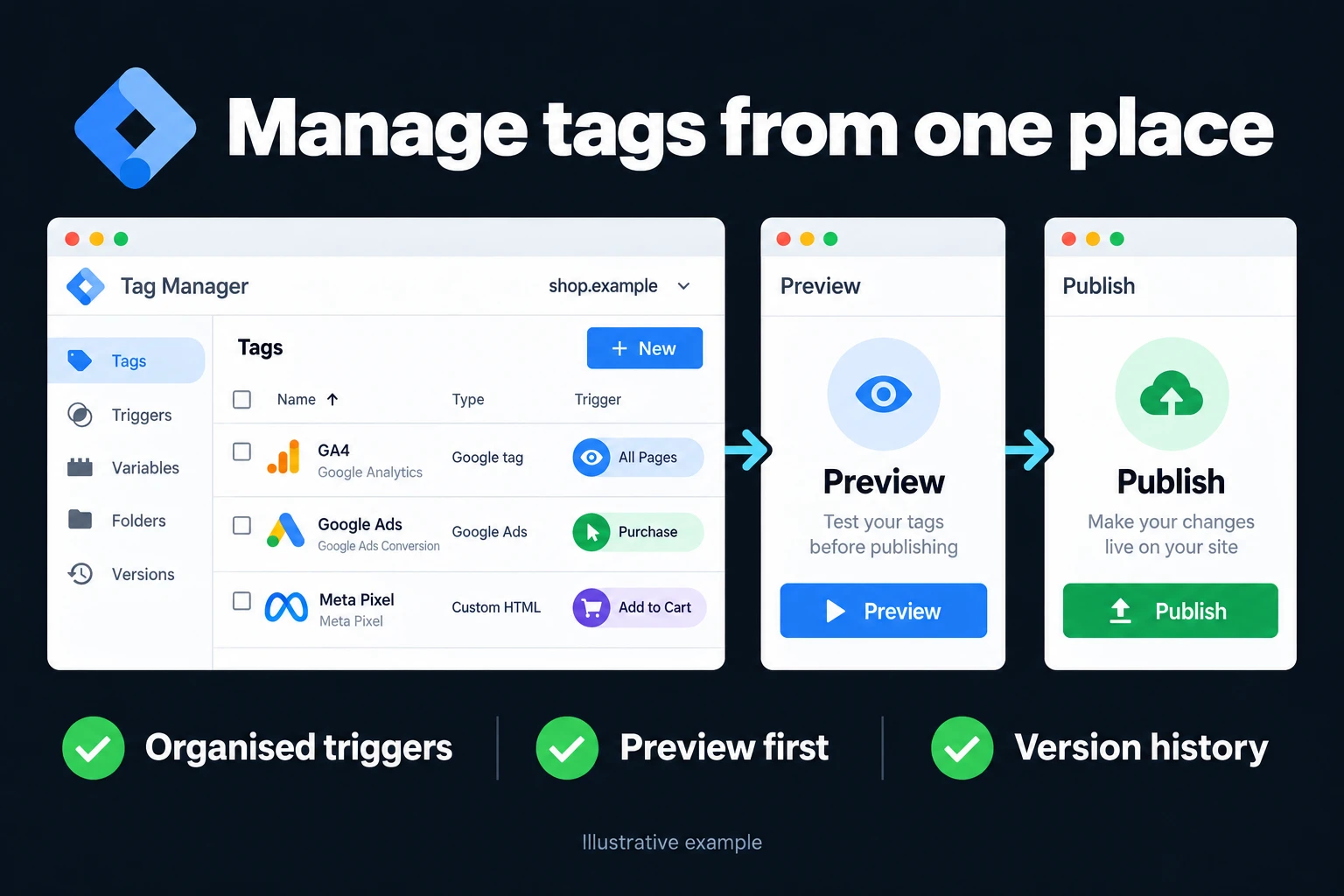
Google Tag Manager is the layer that lets you manage all measurement tags on your site from one place. GA4, the Google Ads conversion tag, the Meta pixel and similar tools are managed through GTM instead of being embedded one by one.
Why not embed tags directly in code
When tags are embedded in the theme, every change needs a developer, and a theme update can silently wipe them. In accounts I take over, this is the single most common reason conversions suddenly stop one day.
In GTM the tag lives independently of the site. Adding a conversion, swapping a pixel or removing a tag can be done without touching the site. It also lets you verify changes in a preview environment before publishing.
Recover a GTM release through versions
GTM creates a version when a container is published. Give each release a name describing the change and a description explaining the reason and approval. Version history is useful only if a later reviewer can recognise what changed.
When a fault follows a release, compare timing and the actual diff; timing alone does not prove causation. If rollback is appropriate, republish a known good version with the business’s publication approval. This changes the live container. Setting an older version as latest also replaces the workspace contents, so preserve unfinished work before using it. Fix and preview the intended change before publishing again.
Before submission, inspect every workspace change, including deleted triggers or variables. An unfamiliar change needs an explanation before it goes live.
| Container permission | Main capability |
|---|---|
| Read | Inspect tags |
| Edit | Change workspace contents |
| Approve | Create versions without publishing |
| Publish | Publish versions |
Give outside contributors the access needed for the agreed role; keep publication controlled. Retain at least two authorised account administrators using their own Google accounts. Shared passwords and a single departing employee’s account make recovery harder.
Sources checked in October 2026: GTM versions · GTM permissions.
The data layer
GTM’s real power is in the data layer. The site writes what happens into this layer; GTM reads from it and fires tags. Order value, product information and form type are all carried this way.
GTM setups built without a data layer stay superficial: values can also be read from the DOM, but that approach is fragile when pages change. An explicit data-layer contract defines which event sends which value. In e-commerce measurement that difference shows up directly in the quality of the bidding strategy.
How is a data-layer example verified?
This illustrative event is sent only after the server confirms successful form storage. It contains no email, phone number or free text. The event name alone does not prevent duplicates; error, retry and reload paths require testing.
window.dataLayer = window.dataLayer || [];
window.dataLayer.push({
  event: "lead_saved",
  form_type: "quotation"
});
Trigger logic
The trigger decides when a tag fires. A badly built trigger fails in two directions: it either never fires, or fires more often than it should.
Over-firing is more dangerous because it goes unnoticed. A setup that counts a conversion every time the thank-you page is refreshed inflates the numbers and drives wrong decisions on the advertising side. That is why every trigger is tested in preview mode before publishing.
Publishing discipline
A change in GTM does not go live until it is published — a safety feature with its own trap: making the change and forgetting to publish. In audits I sometimes find changes sitting unpublished in the workspace for months.
I verify in preview after every change and then publish with a version note. That note is what lets you see later which change was made when, if something breaks.
How do we start? First I map your existing tag setup: where each tag lives, whether anything is double-counted, whether a data layer exists. I send the setup plan in writing. You can reach me from the contact page.
What does the diagnostic and acceptance record contain?
These are method examples, not client results or performance promises.
| Situation | Check | Deliverable / acceptance |
|---|---|---|
| Duplicate tags | Code, plugins and GTM targeting the same destination | One responsible implementation |
| Success event | Trigger, consent and retry paths | Tag fires only in the defined situation |
Frequently Asked Questions
Does GTM slow the site down?
When set up properly the impact is small; it loads asynchronously. Slowdowns usually come not from GTM itself but from the many third-party tags placed inside it. Clearing unused tags helps performance directly.
Should I install it with a WordPress plugin?
A plugin makes it easier, but some also add their own tags and cause double counting. You need to know what each plugin adds; I always check for double counting after setup. If a plugin already installs Analytics, do not send the same measurement a second time through GTM.
Is Consent Mode set up through GTM?
It can be configured through GTM or directly with the Google tag. The choice depends on the existing site architecture. I cover the details on the Consent Mode setup page.
How do I work?
Work-hour packages
Tell me about your business and what you need on WhatsApp or by phone; we agree on a work block of somewhere between 5 and 40 hours and I start doing what is needed. What you get is not a calendar window — it is net working hours spent directly on your business. I can use 40 hours working three days straight, or deliberately spread it out and finish it over a year — whatever the work calls for. I do not spend my time estimating how long something will take, I spend it doing the work; every hour I spend leaves a lasting result in your business. We keep going for as long as you find it useful.
Why not monthly?
Is 40 hours a week?
On a fixed monthly fee both sides are watching the wrong thing: you watch a fixed cost, the other side watches how many more contracts like this they can line up. Working by the hour puts us both in front of the same thing — the real value of the work that got done. I know not having an upfront answer to "how much will this cost in total?" is the natural cost of this model. But instead of paying a fixed fee for months to a setup that is not producing results, you only pay for the qualified time spent on your work — and you see exactly where that time went, start to finish. That is why my clients keep coming back.