
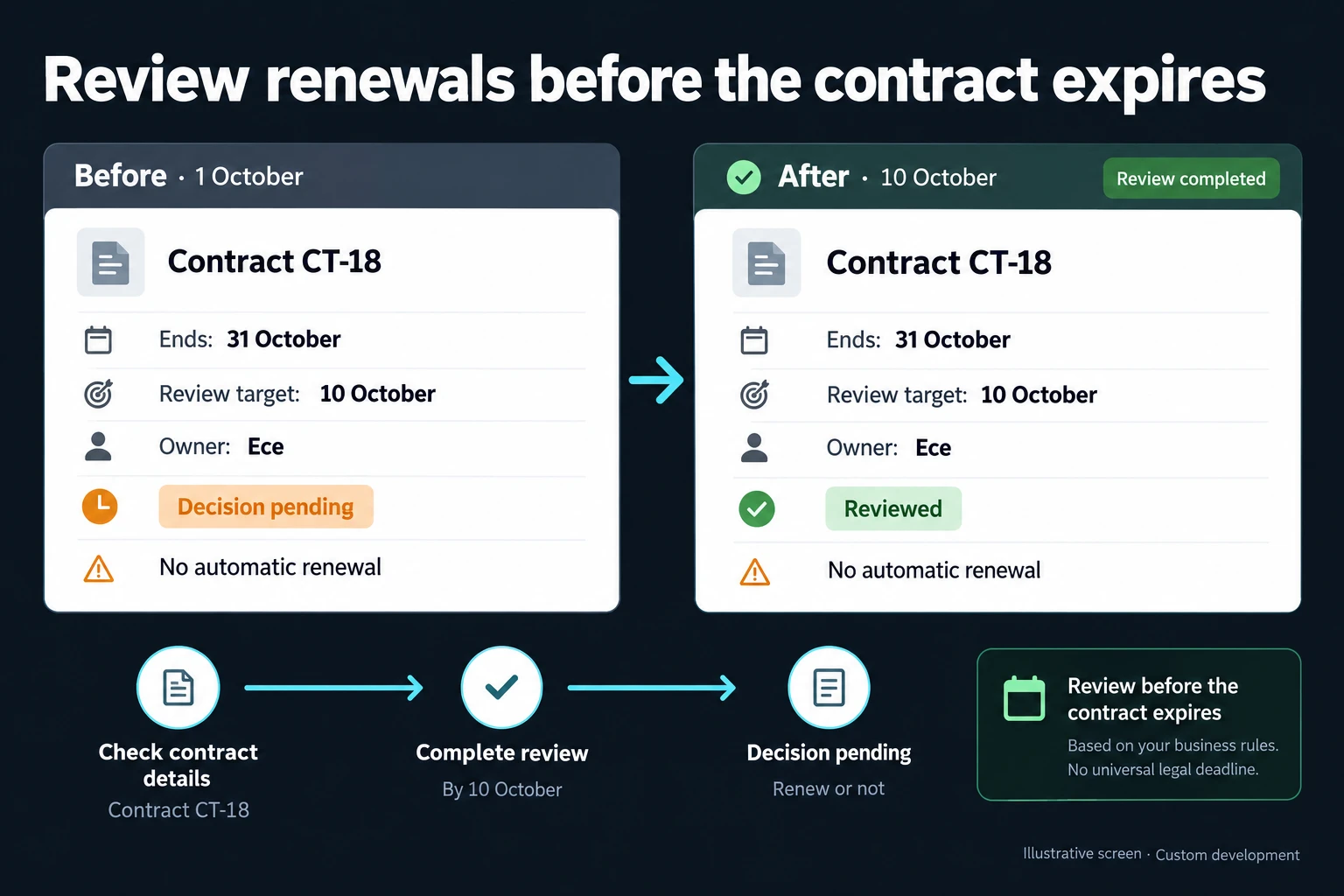
Contract Renewal Tracking: Last Notice Date, Auto-Renewal and a Spreadsheet Setup
The date to track on a contract is not the end date but the last notice date: the last day on which notice must be given to the other party to stop an auto-renewing contract or reopen negotiations. Reminders are built backwards from that day. In Excel the date is calculated with EDATE and WORKDAY. What breaks the list is not the formula: a reminder tied to the end date, a blank notice period, the same contract on two rows, and an owner who has left the company.
For procurement, facilities and legal coordinators tracking supplier, maintenance, lease, licence, insurance and customer contracts in Excel or folders.
Which fields belong on a contract record?
Each contract has one record holding at least: counterparty (with tax or company registration number), type, start date, end date, auto-renewal (and for how many months), notice period (a number and a unit: days or months), owner and document location. The last notice date is never typed in; it is calculated from the end date and the period.
Three fields are often skipped:
- Unit. A bare “3” can mean days or months, a thirtyfold difference.
- Amendments. An amendment is a version under the record, not a new row. If it changes the end date or notice period, the record is updated and the old value stays in the history.
- Signed copy location. Write the folder number or file path, and whether it is the signed copy or a draft. Notice is prepared from the contract itself, not the list.
Software licence usage and cost are on the subscription tracking page; here licences enter only with end date and notice period.
Why tie the reminder to the last notice date, not the end date?
A reminder tied to the end date fires late whenever the notice period exceeds the reminder window. On a contract requiring notice three months before the end, a “turn red 30 days before the end” rule switches on roughly 60 days after the last notice date.
Auto-renewing contracts risk renewing by accident; fixed-term ones risk the reverse, ending unnoticed and leaving maintenance or insurance cover lapsed. If a fixed-term contract has no contractual notice period, put your own preparation time in the same field. I suggest 60 days, or longer if collecting new quotes takes longer.
The second check on a renewal is the price escalation clause. Calculate the new price from the clause’s index and period and check the first invoice against it; do not simply accept the supplier’s rate.
How notice must be served, how the period is calculated legally and whether the auto-renewal clause is valid in your contract are questions for your lawyer; the calculation on this page is an internal calendar.
Example: one year at a metalworking company with two plants
The company, people and all figures are fictional; I calculated the figures in a script or fixed them as scenario inputs.
A metalworking company with two plants keeps 148 contracts in one Excel list: 46 supplier framework, 31 maintenance, 24 lease, 9 licence, 12 insurance, 26 customer framework. 61 renew automatically. The list has one alert rule: a row turns red 30 days before the end date.
In one year 72 contracts reached their end date: 38 auto-renewing and 34 fixed-term. The outcome:
- 39 were renewed (17 auto-renewals allowed to run on purpose, 22 fixed-term contracts re-signed), 13 went out for new quotes, 8 were terminated or deliberately allowed to end.
- 12 slipped through: 9 renewed for another year by accident because the notice period had passed, and 3 fixed-term maintenance and insurance contracts ended unnoticed.
Of the 26 contracts that renewed (17 deliberately, 9 by accident), 15 had a price escalation clause. In 4, the first invoice of the new term was paid without being compared against the clause.
Where does a spreadsheet contract list break?
Three of the four breaks below caused the 12 misses; duplicates caused none but carry the same risk.
- Alert tied to the end date. Every contract with a notice or preparation period longer than 30 days gets a late alert; 8 misses came from here.
- Blank notice period. 23 contracts have an empty period cell, 8 of them auto-renewing. An empty cell counts as zero; “end date minus period” returns the end date itself and the error stays invisible; 2 misses.
- The same contract on two rows. 6 contracts were entered twice, so the list has 154 rows. One row gets updated, the other keeps the old end date.
- Owner has left. 4 people have left, and 17 contracts are still in their names; 2 misses (the alert fired on time but nobody looked).
Two side issues: in 5 of the 19 contracts with amendments, the listed end date predates the amendment; 9 contracts have no document location.
A sturdier spreadsheet setup: EDATE, WORKDAY, COUNTIFS
Set up two sheets: Contracts, one row per contract, and Staff (A ID, B Name, C Status: Active/Left), plus a range named Holidays with public holidays, updated yearly.
Columns on the Contracts sheet:
A Contract no · B Counterparty · C Tax no · D Type · E Plant · F Start · G End · H Renewal (months, 0 = none) · I Notice period · J Unit (Days/Months) · K Owner ID · L Document location · M Last notice date · N Days left · O Duplicate · P Owner status · Q Decision · R Reason
Formulas in English Excel with commas:
M2: =IF(OR(I2="",AND(J2<>"Days",J2<>"Months")),"Period blank",
     WORKDAY(IF(J2="Months",EDATE(G2,-I2),G2-I2)+1,
     -1,Holidays))
N2: =IF(M2="Period blank","",M2-TODAY())
O2: =IF(C2="","Tax no blank",
     IF(COUNTIFS($C$2:$C$500,C2,$D$2:$D$500,D2)>1,
     "Check",""))
P2: =IF(COUNTIFS(Staff!$A$2:$A$300,K2,
     Staff!$C$2:$C$300,"Active")=0,"No owner","")
M first finds the raw date: for months, EDATE(start_date, months) steps back I months from the end date; for days, it subtracts I days (Microsoft: EDATE, 2026-11-01). Then WORKDAY(raw+1, -1, Holidays) returns the date itself if it is a working day, or the previous working day if it falls on a weekend or holiday; negative days count backwards (Microsoft: WORKDAY, 2026-11-01). Earlier is the cautious direction. Edge cases tested in the script:
- Month end: end date 2027-05-31, period 3 months. EDATE returns the last day of that month, 2027-02-28; that is a Sunday, so the result is Friday 2027-02-26. Do not treat “three months” as 90 days; here the EDATE result is 92 days before the end date, and the final result (2027-02-26) is 94.
- Weekend: end date 2027-07-05, period 30 days. The raw date 2027-06-05 is a Saturday; the result is Friday 2027-06-04.
- Holiday: end date 2027-12-28, period 60 days. The raw date 2027-10-29 is a public holiday; the result is Thursday 2027-10-28. With an empty Holidays range the formula returns 2027-10-29.
- Blank period or unit: M shows “Period blank”; it does the same when the unit is not Days or Months (blank or misspelt). Without this check the formula would silently count the unit as days. Add a Days/Months data-validation list to J.
N is days left; format the column as a number, not a date. For conditional formatting, select A2:R500 with A2 as the active cell and add three formula rules in this order (Microsoft: conditional formatting, 2026-11-01):
Orange: =$M2="Period blank"
Red:    =AND($N2<>"",$N2<=30,$Q2="")
Yellow: =AND($N2<>"",$N2<=90,$Q2="")
A filled Decision clears the colour; a row past its last notice date with no decision stays red. The 90 and 30 days are my starting point; start yellow earlier if quotes take longer.
O looks for duplicates by tax number and type; COUNTIFS(criteria_range1, criteria1, criteria_range2, criteria2) checks both criteria on the same row, and the ranges must be the same size (Microsoft: COUNTIFS, 2026-11-01). The same page says a criterion referring to an empty cell is treated as 0, so a row with a blank tax number cannot even find itself; hence the “Tax no blank” step. In the example, O flags 16 rows, or 8 pairs: 6 real duplicates and 2 cases where one supplier holds separate lease contracts with each plant. “Check” means review, not delete. Searching by name would find only 3 of the 6 duplicates; the other 3 spell the company name differently.
P shows “No owner” when the owner’s ID is not “Active” on the Staff sheet. A blank ID gives the same warning, because a blank criterion counts as 0.
When a contract renews, enter the new end date (old end date + H months) in G and note the old end date in R; M recalculates for the new term.
I ran the example’s 12 missed rows through this setup in the script: 8 turn yellow and red before the last notice date, 2 show “Period blank”, 2 show “No owner”. Per Microsoft’s pages (2026-11-01), all three functions are also available in Excel 2016 and 2019.
Renew, re-quote, terminate: how is the decision recorded?
The decision goes into column Q before the last notice date, as one of three options: Renew, Re-quote, Terminate. Column R holds the reason: “price clause accepted”, “both plants moving to one maintenance provider”, “service quality dropped, two quotes to be collected”. A decision without a reason gets argued again a year later.
A decision on its own is not notice. If the decision is to terminate or renegotiate, the date notice was sent and where its proof is kept (the delivery record, the counterparty’s confirmation) are recorded separately. A “Re-quote” row stays open until quotes arrive; if quotes will not arrive by the last notice date, the notice decision is taken separately before that date.
When can a contract list stay in a spreadsheet?
What decides it is not the number of contracts but how many people touch the list and how often owners change. If one coordinator fills the columns above consistently, a spreadsheet is enough even at 148 contracts.
You may not need an application at all. If your ERP or document management system’s contract module holds end date, notice period and owner, and also alerts the owner’s manager, do not build a second system.
| Route | When | Limit |
|---|---|---|
| Folder + calendar | A few contracts, one person | No notice period or decision record |
| Spreadsheet (this setup) | One coordinator, consistent entry | Only whoever opens the file sees the alert |
| ERP contract module | Module holds period and owner | Price clause and decision reason need checking |
| Web application to be built | Several departments, two plants, owners change often | Rules must be agreed in writing first |
In the app to be built: contract record, alerts and decisions
The functions below could be built to fit your needs; the scope is agreed in writing at the outset. They are not a ready-made product or installed integration.
- Calculated last date: a record cannot be saved without a period and unit; the last notice date is calculated with the holiday calendar.
- Alerts with a backup: if the owner leaves or is on leave, the contracts move to the manager’s screen. We choose the channel together in the first step.
- Duplicate guard: a second record with the same tax number and type shows the existing one; a separate contract needs a reason.
- Amendments as versions: the signed copy is attached to the record, and changed fields show their old values. This trail follows the record change history approach.
- Decision required: a row without decision and reason by the last date stays on the manager’s list.
- Access: procurement sees its own supplier contracts, each plant manager sees that plant, legal sees the full list; finance checks the price clause.
AI can suggest the end date, notice period and auto-renewal clause from a scanned contract, citing the page and paragraph; unreadable fields stay blank and the owner approves each one. Only contracts within the requester’s permissions are sent to the model.
The server can be opened in your company’s name. All contract records are yours and can be exported as Excel or CSV at any time. For small and mid-sized teams there is no per-user licence; the running cost is the server and maintenance. The source code sits in a repository you can access, with run instructions, a dependency list and known limits.
The first meeting is paid. Prepare a few rows from your contract list with personal data removed, plus any notices missed last year, and send them through the contact page.
Points I have not verified
- I did not run the formulas in Excel; I imitated their logic in a script and tested the edge cases.
- I could not find on Microsoft’s page that EDATE moves a day missing from the target month to the month’s last day; the script assumes Excel’s known behaviour.
- How notice is served, how the period is calculated legally, whether a last day on a weekend or holiday moves to the next working day, and whether an auto-renewal clause is valid are questions for a lawyer; I give no ruling on them.
Frequently Asked Questions
Where should I start when moving about 150 contracts into the list?
Enter the auto-renewing contracts whose last notice date falls in the next six months first, reading the period and unit from the signed copy. Complete the rest in weekly batches in end-date order. Rushing everything in one week is how period cells end up blank.
Do customer framework contracts belong in the same list?
Yes, but the owner sits on the sales side and the risk runs the other way. With a supplier contract you want to be able to stop a renewal; with a customer contract you watch for the customer’s termination notice and the price update clause. The Type column is enough to filter them apart.
Is the record of an expired contract deleted?
No; it moves to a “Closed” status, and its decision, reason and document location stay on the record. When you renegotiate with the same supplier a year later, that history is what you check. Agree how long documents are kept with your accountant and your lawyer.
How do I work?
Work-hour packages
Tell me about your business and what you need on WhatsApp or by phone; we agree on a work block of somewhere between 5 and 40 hours and I start doing what is needed. What you get is not a calendar window — it is net working hours spent directly on your business. I can use 40 hours working three days straight, or deliberately spread it out and finish it over a year — whatever the work calls for. I do not spend my time estimating how long something will take, I spend it doing the work; every hour I spend leaves a lasting result in your business. We keep going for as long as you find it useful.
Why not monthly?
Is 40 hours a week?
On a fixed monthly fee both sides are watching the wrong thing: you watch a fixed cost, the other side watches how many more contracts like this they can line up. Working by the hour puts us both in front of the same thing — the real value of the work that got done. I know not having an upfront answer to "how much will this cost in total?" is the natural cost of this model. But instead of paying a fixed fee for months to a setup that is not producing results, you only pay for the qualified time spent on your work — and you see exactly where that time went, start to finish. That is why my clients keep coming back.