
Building a Company Assistant With Claude Projects
Claude Projects is Anthropic’s feature that lets you upload company-specific information — documents, brand voice, FAQs, procedures — to Claude and build a persistent “company assistant.” You upload your brand guidelines, FAQ list, and product information into a Project once; from then on, Claude uses this information as ready-made context in every new conversation. Short answer: open Projects in claude.ai, create a project, write instructions and upload a few clear documents; to use it with a team you need a Team or Enterprise plan. Below I walk through the setup step by step, how the plans differ for a company account, data privacy, which tasks it’s genuinely useful for, and where I draw the line.
What Claude Projects Is, and How It Differs From Regular Claude
In a normal Claude chat, every new conversation starts from scratch. You’d have to re-paste your company’s tone guidelines, product list, or FAQs every single time — close the chat five minutes later and open a new one, and Claude won’t remember that context.
Claude Projects changes that. The documents you upload into a Project stay there permanently; every new conversation you open inside that Project automatically has access to them. You also define, once, how Claude should behave in that Project via project instructions (tone, format, forbidden phrases) — you don’t rewrite it in every conversation.
Conceptually it resembles custom GPTs on the OpenAI side — if you want to look at it from that angle, see How to Build Your Own Custom GPT. For basic background on what Claude can do, reading What Is Claude AI first might help.
Step-by-Step Setup
Setup doesn’t require technical knowledge and takes 15-20 minutes:
- Create a Project. In claude.ai, click “Projects” > “Create project” from the left menu, enter a name and short description (e.g. “Customer Support Assistant”).
- Write custom instructions. Describe how you want Claude to behave inside that Project: which tone (formal/casual), what response format (short bullets/long paragraphs), which topics it should avoid. Example: “Always respond to customers formally and briefly. If asked about pricing, don’t give a number directly — direct them to the contact form.”
- Upload your documents. Drag your brand guidelines, FAQ document, product/service list, and past correspondence examples — as PDF, Word, or plain text — into the Project’s “Knowledge” section.
- Share with your team. On a Team or Enterprise plan you share the project by name or email. There are two roles: “Can view” (sees contents and instructions, can chat, cannot edit) and “Can edit” (can change instructions and documents). Only the project’s creator can remove access. Everyone works from the same document base and the same instructions, so consistency is managed from one place. Source: Anthropic help center, read 13 October 2026.
How to Write the Instructions
A generic line like “be a helpful assistant” does little. These five headings are enough of a skeleton for most company projects:
- Role: who it is and who it writes for (e.g. “you are the writing assistant for the hotel’s reservations team”).
- Purpose: what job this project solves, and what it does not.
- Response format: length, tone, formal or casual address, bullets or paragraphs.
- Assumptions: what to do when information is missing (“make a reasonable assumption, state it, and continue”).
- Never: quoting prices, legal commitments, guessing on things it doesn’t know.
For documents the rule is simple: one topic per file, kept short, with a name that describes the content (“Brand Voice Guide v3”), and three to five real examples alongside. After setup, ask a concrete question whose answer you know is in the documents; if the reply ignores the relevant rule, simplify the document.
Chats Don’t See Each Other
This is the common mistake. By default, chats in a project do not see each other’s content; what is shared is only the instructions and the project knowledge. If you want a decision from one chat to be available in later chats, add it to the project knowledge. Source: Anthropic help center, 13 October 2026.
Company Account: What Team and Enterprise Change
If you searched for “Claude company account” or “Claude for business”, the real question is probably which plan a team needs, what it costs, and whether your data trains the model. As of October 2026, per the Claude pricing page (read 13 October 2026):
| Pro (individual) | Team | Enterprise | |
|---|---|---|---|
| Price | $17/month billed annually, $20 billed monthly | Standard seat: $20/seat/month billed annually, $25 billed monthly. Premium seat: $100 / $125 | Listed as $20/seat/month (annual) plus usage billed at API rates; annual subscription only |
| People | 1 | 2 to 150 | No minimum stated on the page |
| Projects | Yes | Yes, with sharing and collaboration | Yes, with sharing and collaboration |
| Administration | Individual account; no admin features listed on that page | Central billing and administration, SSO, domain verification | Role-based access, SCIM, audit logs, custom data retention, IP allowlisting |
Prices can change and an enterprise quote is settled with Anthropic’s sales team, so check the page before buying. If you need company-wide administration, audit logs or custom data retention, the decision moves toward Enterprise; for a small team, Team is often enough to start (that’s my judgment, not an official recommendation).
Data Privacy: Do My Uploaded Documents Train the Model?
According to Anthropic’s privacy center, on commercial products such as Team, Enterprise and the API, your inputs and outputs are not used for model training by default. The exception: if you deliberately submit a conversation through the feedback button or a bug report, it can be used, and the conversation tied to that feedback is kept for up to 5 years. Team and Enterprise owners can turn off feedback submission for the organization (“Rate chats” in settings). The rules for individual plans are covered in a separate article, so read your own plan’s rules before putting client information into a project. Source: Anthropic privacy center, read 13 October 2026.
What It’s Used For
The three areas where it’s most useful in practice:
- Draft replies to customer emails. You paste in the incoming email, Claude produces a draft reply in your brand voice; you review and send it.
- Recurring content production. Blog posts, social media copy, product descriptions — all come out in the tone and format your company has set, without writing a brief from scratch.
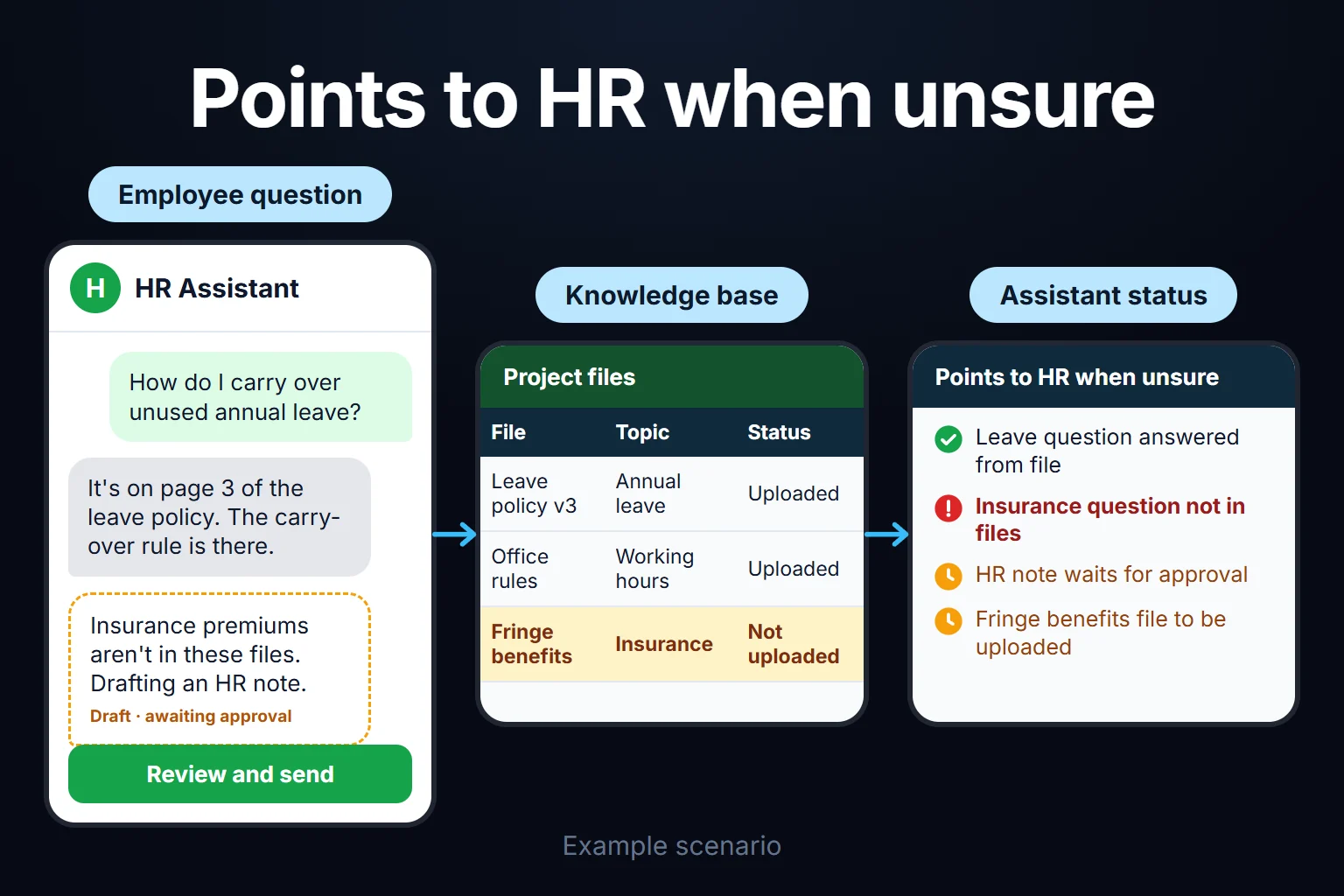
- An internal FAQ assistant. HR policies, operating procedures, and common internal questions get uploaded to a Project; team members ask the assistant instead of asking a colleague. I cover this document-based Q&A approach in more depth in Building an AI That Answers From Your Documents.
What Its Limits Are
To be honest, Claude Projects doesn’t solve everything:
- Limited on the free plan. As of October 2026 a free account can create up to 5 projects (Anthropic help center); team sharing requires a Team or Enterprise plan.
- Limited document size. Project files have a 30 MB per-file limit; there’s no fixed file count, but all the content must fit within Claude’s context window, and only text is extracted (except for multimodal PDFs). On paid plans, when project knowledge nears the context limit Claude switches on RAG mode automatically to expand capacity, which means it doesn’t “memorize” everything perfectly — it searches for and finds the relevant pieces. Source: upload limits, 13 October 2026. Keeping critical information in clear, short documents gives better results.
- No shared memory between chats. Decisions and outputs that aren’t added to the project knowledge won’t show up in the next chat.
- Can’t pull real-time data. Live stock status, current pricing, or that moment’s campaign performance don’t live inside a Project — these need a separate integration (an API connection or automation). If your team needs group training on this, enterprise ChatGPT/Claude setup is a separate option.
A Real Example
In my own operation, I set up a Project for weekly performance summaries: I uploaded past report examples, the terminology I use, and the questions clients ask most often. Instead of writing a new account’s weekly summary from scratch, Claude produces the first draft in my voice, and I review the numbers and commentary before sending. For one client, this cut report preparation time in half — the real time savings isn’t in the writing itself, it’s in not having to rebuild the same tone and format every single time.
Claude Projects is a single tool on its own; if you want to treat it as part of a broader AI automation strategy, check out the AI Automation Guide.
You Can Ask Me for This Work
You can ask me for this work. Setting up a Claude Project custom to your company — compiling the right documents, writing custom instructions, and getting it ready for your team to use — is remote, hourly-billed work that typically takes 2 hours to 2 weeks. You can reach out to me to set up your own AI assistant.
Frequently Asked Questions
Is Claude Projects free?
As of October 2026 you can create up to 5 projects on the free plan. Sharing with a team requires a Team or Enterprise plan (source: Anthropic help center).
How do I get a Claude company account, and what does Team cost?
The Team plan is for teams of 2 to 150 people; as of October 2026 a standard seat is $20/month billed annually or $25 billed monthly. The Enterprise plan is sold on an annual subscription, with details settled through Anthropic’s sales team. Current pricing: claude.com/pricing.
Are the company documents I upload used for model training?
According to Anthropic, inputs and outputs on commercial products such as Team, Enterprise and the API are not used for training by default; the exception is feedback or a bug report you deliberately submit (source, 13 October 2026).
What’s the difference between Claude Projects and ChatGPT’s custom GPTs?
Both rest on the same idea: upload company-specific information once and have it ready in every conversation. The difference is in the platform and the details — the most practical way to decide which suits you better is to look at what your team already uses.
How many documents can I upload?
There’s no fixed file count; each file is limited to 30 MB and the whole content has to fit in Claude’s context window (October 2026, source). In practice a small number of clear, current documents gives better results.
Do chats inside a project remember each other?
No. By default chats don’t share context; what is shared is the instructions and the project knowledge. Add any decision you want remembered to the project knowledge.
Can Claude Projects see my live stock or pricing information?
No. Documents uploaded to a Project are static and don’t update in real time. Live data requires a separate API integration or automation.