
How Far Can Free AI Tools Actually Take You?
Free ChatGPT and Claude are enough for a one-off text draft, a simple question, or trying out a new idea. Where they stall is the type of job: if it repeats every week, touches more than one system, or involves customer data, a free chat window isn’t enough. Below, which jobs fall on which side, how the limits work today, and the one data setting to check.
When a free tool is enough: four jobs
- A one-off draft. An ad text, an email, a post idea; fine if it’s generated once and edited by hand.
- A single-step question. “What does this contract clause mean”, “how do I write this formula in Excel”. It gives a fast first answer without a specialist; verify it before tying an important decision to it.
- Learning and testing. To see what a tool does or whether a prompt works, there’s no need to spend money.
- Work only you will use. Summarising your own notes, fixing a personal text.
How do the limits work today?
Older guides circulate numbers like “so many messages per few hours on free ChatGPT”; don’t rely on them. According to OpenAI’s free tier page (as of October 2026), free users have unlimited everyday text chats, subject to abuse-prevention safeguards. File and image uploads, image generation, voice and data analysis have separate usage limits. So for plain text chat, “my messages ran out” is no longer the main problem; someone uploading files, generating images or working by voice is the one who hits that wall. ChatGPT notifies you when you reach a limit and shows the reset timing in the product.
I won’t give a fixed message count for Claude’s free plan; providers change these limits often, so watching when you hit the wall in your own use is the most dependable method.
Habits that reduce limit trouble (advice, not a measured figure): open a new chat for each new topic, don’t upload big files you don’t need, write one clear request instead of several small questions.
Where does your data go on a free tool?
Before pasting customer information or internal company data, check one setting. According to OpenAI’s help page, on ChatGPT Free, Plus and Pro accounts the “Improve the model for everyone” option is on by default; you turn it off under Settings > Data controls, and it only affects new conversations (OpenAI: Data controls). Claude has a similar privacy setting for individual accounts; check the current terms in Anthropic’s privacy documentation. The rule: even with the setting off, that’s not enough reason to paste customer data into a free interface; business-grade terms are a separate matter.
Four places it stalls
- Repetition. “Send me a report every morning” is something a free chat can’t do; it’s an interface, not a system that runs in the background.
- Connecting systems. Pulling data from a CRM into AI and writing the result into a sheet is done with a connected setup, not copy-paste.
- Data. The setting above doesn’t replace a business agreement.
- Critical results. A report to a customer, a quote, the basis for a decision; hand-writing prompts every time gives inconsistent results.
DIY, or have a setup built?
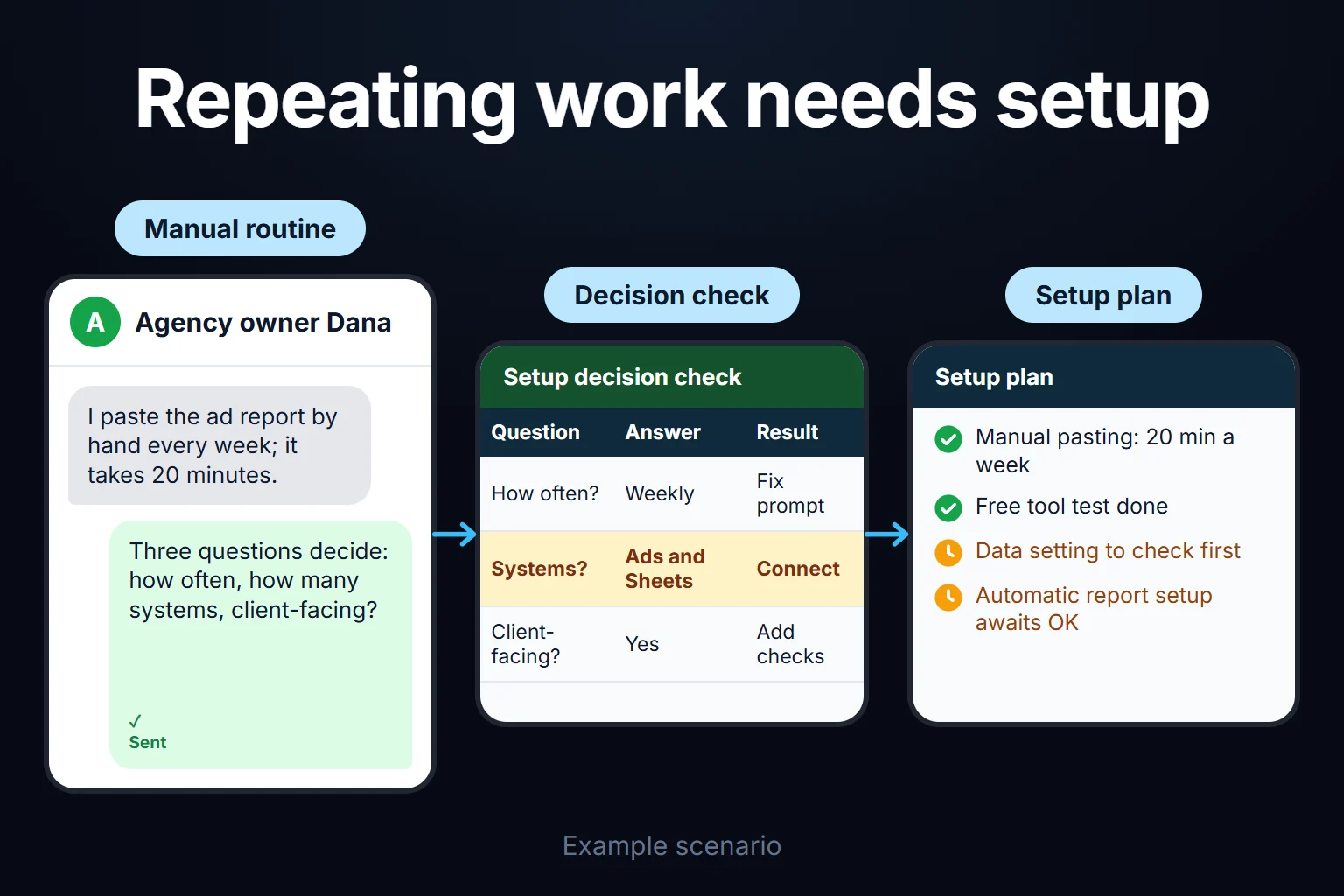
Two questions decide it: how often does the job repeat, and how many systems does it touch?
| Situation | What I’d do |
|---|---|
| One-off, one person, one tool | Use the free tool |
| Repeats a few times a week | Fix the prompt; once pasting by hand becomes the dullest part of the day, it’s setup time |
| Result goes to a customer or a decision | Add a checking step, or have a setup built |
| Several systems must talk to each other | A connected setup |
Start small, and don’t pay for a big setup before you’ve seen the job really works. Once it starts repeating, the next step isn’t switching tools; it’s making the same job automatic and repeatable: a fixed prompt, data connected directly, the result landing in the right system by itself. For an example of how to make that call, see How to Pick Your First AI Project at Work.
An observation from the field
When I try a job for the first time, I open the free or cheapest tier and test by hand: whether a report can be pulled out by AI, whether a text can be produced in the tone I want. Once it works, the question changes from “can it be done” to “am I going to do this by hand every time”; from then on it’s setup work.
A client of mine used to paste ad reports by hand into a free chat tool to get them summarised. When it worked it became a weekly routine, and pasting by hand became the most irritating 20 minutes of the day. The fix wasn’t a different tool; it was a setup that does the same job automatically.
You can ask me for this work
If the job has become recurring, critical or needs several systems connected, you can ask me to build the setup. It’s typically a 2-hour to 2-week job, remote and billed hourly; we look at your current free setup, work out where it stalls and what can be automated. See AI consulting.
Frequently Asked Questions
Can I produce content for my business with free ChatGPT?
For one-off or low-volume content, yes. For regular, high-volume production, the need for consistency and the file and image limits make a setup worthwhile.
Does free ChatGPT have a message limit?
According to Engadget, from the week after August 6, 2026 there’s no rate limit on text-only prompts; limits continue for files, images, image generation and voice mode. Check the current position in ChatGPT’s own notices and OpenAI’s help page.
Is it safe to put company data into a free AI tool?
I wouldn’t with the default settings. For customer information and sensitive company data, review the data control setting first; if you’ll use it continuously, consider a plan with business terms, or a setup.
I started free; when should I have a setup built?
When the job starts repeating a few times a week, when the result becomes critical, or when several systems need to connect. If any one of these is true, writing prompts by hand usually costs more than a setup.