
Product and Customer Autofill Form: Old Prices, Duplicate Records and Lost Leading Zeros
When a customer or product code fills a form, the real decision is whether each field is copied on save or stays linked live to the master record. My rule: a value that goes onto the document (company name, tax ID, address, unit, unit price) is copied into the order on save; a value consulted for a decision (stock, credit limit, whether the record is active) is read live and never stored. In Excel, VLOOKUP or XLOOKUP links every value live, and the setup breaks in four places: a price change rewrites past order totals, pasted values slip past data validation, one customer lives on two records, and the leading zero drops off a code. If one or two people enter orders, prices change once or twice a year and nothing is pasted in from other files, Excel is enough.
This page is for sales and operations managers who take orders, service requests or requests for quotation through a form.
Why keep master data and transaction records apart?
Master data and transaction records are kept apart because a master record describes today and a transaction record describes the day it happened. Master data is the customer record (code, company name, tax ID, billing and delivery addresses, price list, payment terms, status) and the product record (item code, description, unit, prices, status). Transaction records are orders, service requests and quote requests: a header plus lines.
What connects them is not the name but a code that never changes: names get corrected, the code stays. The master data owner opens and edits records; whoever enters an order can pick a record in the form but not edit it.
Autofilled fields: copied value or live link?
A copied value is written into the order as it stood that day and stays put when the record changes; a live link shows the record’s current value each time the order is opened. Field by field:
| Field | Recommendation | Why |
|---|---|---|
| Company name, tax ID, billing address | Copy | The invoice was issued with these details |
| Delivery address | Copy, editable on the order | The goods went to that address that day |
| Unit price, discount, unit | Copy | The order was confirmed at that price |
| Product description | Copy | Descriptions get corrected later |
| Customer and item code | Keep as the link | Reports group by code |
| Stock, credit limit, record status | Read live, do not store | The value at decision time matters |
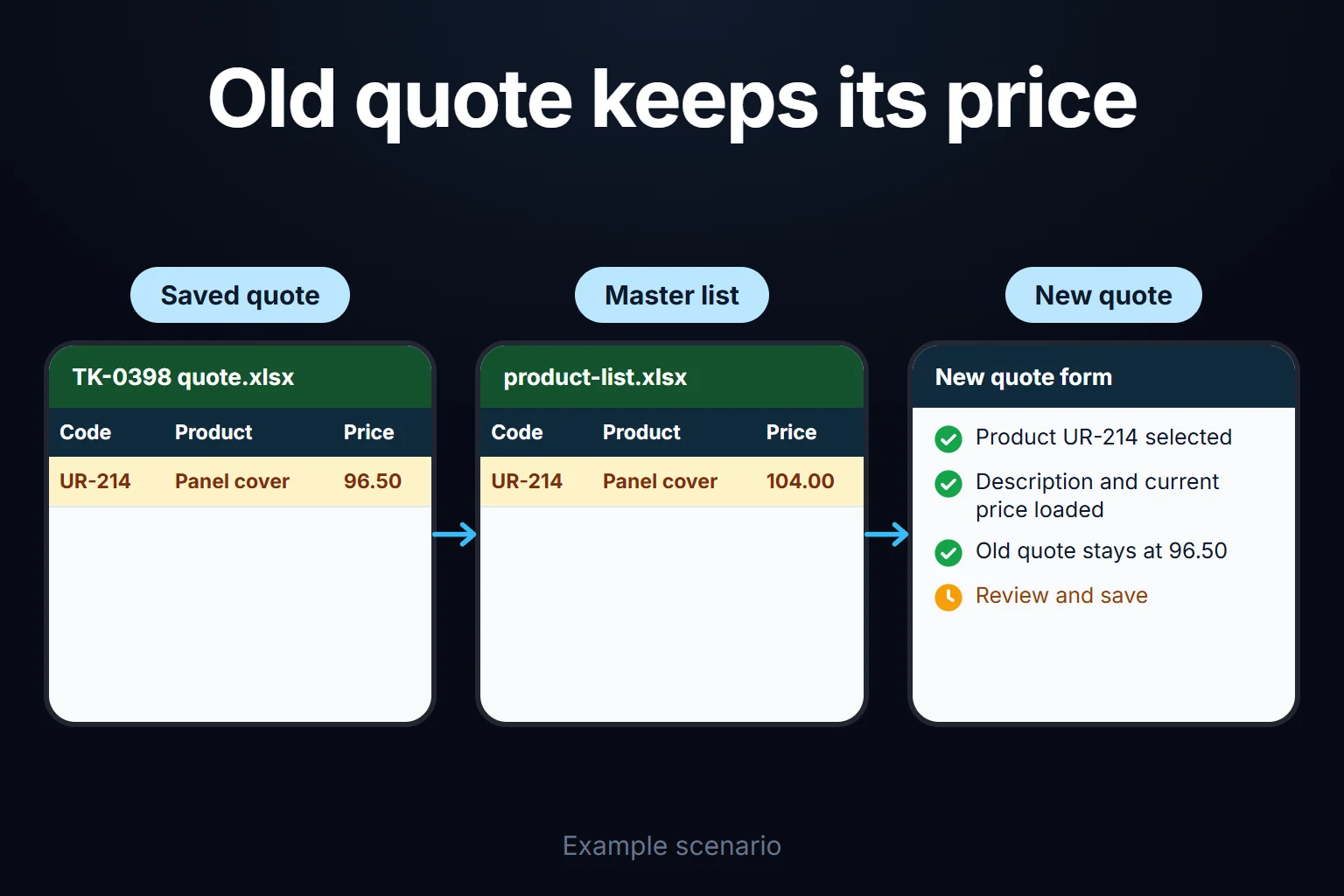
If everything is live, a price increase also changes orders already invoiced; in the example below, 63 of them. If everything is copied, a corrected tax ID never reaches open orders. The fix is not live links: when a record changes, open orders show a “record changed” warning, an authorised person updates the value deliberately, and the update stays in the history.
Which price an order still open on the day of an increase keeps is your rule, not a formula’s: the price on the order date, on the shipping date, or within the quote’s validity period. Unwritten, each salesperson applies a different one.
Inactive customers, inactive products and old codes
An inactive record cannot be chosen on new entries and stays, named, on old ones; deleting it would orphan past orders. For a recoded product, keep an old code table: a typed or pasted old code redirects to the new one, while old orders keep their code. The subtle point of editing an old entry that carries an inactive record is covered on the dependent dropdown custom forms page.
Example: 540 orders in a quarter, 71 totals changed afterwards
The company and every number here are fictional, and each figure was checked in a script. At a hydraulic fittings maker, sales operations enters 540 orders over 63 working days into one Excel workbook. The master data holds 186 customer records and 1,240 product records; item codes have 5 digits and some start with zero. Company name, address, unit and price are read from the records with VLOOKUP, and the price formula writes 0 instead of an error when the code is not found (in the old layout the price sits in column D of Products): =IFERROR(VLOOKUP(C2,Products!A:D,4,FALSE),0). On working day 32, the list price of 138 products goes up by 6%.
| End-of-period finding | Count |
|---|---|
| Orders entered before the increase whose total changed retroactively | 71; 63 already invoiced, 8 open |
| Customer records sharing a tax ID with another record | 9; 27 orders entered against the second record |
| Of those, orders with the old address because only the original record was updated | 6 |
| Orders pasted from a list the customer sent by email | 45 |
| Pasted lines that lost their leading zero | 31 lines; price 0 on 12 orders |
| Inactive product lines that came in by pasting | 15 |
During manual entry the validation list showed active codes only, so all 15 inactive lines came from pasting. The Excel totals of the 63 invoiced orders no longer match their invoices, and 9 customers’ revenue is split across two lines in reports.
How do you build an autofill order sheet in Excel?
In Excel the “form” is one row of this table: you enter the code and the other columns fill in. I do not cover filling fields from a selection in Google Forms or Microsoft Forms here, and I have not tried it.
A sturdy setup uses four sheets: Customers (code, company name, tax ID, address, price list), Products (item code, description, unit, status), Prices (item code, price list, start date, price) and Orders. New prices go into Prices as new rows at the bottom; old rows are never edited. In Orders, A is date, B customer code, C item code, D quantity; columns E to K are formulas (H price list, K check).
I did not run the formulas below in Excel; I checked their logic in a script. For row 2 in English Excel (XLOOKUP is available in Microsoft 365, Excel 2021 and Excel 2024):
E2  =XLOOKUP(B2,Customers!A:A,Customers!B:B,"No record")
I2  =XLOOKUP(1,(Prices!A2:A5000=C2)*(Prices!B2:B5000=H2)*(Prices!C2:C5000<=A2),Prices!D2:D5000,"No price",0,-1)
J2  =IF(ISNUMBER(I2),D2*I2,"")
K2  =IF(XLOOKUP(C2,Products!A:A,Products!D:D,"No code")="No code","No code",IF(XLOOKUP(C2,Products!A:A,Products!D:D,"No code")="Inactive","Inactive product",""))
F2, G2 and H2 follow the same pattern as E2; only the sheet and columns change.
The final -1 in XLOOKUP starts the search at the last item; since prices are added at the bottom in date order, it finds the newest price starting on or before the order date. In older Excel without XLOOKUP, =VLOOKUP(B2,Customers!A:D,4,FALSE) returns the same address; the dated price formula has no short VLOOKUP equivalent. I did not try this setup in Google Sheets.
Where does the Excel setup break?
A price change rewrites past orders
A formula reading the price from the product record recalculates old orders at the new price, as with the 71 orders. The dated Prices table prevents this on one condition: nobody edits an old price row, or old orders change again. The second safeguard is converting invoiced lines to values with Paste Special > Values; it is manual, and the day it is forgotten leaves no trace.
Pasted values slip past validation
According to Microsoft, data validation only checks values typed directly into a cell; when data is copied or filled, the messages do not appear. That is how the 15 inactive lines got in. In desktop Excel, Data > Data Validation > Circle Invalid Data marks them afterwards. I recommend pasting outside lists onto a separate sheet and moving them into Orders after the column K check.
Duplicate customer records
When one customer is opened under two codes, each code finds its own record; the address is updated on one, and orders against the other carry the old address, as with 6 orders in the example. Here the codes differ, so each finds its own record. A code repeated on two rows is a different fault: VLOOKUP returns only the first match (Google’s help), and XLOOKUP does by default, so the second row is never read. Add a check column to Customers: =IF(COUNTIF(C:C,C2)>1,"Same tax ID",""). When merging, keep one record and add the other code to the old code table as “old code → surviving code”.
The leading zero on a code
According to Microsoft, Excel automatically removes leading zeros from numbers. The example’s trap is a mixed column: in Products, codes without a leading zero were entered as numbers, those with one as text with an apostrophe. A pasted 12045 still matches; 00451 becomes 451 and is not found. IFERROR turned the error into 0, leaving 12 orders short. What to do:
- Format the code column as Text on both sheets before any data goes in; the format does not bring back zeros already lost.
- If every code has 5 digits,
=TEXT(C2,"00000")adds the zero back; with codes of varying length this is a guess. - Instead of opening the CSV, bring it in with Data > From Text/CSV and set the code column to Text in Power Query.
- Do not wrap the lookup in IFERROR to return 0; let “No code” show so column K catches it.
When is staying in Excel the right call for autofill?
Excel is enough only if all three conditions from the opening paragraph hold and invoiced orders are regularly converted to values; if one fails, the formulas and check column alone are not enough.
Consider an application if you answer “I don’t know” to any of these: Last quarter, was there an invoiced order whose total changed afterwards? How many records share the same tax ID? Which inactive product lines came in by pasting? If your ERP’s order screen already handles copying, inactive records and price history, build nothing new. And an application does not clean up duplicate records itself: clean the master data before the move, or both records move in too.
| Route | When | Limit |
|---|---|---|
| Excel, live VLOOKUP to records | Prices rarely change, one person enters | A price increase rewrites past orders |
| Excel, dated prices + convert to values | Several people, regular increases | Breaks if an old price row is edited; conversion is manual |
| ERP order screen | Orders are already opened in the ERP | May not stretch to field, dealer or service requests |
| Web app to be built | Many people, bulk uploads, roles | Written scope, server, maintenance |
How will autofill work in the app to be built?
In the app to be built, picking a code can fill the copied fields, which are written into the order on save; stock and credit limit are only shown on screen. On save, the server can re-check the code and reject inactive or unknown codes. Bulk uploads can go through the same checks as manual entry. Codes are stored as text, so 00451 never becomes 451. A new customer record with an existing tax ID can be blocked. Warnings on open orders when a record or price changes, and a history of who changed what, can be part of the scope.
AI can only suggest: an item code from the customer’s own wording (“1/2 threaded elbow”), or a flag on similar names as “possibly the same customer”. A person confirms the choice.
The scope is set in writing at the first step. The server (VPS) can be opened in your company’s name; the data is yours, available as Excel or CSV at any time. Small and mid-sized teams pay no per-user licence fees; the running cost is the server plus maintenance. The source code sits in a repository you can access, with run instructions, a dependency list and known limitations. The general approach is on the custom web apps for your team page.
The first meeting is paid. Bring your order sheet’s column headings and which fields come from the records, and we start with the scope; write through the contact page.
Sources (read 2026-11-01): Microsoft’s XLOOKUP, VLOOKUP, data validation and leading zeros pages; Google’s VLOOKUP and XLOOKUP pages.
What I have not verified
- Looking up with multiplied conditions inside XLOOKUP is not among the examples on Microsoft’s page; I did not run the formulas in Excel.
- I have not tried filling fields from a selection in Google Forms or Microsoft Forms.
- Google’s data validation page does not say whether a pasted value bypasses the rule in Sheets; I did not test it.
- Microsoft’s VLOOKUP page does not say which match it returns when there are several; the first-match statement comes from Google’s page.
- I have not seen the Paste Special, Circle Invalid Data and From Text/CSV labels in every Excel language; check them in your version.
Frequently Asked Questions
If product records live in the ERP, where does the form read them from?
I would read them from the ERP; no second copy is kept by hand. How depends on the ERP’s export or interface, which is examined first. A record read from the ERP cannot be edited in the form; corrections are made in the ERP.
How is a customer-specific contract price filled in?
The priority order is written down: first the customer-specific price, then the customer’s price list, and if neither exists, the general list. The line also stores the price’s source, so “why this price” is answered in the record.
Can a customer or dealer fill in the form themselves?
It can be built so that they can; that user sees only their own record, delivery addresses and prices. A dealer ordering portal, with rules such as carton multiples, credit limits and approval, is a separate scope.
How do I work?
Work-hour packages
Tell me about your business and what you need on WhatsApp or by phone; we agree on a work block of somewhere between 5 and 40 hours and I start doing what is needed. What you get is not a calendar window — it is net working hours spent directly on your business. I can use 40 hours working three days straight, or deliberately spread it out and finish it over a year — whatever the work calls for. I do not spend my time estimating how long something will take, I spend it doing the work; every hour I spend leaves a lasting result in your business. We keep going for as long as you find it useful.
Why not monthly?
Is 40 hours a week?
On a fixed monthly fee both sides are watching the wrong thing: you watch a fixed cost, the other side watches how many more contracts like this they can line up. Working by the hour puts us both in front of the same thing — the real value of the work that got done. I know not having an upfront answer to "how much will this cost in total?" is the natural cost of this model. But instead of paying a fixed fee for months to a setup that is not producing results, you only pay for the qualified time spent on your work — and you see exactly where that time went, start to finish. That is why my clients keep coming back.