

GA4 Event Tracking Setup | Deciding What to Measure
In GA4 everything is an event. A page view is an event, so is a form submission, so is a purchase. That flexibility is powerful but comes at a price: if you do not build the structure, GA4 cannot give you a meaningful report.
Question first, setup second
Event setup should start not with which events to add but with which question you are trying to answer. “Which service page produces more enquiries”, “where do users abandon the form”, “which campaign brings qualified visitors” — questions like these define the events to measure by themselves.
When this step is skipped the outcome is always the same: dozens of events collected, none serving a decision. Measurement is costly work; only measure what will change a decision.
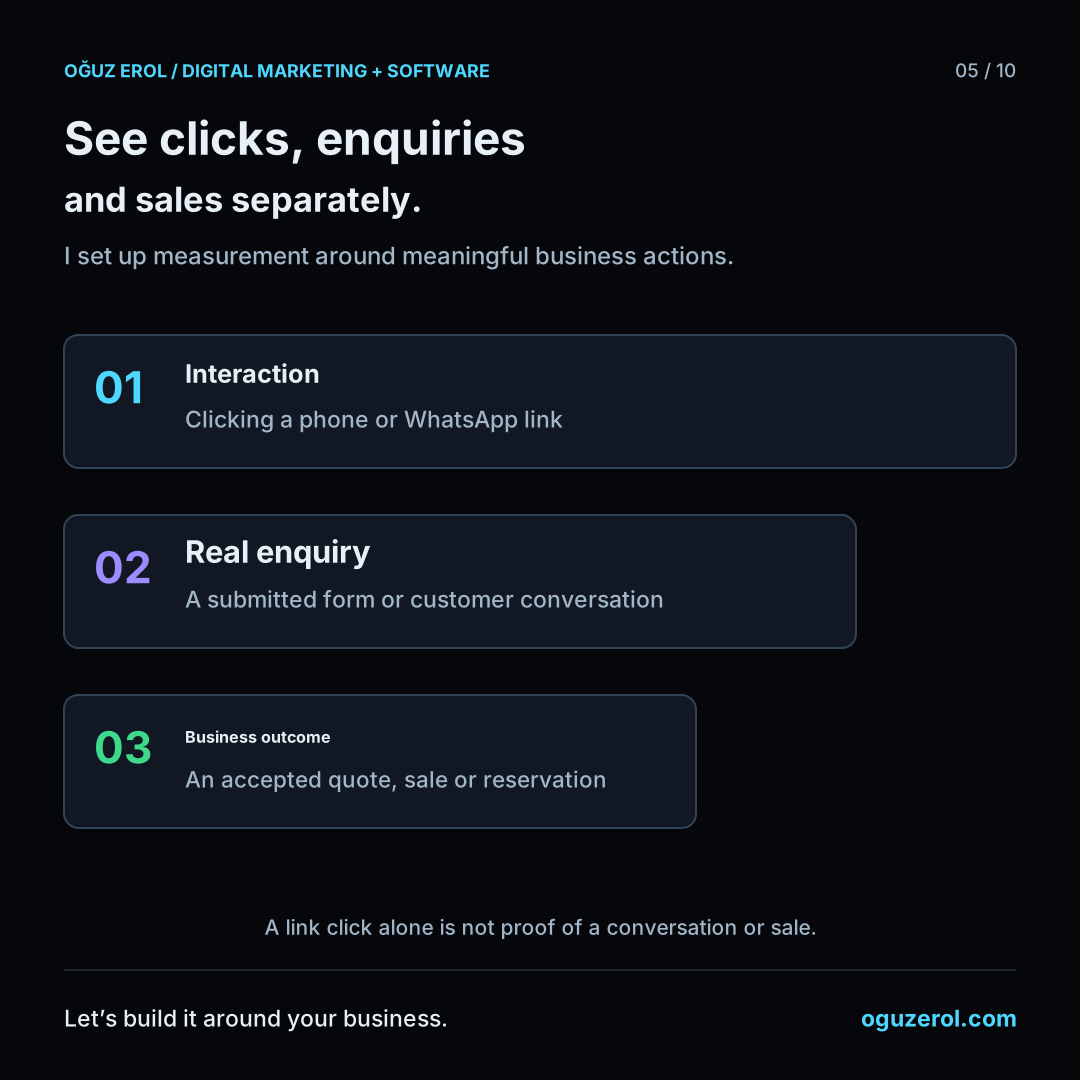
Naming discipline
Event names have to be consistent. If events doing the same job are sent under different names on different pages, reports fragment and the total never appears.
Using Google’s recommended names matters too: there are expected names for events such as purchase and add-to-cart, and when you use them GA4’s built-in reports work. Invent your own name and the data arrives but never shows in standard reports.
Parameters
The parameters an event carries matter as much as the event itself. Which form a submission came from, the value of a purchase, which button was clicked — these travel as parameters.
Without parameters you are left with a single total and no way to break it down. Knowing that forms were submitted 200 times is useless on its own; knowing which form was submitted how many times changes decisions. Custom parameters also have to be registered in GA4, otherwise they are collected but never visible in reports.
An example measurement plan
This fictional industrial-cleaning company has a quote form, phone link, WhatsApp button and brochure. The plan connects each event to a question before implementation.
| Business question | Event | Useful parameter | Key event? |
|---|---|---|---|
| Which service receives enquiries? | generate_lead | service_type | Yes, after successful submission |
| Which page prompts a phone tap? | phone_click | page_location | Observe first; a tap is not a completed call |
| Which WhatsApp button is used? | whatsapp_click | button_location | Observe first |
| Do pricing-page visitors reach the form? | page_view | page_location | No |
| Is the brochure downloaded? | file_download | file_name | Usually observation only |
Use recommended names such as generate_lead when their meaning fits. Give custom events consistent lowercase names and test their parameters. A parameter intended for a custom reporting breakdown may need a custom dimension; register it before relying on that report, because the registration does not fill older reports retrospectively.
As checked in October 2026, standard GA4 properties allow 50 event-scoped and 25 user-scoped custom dimensions. These are dimension quotas, not the number of events you may collect.
A key event does not automatically become a Google Ads bidding conversion. Create or import the appropriate Ads conversion and review its primary/secondary setting and campaign goals. Finally test a failed form submission and a successful one: only the successful request should send the lead event.
Sources checked in October 2026: Custom dimensions and metrics · GA4 events.
Choosing key events
A GA4 key event identifies an action that matters to the business. For it to affect Google Ads bidding, an Ads conversion must also be created or imported and included in the campaign’s selected goal. Review the bidding strategy against those settings.
Intermediate signals such as scrolls and video plays can be useful observations. Do not make them a bidding success objective unless they represent the intended business outcome.
How do we start? First we discuss which questions you need answered, then I design the event and parameter structure around them. I send the setup plan in writing. You can reach me from the contact page.
Frequently Asked Questions
How many events can I define in GA4?
There is a generous technical limit, but the real limit is how many you can manage. A small set of well-defined events is always more useful than a large scattered one. As of October 2026, standard properties allow 50 event-scoped and 25 user-scoped custom dimensions; those quotas do not limit the number of event types.
Should I turn off enhanced measurement events?
Leaving them on is usually fine, but automatic events such as scroll and outbound click can clutter the data. Turning off ones you do not use keeps reports readable.
I set up an event but it does not appear in GA4. Why?
Check the trigger, property/measurement ID, consent choice and DebugView or Realtime first; standard reports can take time to process. An event does not need a custom dimension to appear. If the event arrives but a custom-parameter breakdown is missing, check that parameter’s custom-dimension registration separately.
How do I work?
Work-hour packages
Tell me about your business and what you need on WhatsApp or by phone; we agree on a work block of somewhere between 5 and 40 hours and I start doing what is needed. What you get is not a calendar window — it is net working hours spent directly on your business. I can use 40 hours working three days straight, or deliberately spread it out and finish it over a year — whatever the work calls for. I do not spend my time estimating how long something will take, I spend it doing the work; every hour I spend leaves a lasting result in your business. We keep going for as long as you find it useful.
Why not monthly?
Is 40 hours a week?
On a fixed monthly fee both sides are watching the wrong thing: you watch a fixed cost, the other side watches how many more contracts like this they can line up. Working by the hour puts us both in front of the same thing — the real value of the work that got done. I know not having an upfront answer to "how much will this cost in total?" is the natural cost of this model. But instead of paying a fixed fee for months to a setup that is not producing results, you only pay for the qualified time spent on your work — and you see exactly where that time went, start to finish. That is why my clients keep coming back.