
How to Get AI to Answer Your Instagram DMs
There are three ways to automate Instagram DM replies, and which one fits depends on what you want to automate: Instagram’s own built-in reply tools, a rule-based automation tool like ManyChat, or an AI agent connected to Meta’s official messaging API. All three require your account to be a professional (business or creator) account. AI only earns its place when the replies can’t be a fixed template and the system has to pick an answer from a knowledge base based on what the message says; for simple flows like “send the price list link”, a rule-based tool is enough.
Which option, when
| Option | What it does | When it’s enough |
|---|---|---|
| Instagram’s own tools (saved replies, FAQs, instant reply and away message in Meta Business Suite) | Sends a fixed message, or lets you insert a prepared answer yourself | Few messages, few question types |
| Rule-based automation tool (like ManyChat) | Replies with a pre-written message to a trigger such as a keyword or a comment | The flow is fixed: “comment LINK, get the price list” |
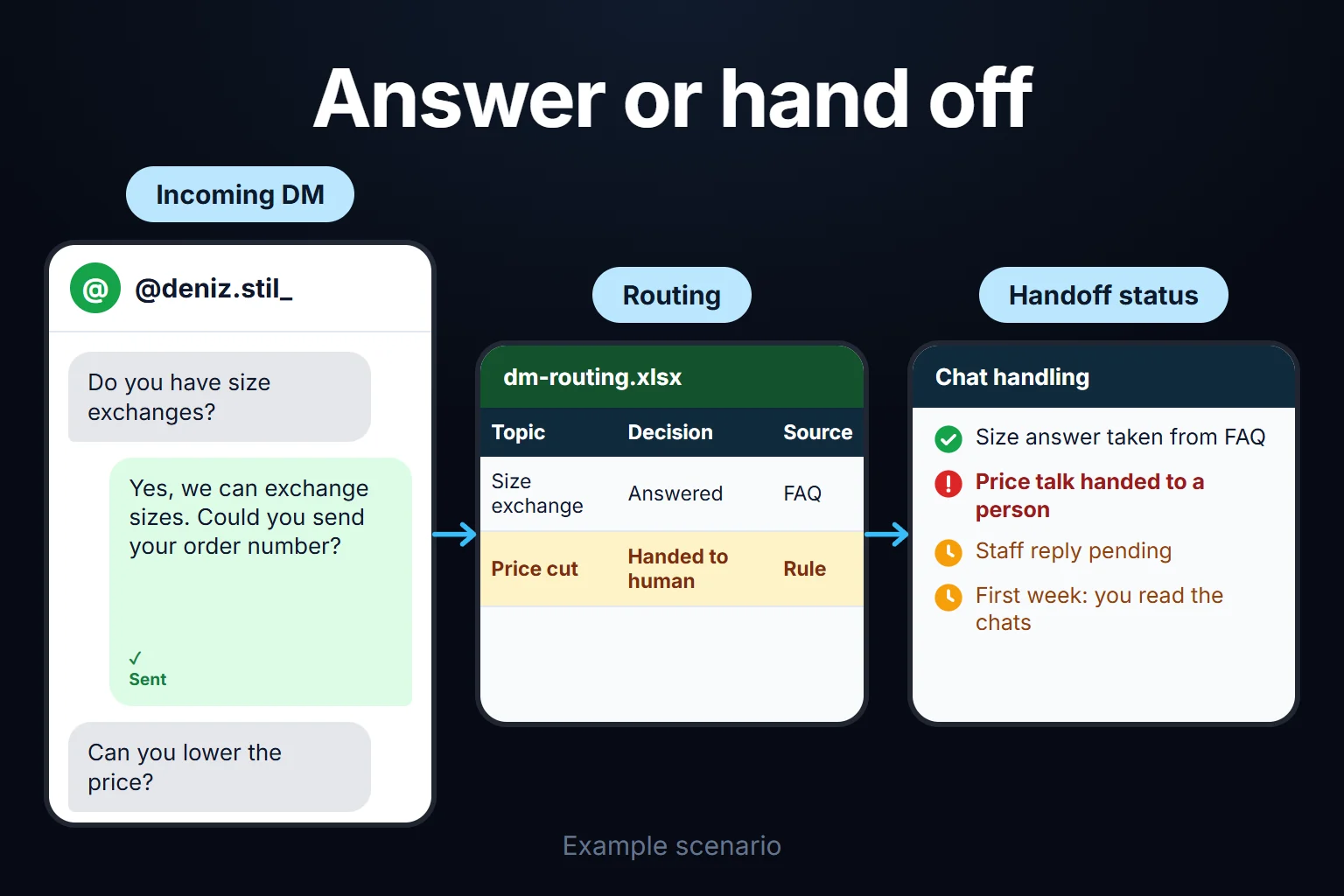
| AI agent | Understands the message, picks the right answer from a knowledge base, hands off to a human when unsure | The same question arrives in many different wordings and the answers live in a knowledge base |
Menu names and locations change often in Instagram and Meta Business Suite, so look for the built-in tools in the app yourself. The difference between a bot and an agent, and when each is enough, is in AI Agent vs Chatbot.
Meta’s rules to know before you build
These are the parts people misunderstand most. Source: Meta’s messaging API documentation and private replies documentation (as of October 2026):
- You can’t send the first message. Your app can only message a user who has messaged you first, and you have 24 hours to respond to any message. Cold bulk DMs aren’t possible this way.
- Comment-to-DM works, within limits. You can send a DM as a “private reply” to a comment, within 7 days of the comment, and only one message per comment. If the user answers, you can continue within 24 hours of their answer. On Instagram Live, private replies can only be sent while the broadcast is running.
- Past 24 hours, a tag can be used for a human agent’s reply; the documentation describes it as meant for human responses. I couldn’t verify the exact duration from that page, so I’m not stating one.
- Saying it’s automated. Where the law requires it, an automated chat must disclose that the user is talking to an automated service, and Meta recommends it even where it isn’t required. Opening with “automated assistant” is both honest and reduces the trust loss.
- Permissions.
instagram_business_basicandinstagram_business_manage_messagesfor messaging. If you serve client accounts that you don’t own, your app needs Advanced Access, which is the step that stretches approval the most for agencies. - Don’t use tools that ask for your password. Tools that mimic a browser or log in to your account with a password aren’t the official route and put the account at risk. The tool should use Meta’s own authorization screen.
How it’s set up
- Switch to a professional account and connect it. Ready-made tools usually connect through Meta’s official authorization screen; you shouldn’t have to share your password.
- List the most common questions. Look through your last 100 or so DMs and write down the questions that actually arrive, with the correct answers. Count which ones stand out instead of guessing; often a few questions make up most of the volume, but I don’t know the split in your case.
- Put the answers in a knowledge base. Price, hours, address, shipping and return terms must be current; a bot that knows an outdated price is worse than one that doesn’t answer.
- Write the handoff rule. Decide up front when it passes to a human and who gets the notification.
- Test with your own account, then switch it on. Read the conversations yourself during the first week.
If you want to build it without code, How to Build an AI Agent Without Code covers the general method. Meta app approval, the knowledge base structure and the handoff logic usually take a few rounds of trial and error.
Which questions to auto-answer, and which not to
Automate the ones with a standard answer: business hours, the price list, stock and size/color, a booking or reservation link, delivery time and return terms, address and map. I cover the general framework in the AI automation guide.
Hand these to a human:
- Complaints. A templated reply to an angry customer makes it worse.
- Price negotiation. The bot shouldn’t have authority to give ground on price.
- Custom requests that aren’t on the list.
- Questions the bot isn’t sure about. It should hand off rather than make something up.
The same discipline applies on WhatsApp; if you run both channels, see Connecting AI to WhatsApp.
Automatic DMs for comments
“Comment and we’ll send the link by DM” is the most-used feature of ready-made tools. The rule above applies: one private reply per comment, within 7 days. This flow usually doesn’t need AI; a fixed message is enough. AI comes in when the user replies to that message with a question.
You can ask me to do this
If you want it set up, I do it together with the knowledge base, the handoff rules and the Meta connection. It’s usually a remote, hourly-billed job that takes between 2 hours and 2 weeks; for details, write to me.
Frequently Asked Questions
Do I need to write code?
No. Ready-made tools let you set it up without code. If you want an AI agent plus a CRM or booking system connection, setup takes longer.
Isn’t Instagram’s own auto-reply enough?
It is, if you don’t need different answers depending on the message. Instagram’s built-in tools send a fixed message or a saved reply; they don’t understand the question and pick an answer from a knowledge base.
Will my account be penalized?
Tools that use the official API through Meta’s authorization screen are the route Meta allows. Tools that ask for your password or mimic a browser put the account at risk, so avoid them. There’s no guarantee that removes penalty risk entirely; you have to follow Meta’s rules.
How long does setup take?
It depends on how ready your FAQ list is: a simple setup can take a few hours, and a fuller setup connected to a CRM or booking system can take up to two weeks. That timing is my own estimate.