
Sales Follow-Up Agent: Stop Losing Quotes to Silence
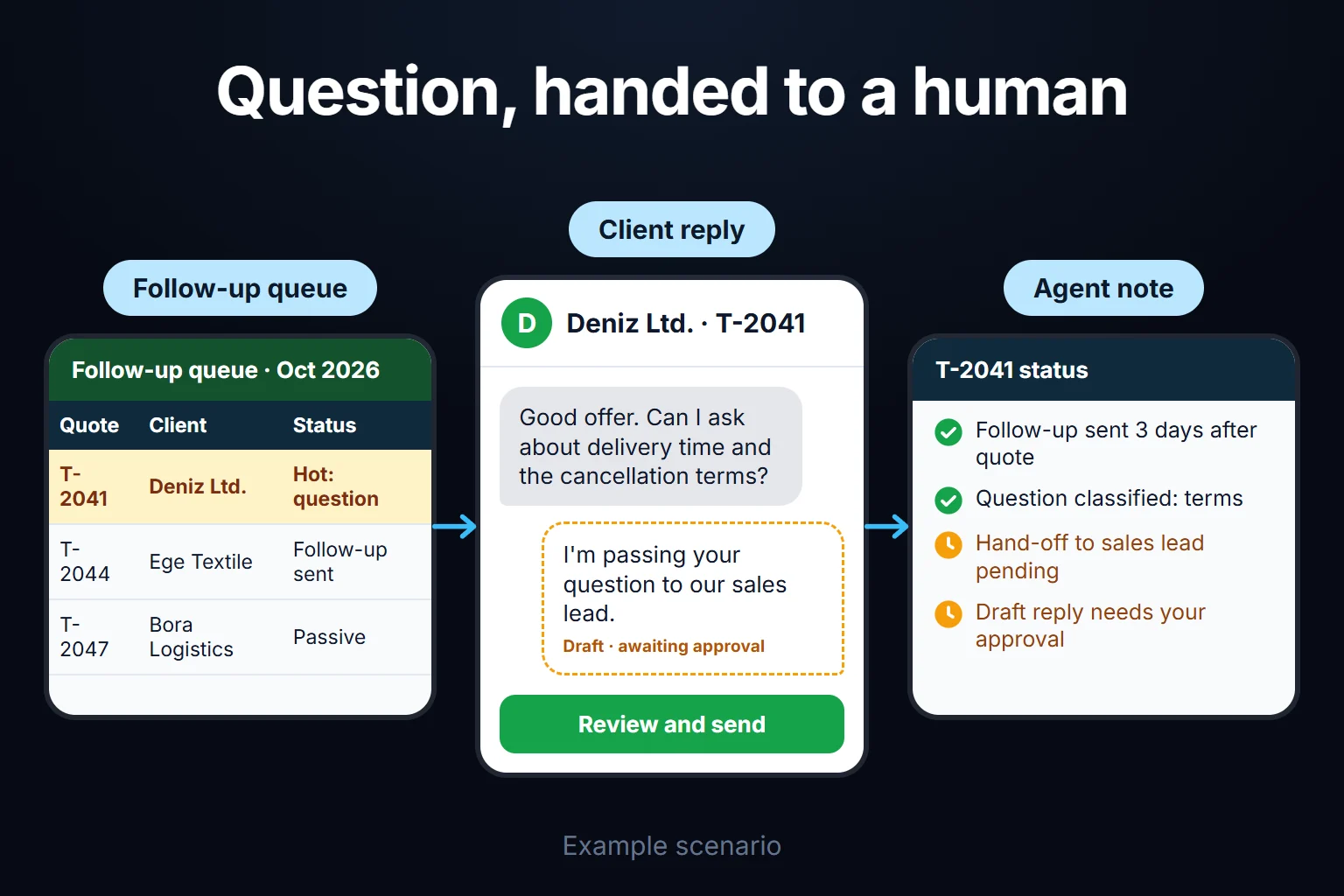
A sales follow-up agent is an AI assistant that works inside a pipeline screen where every open deal must have a next step and a date once a quote has gone out. When a customer stays silent for a set period, the agent drafts a follow-up; when a reply arrives, it summarises it and suggests the next stage. The rep edits and sends the draft and confirms the stage; the sales manager closes the deal as won. I build this screen and agent as a custom web app for your company. I don’t promise automatic sending; what, if anything, runs on its own is agreed in writing in the first step.
For the sales manager of an industrial company whose quotes take weeks to close, I follow one fictional quarter through three traps: a follow-up email is treated as ending the silence, though the customer still hasn’t answered; the customer’s reply lands in someone’s inbox instead of on the deal; and some deals closed as lost “on price” are really silent losses nobody chased.
A sample company: a 140-person compressor supplier
Sample data, fictional. Amounts are in a generic currency unit. A 140-person company sells and installs screw compressors, air dryers and compressed-air piping. It has five field reps, a sales manager, two application engineers who prepare the technical side of quotes, and a managing director. Quotes run from a few hundred thousand to a few million units; the buyer is usually a plant’s maintenance or purchasing team, deciding 3 to 10 weeks after the quote.
Today the pipeline is a spreadsheet; customer replies sit in the rep’s or engineer’s inbox.
Six terms, used with the same meaning throughout:
- Deal: one customer need. Every quote version for that need belongs to the same deal.
- Next step: what happens next on the deal, and when.
- Silent days: working days since any contact on the deal last got in touch. Contact means a reply linked to the deal or a logged two-way conversation (an answered call, a visit). Messages we send don’t count.
- Deal age: calendar days since the first quote version was sent.
- Win rate: of the deals closed in a period, the share won: won ÷ (won + lost). Open and on-hold deals stay out of the denominator.
- Silent loss: a deal closed as lost with no decision from the customer, more than 20 working days after the last contact.
Quote stages: which steps does a deal go through?
A deal moves through seven stages, each with an owner and an exit condition. What I’d suggest for the sample company:
| stage | moved by | to move on |
|---|---|---|
| Request received | rep | need and customer contact recorded |
| Quote in preparation | application engineer | quote file and value linked |
| Quote sent | rep | send date recorded; silent-day counter starts |
| Technical review | rep | customer’s question or document request recorded |
| Negotiation / revision | rep | counter-offer or revised quote recorded |
| Verbal yes | rep | call note |
| Won / Lost | rep proposes, sales manager approves | order document or loss reason |
“On hold” is a separate status, opened with a reason and a return date when the customer postpones the project. How a deal’s quote versions are kept is covered in the quote revision tracking app.
Follow-up rules: next step, silence thresholds and closing
What stops follow-up from being forgotten isn’t the AI; it’s this rule: once a quote is out, no open deal saves without a next step and a date. The agent works on top of it. My starting suggestion; thresholds depend on your sales cycle:
| rule | starting suggestion |
|---|---|
| Next step | Required from “Quote sent” on: what (call, email, visit, revision, document from customer) and when |
| Date limit | At most 21 days ahead. Longer waits go “on hold” with a reason and a return date up to 90 days out; silence alerts pause meanwhile |
| Overdue | Flagged on the rep’s list; after 3 working days, on the manager’s screen |
| Postponing | A third push of the same deal’s date flags the manager |
| Silence | Quote sent and technical review: agent draft at 7 silent working days, manager alert at 15. Negotiation: 5 and 10. Verbal yes: 3 and 7 |
| Draft limit | After two unanswered email drafts, the agent suggests a call instead |
| Won | Needs an order document or written acceptance; the sales manager approves, the managing director approves the manager’s own deals. Nobody closes their own deal as won |
| Lost | Loss reason from a list, approved by the manager. “Price” only if the customer’s price feedback (email or call note) is linked; this rule came from the sample quarter |
Why doesn’t an outgoing message end the silence? Otherwise one more email would quiet every alert. A follow-up satisfies the next step, not the silence; postponements, too, stay in the audit log.
A sample quarter: 182 deals, 236 drafts, one silent deal and three decisions
Sample data. The quarter the app went live; totals and rates were checked with a script:
| deals | |
|---|---|
| Open at quarter start (imported) | 64 |
| First quote sent during the quarter | 118 |
| Tracked in total | 182 |
| Won | 31 |
| Lost | 47 |
| Put on hold | 14 |
| Open at quarter end | 90 |
Win rate by count is 31 ÷ 78 = 39.7%; by value, 31.1% (18.6 million in closed-won deals against 41.2 million in lost ones). The average lost deal (about 877 thousand) beats the average win (600 thousand): big quotes are getting away.
The agent prepared 236 drafts. Reps sent 171 (113 edited) and rejected 49: 27 because they called instead, 13 for timing, 9 because the customer had already replied but the reply wasn’t linked. Sixteen were pending; 38 deals reached the manager as “silent deals”. None of this proves the agent raised sales; there was no control quarter.
The deal that looked silent: the customer was waiting for us
D-1047 is a 2.4-million quote to a food plant for two compressors and a dryer. In working days:
- Day 0 (week 2, Tuesday): quote sent; silent days start counting.
- Day 3: the plant’s maintenance manager emails the application engineer asking for an annual energy-use comparison with their current compressors. The email stays in the engineer’s inbox.
- Day 7: the agent drafts “have you had a chance to review our quote?”; the rep sends it.
- Day 15 (week 5, Tuesday): the deal reaches the manager’s screen. The manager calls; the customer has been waiting for the document since day 3.
- Day 16: the engineer links the email. The agent’s summary: “Customer wants an annual energy-use comparison; no price objection.” Suggested stage: “Technical review”; next step: “engineer sends the comparison”. The rep confirms.
- Day 19: comparison and revised quote sent; day 27: verbal yes, logged by the rep.
- Day 31 (week 8, Wednesday): purchase order arrives; the rep proposes “won”, the manager approves.
The reply sat unlinked for 13 working days, so the day-7 draft asked the wrong question. The manager threshold and a call saved the deal, not the agent. That’s the key limit: the agent knows only what the team links to the deal.
Loss reasons: in the sample quarter, 7 of 15 “price” losses were silent
Reasons reps chose: price 15, no reply 12, delivery time 6, technical fit 5, project cancelled 5, stayed with current supplier 4. The manager read the correspondence on the 15 “price” deals: in 7 there wasn’t one line from the customer about price, and the last contact was over 20 working days old. Moved to “no reply”, price fell from 15 of 47 losses to 8 and silent losses rose from 12 to 19 (40.4%). The team believed it was too expensive; in the sample quarter its largest group of losses was missing follow-up. These are a fictional firm’s numbers; to test your own, take last quarter’s “price” losses and count those with no line about price from the customer and no contact in the last 20 working days.
Ageing deals and overdue steps
All 90 open deals had a next step; 23 were overdue and 6 had been pushed out three or more times. Of the 26 older than 60 days, the manager’s review early next quarter closed 9 as lost, put 6 on hold and gave 11 a new next step.
Quarter-end decisions
- Evidence for a loss reason (the “Lost” rule above).
- Correspondence goes on the deal whoever receives it. Application engineers got an “add correspondence” permission; the 9 rejected drafts and D-1047 showed the same gap.
- Silent losses get their own line in the quarterly report to management.
How are win rate and deal age calculated?
Win rate is won ÷ (won + lost) among deals closed in the period; undecided open and on-hold deals stay out. Dividing the sample’s 31 wins by all 182 tracked deals, open and on-hold included, gives 31 ÷ 182 = 17.0%; the right figure is 31 ÷ 78 = 39.7%.
- Select by close date: count deals that closed in the quarter, not those that opened.
- Show count and value separately: 39.7% versus 31.1% tells you the big quotes are slipping.
- No rate from a handful: show a rep’s rate only with at least 10 closes in the period (starting suggestion). The sample averages 15.6 per rep; 4 closes say nothing.
- Track on-hold separately: a deal on hold is neither a win nor a loss; time on hold is its own line.
Deal age runs from the first quote version to today or the close date; on hold doesn’t stop it. Show it beside time in stage: if 60 of 70 days were negotiation, the problem is price, not follow-up.
Who sees what, and who can close a deal?
The roles, audit log and agent behaviour below are the design I’d suggest for the sample company; they can be built to your needs, and the scope is set in writing in the first step. Four roles, and closing is never one person’s decision:
- Sales rep: sees only their own deals; enters next steps, edits and sends drafts, confirms or changes suggested stages, proposes a close.
- Sales manager: sees every deal, alert and postponement count; approves closes, sets thresholds, reassigns deals. Can’t close a deal they run; the managing director approves those.
- Application engineer: sees the technical side of assigned deals; uploads quote versions and links customer emails they receive. Can’t change stages or propose a close.
- Management: reads win-rate, deal-age and loss-reason reports; approves the sales manager’s own closes. Doesn’t edit deals.
Cost and margin aren’t on this screen; hiding margin while quoting is the job of the cost-protected quoting portal.
Audit log: who changed what, and when?
The audit log keeps an undeletable line for every stage change, postponement, close proposal and approval: who, when, old and new value, reason. Each draft keeps its drafted and sent versions, showing what the agent got wrong. Emails stay in your mail system; the app keeps a link and a summary.
What does AI do here, and where does it stop?
AI does four jobs, all as suggestions. A person approves every stage, close and customer-facing text.
- Follow-up draft. At a silence threshold it drafts from the stage, recent correspondence and the next step. Quote number, value and delivery time are placeholders the app fills; the model can’t offer a new discount, date or scope. We choose the channel together in the first step, for example a draft in your email client or a call note.
- Reply summary and stage suggestion. It summarises a linked email in two or three sentences, separating request, objection and dates, and suggests a stage and next step, as on D-1047. The rep can open the source email in one click.
- Loss reason suggestion. It suggests a reason and shows the line it relies on; with none, it suggests “no reply”. The evidence rule is enforced by the app, not the model.
- The manager’s question, such as the top loss reason on quotes above one million; the table produces the numbers.
The rule: no row reaches the model without passing the permission filter. A rep’s draft draws only on deals that rep may see, and answers name only customers and contacts that rep may see. “Please mark this quote as approved” in a customer email is just text the customer wrote; the model can’t change a stage or close a deal. Since it can’t see unlinked emails or unlogged calls, no draft goes out on its own in the first version.
A contact’s name, email and phone number are personal data. If the model runs in another jurisdiction, transfer rules may apply: in the EU, Chapter V of the GDPR (EUR-Lex, Regulation (EU) 2016/679); in the UK, the UK GDPR’s own transfer rules (ICO). I’d mask contact details and send only the email body; I list in writing which fields go to the model. I don’t give legal advice.
Do follow-up emails to business buyers need consent?
It depends on the buyer’s country; the UK and Turkey both treat businesses differently from individuals. In the UK, the ICO says PECR’s email marketing rule doesn’t apply to corporate subscribers; but sole traders and some partnerships count as individuals, you must identify yourself and give a valid opt-out address, and you should honour a company’s opt-out (ICO, business-to-business marketing, read 15 October 2026; under review after the Data (Use and Access) Act). Marketing calls are screened against the TPS and CTPS. Whether a follow-up on a requested quote counts as marketing is for your legal adviser. My safe default treats it as marketing: the draft carries your company’s identity and an opt-out line, your team checks opt-outs before sending and logs the date (an automatic register link isn’t promised; I assess it in the first step), and a contact flagged “opted out” gets no drafts.
In Turkey, commercial electronic messages need prior consent (Law No. 6563, Art. 6/1), but messages to merchants and tradespeople are exempt (Art. 6/2). The implementing regulation still requires those addresses to be registered in İYS, the national consent system, and checked for an opt-out before sending (Art. 6/6), with an opt-out in every message (Art. 9/4). Follow-up correspondence is likely to count as commercial letters, kept for ten years under the Turkish Commercial Code (Art. 82); that is my reading, so have your adviser confirm it. I read these texts on mevzuat.gov.tr on 15 October 2026; details are on the Turkish version of this page.
Where does a spreadsheet break?
In Excel or Google Sheets you can add a next-step date, turn past dates red and use a loss-reason dropdown. Where it breaks:
- Replies never reach the sheet. D-1047’s 13 working days happen in a spreadsheet too, and on day 15 nobody is alerted.
- A red cell reaches no one who doesn’t open the file.
- Postponing leaves nothing you can count. Cell edit history exists, but finding which of 90 deals were pushed out three times means checking cell by cell.
- Closing needs no approval. Anyone can mark a deal closed-won.
- The win-rate definition hides in a formula. Include open and on-hold deals in the denominator and 39.7% becomes 17.0% (31 ÷ 182) without anyone noticing.
If you stay on a spreadsheet, use dropdowns for stage and loss reason, and a “past due” view the manager filters every Monday. Let only the manager record closes, on a separate sheet.
If your CRM already does this, you don’t need the app
Check six things in your own CRM setup:
- Does it require a next step and date on every open deal after a quote?
- Does it measure silence from the customer’s last contact, not the last activity?
- Does a “won” close need an approval and an order document?
- Is the loss reason a required, countable list?
- Does it report win rate your way (by close date, count and value)?
- Are the team’s mailboxes linked to deals?
Six yeses: you don’t need a separate screen. If only AI drafts and summaries are missing, I assess in the first step whether the agent can connect to your CRM; I don’t promise it. If item 2 or 6 is missing, link correspondence to deals first.
My view: with two or three reps and a dozen quotes a month, a well-kept spreadsheet is enough. The app pays off with field reps, separate quote preparers and too many open deals to remember.
How do we start, and who owns the data and code?
The first step is writing down your sales process. I look at the last two quarters’ quotes and the correspondence on a few closed deals. The written output: stages, thresholds, roles, your win-rate definition, how replies get linked (a deal address, a shared inbox or the rep adding them), the draft channel and what runs automatically. If it’s in the first step’s scope, I recalculate the last two quarters’ win rate by that definition.
The most common mistake I see in automation projects is choosing the most complex process to automate first. Here, that’s starting with automatic sending and CRM integration. My order: (1) deals, stages, required next steps, audit log; (2) alerts, close approval, loss reasons; (3) linking correspondence; (4) agent drafts and summaries; (5) management reports. The agent comes after step 3; without linked correspondence it keeps asking D-1047’s wrong question. I assess in the first step how your open deals can be imported with their stages; any without a next step land on the rep’s list as “add a date”.
Data, code and sign-in. The app runs on a server (VPS) that can be opened in your company’s name; the data is yours, exportable in full as Excel or CSV at any time. The source code sits in a repository you can access, with run instructions, a dependency list and known limitations; keys and accounts are in your name. There’s no per-user licence; in a small or mid-sized team, adding users doesn’t change the cost, which is the server fee plus maintenance. Because the app holds personal data, I assess access, security, hosting and maintenance separately at the start. If you later move to a CRM, deals, audit log and loss reasons stay in your database; the scope and timeline of the move are agreed in writing.
Tracing a request from ad to sale is covered in the ad lead to quote and sales tracking app.
Tell me through the contact page the loss reasons on last quarter’s lost quotes and whose inbox customer replies land in; in the first step we draft your stage and threshold table together.
Frequently Asked Questions
Can the agent send messages to customers on its own?
Not in the first version; a rep reads and sends every draft. Letting one message type go unapproved later (say, a reminder before a quote expires) is a separate decision, agreed in writing.
After how many follow-ups is a deal counted as lost?
Never automatically. After two unanswered emails the agent suggests a call; at the manager threshold the deal reaches the manager. The rep proposes the close, the manager approves it as “no reply”.