
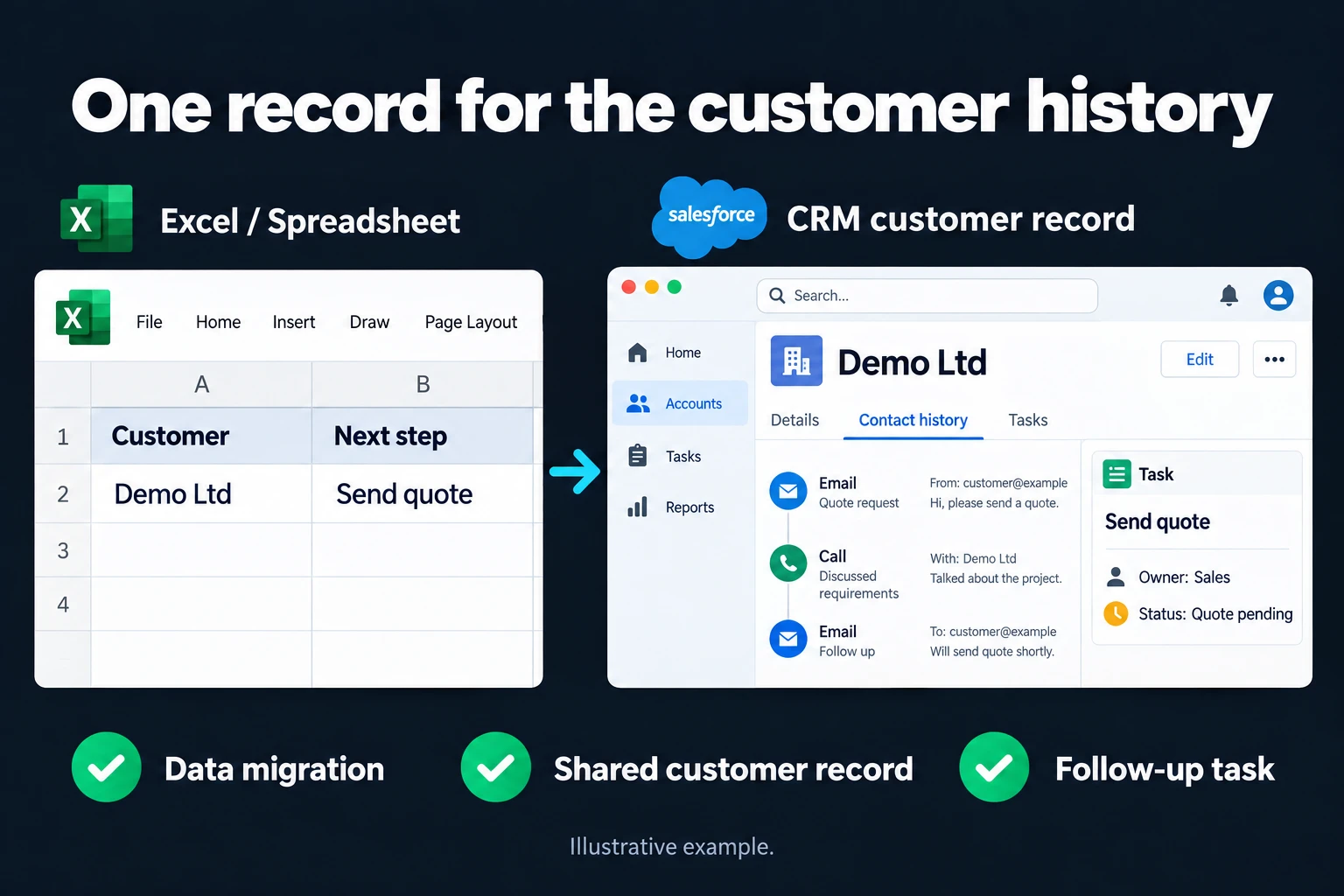
CRM Setup | Customer Tracking on One Screen
If the answer to “what did we last discuss with this customer” is scattered across a spreadsheet tab, a WhatsApp thread, and someone’s memory, your customer tracking isn’t really yours. CRM setup pulls that into one place: every customer, every conversation, every stage visible on a single screen.
If you want inquiries from your form to log into the CRM automatically, Web Form to CRM Automation is a separate page — that flow gets added once your CRM is set up.
How It Gets Built
- The right tool gets chosen. We decide together which off-the-shelf tool — HubSpot, Pipedrive — fits your business, budget, and team size. A complex, expensive tool on a small team turns into a tool nobody uses, and I don’t want to see that.
- The process gets defined. Which stages a lead moves through (first contact, quote, meeting, close) — these stages become the CRM’s structure.
- Data gets migrated. Your existing spreadsheet, stack of business cards, or email history gets turned into structured records and loaded into the CRM.
- The team gets trained. A short session shows your team how to use it — skip this step and the CRM gets built but never used.
- The first week gets watched. Real usage in the first week after setup gets observed, and sticking points get fixed.
The Mistake I See Most Often
Picking a tool bigger than the team needs. A small team that doesn’t use most of a large enterprise CRM’s features gets lost in the complexity and reverts to the old spreadsheet within a few months. The right choice is a tool that covers what your team will actually use today, and can expand as you grow.
Who This Makes Sense For
Any business where customer tracking is scattered across multiple people and multiple tools — spreadsheets, notebooks, WhatsApp. For a one-person business with few customers, a simple table might be enough — in that case a CRM is unnecessary complexity, and I say so upfront.
What It Does Not Do
- It doesn’t sell for you. A CRM keeps conversations organized; you and your team still close the sale.
- It doesn’t guarantee unlimited data migration. Very messy or very old data may need cleaning first — that’s handled as an extra step.
You Can Hire Me for This
You can hire me for this: remote, billed hourly. Setup usually takes 3-7 days; what drives the timeline is team size and the volume of data to migrate.
Start by writing to me from the contact page about how big your team is and how you track customers today.
Frequently Asked Questions
Which CRM do you recommend?
There’s no single answer — it depends on team size, budget, and what you already use (email, calendar). In the first conversation I listen to your needs and suggest 2-3 options, and we weigh the trade-offs together.
Our data is very scattered — is migration still possible?
Usually yes, but I look at the existing data first and tell you how much cleaning it needs. Sometimes that step takes longer than the setup itself.
My team isn’t technical — is it hard to learn?
No, most modern CRM tools require no code. A short training session gets your team through the basics.
Can I get support after setup?
Yes, an optional monthly support/maintenance service is available — small adjustments often come up, especially in the first few months.
How do I work?
Work-hour packages
Tell me about your business and what you need on WhatsApp or by phone; we agree on a work block of somewhere between 5 and 40 hours and I start doing what is needed. What you get is not a calendar window — it is net working hours spent directly on your business. I can use 40 hours working three days straight, or deliberately spread it out and finish it over a year — whatever the work calls for. I do not spend my time estimating how long something will take, I spend it doing the work; every hour I spend leaves a lasting result in your business. We keep going for as long as you find it useful.
Why not monthly?
Is 40 hours a week?
On a fixed monthly fee both sides are watching the wrong thing: you watch a fixed cost, the other side watches how many more contracts like this they can line up. Working by the hour puts us both in front of the same thing — the real value of the work that got done. I know not having an upfront answer to "how much will this cost in total?" is the natural cost of this model. But instead of paying a fixed fee for months to a setup that is not producing results, you only pay for the qualified time spent on your work — and you see exactly where that time went, start to finish. That is why my clients keep coming back.