
Competitor Price Tracking Software and Setup
A competitor price tracking setup should show meaningful changes in products you actually sell. I define the product matches, sources, checking interval and notification rules with your team. It can help ecommerce category managers and businesses selling the same branded products as other shops; an occasional manual check may be sufficient for a small list.
Compare the same product
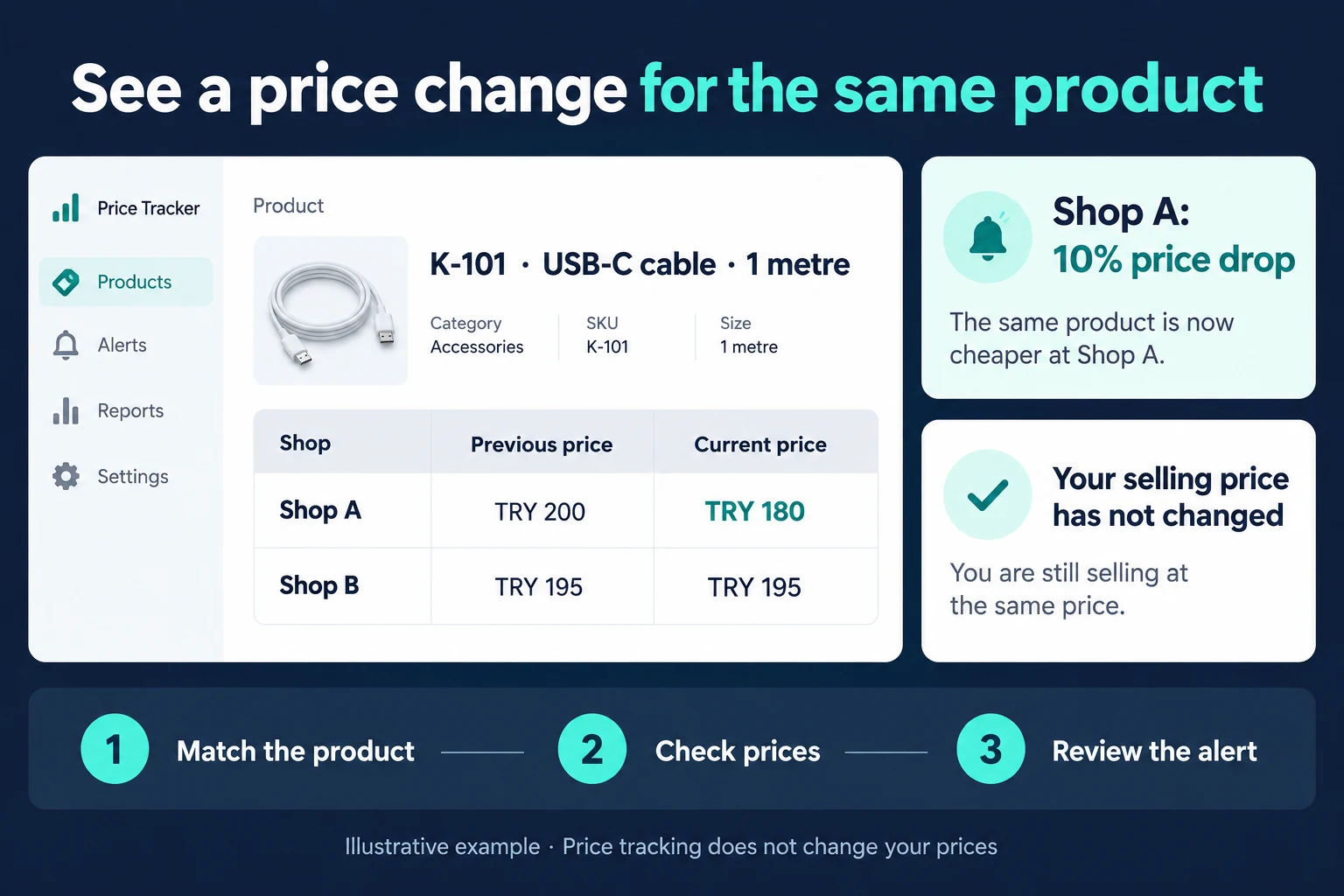
In the fictional example, K-101 is a one-metre USB-C cable. Shop A falls from €200 to €180: a 10% reduction. Shop B stays at €195. The screen identifies the change; it does not change your own price.
A two-metre cable, a different connector or a two-item pack is a different offer. Product code, model, variant and pack quantity inform the match. An uncertain match goes to review rather than generating a misleading alert.
A visible price may need context
Shipping, member prices, coupons and instalment totals can make apparently similar prices incomparable. I define the price type and whether availability should be shown beside it. If a page cannot be read, the previous value may remain with its last successful check and a stale marker. An attempted check is not a fresh price.
Agree the alerts and maintenance
Start with products that affect a real pricing decision. Daily or weekly checks, percentage thresholds and email or screen summaries are chosen around that decision. The trial covers a changed price, unchanged price, out-of-stock item and unavailable source. Maintenance responsibilities matter because source pages can change.
Source access conditions and available authorised feeds are assessed first. Public visibility does not guarantee every collection method or frequency is appropriate. Editing the monitored product list and reading a report can have different permissions; your price decision remains with authorised staff.
For a few products, an Excel list with source links may be enough. Regular checks, change history and team access can justify a separate screen. See import website data into Excel for the collection step and Excel sales reporting for evaluating your own results.
Frequently Asked Questions
Frequently Asked Questions
Does it change my prices automatically?
This service covers monitoring and notifications. Your prices remain under your team’s control.
Can every competitor be included?
The source and access conditions need assessment first; unsupported sources may be excluded.
Will I know when a result is old?
The last successful check is visible, with failed collection and stale prices distinguished from fresh results.
Discuss the products, sources and price decisions you need to monitor.
How do I work?
Work-hour packages
Tell me about your business and what you need on WhatsApp or by phone; we agree on a work block of somewhere between 5 and 40 hours and I start doing what is needed. What you get is not a calendar window — it is net working hours spent directly on your business. I can use 40 hours working three days straight, or deliberately spread it out and finish it over a year — whatever the work calls for. I do not spend my time estimating how long something will take, I spend it doing the work; every hour I spend leaves a lasting result in your business. We keep going for as long as you find it useful.
Why not monthly?
Is 40 hours a week?
On a fixed monthly fee both sides are watching the wrong thing: you watch a fixed cost, the other side watches how many more contracts like this they can line up. Working by the hour puts us both in front of the same thing — the real value of the work that got done. I know not having an upfront answer to "how much will this cost in total?" is the natural cost of this model. But instead of paying a fixed fee for months to a setup that is not producing results, you only pay for the qualified time spent on your work — and you see exactly where that time went, start to finish. That is why my clients keep coming back.