Source: https://oguzerol.com/en/subscription-renewal-expense-tracking-app/ [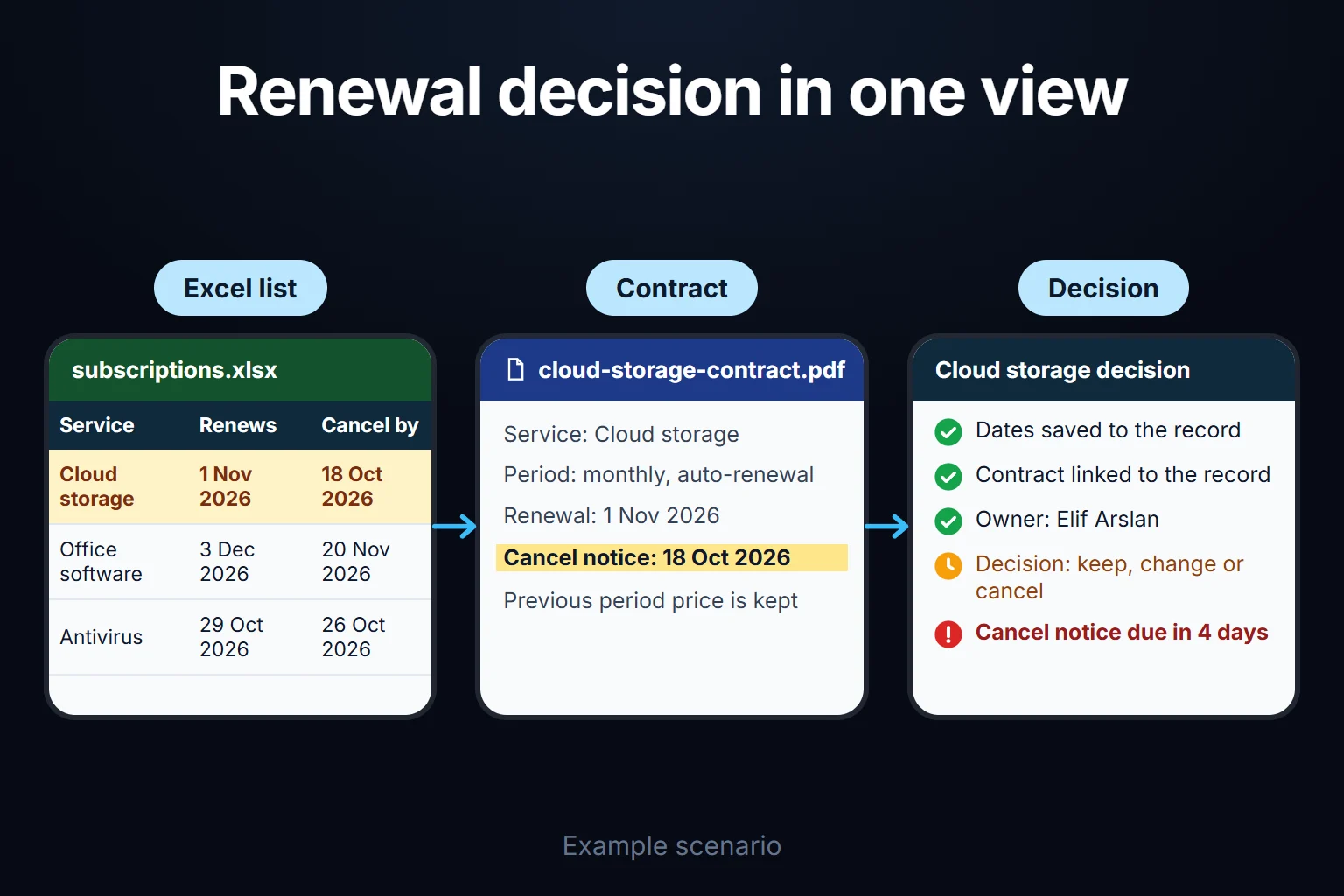 View full size](https://oguzerol.com/gorseller/senaryo/subscription-renewal-expense-tracking-app-senaryo-en.webp) # Subscription and License Tracking App: Notice Deadlines, Unused Seats [Oğuz Erol](https://oguzerol.com/en/about-me/) | 20 min read A subscription and license tracking app keeps every software and service subscription your company pays for in one inventory. It gives each one an owner, works out the last day you can cancel before an automatic renewal and asks for a decision by then. It shows seats nobody uses, including seats still assigned to people who have left, and separates a supplier’s price increase from exchange-rate movement. I build these for companies. The app does not cancel anything in a supplier’s account or make payments; it prepares the decision and keeps the record. The real trap is not finding unused licenses but knowing when you are allowed to cut them. On an annual contract you usually cannot reduce seats the day you find them empty; you wait for the window the contract allows, and if you miss it you pay for another year. In the fictional quarter below, a 190-person manufacturer has 64 subscriptions. Of 71 seats nobody had used for 60 days, 32 could be acted on that quarter; 39 had to wait for their renewal dates. ## What questions does the app answer? The app keeps three questions current every day: who owns this subscription, what is the last day I can back out, and who uses the seats we pay for. The answers live in the record, and as a date approaches the question lands on the right person as a task. Three terms are used the same way throughout. The **renewal date** is when the subscription rolls into a new term and is charged. The **notice period** is how long before renewal the contract requires notice to cancel or reduce seats. The **cancellation deadline** is the renewal date minus the notice period; a decision made after it only counts at the following renewal. Don’t assume consumer auto-renewal rules protect a business contract, and don’t assume every clause in it is enforceable either: the app links each record to the clause in your own agreement. I don’t give legal advice; I record where the clause is. ## A sample quarter: 64 subscriptions at a 190-person manufacturer The company, amounts, exchange rates and contract terms are fictional; I prepared them to show the method. Day 1 of the quarter is a Monday and no date falls on a weekend. Supplier prices are in US dollars, as quoted; the rate effect is in the company’s reporting currency (the currency its accounts are kept in), shown with no symbol. ### Weeks 1–3: the inventory IT’s list had 41 subscriptions. The app combined 12 months of statements from four corporate cards, accounting’s invoice list and IT’s list: 64 subscriptions, 38 of them priced in foreign currency, totalling 182,000 USD a year before any renewals. Of the 23 missing from IT’s list, 14 were recognized from the statement description; departments had opened them on their own cards. Nine showed only a payment intermediary’s name and a code. When the inventory closed, 15 subscriptions had no owner: those nine, plus six whose owner had left. The app went live on day 19, a Friday, starting a 10-working-day clock for the unowned records. By day 33, also a Friday, none were left: - Department heads assigned owners to the six whose owner had left. - Five of the nine unknown lines were identified from sellers’ invoice emails. - Three were cancelled: tools opened by leavers and forgotten on a card, at 29, 49 and 15 USD a month, 1,116 USD a year. - One was a duplicate: two departments paid separate team plans for the same screen-recording tool. Merging them cut 40 USD a month, 480 USD a year. At quarter end, 64 − 3 − 1 = 60 subscriptions were active, each with an owner and a backup. ### Empty seats Eighteen subscriptions were licensed per user. For 11 a user list with last-login dates could be exported; for 7 it could not. Of the 642 trackable seats, 71 had no login in 60 days: | empty seats, sample data | count | what could be done that quarter | | --- | --- | --- | | Office suite and email, monthly, no commitment | 19 | All belonged to leavers. 7 went to the quarter’s 7 new joiners; 12 were removed at once. | | CAD software, annual | 7 | Renewal fell inside the quarter. 6 cut; 1 kept for an employee on long leave. | | Project management tool, monthly | 6 | 6 of 60 seats were idle; active users stayed at 51–54. It dropped to 54 seats in the move to annual described below. | | Eight other annual subscriptions | 39 | Flagged. These contracts only allow reductions at renewal, so they are paid until then. | The office suite cause was simple: HR’s leaver list had never been compared with the license list. Removing 12 seats at 12 USD a month cut 1,728 USD a year; reusing 7 avoided another 1,008 USD of purchases. While the 39 seats wait for renewal, two things help: route new seat requests for the same product to the empty seats first, and check whether the contract lets you reassign a seat to another user mid-term. Giving 7 office suite seats to joiners was the same logic; on a monthly plan there was nothing to wait for. ### CAD renewal: from 24 seats to 18 The CAD software had 24 seats at 210 USD per seat per month, paid annually: 60,480 USD. Renewal was day 73, a Wednesday; the sample contract’s notice period was 30 days, so the cancellation deadline was day 43, a Monday. The supplier had announced an 8% increase: 226.80 USD per seat. The rule opens a decision task 45 days before the deadline, which here fell before the app existed. The app opened it on day 19, marked “opened late”, with 24 days left. The owner, the head of production engineering, decided on day 31: 17 active users plus one employee returning from leave, so 18 seats. Notice went on day 32, 11 days before the deadline. | CAD, sample data | seats | per seat per month | per year | | --- | --- | --- | --- | | Last year | 24 | 210.00 USD | 60,480.00 USD | | If nothing had been done | 24 | 226.80 USD | 65,318.40 USD | | Decision | 18 | 226.80 USD | 48,988.80 USD | Despite the increase, the annual cost fell 11,491.20 USD against last year; against renewing unchanged the difference is 16,329.60 USD. ### Project tool: monthly to annual The project tool was monthly: 60 seats at 11 USD, 7,920 USD a year. Active users stayed between 51 and 54 for six months. The sample supplier charged 9 USD on an annual plan, with no mid-term reductions. With usage that stable, the company moved to annual with 54 seats: 5,832 USD, 2,088 USD a year less. Of that, 792 USD (6 idle seats × 11 × 12) could have been cut on the monthly plan too; the annual plan itself contributed 54 × 2 × 12 = 1,296 USD. Had usage swung, I would have recommended staying monthly; the annual discount is the price of committing to pay for empty seats for a year. One of the 7 subscriptions without usage data also renewed: a 12-seat design tool. Under the rules it went to approval. The owner listed the 11 people using it, the IT manager approved, and the record says a usage declaration will be required again at the next renewal. ### Rate alert and the result The CAD invoice was paid at 0.95 per dollar in reporting currency against a budget rate of 0.90: 5.6% above budget, past the sample 5% threshold, so the finance manager was alerted. Between the budget of 54,432 and the actual 46,539.36 (both in reporting currency), the fall of 7,892.64 has three parts: - **Volume effect:** 6 fewer seats × 210 USD × 12 × 0.90 = −13,608. The owner’s decision. - **Price effect:** 18 seats × 16.80 USD × 12 × 0.90 = +3,265.92. The supplier’s decision, and the thing to negotiate. - **Rate effect:** 48,988.80 USD × 0.05 = +2,449.44. Nobody’s decision; it goes to finance’s report. The volume and rate split on the budget side is in the [budget vs actual expense dashboard](https://oguzerol.com/en/budget-vs-actual-expense-dashboard/); subscriptions add the price increase as a third part. Annualized, the quarter’s decisions come to: office suite 1,728 USD, CAD 16,329.60, project tool 2,088, cancellations and merge 1,596. Read the total two ways: | measure | amount | what it means | | --- | --- | --- | | Cost avoided | 21,741.60 USD | The difference from what you would have paid, at the higher price, had you done nothing. Money that will not be spent, not money that was. | | Price-increase share (CAD, 8%) | −4,838.40 USD | 24 seats × 16.80 USD × 12. It would have come anyway; it prevents a rise, it does not reduce spend. | | Real fall | 16,903.20 USD | The reduction against what was paid annually last year: about 9% of foreign-currency subscription spend. | Both figures are annualized: annual contracts are paid on their renewal dates, so this much cash did not leave the account in the quarter; the fall reaches the cash flow as renewals come due. Three quarters of the cost avoided (16,329.60) came from one contract, so your own figure depends on which quarter your biggest renewals fall in. The 1,008 USD of purchases avoided for the 7 joiners is in neither figure, because a spend avoided is not a spend reduced, and the 39 waiting seats are excluded too. The bigger decision was a rule: the finance manager made HR’s leaver record put every seat assigned to that person on the owners’ task lists. ## Rules: my suggestions, your decision These day counts and thresholds are starting suggestions, not measured truths. Adjust them after the first quarter. | topic | suggestion | | --- | --- | | Owner required | No subscription without an owner and backup. When the owner leaves, the department head assigns a new one; if none is assigned in 10 working days, the IT manager opens a cancellation proposal. | | Cancellation window | Annual: decision task 45 days before the deadline, second reminder 10 working days before, escalation to IT and finance managers on the morning of the deadline. Monthly: a reminder 5 working days before. | | No decision | Not silently treated as renewed; marked “renewed without a decision” and reported separately each quarter. | | No usage data | Renewal goes to approval: the owner lists users or gives a reason, the IT manager approves, and above your amount threshold the finance manager too. | | Empty seats | No login in 60 days: flagged to the owner at once on monthly plans, with the decision task on annual ones. | | Leavers | HR’s leaver record turns each of that person’s seats into an owner task: reclaim, or keep with a reason. New joiners get freed seats first. | | Exchange rate | Payment-day rate more than 5% from budget rate: alert to the finance manager, not the owner. | | Price increase | The supplier’s new price is recorded for the new term without deleting the old one, and the decision task shows both. If the increase is announced after the cancellation deadline, the record is marked “increase outside the window” and the owner gets a task to check the contract’s price increase clause. | | New subscription | A new card payment goes to the unowned queue on its second appearance. One month may be a trial; two is a recurring payment. | Statements are uploaded monthly, so a tool opened on a card is caught by the second statement at the latest. Leaver information can also come from your user directory instead of HR; whether that works depends on your directory, and I check it in the first step. To recognize a recurring payment, my starting point is the same description, up to 10% difference in the supplier’s currency, and an interval of 28–31 or 360–370 days. Whether statements show the original foreign amount depends on your bank; if not, rate movement widens the tolerance and more lines land in the queue. ## An unrecognized subscription on the card statement and foreign-supplier VAT An unrecognized recurring line is not a matching error; it is spending without an owner, and it goes to the unowned queue described in the rules. The owner or IT cancels in the supplier’s account, and the app attaches the confirmation email and checks the line does not return. Matching card spending to receipts is a separate job, covered in [expense receipt and document tracking](https://oguzerol.com/en/expense-receipt-document-tracking/). **In Turkey**, consumer law bans automatic same-term renewal clauses in consumer subscriptions but excludes anyone acting for commercial or professional purposes, so a company’s contract renews on its own terms. The Turkish Code of Obligations rules on standard contract terms (arts. 20–25) can still come into play for terms a supplier prepared in advance for many contracts. Sources are on the [Turkish version of this page](https://oguzerol.com/abonelik-yenileme-gider-takip-uygulamasi/). Also in Turkey, reverse-charge VAT may apply to services bought from abroad: a tax ruling issued to one taxpayer, about video-conferencing software bought from its German shareholder, binds only that taxpayer, so the app simply sends accounting a monthly list of foreign-supplier payments to check with your accountant. ## Who does what, and how is the audit trail kept? Segregation of duties here means an owner cannot approve their own renewal when there is no usage data, and cannot change thresholds. In the sample company the owner decides to renew, reduce or cancel; department heads see their own subscriptions and assign an owner to any record whose owner left or that nobody recognized; the IT manager sees everything and approves renewals without data; HR enters leavers and sees people and dates, not amounts; accounting uploads statements; the finance manager approves above the threshold and changes rules; an auditor sees everything and changes nothing. The audit trail keeps an undeletable line for every change: who, when, which record, old and new value, reason. A price change keeps the old price; past periods are not recalculated. A cancelled subscription is archived with its contract and invoices for as long as your retention rules require. ## What does AI do, and where does it stop? AI suggests; it does not identify a subscription on its own, confirm a date or make a decision. It helps in two places: 1. **Suggesting what a statement line is.** It proposes a supplier and plan and shows why: the code, amount and interval. If the description only names a payment intermediary, it says “not recognized” rather than guessing. That is what happened to the nine lines in the sample; the answer came from invoice emails. 2. **Extracting dates from contracts and invoices.** It reads the renewal date, notice period, auto-renewal and price-increase clauses, and shows the page and sentence each came from. If it can’t find the notice period, it leaves the field empty instead of filling a default, and the owner gets a “check the contract” task. A person confirms before the record is final. No row reaches the model without passing the permission filter, and a suggestion only mentions subscriptions that user can see. License user lists contain names and email addresses, and statement lines contain the cardholder’s name, which I suggest masking before it reaches the model; all of this is personal data, and sending it to an AI service abroad falls under your data protection law’s international transfer rules (Chapter V of the GDPR in the EU and UK). I suggest usage accounts never reach the model: the app counts last logins itself and the model sees only seat numbers. I don’t give legal advice; I document where data goes and you decide with your legal adviser. Usage data is whatever each product’s admin console provides: an export with last-login dates, or an API if your plan allows it. I build around what the product actually offers and don’t promise it before seeing it. Without data, the owner’s list is recorded as a declaration, not a measurement. And “no login in 60 days” doesn’t mean “not needed”: a tool used once a year trips it too. ## Where exactly does a spreadsheet break? If you stay in Excel or Google Sheets, use one row per subscription: A Service, B Owner, C Billing period (monthly/annual), D Currency, E Amount per period, F Next renewal date, G Notice period (days), H Cancellation deadline, I Decision day (annual) / reminder day (monthly), J Monthly equivalent, K Second reminder (annual). Put public holidays on a sheet named `Holidays`. For row 2: - H2: `=F2-G2` - I2: `=IF(C2="annual",H2-45,WORKDAY(H2,-5,Holidays))` - J2: `=IF(C2="annual",E2/12,E2)` - K2: `=WORKDAY(H2,-10,Holidays)` In annual rows I is the day the decision task opens, 45 calendar days before the deadline (if it lands on a weekend, use the working day before); in monthly rows it is the reminder, 5 working days before. K is the second reminder, 10 working days before the deadline. I checked the logic of these formulas with a script on two sample rows with a public holiday in between; the script recalculated them in Python, so paste them into your spreadsheet and try them once with your own holiday list. As subscriptions and people grow, it breaks here: - **The list holds only what someone knows about.** In the sample, 23 of 64 were missing. - **Renewal dates move by hand.** If F isn’t updated monthly, the reminder points at a past date and never fires. - **The owner is a name, not a role.** Six records in the sample still named people who had left. - **Leavers aren’t linked to licenses.** HR’s list and the license list only meet if someone puts them side by side. - **A price change overwrites history.** The increase itself disappears from column E. - **A reminder is a cell, not a task.** Copied to a calendar by hand, it stays in one person’s calendar. In an app, the business rule you define is applied when a statement is uploaded, a leaver is entered or a deadline approaches, not when someone opens the list. ## When a SaaS management tool or a card platform is enough I wouldn’t recommend a custom app if: - You have 20–30 subscriptions and one person in IT tracks them. The spreadsheet above plus a quarterly look at card statements is enough. - An off-the-shelf SaaS management tool connects to most of your software at a price proportionate to your spend. Try it first; its strength is ready-made connections to many products, which I wouldn’t try to copy one by one. - Your corporate cards come from a spend management platform that can bind a limited virtual card to each subscription. That removes unrecognized lines at the source. A custom app makes sense when owners are spread across departments, when leaver records, invoices and card statements live in separate places, when decisions must follow your approval chain, and when you don’t want the data on an outside platform. ## How do we start, who owns the data and code, and how do users sign in? The first step is the inventory, not software: 12 months of card statements, accounting’s invoice list and IT’s list. Its written output is the inventory (what was missing, what had no owner), the rules table with your numbers, the role list and the first version’s scope. The most common mistake I see in automation projects is picking the most complex process first. Here the order is: 1. Inventory, owner and backup, cancellation deadline, decision task, audit trail. 2. Statement upload, unowned queue, license tasks from leaver records. 3. Usage exports, empty-seat flags, price and rate split. 4. AI suggestions, once the rules run smoothly. **Where do reminders go?** Each user has a “decisions waiting for me” list in the app; we choose the reminder channel together in the first step. **Where does the data live?** The app runs on a server (VPS) with its own database; the server, keys and accounts can be opened in your company’s name. The data is yours and exports to Excel or CSV at any time. There is no per-user license: the cost is the server’s monthly fee and maintenance, and for a small or mid-sized team adding users doesn’t change it. If AI suggestions are added, model usage cost is discussed separately; it scales with the number of lines and documents processed. **How do users sign in?** Everyone uses their own account; I put the sign-in method and user management in writing in the first step’s output. **Who owns the code?** The full source sits in a repository you can access, with run instructions, a dependency list and known limits. Because the app handles card spending and employee data, I assess access, security, hosting and maintenance separately at the start. **What if a bank or export format changes?** Subscriptions and history stay in your database; only that import is rebuilt, with its scope agreed in writing first. The first version’s scope and timeline also come in writing after I’ve seen how you work today. Send your subscription list and three months of statements from one corporate card, names masked, through the [contact page](https://oguzerol.com/en/contact/). In the first meeting we look together at recurring payments missing from your list and the cancellation deadlines in the next 90 days. ## Frequently Asked Questions ### Is a service account or shared login also counted as “empty” after 60 days without a login? The threshold applies to every seat, so an automation’s seat or a shared login gets flagged too. I suggest the owner can label a seat “service account” or “shared login”: a labelled seat is not counted as empty, but its reason is asked again at renewal. That keeps a paid seat nobody uses apart from a seat nobody logs into but a system relies on. ### How are monthly and annual subscriptions compared in one list? The actual billing period and amount are stored as they are, and a monthly equivalent is calculated separately. An annual subscription appears once in the cash view, in its renewal month, while its monthly equivalent is used in budget and comparison screens, so “monthly cost” and “cash due this month” never get confused. ### What happens if we need to add seats in the middle of an annual contract? How added seats are billed mid-term depends on your contract; some suppliers charge a prorated amount for the remaining term. The app stores added seats as a separate line with their own start date and amount, and on the renewal date the total, additions included, goes into the decision task as one number. ### What about subscriptions employees pay on their own cards and claim as expenses? If the same tool recurs every month in expense claims, it goes to the unowned queue like an unrecognized card line, and joins the inventory once it has an owner. Moving the payment to a corporate card is a separate decision; approving the claim belongs to the expense process. [Back to top ↑](https://oguzerol.com/en/subscription-renewal-expense-tracking-app/#icerik) ## You may also find these useful [Budget vs Actual Expense Dashboard: Department Budgets, Commitments and Variance AlertsA web app that compares each department's budget with actual and committed spend and alerts the right person when a variance matters. See a worked quarter.](https://oguzerol.com/en/budget-vs-actual-expense-dashboard/)[Employee Expense Approval Workflow: Manager-to-Finance Chain, Limits and ReturnsExpense approval from manager to finance: amount limits, delegation, line-level approval, returns and an audit trail, worked through a sample month.](https://oguzerol.com/en/employee-expense-approval-workflow/)[See Each Project’s Costs SeparatelyConnect expenses in Excel and Google Sheets to projects, with a custom screen for materials, travel, shared-cost allocation and budget comparisons.](https://oguzerol.com/en/project-cost-tracking-app/) [Browse all articles →](https://oguzerol.com/en/articles/) WHAT YOU CAN ASK FOR ## How do I work? Work-hour packages Tell me about your business and what you need on WhatsApp or by phone; we agree on **a work block of somewhere between 5 and 40 hours** and I start doing what is needed. What you get is not a calendar window — it is net working hours spent directly on your business. I can use 40 hours working three days straight, or deliberately spread it out and finish it over a year — whatever the work calls for. I do not spend my time estimating how long something will take, I spend it doing the work; every hour I spend leaves a lasting result in your business. We keep going for as long as you find it useful. WORK BLOCKS ## Why not monthly? Is 40 hours a week? On a fixed monthly fee both sides are watching the wrong thing: you watch a fixed cost, the other side watches how many more contracts like this they can line up. Working by the hour puts us both in front of the same thing — the real value of the work that got done. I know not having an upfront answer to "how much will this cost in total?" is the natural cost of this model. But instead of paying a fixed fee for months to a setup that is not producing results, you only pay for the qualified time spent on your work — and you see exactly where that time went, start to finish. That is why my clients keep coming back. 5hours300€ + VAT60€ per hour[Choose this block](https://wa.me/905496546489?text=Hi%2C%20I%27d%20like%20info%20about%20the%205-hour%20work%20block.) 10hours500€ + VAT50€ per hour[Choose this block](https://wa.me/905496546489?text=Hi%2C%20I%27d%20like%20info%20about%20the%2010-hour%20work%20block.) 20hours800€ + VAT40€ per hour[Choose this block](https://wa.me/905496546489?text=Hi%2C%20I%27d%20like%20info%20about%20the%2020-hour%20work%20block.) 40hours1,400€ + VAT35€ per hour[Choose this block](https://wa.me/905496546489?text=Hi%2C%20I%27d%20like%20info%20about%20the%2040-hour%20work%20block.)