Source: https://oguzerol.com/en/staff-advance-expense-tracking-panel/ [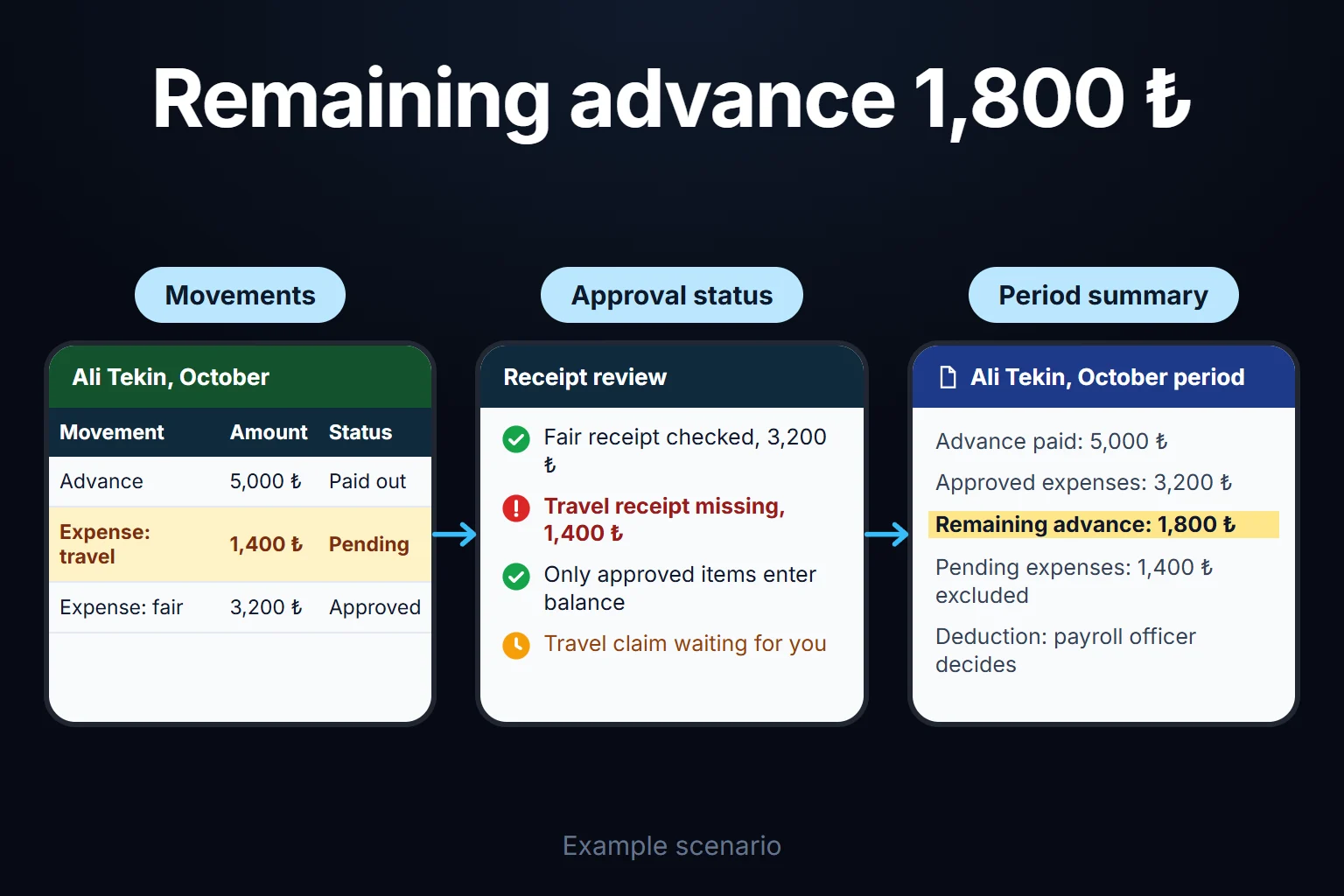 View full size](https://oguzerol.com/gorseller/senaryo/staff-advance-expense-tracking-panel-senaryo-en.webp) # Staff Advance Tracking: Issuing, Settling and Ageing Employee Advances [Oğuz Erol](https://oguzerol.com/en/about-me/) | 18 min read I build a web app that tracks every advance you give to travelling or field staff, one advance at a time: who received how much, what approved expenses have cleared, whether the rest is repaid or topped up, and how long an open advance has been waiting. A common trap is tracking advances as a total per person. “Her balance is 12,000” doesn’t say whether that is left from a two-month-old advance or yesterday’s, and when the ledger’s advances account disagrees at month-end, nobody can say why. In the app every advance has its own number, age and settlement. In the sample month below, 17 of 24 advances settle, 7 stay open, and a 12,350 gap against the ledger splits into two explained items. This page covers advances only: issuing, settling, balance. Spending on a corporate card is not an advance; matching card statements to receipts is the job of [expense receipt tracking](https://oguzerol.com/en/expense-receipt-document-tracking/). If you have a handful of staff and one person keeping the advance list, you may not need this app; I explain why below. ## Two terms used on this page - **Advance balance:** advance paid − approved expenses − amount repaid + top-up paid to the employee. At zero the advance is settled; a positive balance is owed by the employee, a negative one by the company. - **Advance age:** days since the advance was paid. Entering part of the expenses does not reset it (see Partial settlement below). ## A sample month: 24 advances in a field team The company and figures below are fictional (sample data); amounts are in a generic reporting currency. Picture an industrial installation company whose technicians take advances for travel, hotels and small materials on customer sites at home and abroad. The sample assumes the company books all field advances to its business-advances account; how travel advances are classified is your accountant’s call. September: - On 1 September, **6 open advances** carry over from August. - During September, **18 new advances** are paid, one of them 2,000 in a foreign currency for an installation abroad. - On 30 September, **17 of the 24 have settled**: in 11 the employee repaid the remainder (23,480 in total across ten home-currency advances, plus 260 in foreign currency), in 4 expenses exceeded the advance and the company paid the difference (6,920 in total), and 2 cleared to the cent. - **7 advances are open**, 97,500 in total. | advance (sample) | who | paid on | paid | approved expenses | open | age (30 Sep) | status | | --- | --- | --- | --- | --- | --- | --- | --- | | A-0712 | Field technician | 20 Jul | 18,000 | 0 | 18,000 | 72 days | Left the company on 26 Sep | | A-0806 | Installation lead | 8 Aug | 25,000 | 13,000 | 12,000 | 53 days | Partly settled; asked for a new advance on 29 Sep | | A-0822 | Field technician | 22 Aug | 9,000 | 0 | 9,000 | 39 days | No expenses entered | | A-0903 | Project engineer | 3 Sep | 30,000 | 14,500 | 15,500 | 27 days | Partly settled | | A-0911 | Field technician | 11 Sep | 20,000 | 8,000 | 12,000 | 19 days | Partly settled | | A-0918 | Field technician | 18 Sep | 16,000 | 0 | 16,000 | 12 days | Job in progress | | A-0925 | Field technician | 25 Sep | 15,000 | 0 | 15,000 | 5 days | Job in progress | ### Ageing | age | advances | open balance | with whom | | --- | --- | --- | --- | | 0–30 days | 4 | 58,500 | Employee; reminders on day 20 and day 30 | | 31–60 days | 2 | 21,000 | Employee until day 45, the manager from day 45 | | Over 60 days | 1 | 18,000 | Finance manager | | **Total** | **7** | **97,500** | | In the 31–60 row, A-0822 (39 days) is still with the employee and A-0806 (53 days) with the manager. ### Tying out to the ledger On 30 September the business-advances account in the accounting system shows 109,850. The app shows 97,500 open. The 12,350 gap splits into two items: | item | amount | cause | who clears it | | --- | --- | --- | --- | | Timing | 7,350 | Two expense lines on A-0903 approved on 30 Sep, not yet posted | Accounting, in October’s first posting | | Wrong account | 5,000 | A salary advance posted to the business-advances account instead of the salary-advances account | Accounting, with a correcting entry | | **Unexplained** | **0** | | | 97,500 + 7,350 + 5,000 = 109,850. A reconciliation is finished not when the two figures agree, but when every unit of difference has a cause. The app freezes each month-end cut: an advance settled on 1 October changes October’s figure, not September’s tie-out. ### The month’s decisions Two records reach the finance manager: 1. **The installation lead’s second request while A-0806 (53 days, 12,000 open) is open.** Under the rules below it skips automatic approval. The decision: settle the old one first. On 1 October the lead enters 11,400 of expenses and repays 600; A-0806 closes and the new advance is paid on 2 October. 2. **The leaver’s 18,000 (A-0712).** On day 45 (3 September) the advance reached the manager, who deferred it “until the project ends” without a date. Deferrals had no limit then, and a deferred advance’s escalation clock stood still, so the day-60 step never fired: instead of reaching the finance manager on 18 September, the advance only arrived with the leaver alert on 26 September. On 30 September the finance manager makes two decisions: - **On the advance:** the technician is asked for remaining receipts by 3 October; for whatever they don’t clear, payroll decides the next step with the employment lawyer. The app keeps the advance open as “leaver in progress” and records who decided and when. - **On the rule:** a manager may defer once, for at most 15 days, with a written reason, and a deferral doesn’t stop the day-60 step. The change is logged with old and new values. ## The life of an advance, from request to settlement Every advance goes through six steps, each with an owner; the app shows which step an advance is in. | step | what happens | who | | --- | --- | --- | | 1. Request | Amount, purpose, project or job code, expected settlement date, bank or cash | Employee | | 2. Approval | Out-of-rule requests (open advance, over limit) go to the finance manager | Manager, finance manager if needed | | 3. Payment | Transfer or cash; for cash, a signed receipt or petty-cash voucher number. The payment date starts the age | Accounting / cashier | | 4. Expenses | Entered with receipts and linked to the advance they belong to; each approved line lowers the balance | Employee; manager approves | | 5. Difference | Positive balance: repayment expected. Negative: top-up goes for approval | Employee / accounting | | 6. Settlement | At zero the advance closes and locks; only accounting can reopen it, with a reason | Accounting | Approval chains for expense lines (thresholds, order, send-back) are a separate job covered in the [employee expense approval workflow](https://oguzerol.com/en/employee-expense-approval-workflow/); here I only look at how an approved expense clears an advance. ### Partial settlement On a long job, expenses come in pieces. A-0903 has 14,500 of 30,000 approved and 15,500 open. I recommend three starting rules: - The advance stays open until the balance is zero; “partly settled” is a view, not a separate state. - **Age counts from the payment date, not the last expense entry.** Otherwise one small receipt a month keeps an advance under 60 days forever. - Each expense line belongs to one advance; a cost covering two is split into two lines. ### Repayment and top-up Advance 20,000, approved expenses 18,300: the employee repays 1,700, with the transfer reference or cash voucher attached. Advance 15,000, approved expenses 17,200: the company pays 2,200. I don’t make the top-up automatic: an overspend may be a mistake or a sign the advance was too small. If the same person overspends month after month, it is worth checking how advance amounts are set. ### Foreign-currency advances and FX differences A foreign-currency advance is opened and settled in that currency. In the sample, 2,000 was paid on 9 September at a sample rate of 1.20 (2,400 in the books); the technician documented 1,740 and repaid 260 on 24 September, so the advance closes. A difference remains in the reporting currency. Assume expenses are cleared at the rate used when the advance was paid (an accounting choice; your accountant may apply another rule). On the repayment day the sample rate is 1.23: 260 arrives as 319.80 against 312 in the advance, and the 7.80 difference, in the company’s favour here, goes to accounting as a separate line. The app keeps the foreign amount, rate and rate source on every line; which rate goes where, and how an open foreign-currency advance is revalued at period end, is your accountant’s decision. ### Overdue advances: reminders and escalation My starting schedule: an email reminder to the employee on day 20 and a second on day 30, when the advance is marked overdue; on day 45 it moves to the manager, who sets a settlement date or defers within the limit in the rules table; on day 60 it moves to the finance manager and tops the weekly open-advance report. For jobs longer than 30 days, the expected settlement date on the request starts the clock instead. ## Where advances sit in the ledger Treatment depends on your chart of accounts; in the Turkish uniform chart, for example, business advances sit in a current-asset group (account 195), not in expenses, until receipts clear them, while salary advances have their own account (196). For the app, **business advances and salary advances are different types**: a salary advance is recovered through payroll, not cleared by receipts, so each keeps its own balance and is tied out to its own account (the sample’s 5,000 error was these two mixed). The posting itself stays in your accounting system; the app supplies, line by line, which document cleared which advance and what is still open. ## The rules I recommend These are starting suggestions; you set the amounts and periods. All of them are applied when a request is entered, not when someone checks at month-end. | rule (my recommendation) | how it works | | --- | --- | | Second advance while one is open | Goes to the finance manager, not automatic approval; if the open one is over 30 days old, settle it before paying the new one (a new advance is one way to postpone the old one) | | Advance limits | A cap per advance and on total open advances per person, by role or job; above it, the finance manager decides | | Settlement period | 30 days from payment, or the expected settlement date on the request | | Nobody approves their own advance | The finance manager approves requests and expenses of anyone without a manager | | The approver doesn’t pay | Whoever approved an advance can’t also pay it | | Manager deferral | Once, at most 15 days, reason required; doesn’t stop the day-60 step | In a small team the approver and payer may be the same person. Then the rule is tied to a second person or switched off deliberately, and that decision is recorded too. ## Who sees what? Employees see their own advances, managers their team’s, and accounting and the finance manager everything; only the finance manager changes limits and periods. HR and payroll see only an employee’s open balance and its age, never expenses or receipts. Every change goes into an audit trail that can’t be deleted: who, when, which advance, old and new value, reason. I go deeper into roles, the audit trail and the limits of AI on the [bank transaction reconciliation app](https://oguzerol.com/en/bank-transaction-reconciliation-app/) page. ## What happens to an open advance when someone leaves? The app makes an open advance visible the moment HR enters a leaving date; it doesn’t decide what happens to it. Payroll, accounting and the manager get the same alert (advance number, open amount, age, expenses awaiting approval), the manager gets a check step so pending expenses are entered before the last day, and the outcome is recorded on the advance with date and reason. Whether the remainder can be deducted from final pay, and on what conditions, depends on the employment contract and local law; I don’t answer that here. Settle it with your employment lawyer and record only the outcome. ## Tracking advances in a spreadsheet, and where it breaks You can track advances in Excel or Google Sheets. One rule makes most of the work easier: every movement (advance, expense, repayment, top-up) gets its own row, and the balance comes from a formula. | column | what goes in | | --- | --- | | Advance no. | One number per advance, also carried by its expense, repayment and top-up rows, so balance and age are per advance, not per person | | Date · Employee | Day of the movement; name from a dropdown so spelling can’t split one person in two | | Movement type · Advance type | Advance, expense, repayment, top-up; business or salary advance | | Amount and currency | Positive number; for foreign currency, amount and rate in separate columns | | Payment source | Cash or bank, with reference | | Status · Note | Pending, approved, rejected (only approved rows count); a short explanation for later questions | `SUMIFS` with advance number, movement type and “approved” gives each balance; comparing the advance row’s date with `TODAY()` gives its age. As advances and people grow, the breaks are concrete: - **Expenses land on the wrong advance.** With two open advances, a wrong pick shows one closed and the other ageing. - **Leaving dates live in another file.** HR’s list doesn’t talk to the advance sheet; the sample’s 18,000 slips through exactly this way. - **Nobody sends the reminders.** A formula can colour an overdue advance red, but it can’t put it in front of anyone or record who chased whom. - **The ledger tie-out is manual every month,** the explanation of the gap lives in a cell comment, and the file gets split so each employee sees only their own rows. The difference in an app: the rules you define (second advance, limits, settlement period, who approves) are applied as data is entered, not when someone checks at month-end. ## When your accounting or HR system is enough I wouldn’t recommend a custom app if: - A few people get a few advances a month and one person keeps the list: the spreadsheet above is enough. - Your accounting or HR system has an employee-advance module and requests, approvals, settlement and reminders already run through it: use it fully first. - An off-the-shelf expense product fits your rules and keeping the data there is fine for you; SAP Concur (Cash Advance) and Zoho Expense (Advances), for example, document an advance feature in their help pages (checked October 2026). It will start faster. A custom app makes sense when a large field team’s advances must be tracked by project, foreign-currency advances are frequent, leaving and payroll data sit in another system, or your accounting system only shows a total per person. ## What does AI do, and where does it stop? I give AI two jobs here, and a person has the final say on both: 1. **Suggesting which advance an expense line belongs to.** With two open advances, the model compares the receipt’s date, city and merchant with each request and suggests, say, “this hotel invoice looks like A-0911”. Nothing is linked until the employee confirms. 2. **An overdue summary.** A short weekly note to each manager on the team’s open advances, their age, the last reminder and the employee’s note. The app calculates the figures; AI only writes the text. Approvals, payments, top-ups, rule changes and leavers’ advances stay closed to AI; every suggestion is logged with its input. Advance records carry personal data: name, bank details, history, leaving date. Under the GDPR, data should be limited to what the purpose needs and kept no longer than necessary ([Regulation (EU) 2016/679, Art. 5(1)(c) and (e)](https://eur-lex.europa.eu/eli/reg/2016/679/oj)). That is why HR sees only the balance and bank details are never sent to the model. If the model runs in another country, that is an international transfer with its own legal basis. I don’t give legal advice; I suggest masking names and account details or switching this step off, and you make the call with your legal adviser. ## How do we start, and who owns the data and code? The first version covers one team and one month. In automation work, the most common mistake I see is picking the most complicated process as the first thing to automate; here that means trying to solve foreign-currency advances, jobs abroad and the full reminder schedule in version one. My order: 1. **Scope.** Two months of your advance list with names and bank details masked, plus those months’ expense records; month-end balances of the advance accounts in your ledger; who approves and who pays. 2. **Manual bridge.** We list one month’s open advances by hand with your finance lead and split the gap against the ledger into items. Knowing the expected result in advance gives us a reliable test. 3. **First version.** Request, approval, payment record, settlement by expenses, repayment and top-up, ageing, roles and the audit trail. 4. **Check.** We rerun the same month in the app; every open advance and every gap item found by hand must come out the same. 5. **Extension.** Foreign-currency advances, the reminder schedule, leaver alerts, accounting export and AI suggestions are added after the core has run cleanly for a month. The app runs on a hosted server; the server, keys and accounts can be opened in your name. The data is yours and can be exported in full as Excel or CSV at any time. The complete source code sits in a repository you can access, with run instructions, a dependency list and known limits. There is no per-user licence; the running cost is the server’s monthly fee plus upkeep, and for a small or mid-sized team adding users doesn’t change it. Because the app handles personal data and financial records, I review access, security, hosting and maintenance at the start. How users sign in and how exports change if your accounting or HR system changes are set out in writing in the first step’s output, along with scope and schedule once I’ve seen your setup. If you’d like to start with two masked months of your advance list, [get in touch through the contact page](https://oguzerol.com/en/contact/); in the first meeting we look at which advances stay open longest for you and scope the first version together. ## Frequently Asked Questions ### Can salary advances be tracked in the same app? Yes, as a separate type. A salary advance is recovered through payroll, not cleared by receipts. The app keeps it in its own balance and ties it out to its own ledger account at month-end. Payroll calculations stay in your payroll system. ### We pay cash advances from petty cash. How does that tie to the cash count? The payment line carries the cash-out voucher number and a cash repayment the cash-in voucher number, so “where did this 20,000 go?” is answered down to the advance number at the cash count. The count itself stays with accounting. ### What if an employee pays the overspend with their own card? The expense line is linked to the advance regardless of how it was paid. The part above the advance shows as a negative balance and goes for top-up approval. When staff may use their own cards is a company policy; the app can show it on the request screen. ### What goes to the accountant for open advances at year-end? An ageing list by advance number: who, since when, how much, last reminder and the manager’s note. How long-open advances are handled and how foreign-currency advances are revalued is your accountant’s call; the list gives them what they need line by line. [Back to top ↑](https://oguzerol.com/en/staff-advance-expense-tracking-panel/#icerik) ## You may also find these useful [Employee Expense Approval Workflow: Manager-to-Finance Chain, Limits and ReturnsExpense approval from manager to finance: amount limits, delegation, line-level approval, returns and an audit trail, worked through a sample month.](https://oguzerol.com/en/employee-expense-approval-workflow/)[Expense Permissions and Reporting Screen: Who Sees What, Which Report Goes to WhomLet project managers see only their project and auditors get read-only exports: a web app that scopes each expense line by role. Walk through a sample company.](https://oguzerol.com/en/expense-permissions-reporting-screen/)[Track Recurring Costs and Subscription RenewalsTrack your Excel or Google Sheets subscription list in a custom panel with renewal and cancellation dates, owners, price changes and period history.](https://oguzerol.com/en/subscription-renewal-expense-tracking-app/) [Browse all articles →](https://oguzerol.com/en/articles/) WHAT YOU CAN ASK FOR ## How do I work? Work-hour packages Tell me about your business and what you need on WhatsApp or by phone; we agree on **a work block of somewhere between 5 and 40 hours** and I start doing what is needed. What you get is not a calendar window — it is net working hours spent directly on your business. I can use 40 hours working three days straight, or deliberately spread it out and finish it over a year — whatever the work calls for. I do not spend my time estimating how long something will take, I spend it doing the work; every hour I spend leaves a lasting result in your business. We keep going for as long as you find it useful. WORK BLOCKS ## Why not monthly? Is 40 hours a week? On a fixed monthly fee both sides are watching the wrong thing: you watch a fixed cost, the other side watches how many more contracts like this they can line up. Working by the hour puts us both in front of the same thing — the real value of the work that got done. I know not having an upfront answer to "how much will this cost in total?" is the natural cost of this model. But instead of paying a fixed fee for months to a setup that is not producing results, you only pay for the qualified time spent on your work — and you see exactly where that time went, start to finish. That is why my clients keep coming back. 5hours300€ + VAT60€ per hour[Choose this block](https://wa.me/905496546489?text=Hi%2C%20I%27d%20like%20info%20about%20the%205-hour%20work%20block.) 10hours500€ + VAT50€ per hour[Choose this block](https://wa.me/905496546489?text=Hi%2C%20I%27d%20like%20info%20about%20the%2010-hour%20work%20block.) 20hours800€ + VAT40€ per hour[Choose this block](https://wa.me/905496546489?text=Hi%2C%20I%27d%20like%20info%20about%20the%2020-hour%20work%20block.) 40hours1,400€ + VAT35€ per hour[Choose this block](https://wa.me/905496546489?text=Hi%2C%20I%27d%20like%20info%20about%20the%2040-hour%20work%20block.)