Source: https://oguzerol.com/en/put-your-monthly-report-on-autopilot/ [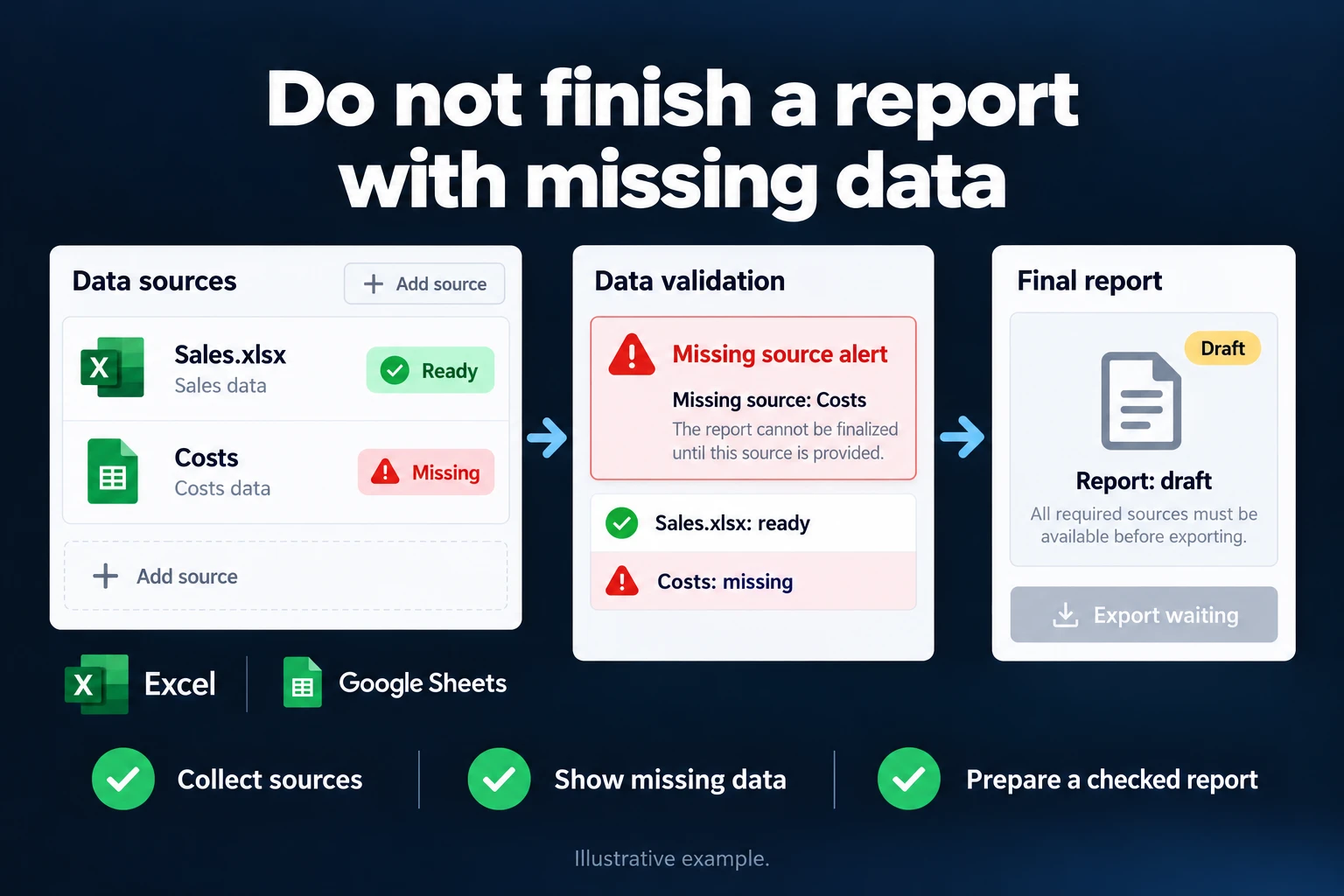 View full size](https://oguzerol.com/gorseller/hizmet-kapaklari/aylik-rapor-otomasyonu-seri-v1-en.webp) # Month-End Management Report: Source Checks, Trial Balance Ties, Month Lock and Versions [Oğuz Erol](https://oguzerol.com/en/about-me/) | 17 min read Preparing the monthly management report is three jobs: collecting files, tying the numbers to their sources, and writing the commentary. Excel calculates the numbers but won’t tell you “one bank file is missing” or “the sales file is 243,000 short of the trial balance”. Monthly report automation is a web app I build around your company that runs those checks as files are uploaded: the report can’t be sent until the checks pass, every sent report is a numbered version, and an AI drafts the management summary from the numbers in the app’s calculated table. Below I follow one fictional manufacturer through a month-end. ## A sample company: six source files, a 20-hour first week *Sample data, fictional.* Picture a 180-person machine-parts manufacturer. Each month a 12-page report goes to management: income statement summary, sales by product group, bank balances, departmental costs, each line against the prior month. A reporting analyst prepares it; the finance director approves it. Amounts are in the company’s reporting currency. | source | where it comes from | format | | --- | --- | --- | | Trial balance | ERP / accounting system export | Excel | | Sales invoice lines (1,214 lines) | ERP sales report | CSV | | Bank A, Bank B, Bank C transactions | each bank’s online banking | two Excel, one CSV | | Corporate card statement | the bank’s corporate card screen | Excel | Today the analyst spends about 20 hours on this in the first five working days (sample data): 5 hours downloading files and fixing columns, 8 hours tying totals and hunting differences, 5 hours on the deck and commentary, 2 hours on corrections after management’s questions. Budget versus actual is covered by the [budget vs actual expense dashboard](https://oguzerol.com/en/budget-vs-actual-expense-dashboard/). To have AI prepare general reports such as sales or inventory, see [monthly report automation with AI](https://oguzerol.com/en/monthly-report-automation-with-ai/), a process guide. This page answers a different question: how does a finance team’s month-end management report avoid going to management with a missing or non-tying source? ## A sample month: what the checks caught, and what the finance director decided In the sample month four checks fired and the report stayed in draft after the first upload. I’ve put all four into one month so each is visible; don’t expect all four in a real month, it depends on that month’s exceptions. The analyst uploaded the files on working day 2; the app returned this (sample data): | check | what it found | what happened | | --- | --- | --- | | Source completeness | 5 of 6 files arrived; Bank C missing | report stayed in “draft”; a task went to the treasury lead | | Totals tie to source | sales lines total 18,412,300; sales accounts in the trial balance moved 18,655,300 this month: a 243,000 gap | the file was pulled at 5 pm on the last day, before four more invoices were posted; re-pulled, gap closed | | Prior-month variance | general and administrative costs went from 1,084,000 to 1,496,000: +412,000, +38.0% | flagged “comment needed”; no approval without an explanation | | Closed month | a 46,800 marketing invoice dated last month arrived this month | posted to this month as “prior period”; last month’s report unchanged | Accounting found the cause of the jump: the full 420,000 annual insurance premium had been expensed in one month. Without that entry, G&A was 8,000 below the prior month. It closed in two steps: 1. **The finance director decided to move the 385,000 covering the remaining 11 months to prepaid expenses.** Accounting posted the adjustment and the trial balance was re-uploaded. G&A dropped to 1,111,000: +27,000 or +2.5%, below the threshold. The account choice is your accounting policy; the app follows the books. 2. **The report waited for Bank C.** The Bank C file arrived on working day 3. With every check passing, the report was approved and sent as version 1 on working day 4. Every report carries a control sheet: which file was uploaded when, what each check returned, who commented where. That month the analyst’s work came down to uploading files, closing two exceptions and editing the draft summary. Of the 20 hours, the two lines I’d expect to change most are file preparation (5 hours) and hunting differences (8 hours): the first shrinks to uploading, the second to the exceptions that actually fire. Commentary and the question-and-correction round stay human work. That’s an expectation, not a measured result; I don’t promise a number of hours, and in the first step we measure it on your last three months’ reports with your own figures. ## When is a report allowed to go out? A monthly report can go out only when every source has arrived, detail totals tie to the trial balance, and every variance at or above the threshold has an explanation. If any condition fails, the report stays in draft and the send button stays locked. You set the thresholds. | check | what it tests | if it fails (my recommendation) | | --- | --- | --- | | Source completeness | every expected file arrived; row count not below half the three-month average | stays draft; task to the source owner. Row-count rule is off until three months of history exist | | Structure | expected columns present; no renamed or reordered column | upload stops; no mapping until finance confirms the new column | | Duplicate upload | same file, or same date range for the same bank, uploaded twice | rejected, or the app asks which is valid | | Totals tie to source | sales lines (net of VAT/sales tax, excluding returns) ↔ this month’s movement on the sales accounts; returns, discounts and allowances tie separately | exception for the analyst; ±1 in the reporting currency for rounding | | Bank balance | each bank file’s period-end balance ↔ that bank’s ledger account | no sending until the treasury lead explains the gap; judge by balance, not last transaction date, as there may be no movement on the last day | | Prior-month variance | change is at least 15% and at least 150,000 | line becomes “comment needed”; no approval without the comment | | Closed-month lock | a new entry touches a month already sent | posts to the current month as “prior period”; only the finance director unlocks | | Report version | every sent report numbered, earlier versions kept | a new version goes out with a “changed since previous version” list | | Text vs table | every number in the summary exists in the table | the summary can’t be sent | The finance director changes thresholds and rules, and every change is logged. Account mapping follows your chart of accounts. Closing bank differences line by line (fees, value dates) is separate reconciliation work; the monthly report asks only whether the balance ties or is explained. ### Why does the variance threshold need two conditions? A percentage-only threshold fires constantly on small lines, and an amount-only threshold flags routine small swings on large ones. An 8,000 line moving to 10,000 is a 25% rise that isn’t worth anyone’s comment. The sample month’s G&A crossed both conditions at once: +38.0% and +412,000. To use the rule in Excel today, with the line item in column A, this month in B and the prior month in C: - D2 (difference): `=B2-C2` - E2 (difference %): `=IF(C2=0,"no prior month",D2/ABS(C2))` - F2 (comment): `=IF(C2=0,IF(ABS(D2)>=150000,"comment needed",""),IF(AND(ABS(D2/C2)>=0.15,ABS(D2)>=150000),"comment needed",""))` Format column E as a percentage. A new line with zero in the prior month gets “no prior month” and is judged on amount alone, so a new 160,000 cost isn’t missed; `ABS` keeps the sign right on negative lines such as returns. I tested the formula in a script on eight lines: the sample month’s lines plus four edge cases (zero prior month, small line, large drop, negative prior month). I recommend testing thresholds on the last three months’ reports first; if dozens of lines are flagged every month, the threshold is wrong. For seasonal lines, add the same month last year as a second comparison. ### Why doesn’t a late invoice change a report already sent? A sent month is locked; a late entry posts to the current month with a tag, as the sample 46,800 invoice did, and shows on its own line in the variance calculation, so last month’s report stays as management saw it. The alternative, reopening the prior month and resending a new version, is finance’s call; the app follows your accounting periods. ### Which figure did management actually see? Every send is a numbered version and old versions are never deleted. In the sample month, version 1 went out on working day 4 with sales of 18,655,300. Suppose that on working day 6 accounting corrected the domestic/export classification of two invoices: total sales didn’t change, the export line did. The finance director unlocked the sent month with a written reason, and the report went out as version 2 with the two lines changed since version 1. Management sees both dated versions side by side; if someone asks in a meeting what export sales were in version 1, the answer is in the log. That’s the answer to “report_final_v3_fixed.xlsx”. ## Who uploads, who approves, who receives the report? The person who prepares the report doesn’t approve it, and the app enforces that as a rule rather than leaving it to good intentions. Roles in the sample company (my recommendation; yours will differ): | role | does | sees | | --- | --- | --- | | Reporting analyst | uploads trial balance, sales and card files; closes exceptions; edits the draft summary | the whole report, control sheet | | Treasury lead | uploads bank files, explains balance gaps | bank pages, control sheet | | Department head | writes explanations on “comment needed” lines in their department | only their department’s page | | Finance director | approves and sends the report; unlocks a closed month | everything | | CEO and board | read the report, ask questions (the CEO approves it when the finance director prepared it) | sent versions and the summary | | Auditor | read-only | all versions, check results, adjustment records | *My recommendation for a small finance team:* with two or three people the preparer still can’t approve; if the finance director prepared the report, the CEO approves. A one-person finance function can’t enforce the split; the app then gives you the control sheet and version log, and the CEO reads the report before it goes out. I write that down at the start rather than quietly soften the rule. Department heads comment in the report, not in email, so each comment sits next to its line. Who sees which line, and why exporting is a separate permission, is covered on the [expense permissions and reporting screen](https://oguzerol.com/en/expense-permissions-reporting-screen/) page. Finance assigns roles in the app, and every assignment is logged. ## The draft summary: the table supplies the numbers, the model writes the sentences AI produces two drafts here, the management summary and explanations for “comment needed” lines, and takes every number from the calculated table. **Checking text against the table.** The app compares every number in the draft with the table. “Sales rose about 5%” is blocked because the table says 4.2%. The model doesn’t round either: the app stores a rounded form of each value (“18.7 million”), and the model may only use those. The check’s limit: it tests whether a number exists in the table, not which line it belongs to, so the summary can’t be sent until the analyst has read it. **Draft variance explanation.** The model reads the entries behind a “comment needed” line and suggests an explanation. In the sample month it might have said: *“The increase comes from a single 420,000 entry described as ‘annual insurance policy’; without it, the cost is 8,000 below the prior month.”* What it can’t say is that the entry was wrong; accounting and the finance director decided that. An unapproved suggestion never enters the report. Only the summary table and the entries an explanation needs go to the model, without names or card numbers. If the model runs abroad, transfer rules apply: Chapter V of the [GDPR](https://eur-lex.europa.eu/eli/reg/2016/679/oj) in the EU, the UK GDPR in the UK. I don’t give legal advice; I list which fields go to the model for your lawyer. AI can’t override checks, approve or send the report, or unlock a closed month. **If you are in Turkey,** the same transfer question falls under [KVKK Article 9](https://www.resmigazete.gov.tr/eskiler/2024/03/20240312-1.htm), rewritten by Law No. 7499 (Official Gazette 12.03.2024, no. 32487, art. 34) with effect from 1 June 2024. The sales checks then map to the Uniform Chart of Accounts: 600 and 601 for sales, 610 for returns, 611 for sales discounts, 612 for other discounts. ## How much of this can Excel and Power Query do, and where does it break? If your source files keep the same layout every month and one person prepares the report, you can build most of this with Excel and Power Query. My recommended layout: an untouched raw-data sheet per source; monthly files combined with Power Query’s “From Folder” ([Microsoft Support](https://support.microsoft.com/en-us/Excel/import-data-from-a-folder-with-multiple-files-power-query)); a control sheet with row counts, balance differences and the variance formula; report sheets fed only by formulas. Where it breaks: - **Refresh doesn’t ask whether a file is complete.** The sales file pulled at 5 pm loads silently. You can build a control sheet, but nothing stops you sending the report while it’s red. - **Past months can change silently.** On each refresh the query re-reads every row the source holds at that moment. That’s what the Power BI documentation says: a table with no incremental refresh policy reloads all its rows on each refresh ([Microsoft Learn](https://learn.microsoft.com/power-bi/connect-data/incremental-refresh-xmla#partitions)); Excel behaves similarly depending on the connection type, so test it in your own file. With a year-to-date export or a direct ERP connection, a late prior-month invoice changes a report already sent; with fixed monthly files it doesn’t, but you need a rule for where late invoices go. Freezing the sent report as values or a PDF closes the gap, by hand, every month. - **A column change stops the query or can read the wrong column.** If a bank export adds or renames a column, a step referring to it by name fails ([Microsoft Learn](https://learn.microsoft.com/power-query/dealing-with-errors)). A step referring by position can silently read another column; that’s not documented behaviour, it’s a risk from how the step is built. - **Versions and comments live in email.** Which file went to management is found in sent mail; department heads’ explanations are copied in by hand. - **Everyone sees everything.** In a single file each department head sees other departments’ costs. Microsoft states that worksheet protection isn’t designed as a security feature ([Microsoft Support](https://support.microsoft.com/en-US/excel/protect-a-worksheet)). In an app the check runs on upload and the report can’t be sent until it passes. Excel can do every calculation; what’s missing is a rule that doesn’t depend on someone remembering it. ## If Power BI or your ERP’s reports are enough, you don’t need this app If your ERP’s management reports cover what you need, you don’t need a separate app. If you already use Power BI, you can build most report pages there; know three things first: - **Row-level security** applies only to users with the Viewer role in the workspace ([Microsoft Learn](https://learn.microsoft.com/fabric/security/service-admin-row-level-security)). - **The report image in an email subscription**, on a model with row-level security, is rendered with the subscription creator’s permissions; recipients see their own scope only when they open the report ([Microsoft Learn, subscriptions](https://learn.microsoft.com/power-bi/collaborate-share/end-user-subscribe)). So a finance director’s subscription can show department heads the finance director’s view; the preview image can be turned off. - **Scheduled refresh has no monthly option**; Microsoft points to a Power Automate flow, or pipeline templates on Fabric ([Microsoft Learn, scheduled refresh](https://learn.microsoft.com/power-bi/connect-data/refresh-scheduled-refresh)). The email subscription itself can run monthly, so the gap isn’t timing: neither the refresh nor the send asks whether the data is complete. I read the Microsoft documents cited in this section and in the Excel section above on 15 October 2026. Completeness checks, comments, approval and versions still need a writable layer, which can feed a report shown in Power BI. ## Do you need this app? If the report comes from one source and one person prepares and reads it, or the layout changes once a year, a well-built Excel file is enough. The app makes sense when data comes from several systems, several people upload and comment, management questions which version it saw, and the auditor asks for the same control evidence every year. ## How does it start, and who owns the data and code? The first step is mapping your current report, not software: the last three months’ reports and source files, who sends what, which check someone does by hand. The written output covers the expected sources and their owners, check rules and thresholds, roles, and the first version’s scope. Scope and timeline are written into the first step’s output. In automation projects the most common mistake I see is picking the most complex process as the first automation. So I limit the first version to one report and two or three sources. My order: 1. Trial balance and sales file, completeness and totals checks, control sheet. The first version is compared with an earlier report you trust; we don’t move on until the two agree. 2. Bank and card files, balance check, prior-month variance threshold. 3. Roles, department comments, approval, versioning and the closed-month lock. 4. Summary and variance drafts, only after the figures have matched finance’s own calculation over several month-ends. We choose together in the first step the format the report takes, who receives it and the channel it goes out through. **Data and code.** The app runs on a server (a rented virtual server, VPS) that can be opened in your company’s name. The data is yours, exportable in full as Excel or CSV. There’s no per-user licence; the cost is the server fee plus maintenance, and in a small or mid-sized team adding a department head doesn’t change it. The source code sits in a repository you can access, with run instructions, a dependency list and known limitations; keys and accounts are in your name. Because the app handles bank and card data, I assess access, security, hosting and maintenance separately at the start. After setup you can run it with your own team or under a separate support arrangement. **Changing ERP or bank.** Report and source history stays in your database; the upload step and mapping table are rebuilt for the new export, and changed account codes are mapped in writing. Tell me through the [contact page](https://oguzerol.com/en/contact/) which files feed your report today, who prepares and who approves it, and on which working day it goes out; in the first meeting we draft your source list together. ## Frequently Asked Questions ### Will our current report layout be kept? The first version reproduces the report management receives today, page for page. Layout changes come after it agrees with a report you trust; if both change at once, you can’t tell whether a difference comes from layout or calculation. ### What if our accounting system has no API? It works with file uploads; the checks run the same way. With an API, data can be pulled directly, and the pull time still shows on the control sheet, because the sample month’s 243,000 gap came from a file taken too early. ### We have several companies; can it produce a group report? Each company uploads its own sources; the report shows each company and a group total, with intercompany eliminations by a rule finance defines. It’s for management reporting, not statutory consolidated statements. ### Can past months’ reports be brought in? Yes, as read-only versions as sent. The previous month’s source data is loaded too so the variance check works in month one; a period that can’t be mapped is marked “unchecked archive”. [Back to top ↑](https://oguzerol.com/en/put-your-monthly-report-on-autopilot/#icerik) ## You may also find these useful [Combine Excel Files with Power Query or an Import AppCombine Excel files using Power Query or a controlled import screen. Map columns, trace source rows and check duplicate records before publishing results.](https://oguzerol.com/en/automatically-combine-excel-files/)[Google Ads Reporting | Reports That Change DecisionsA report is a decision tool, not a metric list. Which metrics genuinely matter, which ones mislead, and what belongs in a monthly Google Ads report.](https://oguzerol.com/en/google-ads-reporting/)[Excel Report Building | Management Reports From Your DataTurn scattered spreadsheets into clear reports for management. One-off delivery or an auto-refreshing monthly setup. See examples on the page.](https://oguzerol.com/en/excel-report-building/) [Browse all articles →](https://oguzerol.com/en/articles/) WHAT YOU CAN ASK FOR ## How do I work? Work-hour packages Tell me about your business and what you need on WhatsApp or by phone; we agree on **a work block of somewhere between 5 and 40 hours** and I start doing what is needed. What you get is not a calendar window — it is net working hours spent directly on your business. I can use 40 hours working three days straight, or deliberately spread it out and finish it over a year — whatever the work calls for. I do not spend my time estimating how long something will take, I spend it doing the work; every hour I spend leaves a lasting result in your business. We keep going for as long as you find it useful. WORK BLOCKS ## Why not monthly? Is 40 hours a week? On a fixed monthly fee both sides are watching the wrong thing: you watch a fixed cost, the other side watches how many more contracts like this they can line up. Working by the hour puts us both in front of the same thing — the real value of the work that got done. I know not having an upfront answer to "how much will this cost in total?" is the natural cost of this model. But instead of paying a fixed fee for months to a setup that is not producing results, you only pay for the qualified time spent on your work — and you see exactly where that time went, start to finish. That is why my clients keep coming back. 5hours300€ + VAT60€ per hour[Choose this block](https://wa.me/905496546489?text=Hi%2C%20I%27d%20like%20info%20about%20the%205-hour%20work%20block.) 10hours500€ + VAT50€ per hour[Choose this block](https://wa.me/905496546489?text=Hi%2C%20I%27d%20like%20info%20about%20the%2010-hour%20work%20block.) 20hours800€ + VAT40€ per hour[Choose this block](https://wa.me/905496546489?text=Hi%2C%20I%27d%20like%20info%20about%20the%2020-hour%20work%20block.) 40hours1,400€ + VAT35€ per hour[Choose this block](https://wa.me/905496546489?text=Hi%2C%20I%27d%20like%20info%20about%20the%2040-hour%20work%20block.)