Source: https://oguzerol.com/en/merchant-center-setup/ [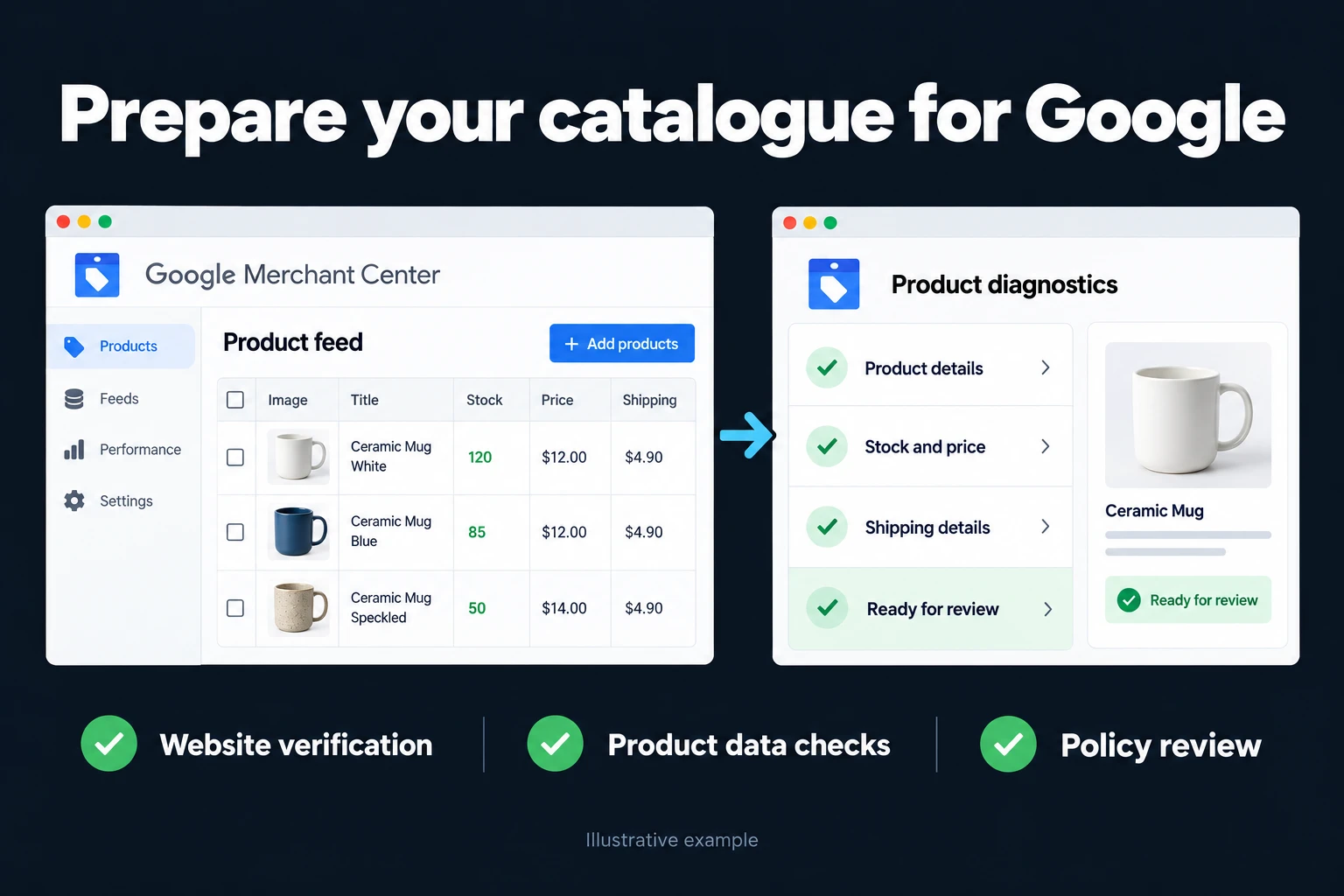 View full size](https://oguzerol.com/gorseller/hizmet-kapaklari/google-merchant-center-kurulumu-seri-v1-en.webp) # Google Merchant Center Setup | Getting Approved from Scratch [Oğuz Erol](https://oguzerol.com/en/about-me/) | 4 min read Merchant Center is the prerequisite for [Shopping ads](https://oguzerol.com/en/google-shopping-ads/): without a verified account and a connected product feed, not a single Shopping ad can go live. A small setup mistake can get products disapproved and drag the approval process out. This page covers what I do during setup, what I watch for, and the most common mistakes. ## Who is this for? Online stores that sell from their own site and want to show products through Shopping ads or [Performance Max](https://oguzerol.com/en/what-is-performance-max/). It fits both stores that have never opened an account and stores whose account is open but whose products were disapproved; in the second case I read the disapproval reasons first rather than rebuilding from scratch. ## Setup steps | Step | What happens | Why it matters | | --- | --- | --- | | 1. Account and business info | Merchant Center account is created; business name, address and contact details are entered | If they don’t match the site, approval stalls | | 2. Website verification and claim | Ownership is verified with one of the methods Merchant Center offers (e.g. an HTML tag or file, Google Tag Manager, Google Analytics) | Products aren’t served for an unverified site | | 3. Shipping and returns | Delivery regions, times, costs and return terms are entered | They must match the policy pages on your site | | 4. Product feed | Product data is connected via a plugin, scheduled fetch or Google Sheets | Data quality drives both approval and performance | | 5. Product review | Errors in the diagnostics screen are cleared one by one | A disapproved product never appears in ads | | 6. Google Ads link | Merchant Center is linked to the Google Ads account | Campaigns can’t see products until it is linked | Which verification method is fastest depends on your site; if Tag Manager is already installed, that is usually the shortest route. ## Required feed fields According to Google’s product data specification, every product always needs a unique ID, title, description, landing page link, main image link, availability and price. Brand is required for new products (except books, movies and music recordings); a GTIN should be provided when one exists, and an MPN is needed if it doesn’t. Apparel also asks for color, size, age group and gender. See Google’s [product data specification](https://support.google.com/merchants/answer/7052112) for details. ## Common mistakes - The price on the site doesn’t match the price in the feed: the product is disapproved. - Return and contact information is hard to find on the site, or missing. - Leaving the GTIN empty on products that have one. - Not giving variants a shared item group ID. - Launching a campaign before conversion tracking exists: ads run, but you can’t tell which sale came from where. I set up measurement before the campaign; see [e-commerce conversion tracking](https://oguzerol.com/en/e-commerce-conversion-tracking/). ## The first days after approval Opening the account isn’t the end of the job. In the first days I watch the diagnostics screen: are there new warnings or disapprovals, does the product count match the feed, do the shipping and returns settings still match the text on the site. Then I link the account to Google Ads and open a first campaign with a small budget; the goal isn’t to scale at once but to see which products get impressions and clicks and fix the feed accordingly. I also check that the feed carries price and stock changes; a product served with an old price risks disapproval and misleads the customer. **How do we start?** First I review your site’s infrastructure and product catalog; then I list what’s missing in order and we move to setup. You can reach me from the [contact page](https://oguzerol.com/en/contact/). Google’s [Get started with Merchant Center](https://support.google.com/merchants/answer/188924) page is also useful for general help. ## Frequently Asked Questions ### How long does setup take? Site verification is usually done within a few hours; product approval can take a few days depending on feed quality. ### Is it different if I use Shopify or WooCommerce? The platform makes feed creation easier, but Google’s approval criteria stay the same; see the platform-specific notes for [Shopify](https://oguzerol.com/en/shopify-google-ads-management/) and [WooCommerce](https://oguzerol.com/en/woocommerce-google-ads-management/). ### My account or products were rejected. Do I need to start over? Usually not. The reason in the diagnostics screen says which field is missing or wrong; in most cases fixing it and requesting a new review is enough. ### What should I do after setup? Link the Merchant Center account to Google Ads and move on to [Shopping ads](https://oguzerol.com/en/google-shopping-ads/) or a Performance Max campaign; to keep the feed in good shape, see [product feed optimization](https://oguzerol.com/en/product-feed-optimization/). [Back to top ↑](https://oguzerol.com/en/merchant-center-setup/#icerik) ## You may also find these useful [Google Merchant Center Management | Feed and ApprovalsThe health of your Merchant Center account sets the ceiling for shopping ads. Feed setup, disapproved products and resolving approval problems.](https://oguzerol.com/en/merchant-center-management/)[Product Feed Optimization | Shopping Ads PerformanceProduct feed optimization: title and description improvement, category mapping, and image quality strategy to boost Shopping ads performance.](https://oguzerol.com/en/product-feed-optimization/)[E-Commerce Google Ads Management | ROAS-FocusedGoogle Ads management for e-commerce: feed quality, value-based bidding, cart abandonment campaigns and measurement that shows real profitability.](https://oguzerol.com/en/e-commerce-google-ads-management/) [Browse all articles →](https://oguzerol.com/en/articles/) WHAT YOU CAN ASK FOR ## How do I work? Work-hour packages Tell me about your business and what you need on WhatsApp or by phone; we agree on **a work block of somewhere between 5 and 40 hours** and I start doing what is needed. What you get is not a calendar window — it is net working hours spent directly on your business. I can use 40 hours working three days straight, or deliberately spread it out and finish it over a year — whatever the work calls for. I do not spend my time estimating how long something will take, I spend it doing the work; every hour I spend leaves a lasting result in your business. We keep going for as long as you find it useful. WORK BLOCKS ## Why not monthly? Is 40 hours a week? On a fixed monthly fee both sides are watching the wrong thing: you watch a fixed cost, the other side watches how many more contracts like this they can line up. Working by the hour puts us both in front of the same thing — the real value of the work that got done. I know not having an upfront answer to "how much will this cost in total?" is the natural cost of this model. But instead of paying a fixed fee for months to a setup that is not producing results, you only pay for the qualified time spent on your work — and you see exactly where that time went, start to finish. That is why my clients keep coming back. 5hours300€ + VAT60€ per hour[Choose this block](https://wa.me/905496546489?text=Hi%2C%20I%27d%20like%20info%20about%20the%205-hour%20work%20block.) 10hours500€ + VAT50€ per hour[Choose this block](https://wa.me/905496546489?text=Hi%2C%20I%27d%20like%20info%20about%20the%2010-hour%20work%20block.) 20hours800€ + VAT40€ per hour[Choose this block](https://wa.me/905496546489?text=Hi%2C%20I%27d%20like%20info%20about%20the%2020-hour%20work%20block.) 40hours1,400€ + VAT35€ per hour[Choose this block](https://wa.me/905496546489?text=Hi%2C%20I%27d%20like%20info%20about%20the%2040-hour%20work%20block.)