Source: https://oguzerol.com/en/google-sheets-automation/ [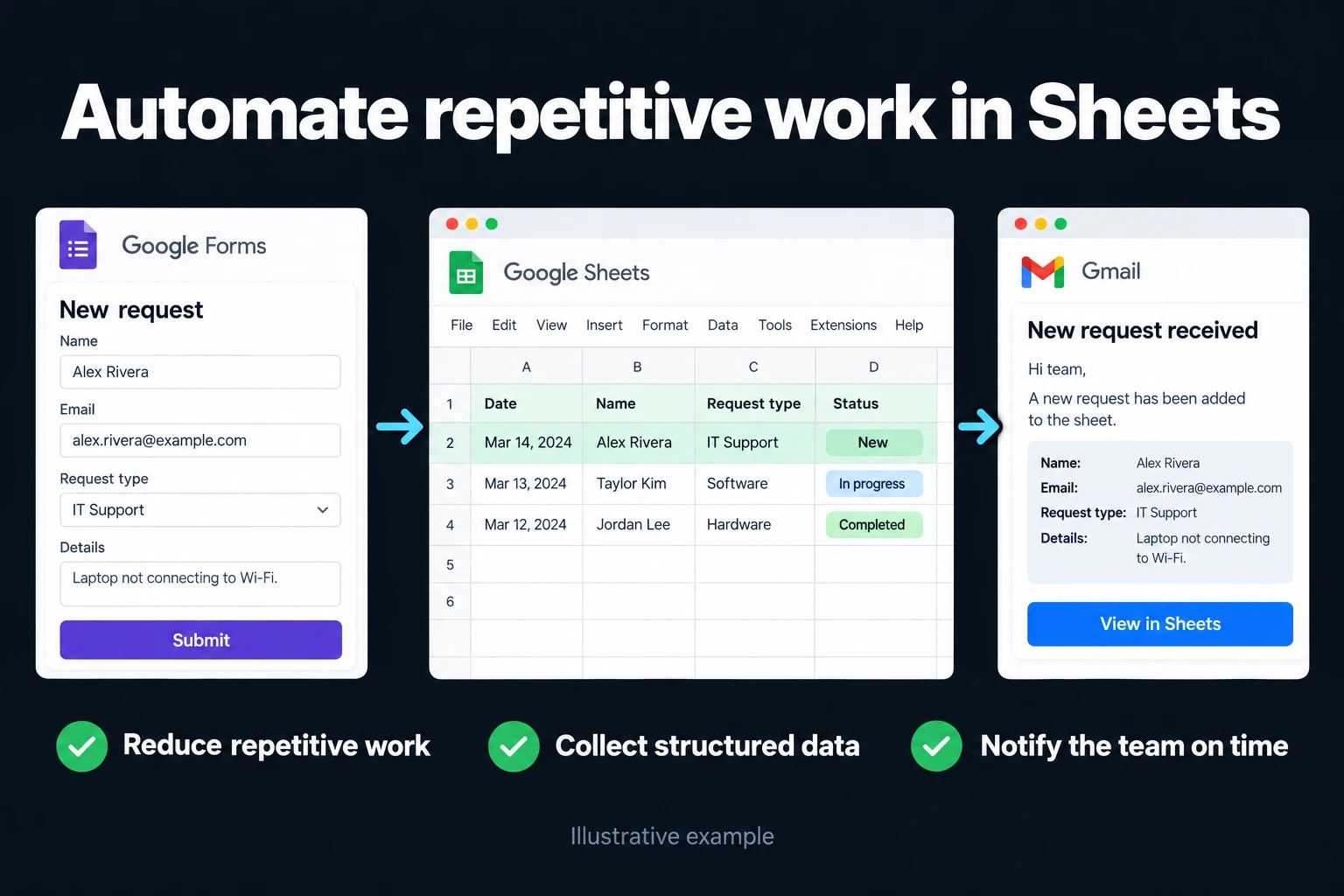 View full size](https://oguzerol.com/gorseller/hizmet-kapaklari/google-e-tablolar-otomasyonu-seri-v1-en.webp) # Google Sheets Automation | Live Reports [Oğuz Erol](https://oguzerol.com/en/about-me/) | 6 min read Google Sheets (called “Google E-Tablolar” in Turkish) is Google’s spreadsheet program that runs in the browser. Several people can work in the same file at once, and it connects directly to Google tools such as Forms, Gmail and Calendar. This page first covers how to open it and how it differs from Excel, then what you can automate and where the limits are. If you want, I can also do the setup for you. ## How do you open Google Sheets? According to Google’s help page ([as of October 2026](https://support.google.com/docs/answer/6000292?hl=en)), you open the Sheets home screen at sheets.google.com and click the “New” (plus) icon; a new spreadsheet is created and opens. The address sheets.google.com/create opens a blank spreadsheet directly. ## Sheets or Excel? Google’s “Use Excel and Sheets together” page ([as of October 2026](https://support.google.com/docs/answer/9331167?hl=en)) recommends the following: | Situation | Google’s recommendation | | --- | --- | | Editing at the same time as a team | Convert the Excel file to Sheets | | Dataset of 20 million cells or fewer | Converting to Sheets is fine | | More than 20 million cells | Keep working in Excel | | Rare chart types (such as 3D pyramid) | Prefer Excel | In addition, if you depend on VBA macros in Excel, they don’t move to Sheets directly; Google’s counterpart is Apps Script, and the code has to be rewritten. There’s no firm rule: if you work in a team in the cloud, Sheets is usually more practical; if you depend on heavy macros and custom formatting, Excel is sometimes easier. ### How do I move my Excel file to Sheets? Upload the Excel file to Drive, double-click to open it, then choose “File > Save as Google Sheets”. According to Google ([as of October 2026](https://support.google.com/docs/answer/9331167?hl=en)), the conversion doesn’t change the original Excel file; Excel tables come across as tables and pivot tables can be imported too. Before you move, check the formulas, pivot tables and formatting in important reports in the new file. Complex VBA macros don’t transfer and have to be rewritten in Apps Script, which is a separate piece of work and scope. ## What can you automate? I build the automation with Google Apps Script (Sheets’ own scripting environment) or with my own AI-assisted scripts. Which fits depends on how many systems you need to connect and how complex the job is. Three typical uses: - **Form → sheet → notification:** data from Google Forms (a customer request, a job application, a satisfaction survey) lands directly in a sheet. When a new record arrives, an email goes out, a row is colored under a given condition, or the data is passed to another sheet or system. For small teams it’s a good stopgap before buying a separate CRM. - **Conditional alerts:** an email or notification goes out when stock runs low, a date arrives, or a row is added. You don’t depend on someone remembering to check the dashboard. - **Automatic reports:** a weekly or monthly report is prepared and sent on its own. More: [monthly report automation](https://oguzerol.com/en/put-your-monthly-report-on-autopilot/). ### The limits of automation Apps Script has quotas that Google publishes ([as of October 2026](https://developers.google.com/apps-script/guides/services/quotas)): a script run can last at most 6 minutes; with MailApp you can email 100 recipients a day on a consumer account and 1,500 on a Google Workspace account; total trigger runtime is 90 minutes a day on a consumer account and 6 hours on Workspace. So before you build a heavy bulk job, or a daily email to hundreds of people, in one script, check these quotas. ## Team sharing and permissions Letting several people into one sheet is as much a risk as an advantage: a formula gets deleted by accident, wrong data gets typed in. During setup I arrange who sees which tab and which cells are protected. Version history lets you undo a wrong change. In Excel, a similar safety net exists when the file sits on OneDrive or SharePoint; the details are in the guide on [sharing an Excel file](https://oguzerol.com/en/share-excel-file-with-multiple-users/). ## When does a spreadsheet stop being enough? A spreadsheet can hit its limits as a business grows: two people edit the same row at once, it’s unclear who approves what, rules get checked after the fact rather than as data is entered. At that point, instead of using the sheet like a database, a small web app where the defined business rule applies as data is entered may be the better fit; I explain when to make the move in [using Google Sheets as a database](https://oguzerol.com/en/google-sheets-as-a-database/). If you’d like to turn a sheet into an app without writing code, see [what AppSheet is](https://oguzerol.com/en/appsheet-vs-custom-web-app/). **How do we start?** First we talk about what you want and what’s realistic. If it makes sense, I send the scope and price in writing, then we begin. Reach me via the [contact page](https://oguzerol.com/en/contact/). ## Frequently Asked Questions ### Are “Google Sheets” and “Google E-Tablolar” the same thing? Yes, the same product: its name in the Turkish interface is Google E-Tablolar, and in English it’s Google Sheets. People in Turkey mostly search for “Google Tablolar” or “e tablo”. ### Is writing Apps Script risky? A correctly written and tested script carries no risk; an unauthorized or untested script can process wrong data. I test every script with sample data and work in steps that can be reversed. ### My data will be on Google’s servers — is that safe? Google applies enterprise security standards, but if the data is sensitive, setting access permissions correctly is your responsibility. During setup we review those permissions together. ### My dataset is large. Can Sheets handle it? According to Google’s documentation ([as of October 2026](https://support.google.com/docs/answer/37603?hl=en)), a spreadsheet can hold at most 20 million cells and an uploaded file is limited to 100 MB. If you’re close to that limit, you need to go back to Excel or move the data to a database. Below that limit, speed still depends on the number of formulas and the file’s structure; I don’t give a speed limit I haven’t measured. [Back to top ↑](https://oguzerol.com/en/google-sheets-automation/#icerik) ## You may also find these useful [AppSheet Pricing, Limits and When a Custom Web App Fits BetterAppSheet pricing as of October 2026: Starter $5, Core $10, Enterprise Plus $20, Core included in Workspace, and the limits that point to a custom app.](https://oguzerol.com/en/appsheet-vs-custom-web-app/)[Google Sheets Import JSON from an API with Apps ScriptImport JSON API data into Google Sheets with Apps Script: validate responses, map nested fields and define clear rules when scheduled updates fail.](https://oguzerol.com/en/google-sheets-import-json-api/)[Google Sheets as a Database: Limits and When to SwitchCan Google Sheets work as a database? Assess collaboration, API quotas, record relationships and access controls before moving to a custom application.](https://oguzerol.com/en/google-sheets-as-a-database/) [Browse all articles →](https://oguzerol.com/en/articles/) WHAT YOU CAN ASK FOR ## How do I work? Work-hour packages Tell me about your business and what you need on WhatsApp or by phone; we agree on **a work block of somewhere between 5 and 40 hours** and I start doing what is needed. What you get is not a calendar window — it is net working hours spent directly on your business. I can use 40 hours working three days straight, or deliberately spread it out and finish it over a year — whatever the work calls for. I do not spend my time estimating how long something will take, I spend it doing the work; every hour I spend leaves a lasting result in your business. We keep going for as long as you find it useful. WORK BLOCKS ## Why not monthly? Is 40 hours a week? On a fixed monthly fee both sides are watching the wrong thing: you watch a fixed cost, the other side watches how many more contracts like this they can line up. Working by the hour puts us both in front of the same thing — the real value of the work that got done. I know not having an upfront answer to "how much will this cost in total?" is the natural cost of this model. But instead of paying a fixed fee for months to a setup that is not producing results, you only pay for the qualified time spent on your work — and you see exactly where that time went, start to finish. That is why my clients keep coming back. 5hours300€ + VAT60€ per hour[Choose this block](https://wa.me/905496546489?text=Hi%2C%20I%27d%20like%20info%20about%20the%205-hour%20work%20block.) 10hours500€ + VAT50€ per hour[Choose this block](https://wa.me/905496546489?text=Hi%2C%20I%27d%20like%20info%20about%20the%2010-hour%20work%20block.) 20hours800€ + VAT40€ per hour[Choose this block](https://wa.me/905496546489?text=Hi%2C%20I%27d%20like%20info%20about%20the%2020-hour%20work%20block.) 40hours1,400€ + VAT35€ per hour[Choose this block](https://wa.me/905496546489?text=Hi%2C%20I%27d%20like%20info%20about%20the%2040-hour%20work%20block.)