Source: https://oguzerol.com/en/your-own-ai-assistant/ [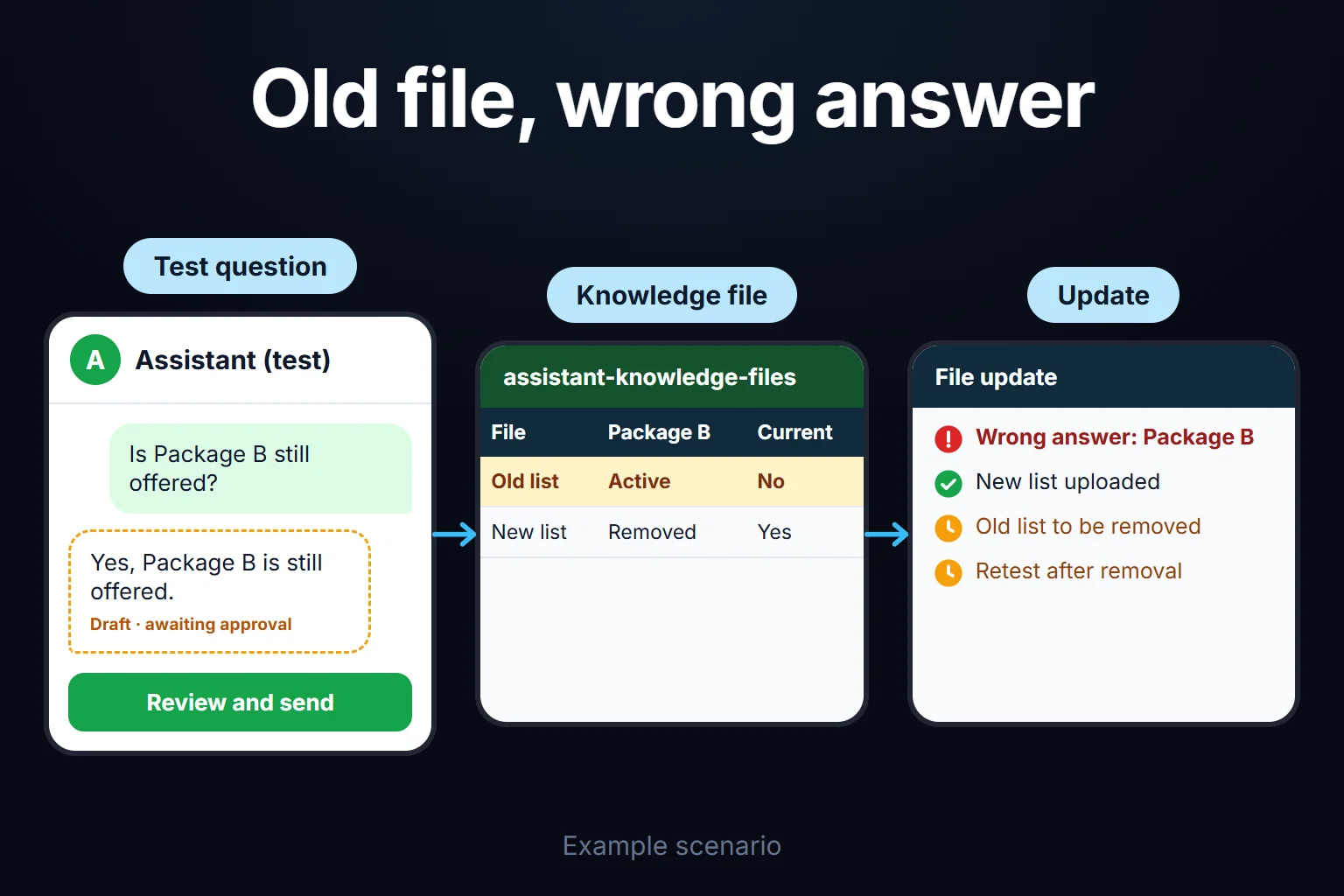 View full size](https://oguzerol.com/gorseller/senaryo/your-own-ai-assistant-senaryo-en.webp) # Your Own AI Assistant | Custom Setup for You [Oğuz Erol](https://oguzerol.com/en/about-me/) | 6 min read I set up an AI assistant around your own work: one that knows how you write, the terms you use and your documents, so you don’t have to explain yourself from scratch in every chat. You don’t need to code, and once it’s set up we go through how to use it together. ## What do I set up? I usually work with **Claude Projects**. A Project is a workspace inside Claude with its own instructions, its own files and its own chats ([Anthropic, Projects help page](https://support.claude.com/en/articles/9519177-how-can-i-create-and-manage-projects)). Instead of a blank chat window, you get one that already knows your business. We prepare four parts together: - **Instructions.** We write down who you are, who you write to, what tone you want and what the assistant must never do. This text is the most important part of the setup; it has to be short, clear and tested. - **Knowledge files.** Price lists, service descriptions, FAQs, past correspondence: the documents the assistant looks at. We choose together which documents go in and which stay out. - **Example outputs.** A few real samples of “write it like this, not like that”. Showing usually works better than describing. - **A usage routine.** Which chat to open for which task, and who checks the output and how. Setups that skip this turn into an unused browser tab within a week. I use the same structure in my own work: for weekly performance summaries I loaded past report samples, the terms I use and the questions clients ask most into a Project. The assistant drafts in my voice; I check the numbers and the interpretation before anything goes out. ## Who is it for, and who isn’t it for? It makes sense if: - You write the same kind of text again and again: quotes, reply emails, report summaries, product descriptions. - You constantly need information but your documents are scattered. - You’ve tried AI and got tired of explaining your business from scratch each time. I wouldn’t recommend it if: - You expect the assistant to act for you (send emails, update records). That’s a separate job; I explained the difference in [AI assistant vs agent](https://oguzerol.com/en/ai-assistant-vs-agent/). - You need a system that answers from hundreds of documents and cites its sources. For that, [document-based retrieval (RAG)](https://oguzerol.com/en/what-is-rag-ai-that-answers-from-your-documents/) is the right tool. - You want a bot that answers your customers. That’s the [website chatbot](https://oguzerol.com/en/ai-chatbot-for-your-website/) service. ## How does the process work? | Step | What we do | What I need from you | | --- | --- | --- | | 1. Needs | Decide which 2-3 tasks the assistant will handle; we drop the “it should know everything” goal up front | A list of your repeating tasks | | 2. Material | Pick the knowledge files, weed out outdated or conflicting documents | Documents and a few good sample outputs | | 3. Setup | I write the instructions, upload the files and open the first Project | You read and correct the draft instructions | | 4. Testing | Try it with your real questions, fix wrong or overly long answers | A few real work examples | | 5. Teaching | I show you how to ask, how to check the output and how to update the files | Sitting down and using it together | How long it takes depends on how many tasks you define and how tidy your documents are. I give an estimate after the first conversation; I don’t quote a fixed number of days up front. ## Limits you should know about - **It can be wrong.** The assistant sounds fluent even where it isn’t sure. This behaviour is called [hallucination](https://oguzerol.com/en/what-is-hallucination/). Instructions reduce it but don’t remove it; a person should check numbers, dates, prices and legal wording. - **It doesn’t update files by itself.** If a price changes or a service is dropped and the uploaded file isn’t refreshed, the assistant keeps answering from the old version. I build the update habit into the teaching step. - **It doesn’t look at live data.** Today’s stock or current campaign performance doesn’t sit inside a Project; that needs a separate connection. - **Memory between chats is limited.** A decision or output that isn’t added to the knowledge files won’t show up in the next chat. - **Confidential data.** Before uploading files with customer personal data, contracts or financial documents, check your plan’s data settings and your legal obligations. We decide together what goes in; anything doubtful stays out. - **Sharing with a team** needs a paid team plan. For a company-wide setup see [building a company assistant with Claude Projects](https://oguzerol.com/en/building-a-company-assistant-with-claude-projects/). ## How do we start? Write me on WhatsApp or through the [contact page](https://oguzerol.com/en/contact/) with your business and the three tasks you’d want the assistant to handle. First we talk about what’s realistic; then you pick the work-hour package that fits, shown at the bottom of this page. ## Frequently Asked Questions ### Do I need to know how to code? No. The instructions and knowledge files are plain text and documents. The hard part isn’t technical: it’s deciding what to write down and which documents to trust. ### Claude or ChatGPT? I mostly work with Claude and use it in my own work. If your team uses ChatGPT, the same structure (instructions, knowledge files, examples) can be built there too; the tools have different limits, so I plan around them before starting. I compared the two in [Claude or ChatGPT](https://oguzerol.com/en/claude-or-chatgpt/). ### Will the assistant take actions on my behalf? No. It answers questions, drafts text, summarises and builds checklists. Sending an email or changing a record in a system is a separate automation or agent job, discussed on its own. ### Is my data safe? That depends on the plan you use and what you upload; I don’t make a blanket “it’s safe” promise. We choose the files together, and files with personal data stay out until the plan’s data settings are clear. For a legal assessment, talk to your own lawyer. [Back to top ↑](https://oguzerol.com/en/your-own-ai-assistant/#icerik) ## You may also find these useful [AI Starter Package | Live in One WeekTool selection, setup, your first automation, and 2 hours of training — AI up and running in one week. Fixed-price package. Fixed price, one week.](https://oguzerol.com/en/ai-starter-package/)[AI Chatbot Setup for Your WebsiteI set up a chatbot that answers visitors from your own content: sources, limits, handover to a person and testing. I also state what it must not know.](https://oguzerol.com/en/ai-chatbot-for-your-website/)[Which AI Tool? | The Right Choice for Your BusinessChatGPT, Claude, or something else? Let's pick the right tool for your business together, before you pay for a pile of subscriptions. Get in touch.](https://oguzerol.com/en/which-ai-tool/) [Browse all articles →](https://oguzerol.com/en/articles/) WHAT YOU CAN ASK FOR ## How do I work? Work-hour packages Tell me about your business and what you need on WhatsApp or by phone; we agree on **a work block of somewhere between 5 and 40 hours** and I start doing what is needed. What you get is not a calendar window — it is net working hours spent directly on your business. I can use 40 hours working three days straight, or deliberately spread it out and finish it over a year — whatever the work calls for. I do not spend my time estimating how long something will take, I spend it doing the work; every hour I spend leaves a lasting result in your business. We keep going for as long as you find it useful. WORK BLOCKS ## Why not monthly? Is 40 hours a week? On a fixed monthly fee both sides are watching the wrong thing: you watch a fixed cost, the other side watches how many more contracts like this they can line up. Working by the hour puts us both in front of the same thing — the real value of the work that got done. I know not having an upfront answer to "how much will this cost in total?" is the natural cost of this model. But instead of paying a fixed fee for months to a setup that is not producing results, you only pay for the qualified time spent on your work — and you see exactly where that time went, start to finish. That is why my clients keep coming back. 5hours300€ + VAT60€ per hour[Choose this block](https://wa.me/905496546489?text=Hi%2C%20I%27d%20like%20info%20about%20the%205-hour%20work%20block.) 10hours500€ + VAT50€ per hour[Choose this block](https://wa.me/905496546489?text=Hi%2C%20I%27d%20like%20info%20about%20the%2010-hour%20work%20block.) 20hours800€ + VAT40€ per hour[Choose this block](https://wa.me/905496546489?text=Hi%2C%20I%27d%20like%20info%20about%20the%2020-hour%20work%20block.) 40hours1,400€ + VAT35€ per hour[Choose this block](https://wa.me/905496546489?text=Hi%2C%20I%27d%20like%20info%20about%20the%2040-hour%20work%20block.)