Source: https://oguzerol.com/en/turn-your-excel-into-a-web-app/ [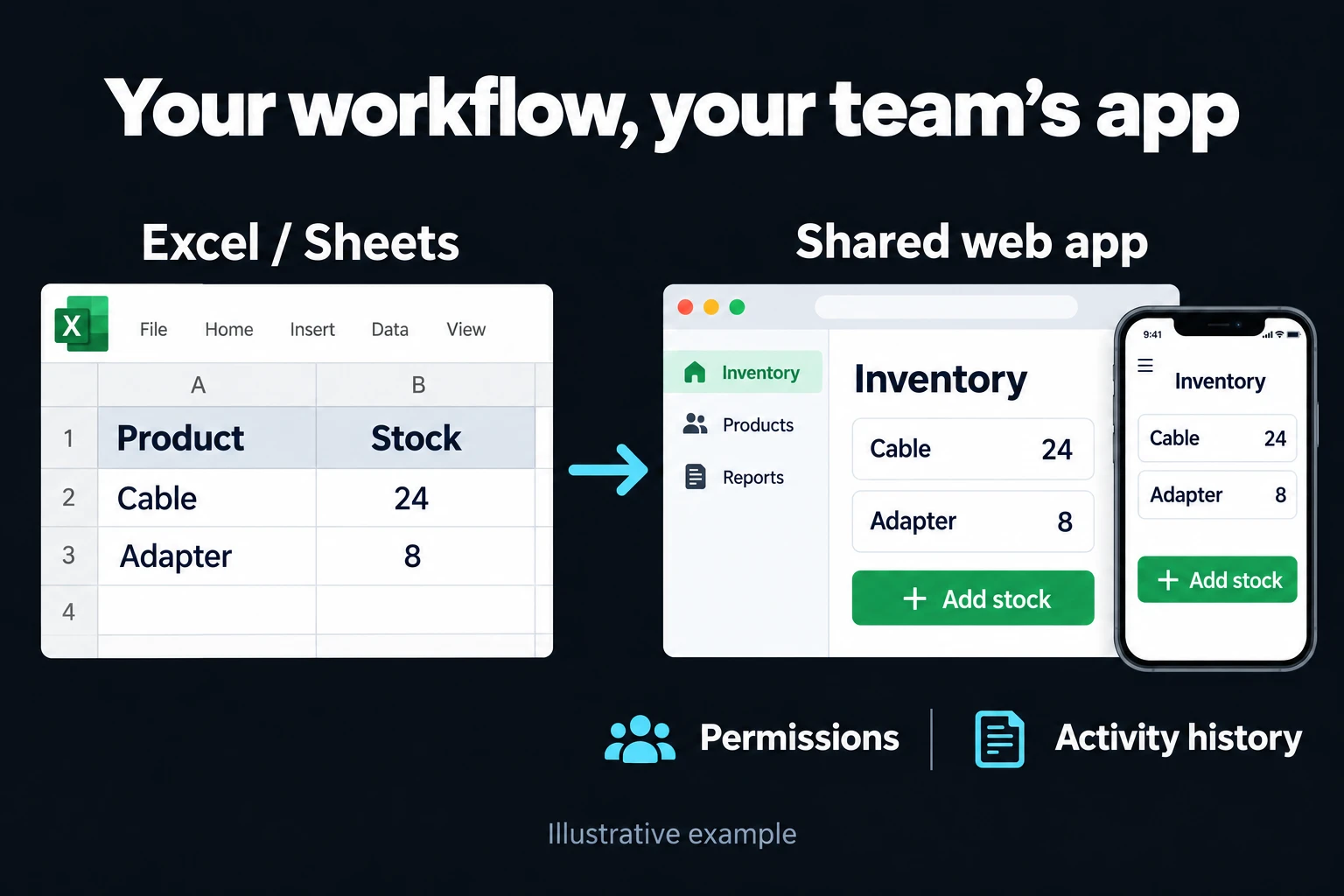 View full size](https://oguzerol.com/gorseller/hizmet-kapaklari/excel-web-uygulamasi-v2-en.webp) # Stop Wrestling with Excel: I Turn Your Spreadsheet into a Web App Your Team Can Use [Oğuz Erol](https://oguzerol.com/en/about-me/) | 14 min read When several people run the same piece of work out of one Excel or Google Sheets file, I turn that file into a web application that runs on a server. The “which one is the latest version?” question goes away. The records live in a single database, everyone logs in with their own account, and each person sees and changes only the fields that belong to their job. Every edit is logged with who made it and when. It opens in a browser on a phone or a laptop; nobody installs anything. You don’t need to know how to code. Your spreadsheet already tells the whole story: its columns, formulas, colours and the rules nobody wrote down (“never type in this cell”). I read it and turn it into screens. [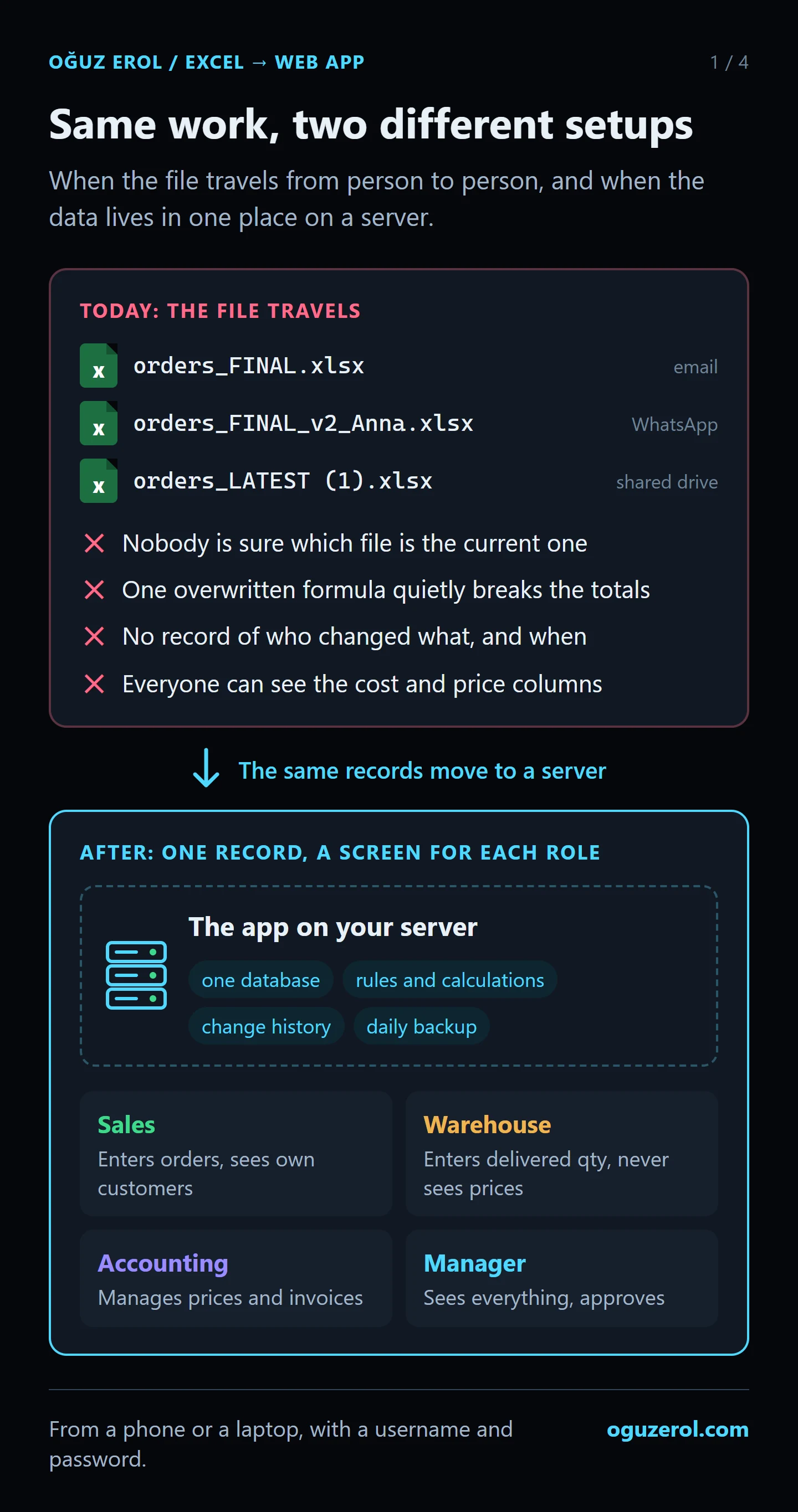](https://oguzerol.com/gorseller/web-uygulama/spreadsheet-file-vs-server-web-app.webp) The same order tracking in two setups: while the file travels from person to person, and once the records live in one place on a server. Click the image to open it at full size. ## When does Excel stop being enough? Excel and Google Sheets support both individual analysis and collaboration. Multiple users alone do not justify moving to an application. If the following problems occur, I first assess whether the existing sharing, protection and history features can meet the need: - **“Which one is the latest?” comes up every week.** The file travels by email, WhatsApp or a shared folder, and the `_FINAL`, `_v2` and `(1)` suffixes keep piling up. - **Nobody notices when a formula gets overwritten.** Someone types a number over a formula, the total quietly goes wrong, and it can stay wrong for weeks. - **Everyone sees every column.** The warehouse sees your costs, the field team sees customer discounts. Excel has no reliable way to hide a column from one person and show it to another. - **The reason for a change is missing.** Version history can show who changed a value; your workflow may also require an approval, an explanation or an assigned review. - **Approvals happen over email.** Whether the manager approved a price lives in someone’s inbox, not in the sheet. - **Entering data in the field is painful.** Moving cell by cell on a phone ends with values in the wrong row. OneDrive and Google Sheets support shared editing, permissions and revision history. Whether those features meet your record-level access and approval rules depends on the actual setup. I go through that difference in detail in [how to share an Excel file with multiple users](https://oguzerol.com/en/share-excel-file-with-multiple-users/), and why a spreadsheet isn’t a database in [can you use Google Sheets or Excel as a database?](https://oguzerol.com/en/google-sheets-as-a-database/) ## What goes into the app? Every project follows what your spreadsheet actually does, but most multi-user apps have these parts: - **User logins.** Everyone has their own username and password. When someone leaves, their future application access is revoked. Previously downloaded files are not automatically recovered; export permissions are defined separately. - **Permissions by role and field.** Sales enters the quantity, the warehouse records what was delivered, only accounting changes the price. Which role sees and edits which field is defined one by one. Example: [cell-level permissions panel](https://oguzerol.com/en/excel-cell-permissions-panel/). - **Forms with rules.** Instead of typing freely into cells: required fields, dropdowns and checks such as “delivered quantity can’t exceed the ordered quantity” or “no dates in the past”. Example: [rules-based data entry form](https://oguzerol.com/en/rules-based-data-entry-form/). - **Working at the same time.** Ten people enter records at once and nobody overwrites anyone else’s row. Example: [concurrent data entry app](https://oguzerol.com/en/concurrent-data-entry-app/). - **Change history.** Every edit stores who, when, the old value and the new value. Example: [record change history](https://oguzerol.com/en/record-change-history/). - **An approval step.** Certain records don’t move forward without a manager’s approval, and an approved record can’t be quietly edited afterwards. Example: [approved record change control](https://oguzerol.com/en/approved-record-change-control/). - **Reports and export to Excel.** Summary screens live in the app, and anyone can still download a list as an Excel file. - **Phone-friendly screens.** Simple one-screen forms for people in the field. Example: [a mobile alternative to an Excel form](https://oguzerol.com/en/mobile-excel-form-alternative/). - **Moving your existing data.** Your old rows are imported; broken or incomplete rows are listed separately before they go in. Example: [controlled Excel import screen](https://oguzerol.com/en/controlled-excel-import-screen/). [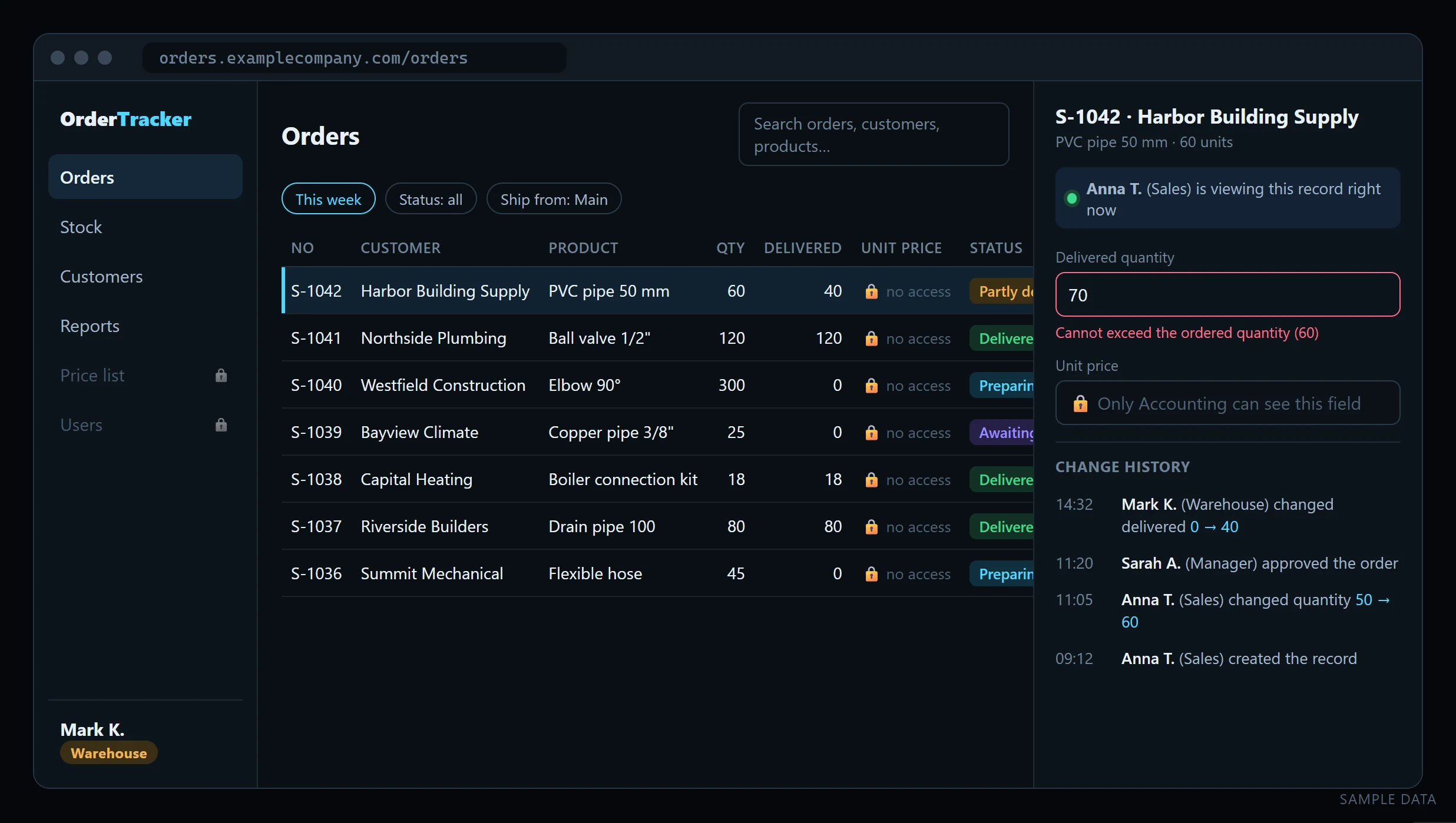](https://oguzerol.com/gorseller/web-uygulama/sample-order-tracking-web-app-screen.webp) A sample order screen as a warehouse user sees it. No prices, no delivering more than was ordered, and a clear view of who has the record open and what changed. The companies, people and orders are made up. ## What does “running on a server” mean? The app runs on a server (a VPS) and opens from a web address. The setup I build includes: - **A real database.** Records sit in a database such as PostgreSQL, built to handle many people writing at once, not in a file. - **Permissions enforced by the database.** The rule for who may see which record isn’t only on the screen; it is defined in the database itself. Even if a screen has a bug, the database refuses reads and writes that aren’t allowed. The panel I built for a hotel group keeps its permissions at that layer too. - **Encrypted connections and daily backups.** The app is served over HTTPS and the database is backed up every day. Restoring from a backup is tested once during setup. - **Your data stays yours.** The server can be opened in your company’s name. You can export all your records to Excel or CSV whenever you like, and you aren’t tied to a vendor’s licence. - **No per-user licence.** With off-the-shelf software every new user means another monthly fee. Here the running cost is the server’s monthly fee plus upkeep; for a small team, adding users doesn’t change it. ## How the work goes [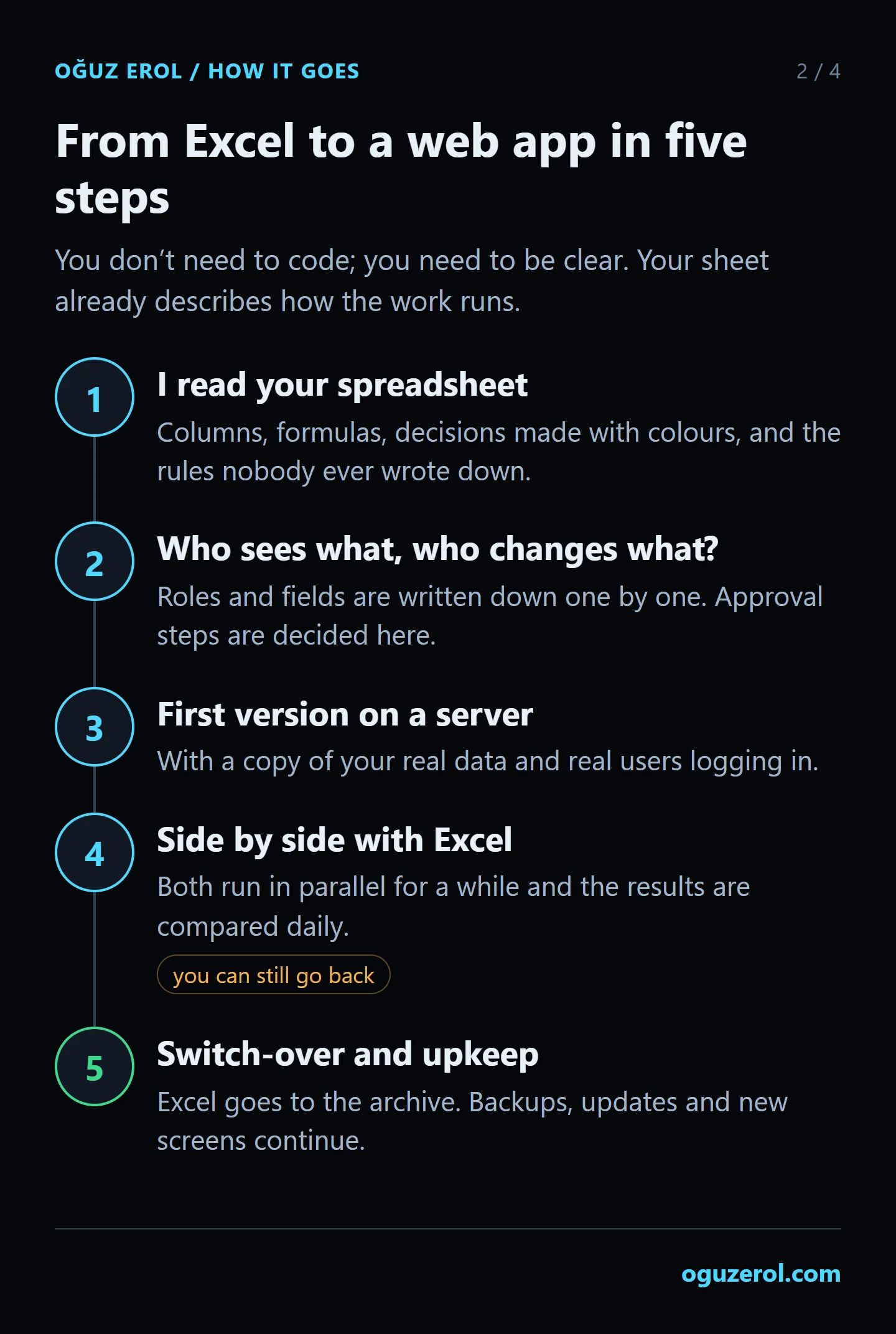](https://oguzerol.com/gorseller/web-uygulama/excel-to-web-app-5-steps.webp) Excel only goes to the archive after the app has produced the same results for a few weeks. 1. **I read your spreadsheet.** Which columns are data entry and which are calculations; which formulas are really business rules (“turn red when stock drops below 10”). I also pull out the decisions made with colours and the exceptions nobody ever wrote down. 2. **Who sees what, who changes what?** Roles and fields are written down one by one, and approval steps are decided here. That list is the real specification of the project. 3. **The first version opens on a server.** With a copy of your real data and real users logging in. The first version focuses on the single workflow that costs you the most time; I don’t try to do everything in round one. 4. **It runs side by side with Excel.** For a while both are used and the results are compared. A calculation that doesn’t match gets caught here, and you can still go back. 5. **[Cutover](https://oguzerol.com/en/turn-your-excel-into-a-web-app/#cutover-day) and upkeep.** Once results match, Excel becomes a read-only archive and the application becomes the source for current records. Backups, updates and new screens continue as needed. I need three things from you: the file you use (with sensitive columns masked if you prefer), an hour with the person who knows the spreadsheet best, and a few real cases of “here’s what we do when this happens”. ## Cutover day: when do we stop writing in Excel? I plan the handover to reduce the risk of interrupting work. We do not close the spreadsheet one morning and hope the application is ready. **Clean the data first.** Duplicate customer names, dates entered as prose and manually entered totals can affect an import. I list questionable rows for you to review. You decide which value is correct; I do not guess. **Agree a cutover date.** Excel remains in use while the application is tested. At cutover, I import the final version and reconcile the application totals with the spreadsheet. Once the checks pass, the original becomes a read-only archive. It remains available for investigation and rollback. **Prevent a second source of truth.** Someone may keep an old copy out of habit. Making the agreed archive read-only helps, but we also identify copies and tell the team where current records belong. **Allow for learning.** I use familiar field names and workflow where possible. Training, support arrangements and the errors the application must prevent are agreed in the scope. **If the person who built the workbook has left.** I first document the formulas, external links and business rules. Decisions that the file cannot explain need confirmation from your team; missing knowledge is not filled in by assumption. ## Two examples from real work **A hotel occupancy sheet.** A boutique hotel tracked room occupancy in a grid that someone coloured in by hand. For the same month, the old sheet showed roughly 45% more revenue than the reservation system did; the two sources had drifted apart and people argued over which one was right. I turned the sheet into a web page that feeds itself from the reservation system every day. Details and a redrawn screen with sample data: [hotel room occupancy tracking](https://oguzerol.com/en/hotel-room-occupancy-tracking/). **My own tracking sheet.** For a long time I tracked budgets for the Google Ads accounts I manage in a single Excel file. Because I forgot to drag a formula down to a new row, one account’s alert was quietly wrong for a week. A small app that moved the maths into fixed code removed that whole class of error. The full story is in [the step-by-step guide](https://oguzerol.com/en/turning-excel-into-a-web-app-with-ai/). ## Off-the-shelf software, a no-code tool or a custom app? Not every spreadsheet deserves a custom app. An honest comparison: | | Sharing Excel / Sheets | Off-the-shelf software (inventory, CRM…) | No-code tool (e.g. AppSheet) | Custom web app | | --- | --- | --- | --- | --- | | Best when | Few people, everyone may see everything | Your work fits the product’s assumptions | Simple forms and lists, Google ecosystem | Rules and permissions specific to you | | Permissions per person | Limited | As far as the product allows | Yes, you set them up | At whatever detail you need | | Fit with your rules | Through formulas, fragile | You adapt to the product | Medium | Full | | Cost model | Licence you already have | Monthly fee per user | Monthly fee per user | Build cost + server and upkeep | | Where the data lives | In the file | On the vendor’s servers | In your connected sheet or database | On your server | If your work fits an off-the-shelf product, use it. If adaptation is needed, compare licence, implementation, maintenance and process-change costs over the same period. A custom app is not automatically the cheaper option. I cover where no-code tools are enough in [AppSheet vs a custom web app](https://oguzerol.com/en/appsheet-vs-custom-web-app/). ## When you don’t need this - If one person uses the sheet and the formulas are simple, stay in Excel. - If the only need is editing at the same time, moving the file to OneDrive or Google Sheets may be enough. - If the only need is stopping people from breaking formulas, try [locking cells](https://oguzerol.com/en/how-to-lock-cells-in-excel/) first. Sheets can assign range-editing rights to specific people, and Excel supports specific-user range permissions in supported environments. Individual record privacy or access tied to approval states may justify an application. ## Cost and timing I work remotely and bill by the hour. My projects usually run between 2 hours and 2 weeks; the first version of a multi-user app sits near the top of that range. More roles, approval steps, cleaning up old data and connections to other systems make it longer. I send the scope and an estimate in writing after I’ve seen your spreadsheet, and we start once you approve. You can start with the 5-hour package (TRY 10,000 + VAT); the other packages are at the bottom of the page. ## Start with the problem in your spreadsheet Combining files, building dropdowns or collecting form responses often sits inside a larger workflow. These examples explain when your current tool is sufficient and what a dedicated screen adds: - [Dependent dropdown forms](https://oguzerol.com/en/dependent-dropdown-custom-forms/): clear invalid child selections and validate compatible products and availability. - [Automatically combine Excel files](https://oguzerol.com/en/automatically-combine-excel-files/): check source and column differences and avoid importing the same record twice. - [Scheduled API imports](https://oguzerol.com/en/scheduled-api-data-import-app/): see successful runs, rows needing review and retry results. - [A custom Google Forms alternative](https://oguzerol.com/en/custom-google-forms-alternative/): give each request an owner and a trackable status. - [WhatsApp and Sheets integration](https://oguzerol.com/en/whatsapp-google-sheets-integration/): match a message to its order and prepare a reviewed reply. ## Frequently Asked Questions ### We work in Google Sheets. Does this apply to us too? Yes. The difference between Excel and Google Sheets doesn’t matter much here; in both cases what I read is the structure and the rules of the sheet. Data in Google Sheets is imported into the app as well, and during the transition some lists can keep writing back to Google Sheets. ### Do we have to stop using Excel completely? No. For the first few weeks the app and Excel run side by side. After that, anyone can still download a list as an Excel file and build their own report. The one thing that has to stop is typing the same information into both the file and the app by hand; if that continues, so does the problem of two different numbers. ### How many people can use it at the same time? For small and mid-sized teams, the number of users isn’t the limit; the database queues writes that arrive at the same moment. Adding a user doesn’t require a separate licence. ### Where does our data live, and who owns it? Records live in the database on the server the app runs on. The server can be opened in your company’s name. The data is yours, and you can export all of it to Excel or CSV at any time. ### What happens to our existing formulas? Each formula is read and turned into a rule in the app that produces the same result. During the side-by-side period the results are compared, and any calculation that doesn’t match is fixed there. Sometimes this is also where it turns out an Excel formula has been calculating the wrong thing for years. ### Does it work without an internet connection? The app opens in a browser, so it needs a connection. If your team works where the connection drops often, we discuss that at the start; measures such as not losing a half-filled form during a short drop can be added to the scope. ### Does it need maintenance? Yes. Server updates, backup checks and small change requests come up over time. We can handle that as hourly work when needed or through a regular maintenance arrangement. ### The person who built the spreadsheet has left. Is that a problem? That alone does not prevent a migration. I document the formulas and links first, then verify any business rules the file does not explain with your team. ## Let’s look at your spreadsheet together Send me the file you use and the task that eats most of your time, via [WhatsApp on +90 549 654 64 89](https://wa.me/905496546489) or the [contact page](https://oguzerol.com/en/contact/). If I’m alive, I pick up the phone within 3 seconds. I don’t prepare presentations; I look at your spreadsheet and tell you plainly how long each part will take. For more example screens, see [custom web apps for your team](https://oguzerol.com/en/custom-web-apps-for-your-team/). ## Related pages - [Custom Web Apps for Your Team](https://oguzerol.com/en/custom-web-apps-for-your-team/) - [Turning Excel Into a Web App: A Step-by-Step Guide](https://oguzerol.com/en/turning-excel-into-a-web-app-with-ai/) - [How to Share an Excel File With Multiple Users](https://oguzerol.com/en/share-excel-file-with-multiple-users/) - [How to Lock Cells in Excel](https://oguzerol.com/en/how-to-lock-cells-in-excel/) - [AppSheet vs a Custom Web App](https://oguzerol.com/en/appsheet-vs-custom-web-app/) - [Can You Use Google Sheets or Excel as a Database?](https://oguzerol.com/en/google-sheets-as-a-database/) - [Hotel Room Occupancy Tracking: From Excel to a Web App](https://oguzerol.com/en/hotel-room-occupancy-tracking/) ## Start with what the spreadsheet can already do A dropdown or a data connection alone is not a reason to commission software. Excel and Sheets already support useful validation, sharing and revision features. The application scope comes from record-level access, approval states, mobile input or relationships that the current setup cannot reliably manage for your team. - [Excel dependent dropdowns](https://oguzerol.com/en/excel-dependent-drop-down-list/) - [Sheets dependent dropdowns](https://oguzerol.com/en/google-sheets-dependent-drop-down/) - [Excel multi-select](https://oguzerol.com/en/excel-multi-select-dropdown/) - [Sheets multi-select](https://oguzerol.com/en/google-sheets-multiple-selection-dropdown/) - [Sheets website imports](https://oguzerol.com/en/google-sheets-import-data-from-website/) - [Sheets JSON and API imports](https://oguzerol.com/en/google-sheets-import-json-api/) - [Sheets protected cells](https://oguzerol.com/en/google-sheets-protect-cells/) - [Excel data entry forms](https://oguzerol.com/en/excel-data-entry-form/) - [Sheets data entry forms](https://oguzerol.com/en/google-sheets-data-entry-form/) [Back to top ↑](https://oguzerol.com/en/turn-your-excel-into-a-web-app/#icerik) ## You may also find these useful [Excel Data Entry Form: Add Records without ScrollingUse the desktop Excel data entry Form command to add records. Organise headers and order fields, then identify when a custom workflow is needed.](https://oguzerol.com/en/excel-data-entry-form/)[Excel User Permissions: Who Can See and Who Can Edit WhatFor teams sharing one workbook: what Allow Edit Ranges, sheet protection and hidden sheets really control, a price-and-cost example and a role table.](https://oguzerol.com/en/excel-cell-permissions-panel/)[Excel to SQL Database Migration: Table Design, Dry Runs and Cutover DayMoving a multi-tab Excel file into a SQL database: table design, duplicate records, dry-run migrations and cutover. See what a 41,260-row example uncovered.](https://oguzerol.com/en/excel-to-sql-database-migration/) [Browse all articles →](https://oguzerol.com/en/articles/) WHAT YOU CAN ASK FOR ## How do I work? Work-hour packages Tell me about your business and what you need on WhatsApp or by phone; we agree on **a work block of somewhere between 5 and 40 hours** and I start doing what is needed. What you get is not a calendar window — it is net working hours spent directly on your business. I can use 40 hours working three days straight, or deliberately spread it out and finish it over a year — whatever the work calls for. I do not spend my time estimating how long something will take, I spend it doing the work; every hour I spend leaves a lasting result in your business. We keep going for as long as you find it useful. WORK BLOCKS ## Why not monthly? Is 40 hours a week? On a fixed monthly fee both sides are watching the wrong thing: you watch a fixed cost, the other side watches how many more contracts like this they can line up. Working by the hour puts us both in front of the same thing — the real value of the work that got done. I know not having an upfront answer to "how much will this cost in total?" is the natural cost of this model. But instead of paying a fixed fee for months to a setup that is not producing results, you only pay for the qualified time spent on your work — and you see exactly where that time went, start to finish. That is why my clients keep coming back. 5hours300€ + VAT60€ per hour[Choose this block](https://wa.me/905496546489?text=Hi%2C%20I%27d%20like%20info%20about%20the%205-hour%20work%20block.) 10hours500€ + VAT50€ per hour[Choose this block](https://wa.me/905496546489?text=Hi%2C%20I%27d%20like%20info%20about%20the%2010-hour%20work%20block.) 20hours800€ + VAT40€ per hour[Choose this block](https://wa.me/905496546489?text=Hi%2C%20I%27d%20like%20info%20about%20the%2020-hour%20work%20block.) 40hours1,400€ + VAT35€ per hour[Choose this block](https://wa.me/905496546489?text=Hi%2C%20I%27d%20like%20info%20about%20the%2040-hour%20work%20block.)