Source: https://oguzerol.com/en/restaurant-whatsapp-ordering-system/ [ View full size](https://oguzerol.com/gorseller/hizmet-kapaklari/restoran-whatsapp-siparis-sistemi-seri-v1-en.webp) # WhatsApp Ordering System for Restaurants: From Menu to Kitchen [Oğuz Erol](https://oguzerol.com/en/about-me/) | 11 min read Many takeaway orders already arrive on WhatsApp: “two minced-meat pides, one ayran, here’s the address.” Then someone adds up the total, asks for the address again, shouts the order to the kitchen, and half an hour later the customer writes “where is my order?” **A WhatsApp ordering system turns that chat into an order record.** The customer picks from the menu or simply types; cart, delivery, payment and confirmation follow in order, a kitchen ticket is created automatically, and the customer hears back at every stage. The screens below come from **Taş Fırın, a sample restaurant** running on my own 0850 business line in Turkey. The restaurant, menu and prices are fictional. Orders never reach a real kitchen and no payment is taken. The flow itself is real, and you can see the same messages on your own phone. **Try it from your phone.** Send **SİPARİŞ** (Turkish for “order”) to +90 850 304 43 65 on WhatsApp. The live demo answers in Turkish; the screens on this page are translated from it. Type “örnek adres” (sample address) instead of sharing your location. [Start the demo order on WhatsApp](https://wa.me/908503044365?text=S%C4%B0PAR%C4%B0%C5%9E)  [Talk to me about your restaurant](https://oguzerol.com/en/contact/) · [WhatsApp Business API service](https://oguzerol.com/en/whatsapp-business-api-automation/) ## Which steps does a WhatsApp order go through? 1. Menu 2. Quantity and cart 3. Changes in plain text 4. Delivery or pickup 5. Location or address 6. Payment 7. Summary and confirmation 8. Kitchen ticket 9. Preparing, on the way, delivered 10. Feedback The customer installs nothing, creates no account and opens no link. Everything happens on the business’s WhatsApp line with buttons and lists. Anyone who prefers can order without touching a single button, just by typing. ### 1. The customer writes, the menu arrives The first message sends a short privacy notice, then the restaurant’s welcome image and an expandable menu. The menu uses WhatsApp’s list message: category, item, short description and price. TF**Taş Fırın**Business account · demo ORDER19:02 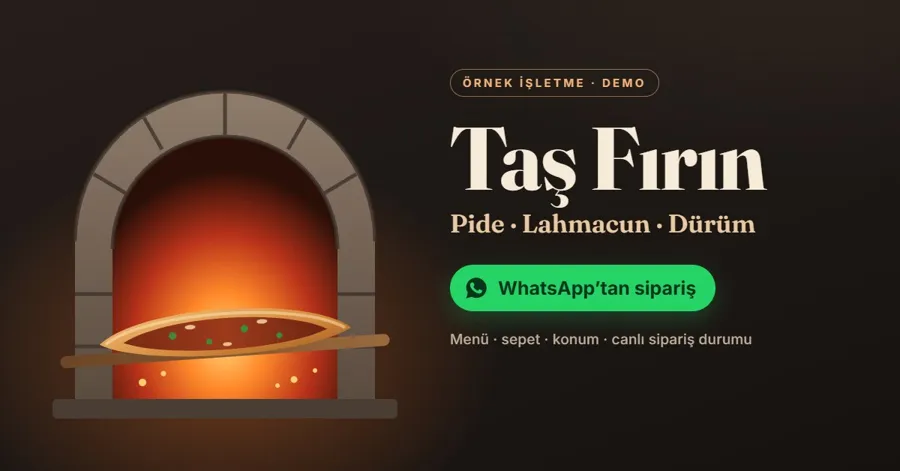 **Welcome to Taş Fırın!** 👋 Ordering on WhatsApp is this easy: 1️⃣ Pick from the menu or type: “2 minced-meat pides, 1 ayran” 2️⃣ Share your address or location 3️⃣ Confirm, and every step of your order comes right here19:02 Taş Fırın · Menu📋 Tap an item and choose a quantity. Or just type your order: “2 minced-meat pides, 1 ayran”. Sample restaurant · demo prices in Turkish lira (TL)19:02 ☰ Open menu **Pides** Minced-Meat Pide320 TL Cheese Pide300 TL Diced-Beef Pide420 TL **Lahmacun and Wraps** Lahmacun140 TL Adana Wrap340 TL **Drinks and Dessert** Ayran50 TL Künefe220 TL WhatsApp allows at most 10 rows in a list message. With a larger menu the customer picks a category first and the items open next, or the menu is shown as a WhatsApp catalogue. Which one fits depends on the size of the menu. ### 2. Pick a quantity, see the cart Tapping an item brings up quantity buttons. After each choice the cart is shown again with the running subtotal. Minced-Meat Pide19:03 **Minced-Meat Pide** · 320 TL Stone-baked, generous minced meat How many should we add? Type a number for a different quantity.19:03 1 pc2 pcs3 pcs ✅ 2 × Minced-Meat Pide added to your cart. 🛒 **Your cart** 2 × Minced-Meat Pide — 640 TL Subtotal: **640 TL**19:03 ➕ Add item✅ Complete order🗑️ Empty cart ### 3. The customer changes the order in plain text, and can ask questions This is where the real difference is. The customer doesn’t have to hunt for buttons; they write whatever comes to mind. The two messages below come from a test on the demo line with a real AI model. an ayran too, are the pides spicy?19:04 Our pides are not spicy; the only spicy item on our menu is the Adana Wrap. 🛒 **Your cart** 2 × Minced-Meat Pide — 640 TL 1 × Ayran — 50 TL Subtotal: **690 TL**19:04 make it 2 ayran, and add a künefe19:04 🛒 **Your cart** 2 × Minced-Meat Pide — 640 TL 2 × Ayran — 100 TL 1 × Künefe — 220 TL Subtotal: **960 TL**19:04 ➕ Add item✅ Complete order🗑️ Empty cart **The AI never quotes the price.** The model only answers “which item, how many”, and it can only propose item codes that exist on the menu. Unit prices, subtotal and the delivery minimum are calculated in code from the menu source. If a customer asks for something that isn’t on the menu, it isn’t added, and the customer is told. If the model doesn’t respond in time, a simple rule-based parser takes over, so orders like “2 lahmacun 1 cola” are still understood. ### 4. Delivery method and location 🛒 5 items · **960 TL** How would you like to receive it? 🛵 Delivery: 30–40 min, minimum 300 TL 🏃 Pickup: 15–20 min, pay at the counter19:05 🛵 Delivery🏃 Pickup↩️ Back to cart 📍 **Delivery address** Send your location with the button below, or type your address (district, street, building, flat).19:05 📍 Send location 📍 Location · Kadıköy19:06 📍 Location received.19:06 This uses WhatsApp’s location request message: the customer shares their location with one tap or types the address. In a real setup, delivery zone, minimum order and timing come from the restaurant’s own rules; an address outside the zone gets pickup or a handover to staff. ### 5. Payment, summary and confirmation 💳 **How would you like to pay?** Demo: no payment is taken and no card details are requested.19:06 💵 Cash on delivery💳 Card on delivery↩️ Back to cart 🧾 **Order summary** 2 × Minced-Meat Pide — 640 TL 2 × Ayran — 100 TL 1 × Künefe — 220 TL Total: **960 TL** 🛵 Delivery · Kadıköy 💳 Card on delivery ⏱️ Estimated: 30–40 min19:06 ✅ Confirm order✏️ ChangeCancel ✅ **Order received!** Order no: **DEMO-SP-B74100** Total: 960 TL · Card on delivery ⏱️ Estimated: 30–40 min Sent to the kitchen. We'll update you here at every step; type SİPARİŞİM (my order) to check the status. You can cancel until the kitchen starts preparing.19:07 📦 My order❌ Cancel💬 Talk to staff The confirm button is processed once. Even if the customer taps twice or WhatsApp delivers the same message again, no second order is created. Tapping the confirm button of an old summary later does not open an order. ### 6. The kitchen ticket arrives automatically The moment the order is confirmed, a ticket goes to the business side. In the demo it arrives in the owner’s messaging channel: **🧾 NEW ORDER · DEMO-SP-B74100** Taş Fırın (demo restaurant) 2 × Minced-Meat Pide — 640 TL 2 × Ayran — 100 TL 1 × Künefe — 220 TL Total: 960 TL Delivery · Card on delivery Customer: +90 5•• ••• •••• In a real restaurant the same record can go to a kitchen display, a receipt printer or the POS software in use. Which of these is possible depends on whether that software accepts orders from outside; I check this on your system before the setup. ### 7. The customer hears back at every stage 👨🍳 **DEMO-SP-B74100 is being prepared** Your order is confirmed and in the stone oven. It can no longer be cancelled automatically; if there's a problem, type OĞUZ to reach staff.19:08 🛵 **DEMO-SP-B74100 is on the way** Our courier will be at your address in about 15 minutes. Payment: card on delivery.19:10 🍽️ **Enjoy your meal!** DEMO-SP-B74100 has been delivered. How was your order?19:12 😍 Great🙂 Good😕 There's a problem 😍 Great19:12 Thank you! 🙏 Your feedback has been passed to the restaurant. Enjoy your meal.19:12 In the demo, “preparing, on the way, delivered” are simulated within a few minutes. In a real setup these steps are triggered by a button on the kitchen display, the courier app or a status change in the POS. If the customer picks **“There’s a problem”**, their complaint is forwarded to the business, automatic replies stop in that chat and a staff member takes over. ## How do cancellation, complaints and handover work? | Situation | What the system does | | --- | --- | | Customer types **İPTAL** (cancel) before the kitchen starts | The order is cancelled and the kitchen is notified. | | Customer wants to cancel after preparation has started | Not cancelled automatically; handed to staff. | | Customer types **OĞUZ** or taps “Talk to staff” | Automatic replies stop and a person takes over. | | Customer picks “There’s a problem” and describes it | The complaint reaches the business with the order number; the bot goes quiet. | | Customer types **SİPARİŞİM** (my order) | The latest status of their last order is shown. | | Another number asks about the same order | Orders are shown only to the number that placed them. | **İPTAL** and **DUR** (stop) are also the customer’s way of saying they don’t want WhatsApp messages. When a customer in an order chat types İPTAL, the order cancellation and the messaging opt-out are recorded separately. ## What do we look at when setting it up for your restaurant? | Topic | Question to answer | | --- | --- | | Menu and prices | Where does the menu live: POS, spreadsheet, digital menu? Should changes sync from there? | | Kitchen | Where should the ticket go: kitchen display, printer, POS, a team phone? | | Delivery | Where do zone limits, minimum order, timing and courier details come from? | | Payment | Payment on delivery or a payment link? Online payment is set up separately with a payment provider. | | Opening hours | What happens to a message sent while you’re closed? Can orders be scheduled for later? | | Team | Who answers complaints and special requests, and on which screen? | For a first phase, menu, cart, address, confirmation and kitchen ticket are usually enough. Courier tracking, loyalty points, reorder reminders and campaign messages can be added later. Campaign messages need separate consent from the customer; having placed an order is not marketing consent. ## What does this demo prove, and what doesn’t it? **It shows** that menu, cart, location, payment choice, confirmation, kitchen ticket, status updates, cancellation and handover on complaints work end to end on the WhatsApp Business API. Automated tests cover that the same message never opens two orders, that prices come from code rather than the AI, and that nobody can see another customer’s order; the AI cart step was tested with the real model. **It does not show** a connection to a real restaurant’s POS, printer or courier system, online payment, or real order volume at peak hours. Those are set up and tested separately for the software each restaurant uses. There is no customer result or revenue claim on this page. To see how orders are tracked in the kitchen and on delivery, look at the [order preparation and delivery tracking app](https://oguzerol.com/en/order-preparation-delivery-tracking-app/); for ordering at the table, see the [QR code ordering system](https://oguzerol.com/en/qr-code-ordering-system/). More ways restaurants use AI are on [this page](https://oguzerol.com/en/ai-for-restaurants-and-cafes/). ## Frequently Asked Questions ### Does the customer need to install an app? No. The customer writes to the restaurant’s number from the WhatsApp they already use. The menu, buttons and location sharing are WhatsApp’s own message types. ### Can we keep our current WhatsApp number? Usually yes, but once the number moves to the WhatsApp Business API, the rules for using it alongside the WhatsApp Business app on a phone change. We check the number’s status together before the setup. ### Can the AI quote a wrong price? In this setup the AI doesn’t quote prices. The model only suggests items and quantities; prices and totals are calculated in code from the menu source. Items that aren’t on the menu never enter the cart. ### Can we take online payments? The demo takes no payment; only payment on delivery is offered. Online payment is connected separately through the restaurant’s payment provider; card details are never requested in the WhatsApp chat. ### How much do WhatsApp messages cost? Think of two separate items. Replies within a conversation the customer started and messages the business starts, such as campaigns or reminders, are priced differently in Meta’s rate card. I recheck the rates on the setup date and estimate a monthly figure with you based on expected order volume. [Current WhatsApp pricing](https://whatsappbusiness.com/products/platform-pricing/). ### Is this demo from a real restaurant? No. The demo restaurant is fictional, and the menu and prices are samples. The flow itself runs on my own 0850 line and can be tried from your phone. [Let’s plan your restaurant’s ordering flow together](https://oguzerol.com/en/contact/). For hotel rates and bookings, see the [hotel WhatsApp use case](https://oguzerol.com/en/hotel-whatsapp-booking-automation/). [Back to top ↑](https://oguzerol.com/en/restaurant-whatsapp-ordering-system/#icerik) WHAT YOU CAN ASK FOR ## How do I work? Work-hour packages Tell me about your business and what you need on WhatsApp or by phone; we agree on **a work block of somewhere between 5 and 40 hours** and I start doing what is needed. What you get is not a calendar window — it is net working hours spent directly on your business. I can use 40 hours working three days straight, or deliberately spread it out and finish it over a year — whatever the work calls for. I do not spend my time estimating how long something will take, I spend it doing the work; every hour I spend leaves a lasting result in your business. We keep going for as long as you find it useful. WORK BLOCKS ## Why not monthly? Does a 40-hour block mean one week? On a fixed monthly fee both sides are watching the wrong thing: you watch a fixed cost, the other side watches how many more contracts like this they can line up. Working by the hour puts us both in front of the same thing — the real value of the work that got done. I know not having an upfront answer to "how much will this cost in total?" is the natural cost of this model. But instead of paying a fixed fee for months to a setup that is not producing results, you only pay for the qualified time spent on your work — and you see exactly where that time went, start to finish. That is why my clients keep coming back. - **5 hours** — **300 € + VAT** (60€ per hour) · [Choose this block](https://wa.me/905496546489?text=Hi%2C%20I%27d%20like%20info%20about%20the%205-hour%20work%20block.) - **10 hours** — **500 € + VAT** (50€ per hour) · [Choose this block](https://wa.me/905496546489?text=Hi%2C%20I%27d%20like%20info%20about%20the%2010-hour%20work%20block.) - **20 hours** — **800 € + VAT** (40€ per hour) · [Choose this block](https://wa.me/905496546489?text=Hi%2C%20I%27d%20like%20info%20about%20the%2020-hour%20work%20block.) - **40 hours** — **1,400 € + VAT** (35€ per hour) · [Choose this block](https://wa.me/905496546489?text=Hi%2C%20I%27d%20like%20info%20about%20the%2040-hour%20work%20block.)