Source: https://oguzerol.com/en/how-to-build-your-own-custom-gpt/ [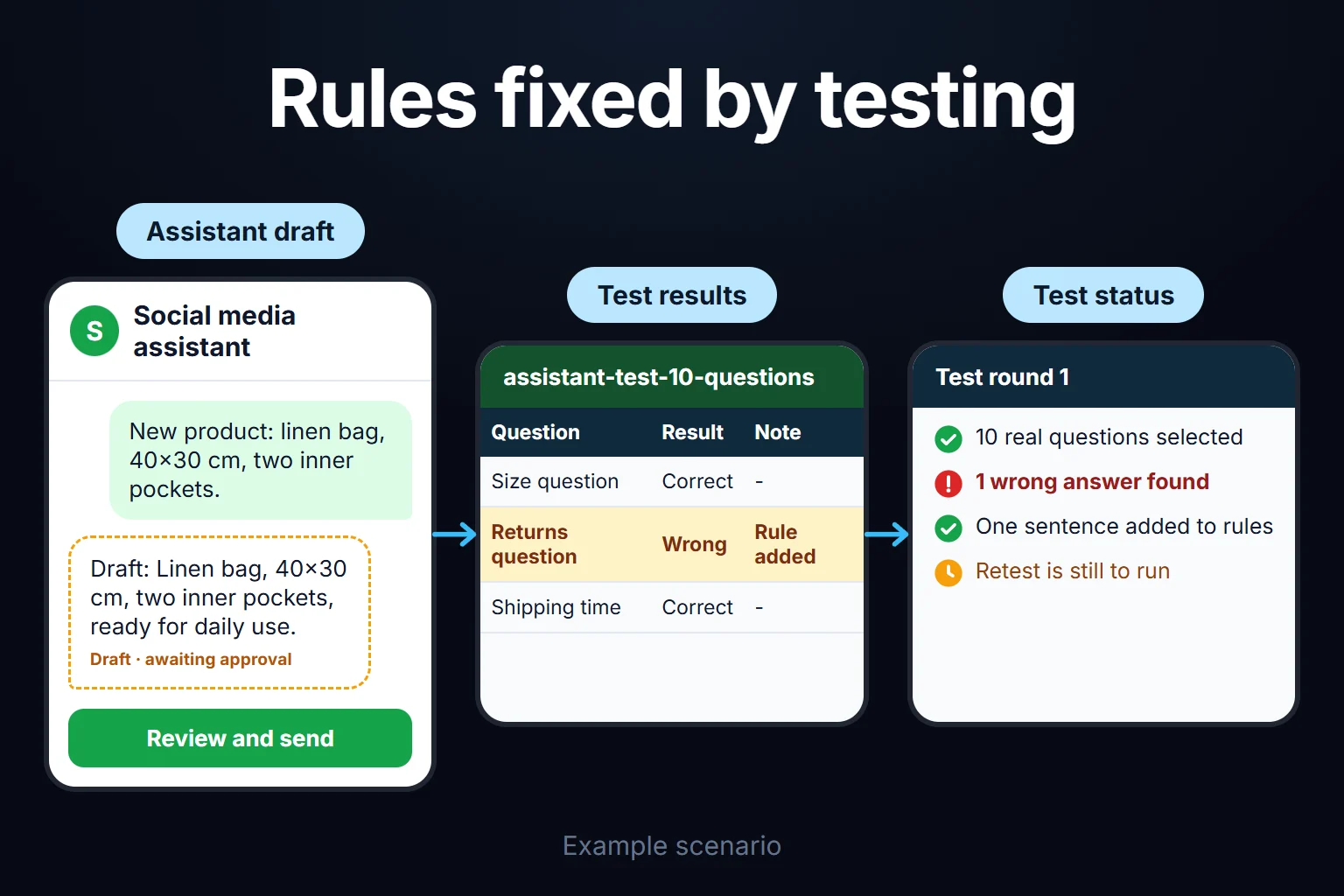 View full size](https://oguzerol.com/gorseller/senaryo/how-to-build-your-own-custom-gpt-senaryo-en.webp) # How to Build Your Own Custom GPT, or a Claude Project [Oğuz Erol](https://oguzerol.com/en/about-me/) | 6 min read | Published: 3 August 2026 | Updated: 13 October 2026 ## Quick summary Custom GPTs are being retired. How to build your own AI assistant without code using a Claude Project, how to write good instructions, step by step. You can build your own AI assistant without writing code with three things: a definition of the job, written instructions, and the documents the assistant needs to know. You set them up once and the assistant works with the same rules in every new conversation. But the tooling side has an important change: OpenAI plans to retire custom GPTs. So below I first explain the situation, then the easiest way to build one today (Claude Projects), step by step. Writing instructions and testing work the same whichever tool you use. ## Custom GPTs in ChatGPT: the situation is changing According to OpenAI’s help-center FAQ ([as of October 2026](https://help.openai.com/en/articles/20001519)), the company plans to retire custom GPTs and replace them with plugins. The announced retirement date is December 11, 2026, and the page says dates may change. Existing GPTs stay usable until then. The [GPT creation page](https://help.openai.com/en/articles/8554397-creating-and-editing-gpts) also says that creating and publishing new GPTs is not available on personal ChatGPT accounts (Free, Go, Plus, Pro), while Business, Enterprise and Edu workspaces can still do it depending on permissions. I read both pages on 13 October 2026. If your account received its own notice, the date there applies. Practical consequence: if you are starting from scratch today, do not invest in a custom GPT. If you already built one, do not lose its contents (the instructions and documents); the same material can move to a Claude Project or to the plugin OpenAI recommends. ## What is the difference between a custom assistant and a normal chat? A normal chat window works “without memory”: a new window does not know the earlier instructions, your brand rules or the file you uploaded. You paste the same brief every time. A Claude Project removes that: you put the instructions and documents in the project once, and every new chat in it uses them. ## How do you build a Claude Project? According to Anthropic’s help page ([as of October 2026](https://support.claude.com/en/articles/9517075-what-are-projects)), Projects are available to everyone, including free accounts; a free account can create up to five projects. Steps: 1. **Open Projects** (claude.ai/projects) and create a new project. Add a name and description. Claude cannot see the description; it is for you. 2. **Write the instructions with “Set project instructions”.** They apply to every chat in the project. 3. **Upload documents to project knowledge:** price list, brand guide, FAQ, the best past examples you liked. What you upload is used in all chats of the project. Something you say in one chat does not carry to others unless you add it to the knowledge area. 4. **Test with real questions** and fix the instructions wherever the answer is wrong. On paid plans, when project knowledge nears the limit Claude switches on a mode (RAG) that expands capacity. Sharing exists only on Team and Enterprise plans, where you give people “can view” or “can edit” access. ## How do you write good instructions? This section is my experience. Most weak instructions are made of unmeasurable sentences like “be professional and friendly”. Instructions that work have four parts: - **Role and audience:** “You are the social media copywriter for \[brand\]; the reader is 30-50 years old, a local shopper.” - **Concrete do’s and don’ts:** “Sentences of at most 15 words. No emoji. No prices. No superlatives like ‘best’ or ‘only’.” - **One good example:** put two or three texts you like in the instructions or the knowledge area. Showing an example often works better than describing a rule. - **What to do when it does not know:** “If it is not in the documents, do not invent; say ‘I do not know, ask X’.” For testing, pick ten real questions or tasks and read every answer. For each wrong answer, add one sentence to the instructions or put the missing document in the knowledge area. This is not a one-time setup but a loop of a few rounds. ## Example: a social media assistant for a small business - **Instructions:** the four parts above. - **Knowledge area:** the 20-30 past posts with the most engagement, a product list, a banned-word list. - **Use:** instead of writing a brief from scratch for each new product, you type the product name and two sentences of features and get a draft; you read and correct it. The same structure works for answering customer questions (return policy, FAQ, product manual). Here the documents must be current; an old return-policy file makes the assistant promise the wrong thing. ## Where does it fall short? These assistants are **passive knowledge sources.** They talk, write and suggest, but cannot on their own log a CRM record, book an appointment or update stock. If you want an assistant that touches a real system, what you need is an agent layer: [how to build an AI agent without code](https://oguzerol.com/en/how-to-build-an-ai-agent-without-code/). For the difference between instruction, skill and agent, see [Prompt vs Skill vs Agent](https://oguzerol.com/en/prompt-vs-skill-vs-agent/). The wider framework is in the [AI automation guide](https://oguzerol.com/en/ai-automation-guide/). If you have never used Claude, [What Is Claude AI](https://oguzerol.com/en/what-is-claude-ai-what-does-it-cost-how-to-use-it-from-turkey/) will help first. The second limit is privacy: documents you upload fall under the tool’s data policy. Before uploading customer personal data or confidential contracts, read the data-use terms of your plan. ## You can ask me to do this You can set this up yourself; the steps above are enough. If you get stuck on writing instructions or testing, or are short on time, you can ask me to do it: remote, hourly, usually 2 hours to 2 weeks. Details are on the [custom GPT setup](https://oguzerol.com/en/custom-gpt-development/) page. ## Frequently Asked Questions ### Is building a custom GPT or Claude Project free? Claude Projects exist on free accounts too, up to five projects. Sharing depends on Team and Enterprise plans, and the capacity-expanding mode on paid plans. For custom GPTs in ChatGPT, see the section above: creating new GPTs from personal accounts appears to be closed. ### How long does setup take? A simple assistant with one set of instructions and a few documents takes a few hours. A setup with many documents and several test-and-fix rounds can stretch to a few days. What lengthens it is usually gathering the documents, not the tool. ### Can I share what I built? You can share a Claude Project with your team on Team and Enterprise plans. On a free or individual plan, check the sharing option in your account. ### Is a custom assistant the same as an AI agent? No. A custom assistant is a chat equipped with instructions and documents; it talks and produces but does not touch systems. An agent performs real actions (booking an appointment, logging a record). I explain the difference in [Prompt vs Skill vs Agent](https://oguzerol.com/en/prompt-vs-skill-vs-agent/). [Back to top ↑](https://oguzerol.com/en/how-to-build-your-own-custom-gpt/#icerik) ## You may also find these useful [Want a Custom GPT Built? Here's What You're Probably Looking ForOpenAI is retiring custom GPTs on 11 December 2026. The 7 things people asking for a custom GPT actually want, and the right tool for each today.](https://oguzerol.com/en/custom-gpt-development/)[Building a Company Assistant With Claude ProjectsHow to use Claude Projects, and what Team and Enterprise change for a company account: setup, sharing, data privacy and real limits, written from my own use.](https://oguzerol.com/en/building-a-company-assistant-with-claude-projects/)[How to Build an AI Agent Without CodeThree ways to build an AI agent without code, which job each suits, n8n and Base44 costs, an email-summary example and where no-code tools hit their limits.](https://oguzerol.com/en/how-to-build-an-ai-agent-without-code/) [Browse all articles →](https://oguzerol.com/en/articles/)