Source: https://oguzerol.com/en/google-sheets-multiple-selection-dropdown/ [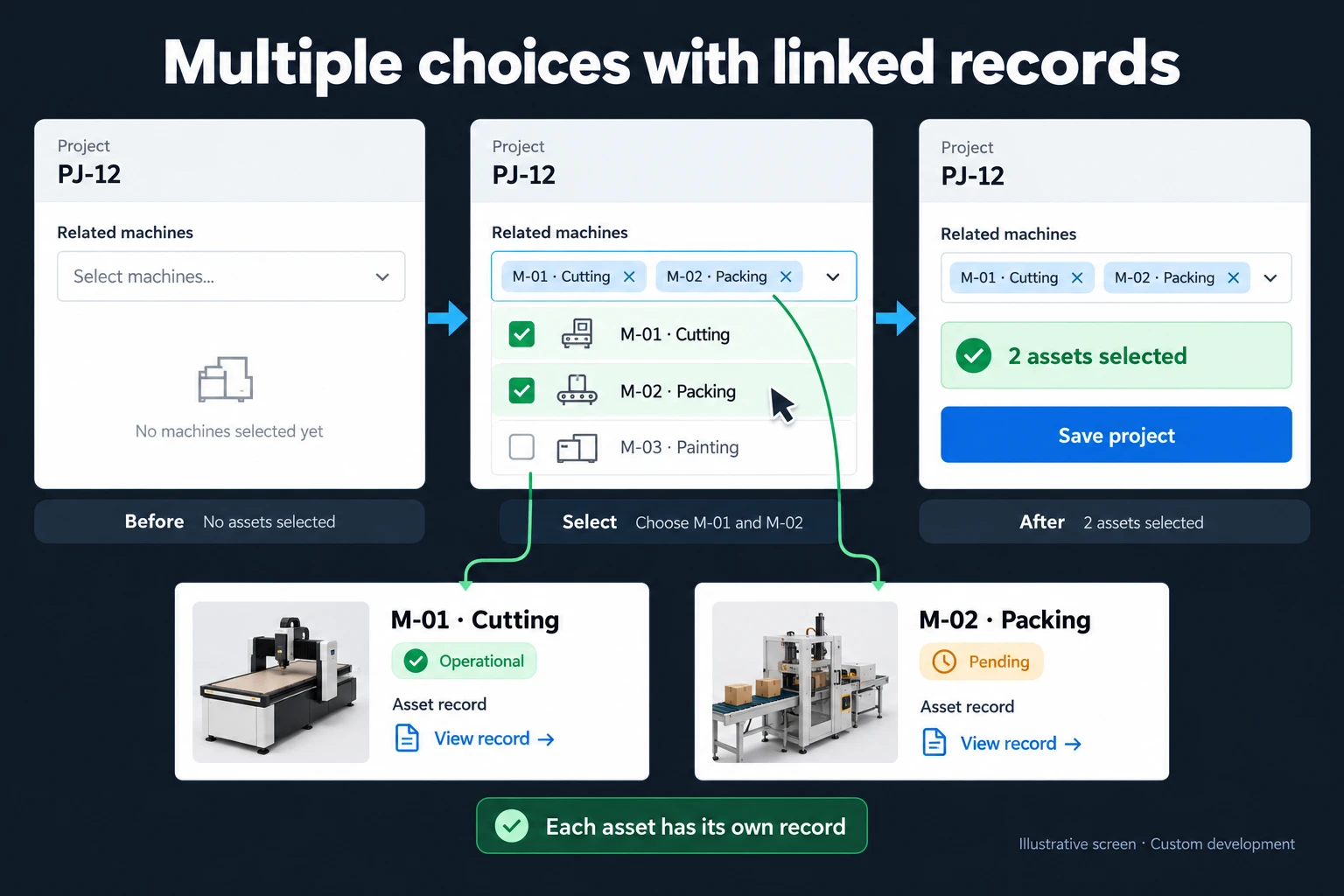 View full size](https://oguzerol.com/gorseller/hizmet-kapaklari/coklu-secimli-iliskili-kayit-formu-webapp-v1-en.webp) # Google Sheets Multiple Selection Dropdown: Set It Up [Oğuz Erol](https://oguzerol.com/en/about-me/) | 3 min read | Published: 9 October 2026 ## Quick summary Enable a Google Sheets multiple selection dropdown in chip format. Check mobile limitations and distinguish cell labels from separate related records. Google Sheets offers multiple selection in a chip-format dropdown. This can suit short labels, teams or classifications. Before using it for operational records, ask whether each selected item also needs its own quantity, date or history. Several visible labels do not automatically create several independently managed relationships. ## Enable it on a computer Select a cell and open Data → Data validation to create a dropdown. Use Cutting and Packing as example options. Choose the chip display format and enable Allow multiple selections. Select both options in the cell and test removing one. [Google’s dropdown documentation](https://support.google.com/docs/answer/186103?hl=en) covers the feature and its current mobile limitation. Do not test only on a desktop. Google states that selecting multiple dropdown options on mobile is not currently supported, even when the rule allows it. If field staff will use phones, check the real device experience before making it part of a daily process. Opening a spreadsheet on a phone and editing every feature in the same way are different things. You can supply fixed options or use a source range. When maintaining that range, consider what existing records mean. Renaming an option may be a wording correction, or it may represent a genuinely different classification. Avoid quietly interpreting yesterday’s record as today’s category merely because the label looks familiar. ## Two labels or two equipment records? Imagine project PJ-12 has Cutting and Packing selected. If the purpose is simply to classify the work, two chips may be enough. If those labels refer to physical machines, Cutting is equipment **M-01** and Packing is **M-02**. The equipment identifiers matter as well as their names. Each machine may have a different maintenance status, owner and planned usage date. Two names in a cell do not, by themselves, store that information as separate project relationships. A report should make clear whether it counts two labels or two reserved machines. The same number can describe very different actions. A machine may appear in several projects. Removing it from PJ-12 should not delete the equipment record or its other relationships. Stable IDs also help when names change: reports should still refer to the same machine rather than treating the new label as a different asset. ## Keep the native feature when it solves the job For simple classifications, small lists and desktop entry, Sheets’ own multiple selection can be sufficient. An application is unnecessary merely to choose two labels. First look at how people use the selection and what the downstream report needs. When each choice needs a quantity, document or project-specific date, I consider a [multi-select related record form](https://oguzerol.com/en/multi-select-related-record-form/). PJ-12 can then hold separate relationships to M-01 and M-02. Blocking a machine under maintenance, limiting choices by user and checking them again at submission are explicit application rules. For a wider team process, see [turning Excel and Sheets into a web app](https://oguzerol.com/en/turn-your-excel-into-a-web-app/). If the next choice depends on an earlier category, that is a different need covered by [dependent dropdown forms](https://oguzerol.com/en/dependent-dropdown-custom-forms/). ## Frequently Asked Questions ### Does every dropdown display style support multiple selection? Use chip format for this feature and check the available settings in your file. ### Does selecting a chip reserve stock? Not by itself. Reservation requires an additional record structure and business rule. ## Discuss your workflow [Discuss what your selected items represent](https://oguzerol.com/en/contact/). [Back to top ↑](https://oguzerol.com/en/google-sheets-multiple-selection-dropdown/#icerik) ## You may also find these useful [Google Sheets Dependent Drop-Down: Filter the Next ListCreate a Google Sheets dependent drop-down with a FILTER helper range. Test old selections and separate catalogue choices from stock and access rules.](https://oguzerol.com/en/google-sheets-dependent-drop-down/)[Google Sheets Data Entry Form: Collect Responses in a TableCreate a Google Sheets data entry form using Google Forms. Organise order fields, check the response table and distinguish collection from record management.](https://oguzerol.com/en/google-sheets-data-entry-form/)[Multi-Select Forms with Related RecordsAttach products or assets to one project while keeping each record distinct. Plan multi-select forms with item details, permissions and relationship rules.](https://oguzerol.com/en/multi-select-related-record-form/) [Browse all articles →](https://oguzerol.com/en/articles/)