Source: https://oguzerol.com/en/employee-expense-approval-workflow/ [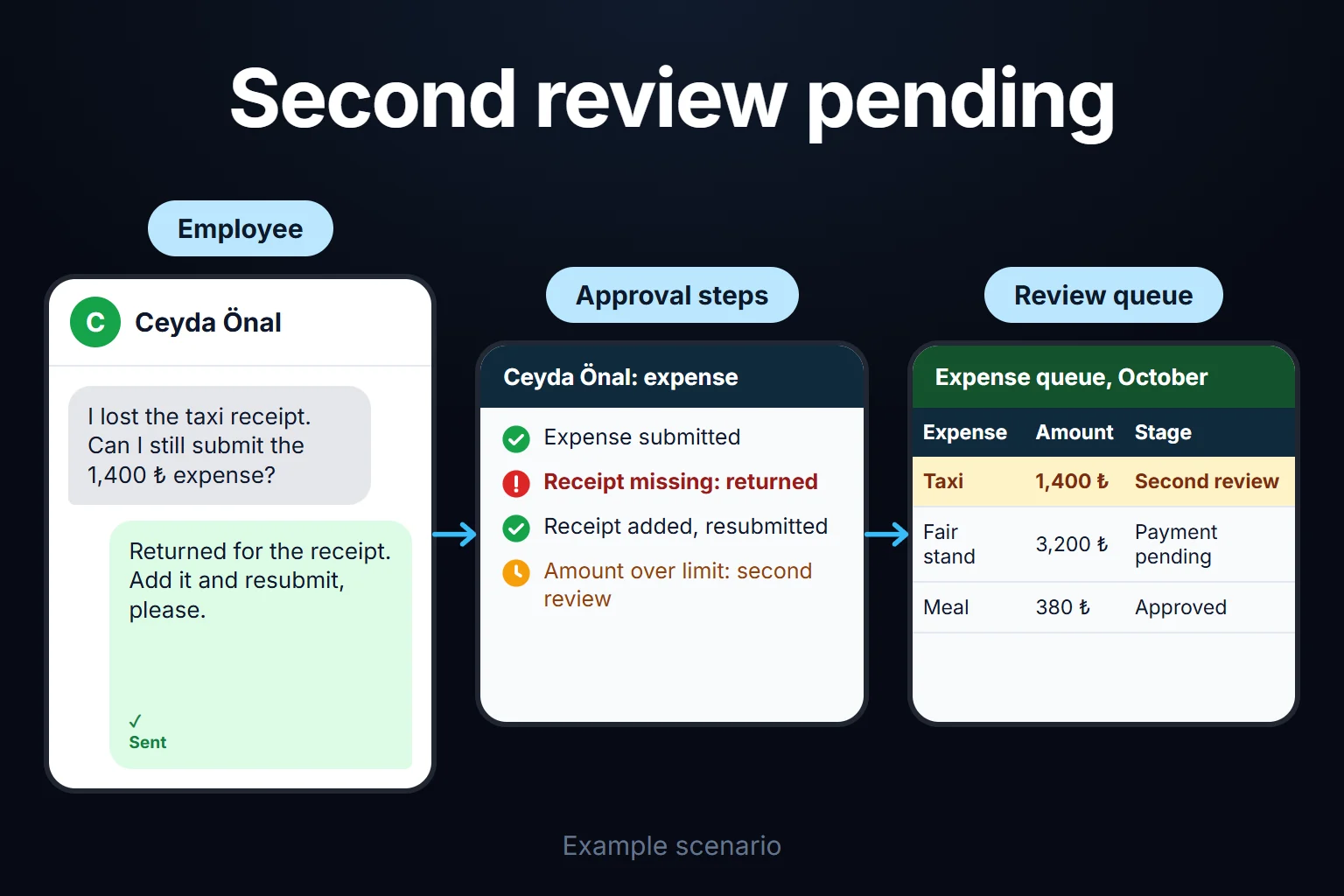 View full size](https://oguzerol.com/gorseller/senaryo/employee-expense-approval-workflow-senaryo-en.webp) # Employee Expense Approval Workflow: Manager-to-Finance Chain, Limits and Returns [Oğuz Erol](https://oguzerol.com/en/about-me/) | 18 min read An employee expense approval workflow is a web app that moves each claim from the employee to the manager and on to finance: it escalates claims above a limit, hands approvals to a delegate when the approver is away, and returns claims for correction on the same record. I build these for companies. With email approvals, a common trap is less slowness than invisibility: claims sit on nobody’s list while a manager is on leave, two claims split to stay under the limit never appear side by side, and you learn whether a returned claim was fixed only by searching inboxes. In the fictional month below, a 140-person company’s 186 claims close in a median of 2 working days instead of 9, and the finance manager changes two rules by looking at the month’s data. This page covers the approval chain only; card statements, advances and budgets are linked where they come up. With a few dozen claims a month, or an ERP approval module already in use, you may not need the app (see below). ## What are the steps in the approval chain? The chain I suggest has three steps: the manager confirms the spend was needed for the work, a senior approval is added if the claim is over the limit, and finance checks evidence, cost centre and policy last. Finance sits at the end so it reviews the version that was actually approved. A few terms keep one meaning throughout. A **claim** is what an employee submits in one go, with one or more lines (hotel, meals, taxi of one trip). A **senior approval** is the extra step when a claim passes the limit. A **return** sends a claim back for correction and is not a rejection. A **rejection** means the claim or line is not paid, and it can’t be saved without a reason. Every claim has one status, from draft to paid, visible to the employee. Managers can see the department’s remaining budget on the approval screen; comparing budget with actual spend is the job of the [budget vs actual expense dashboard](https://oguzerol.com/en/budget-vs-actual-expense-dashboard/). ## A sample month: where did 186 claims go? This month is fictional and the figures are sample data: a 140-person manufacturer with 23 approving managers and a field service team that lives on site. Until the previous month, approvals ran by email with a spreadsheet form; this is the first month in the app, and in the example the month starts on a Monday. The first month ran with a single limit of 15,000 in the company’s base currency. | what happened | claims | detail (sample data) | | --- | --- | --- | | Approved by manager and finance first time | 131 | | | Escalated to senior approval because of the limit | 12 | 9 field team hotel stays, 2 claims split from one restaurant bill, 1 piece of test equipment; all eventually approved | | Returned for correction | 34 | 15 missing receipts, 9 wrong cost centre or project code, 7 policy flags needing an explanation, 3 suspected duplicates | | Partly approved (one line rejected) | 6 | For example a minibar line in a four-line trip claim | | Rejected in full | 3 | Personal spend, outside policy | | **Total** | **186** | | Each claim is counted once, by where it first branched: a claim that went to senior approval and was later returned by finance (claim 1041 below) is in the escalated row; the 34 returned claims did not escalate. Of the 34 returned claims, 29 were corrected and approved, employees withdrew the 3 duplicates (the same receipt claimed on two separate claims), and 2 were still open at month-end. Approval time runs from submission to the end of the finance check, in working days. In the sample data the previous month’s email routine had a median of 9 and a longest of 23, from a team whose manager took three weeks’ leave with no cover; the first month’s median is 2, or 4 for escalated claims. 41 claims triggered the day-3 reminder and 11 moved to a delegate on day 5; while the sales manager was away for ten working days, the team’s 14 claims went to the named delegate, the regional sales manager. These are fictional figures, not a measured improvement at a real customer. ### What decisions came out of month-end? Nine of the 12 escalations were field team hotel stays: on four-to-six-night jobs, hotel, meals and taxi together usually pass 15,000. The technical director approved all nine unchanged after a median 4 working days, so this senior approval was a delay, not a control. The two restaurant claims (9,400 + 8,100, same employee, evening and venue) were exactly what it exists to catch: each under the limit, together above it. First decision: from the second month, a hotel line of no more than 3,500 per night doesn’t count toward the limit; above that it counts in full, and the other lines still escalate if they pass 15,000 between them or trip the split rule. Tested on the first month. Sample-data assumption: in eight of the nine hotel claims the hotel line is at most 3,500 per night and the other lines total under 15,000, so escalations drop from 12 to 4 (two restaurant claims, the equipment, and claim 1041 with its hotel at 4,200 per night). Second decision: in categories that need a receipt, a line can’t be submitted without one. In the first month, none of the 15 missing-receipt returns would then have reached finance (in the sample data all 15 were meal, hotel or transport lines); the other 19 were cost centre, policy flags and duplicates. The test I suggest before changing any threshold: if the rule had applied last month, how many claims would have escalated or come back? ## Approval rules: my suggestion, your decision The amounts and periods below are my starting suggestion, not measured values; you decide after testing them on a month of your own data. Amounts are in your base currency. | rule | my suggestion | why | | --- | --- | --- | | Amount limit | Up to 15,000: manager + finance; above that the manager’s manager is added; above 75,000 the managing director | Approval matches the risk | | Hotel stays | A hotel line at or below 3,500 per night doesn’t count toward the limit; above that it counts in full | Routine site stays don’t clog senior approval | | Split claims | Same employee, same day, same merchant claims are added together for the limit | Splitting a claim doesn’t beat the limit | | Delegation | Before leave, an approver names a dated delegate who approves on their behalf and within their limit | Approvals keep moving during leave | | Timeout | Reminder on day 3; on day 5 to the delegate, or the manager’s manager if there is none. Finance also has 3 days | Silence is not approval | | Own expenses | Nobody approves their own claim; a person’s own claims never appear on their approval list | The spender and approver differ | | No manager | The finance manager records the managing director’s claims; the independent check is a quarterly summary sent to a board member the board names | A subordinate approving their boss alone isn’t an independent check | | Line-level approval | Decide line by line; a rejected line isn’t paid, the rest moves on | One line doesn’t bounce the whole claim | | Rejection reason | No rejection or return without a reason from a short list plus one sentence | Return reasons become countable | | Return loop | Same number, version 2, changed fields highlighted; resumes at the step that returned it, or with the manager if the amount went up. Final reminder on day 30, closed on day 45 | Approvers look only at what changed | | Evidence required | In categories that need a receipt (meals, hotel, transport) a line without one can’t be submitted; the claim stays a draft | 15 of 34 first-month returns were missing receipts | | Policy flags | Weekend or public holiday, meals over the per-person limit, alcohol, receipts older than 60 days, the same receipt uploaded twice | A flag isn’t a rejection; approving needs one sentence | Details that don’t fit in the table: - **Limits of delegation:** The audit trail says “regional sales manager for sales manager”. A delegate’s own claim never lands with them; it goes one level up, so delegation isn’t a back door. My suggestion: if the named delegate is also on leave, the claim moves to the manager’s manager without waiting for day five. - **Amounts:** 3,500 per night was the sample month’s decision and the meal limit comes from your policy; test both on your own data. - **Why a flag isn’t a rejection:** weekend spend may be normal for a field team, and an automatic rejection would punish the right expense. ## Segregation of duties and the audit trail: who approved, when, and why? Here segregation of duties means the person who spends, the person who approves and the person who releases the payment at the bank are three different people. Roles enforce it; finance or HR defines reporting lines, and every change is logged. | role | sees | does and approves | cannot | | --- | --- | --- | --- | | Employee | Own claims and status | Claims, evidence, corrections; withdraw before the first approval or after a claim is returned | Approve own claims | | Manager | Team’s claims | Approve within own limit, return, reject a line, name a delegate | See own claims on their approval list | | Senior approver | Claims over the limit | Approve above the limit, return, reject a line | Step into under-limit claims | | Finance specialist | All claims | Finance check, return, accounting export | Change approval rules | | Finance manager | All claims and reports | Change rules, finalise the payment run, approve claims of people with no manager | Delete the audit trail | | Internal audit or board member | Everything, read only | Export the audit trail | Change records | A finance specialist’s own claim never reaches their own finance check; it goes to another specialist, or to the finance manager if there isn’t one. The finance manager’s claim goes to their manager, or follows the managing-director rule above. The audit trail can’t be deleted; a reversal is a new entry. Here is the hotel claim that tripped the per-night rule (sample data; day 1 is a Monday): - Day 2, 10:14 — Field engineer submitted claim 1041: 3 lines, 21,380 (hotel 4 nights 16,800, meals 2,900, taxi 1,680). - Day 2, 10:14 — Rule: limit of 15,000 exceeded, senior approval added. - Day 5, 09:02 — Service manager approved. - Day 8, 17:45 — Technical director approved. - Day 11, 11:20 — Finance specialist returned it: “missing evidence — no receipt for dinner on day 1”. - Day 12, 08:50 — Field engineer added the receipt, version 2; changed field: evidence. - Day 12, 09:30 — Finance specialist approved; claim added to the payment run on day 18. The amount didn’t change, so the claim resumed at finance instead of going back to the manager. **What if an approved record has to change?** It is locked; a correction entry keeps old and new values, and approval reopens if the amount or cost centre changes. On a payment run only the finance manager can change it; a paid claim never changes, and differences are settled in the next payment. Keep the trail as long as the evidence; in the UK, company records are kept for at least six years from the end of the last company financial year they relate to ([GOV.UK, read 14 October 2026](https://www.gov.uk/running-a-limited-company/company-and-accounting-records)). Your accountant confirms the period for you. ## After approval: accounting export and the payment run An approved claim goes onto two lists: the export to your accounting system and the payment run. - **Accounting export:** Excel or CSV in your system’s import format (employee, cost centre, project, account code, tax, document and approval numbers). A direct connection depends on your system; I don’t promise it before seeing it. - **Payment run:** I suggest one payment day a week. Claims cleared by Thursday noon join that week’s run, totalled per employee: one transfer, not three. If your bank accepts a bulk payment file, we check its format against the bank’s documentation together; I don’t promise it before seeing it. An authorised person approves the payment at the bank, and the app never touches the bank account. - **Advance offset:** An open cash advance is offset first and only the difference is paid; advances themselves belong to the [staff advance and expense tracking panel](https://oguzerol.com/en/staff-advance-expense-tracking-panel/). - **Company card lines:** Approved but not paid again; matching them to the statement is the job of [expense receipt and document tracking](https://oguzerol.com/en/expense-receipt-document-tracking/). In the sample month, 22 of the 178 approved claims (131 + 12 + 29 corrected + 6 partly approved) were card-paid. The other 156 went onto the Thursday payment runs for 61 employees (none was approved after the last Thursday); 8 were first offset against open advances. ## What does AI do, and where does it stop? AI doesn’t approve, reject or return any claim. Hard rules such as weekend spend are caught by the rules table; AI does three things rules can’t. 1. **Early policy flags** where description and evidence disagree: “client dinner, 4 people” with a receipt for one main course, or “service job in Leeds” with a hotel invoice from Bristol. The approver decides. 2. **Category and cost-centre suggestions** from the description: “pump installation at the client’s plant, dinner on the way back” gets “Field service / Meals” and the project code; the employee accepts or changes it. In the sample month 9 claims came back for a wrong cost centre. 3. **A weekly summary for managers** that says three things: how many claims wait, how many are flagged, which is overdue. “9 claims are waiting for you, totalling 38,400; two are flagged (weekend meals, description says site work); one has waited four working days.” Numbers come from the app’s table and are checked against it before sending. An expense record is the employee’s personal data: where they were, when, and who they ate with. Under the EU GDPR, a person has “the right not to be subject to a decision based solely on automated processing, including profiling, which produces legal effects concerning him or her or similarly significantly affects him or her” ([GDPR Article 22(1)](https://eur-lex.europa.eu/eli/reg/2016/679/oj)); Article 22(2) allows exceptions where the decision is necessary for a contract, authorised by law, or based on explicit consent. Whether a flagged expense claim reaches that threshold is a legal question; as a design choice, I build cautiously: an AI flag never rejects a claim on its own; every flag has a person’s decision and reason under it. In the UK, section 80 of the Data (Use and Access) Act 2025 replaced Article 22 with Articles 22A to 22D (in force from 5 February 2026), which turn on whether there is meaningful human involvement; check the current text with your adviser. In Turkey, KVKK gives a related right to object to an adverse result produced solely by automated analysis ([Law No. 6698, Art. 11/1-g](https://www.mevzuat.gov.tr/mevzuatmetin/1.5.6698.pdf)). Which data goes to the AI service is set in writing at the first step; I suggest a role and department instead of a name. I don’t give legal advice. ## Where exactly do email and spreadsheets break? In Google Ads Keyword Planner (pulled 14 October 2026, monthly average for September 2025 to August 2026), “expense approval workflow” had about 30 searches a month in the US and 10 in the UK, against 480 for “expense policy” in the UK. If you stay in Excel or Google Sheets, this is the set-up I suggest: one shared table, one row per claim, no per-person files travelling by email. A “Status” column limited by a dropdown (submitted, manager approved, returned, finance approved, paid), with approver and date in their own columns. Conditional formatting turns rows over the limit red, and a SUMIFS column totals same employee, same day, same merchant so split claims turn red too. As claims and approvers grow, it breaks in specific places: - **Which version was approved?** An “approved” reply applies to an attachment; when a corrected file arrives, nothing records whether the old approval covers it. - **Everything waits while the manager is away.** An out-of-office reply routes nothing. - **The limit lives in someone’s memory.** Two split claims arrive in two emails and never sit side by side. - **A returned claim starts a new thread**, cut off from the old one. - **Anyone can edit the approval cell.** Version history shows a change, not the reason; “nobody approves their own expenses” rests on trust. In an app, the business rule is applied when the claim is submitted, not when someone checks the sheet at month-end. ## When your ERP or HR system’s approval module is enough You don’t need a custom app with a few dozen claims a month and one approver, or if employees already use your ERP or HR system’s expense module. Those modules cover much of this page: in Microsoft Dynamics 365 expense management, an approver can approve a whole report or, where the legal entity’s setting requires it, individual lines; rejecting returns the report to the submitter; approval can be delegated; workflow history is visible; and workflows can have several approval levels ([Microsoft Learn training module, read 14 October 2026](https://learn.microsoft.com/en-us/training/modules/create-process-expense-reports/09-approve-expense)). Features depend on configuration. I haven’t verified every other product; we check its documentation together. A custom app makes sense when employees aren’t ERP users, when your rules are your own (project manager approval, rebillable expenses, a per-night hotel limit), when approval touches several systems (HR leave, accounting, bank payments), or when the data should stay on your own infrastructure. ## How do we start, who owns the data and code, and how do users sign in? The first step is mapping how you work today from three months of expense forms (names masked), a few approval emails and your authority matrix. The written output: your rules table, roles and reporting lines, thresholds tested on those months, and the scope of version one. I don’t suggest switching on every rule, AI and the payment run together in version one. My order: 1. Claims, manager approval, finance check, returns and the audit trail. 2. Limits and senior approval, delegation, timeouts. 3. Line-level approval, evidence rules, policy flags, accounting export and the payment run. 4. AI suggestions, once the rules have run cleanly through one or two month-ends. **Data:** The app runs on a hosted server (VPS), with server, keys and accounts in your company’s name if you wish. The data is yours, exportable in full as Excel or CSV. There is no per-user licence; the cost is the server’s monthly fee plus upkeep, unchanged by adding users in a small or mid-sized team. **Sign-in:** Everyone signs in with their own account; I give the sign-in method and user management in writing in the first step’s output. **Code:** The complete source sits in a repository you can access, with run instructions, a dependency list and known limits. Because the app handles personal data and payment details, I review access, security, hosting and maintenance separately at the start. If you change accounting systems, history stays in your database; the export mapping is rebuilt for the new import format, with scope and schedule shared in writing beforehand, as for version one. Send three months of expense forms with names masked, plus your current authority matrix, through the [contact page](https://oguzerol.com/en/contact/); in the first meeting we look at where claims wait longest for you and fill in the rules table with your own numbers. ## Frequently Asked Questions ### What happens to waiting claims if an approving manager leaves? Once the departure is recorded, claims waiting for them move to their manager until a successor is assigned. Earlier approvals and the audit trail stay. ### Can a manager approve from a phone? My aim is an approval screen that works in a phone browser, and I put that in the first step’s scope. The reminder email links to the claim and approval is given in the app; replying “approved” to an email doesn’t count, because it leaves unclear who approved which version. ### Can a project manager approve instead of the line manager? Yes. The project code on a line can decide the approver: the line goes to the project manager, then to finance. If a claim has lines for two projects, each goes to its own project manager, and the claim moves to finance once all lines are decided. ### Which exchange rate applies to the limit for foreign-currency expenses? I suggest converting at the rate on the expense date and applying the limit to that base-currency amount. Finance picks the source, such as your central bank’s reference rate or your bank’s rate. The foreign amount, rate and rate date are stored on the line; the exchange difference in the books is for your accountant. [Back to top ↑](https://oguzerol.com/en/employee-expense-approval-workflow/#icerik) ## You may also find these useful [Mobile Employee Expense Entry: Receipt Photos and AI Receipt ReadingA web app where field staff log expenses by phone, AI reads the receipt photo and flags fields that fail checks, and duplicates are stopped. See a sample month.](https://oguzerol.com/en/mobile-employee-expense-entry/)[Expense Receipt Tracking: Matching Card Statements to ReceiptsA web app that matches each month's corporate card statement to expense records and receipts, with a missing-receipt queue, FX and refund rules. See how.](https://oguzerol.com/en/expense-receipt-document-tracking/)[Expense Permissions and Reporting Screen: Who Sees What, Which Report Goes to WhomLet project managers see only their project and auditors get read-only exports: a web app that scopes each expense line by role. Walk through a sample company.](https://oguzerol.com/en/expense-permissions-reporting-screen/) [Browse all articles →](https://oguzerol.com/en/articles/) WHAT YOU CAN ASK FOR ## How do I work? Work-hour packages Tell me about your business and what you need on WhatsApp or by phone; we agree on **a work block of somewhere between 5 and 40 hours** and I start doing what is needed. What you get is not a calendar window — it is net working hours spent directly on your business. I can use 40 hours working three days straight, or deliberately spread it out and finish it over a year — whatever the work calls for. I do not spend my time estimating how long something will take, I spend it doing the work; every hour I spend leaves a lasting result in your business. We keep going for as long as you find it useful. WORK BLOCKS ## Why not monthly? Is 40 hours a week? On a fixed monthly fee both sides are watching the wrong thing: you watch a fixed cost, the other side watches how many more contracts like this they can line up. Working by the hour puts us both in front of the same thing — the real value of the work that got done. I know not having an upfront answer to "how much will this cost in total?" is the natural cost of this model. But instead of paying a fixed fee for months to a setup that is not producing results, you only pay for the qualified time spent on your work — and you see exactly where that time went, start to finish. That is why my clients keep coming back. 5hours300€ + VAT60€ per hour[Choose this block](https://wa.me/905496546489?text=Hi%2C%20I%27d%20like%20info%20about%20the%205-hour%20work%20block.) 10hours500€ + VAT50€ per hour[Choose this block](https://wa.me/905496546489?text=Hi%2C%20I%27d%20like%20info%20about%20the%2010-hour%20work%20block.) 20hours800€ + VAT40€ per hour[Choose this block](https://wa.me/905496546489?text=Hi%2C%20I%27d%20like%20info%20about%20the%2020-hour%20work%20block.) 40hours1,400€ + VAT35€ per hour[Choose this block](https://wa.me/905496546489?text=Hi%2C%20I%27d%20like%20info%20about%20the%2040-hour%20work%20block.)