Source: https://oguzerol.com/en/controlled-excel-import-screen/ [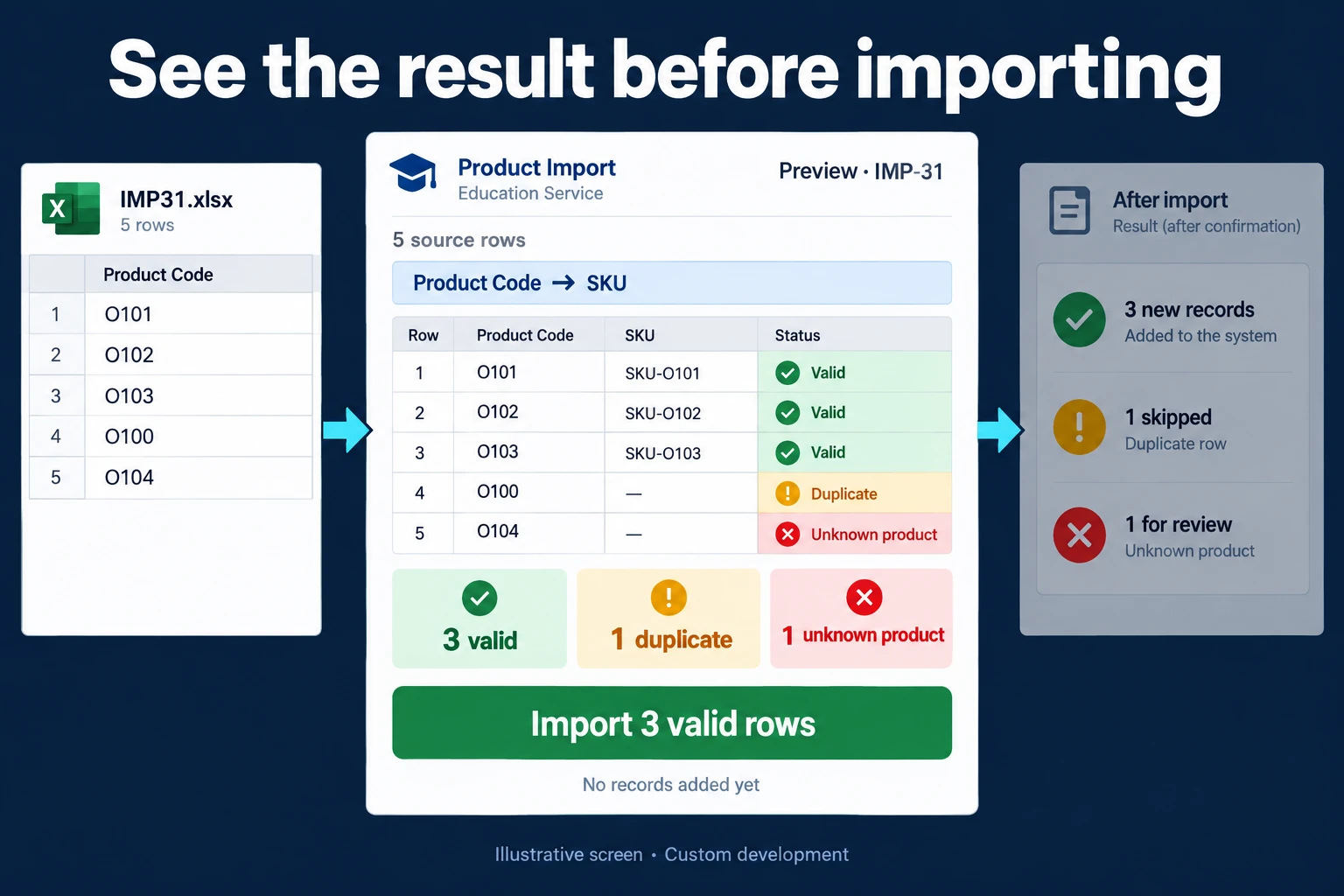 View full size](https://oguzerol.com/gorseller/hizmet-kapaklari/kontrollu-excel-aktarim-ekrani-webapp-v1-en.webp) # Controlled Excel Import Screen: Stop Stacking Dealer and Branch Files by Hand [Oğuz Erol](https://oguzerol.com/en/about-me/) | 16 min read A merged Excel sheet does not show its mistakes. Paste together the sales files from a fictional heating and cooling spare-parts manufacturer’s 12 dealers and dealer B08 beats its target at 106.9% and earns a bonus. The import screen shows 37 of B08’s rows belong to last month and were already imported: the real figure is 94.8%, and no bonus is paid. A controlled Excel import screen checks every row of an Excel or CSV file from a dealer, branch, supplier or legacy system before it reaches your central database, shows problem rows first, and keeps each upload as a reversible record. I build it as a custom web app. Three questions first: do you notice the same file arriving twice, spot rows overlapping last month, and reverse one wrong upload without touching the others? If all three are yes, or all sources come from one system in the same layout, Excel or Power Query is enough and you do not need this screen. To simply stack same-layout files from a folder, see the [combine Excel files page](https://oguzerol.com/en/automatically-combine-excel-files/); this page covers the checks, approval and rollback around that merge. ## How does the import screen work? Nothing is written until someone approves. This is the structure I suggest; the first version’s contents are set in writing in the first step. Four terms: - **Batch:** all rows from one upload, with a number; rollback works per batch. - **Source profile:** the saved column mapping and format settings (date format, decimal separator, encoding) for one dealer’s files. - **Row key:** the fields that identify a row; here dealer code + document number + line number. Never the file name. - **Pending queue:** rows not imported, waiting for a fix. A file is uploaded, profiled and cleaned, and each row is previewed as valid, corrected, held or skipped (already exists). The uploader fixes held rows or asks for a partial import, someone else approves, and the batch is written and logged. ## Sample month: 12 dealers, 1,845 rows *Sample data, fictional.* The heating and cooling spare-parts manufacturer’s 12 dealers, B01 to B12, each send a sales file early in the month. A sales operations specialist uploads, a finance controller approves, and the sales manager pays a bonus above 100% of the monthly unit target. Product codes have six digits; some start with zero. Until last month the files were pasted into one workbook. The screen went live this month; at set-up, last month’s merged file was loaded once as a “historical data” batch, which supplies last month’s row keys. This month’s sources: | dealer | file | rows | | --- | --- | --- | | B01, B03, B04, B06, B08, B10 | Excel from the dealer’s ERP | 148, 131, 176, 143, 188, 232 | | B02 | Excel from the dealer’s ERP, quantities stored as text | 162 | | B05 | CSV, opened and saved in Excel at the dealer | 154 | | B07 | Excel from a US-configured ERP | 119 | | B09 | UTF-8 CSV, decimal comma and thousands dot | 167 | | B11 | CSV in a legacy Windows code page | 126 | | B12 | Hand-made Excel, product names instead of codes | 99 | What happened during the month: - **B06 sent one file twice under different names.** The fingerprint matched, so the second upload opened no batch. - **B03 sent a corrected file:** 128 of 131 rows identical, 3 with a different amount under the same key. The screen asked for a decision instead of overwriting. The first batch was unused, so the uploader requested a rollback, the approver reversed it, and the corrected file became a new batch. - **B04 had 4 rows with no document number, B12 6 unmarked negative quantities.** Their valid 172 and 93 rows came in by partial import (2.3% and 6.1% held); on resending, unchanged rows were skipped and the 4 and 6 fixed rows imported. - **B05’s codes were shortened:** the CSV had been opened and saved in Excel, so “004512” became “4512” on 97 rows. The rule owner approved “pad to six digits” for B05 only; these rows count as auto-corrected, not held. - **B07’s dates were month/day/year:** in 66 of 119 rows the second number was above 12, so the profile was locked to it. - **Profiles fixed B02, B09 and B11.** Text quantities became numbers, the decimal comma was read, and for B11 the screen suggested the legacy code page, fixed in the profile once accented names looked right; “pc” became “pcs” on 3 rows. - **B10 had 18 rows with codes not yet in the catalogue,** new products. 214 rows were imported; 18 stayed pending. By month end, excluding the historical batch, 16 upload attempts had opened 15 batches, one rolled back; 1,790 rows imported, 18 pending, B08’s 37 skipped. ### The decision at month end B08’s target is 1,500 units. Pasted together as before, B08 would show 1,604, 106.9%. The screen found 37 rows dated last month and already in the historical batch under the same keys, 182 units. Without them B08 sold 1,422 units, 94.8%, 78 short. The sales manager withheld the bonus and asked about the date range: the dealer’s ERP pulled “last 30 days”, not the calendar month. The rule I suggest: a period filter on B08’s profile, so out-of-period rows are shown but never imported; and a dealer with pending rows (B10) has no final bonus until its queue closes. You could reach this decision in Excel too, provided last month’s rows are at hand and every row has a key. ## If you stay in Excel: the layout and formulas I suggest One row per document line. Columns: A Dealer code, B Document no., C Line no., D Date, E Product code, F Quantity, G Source file. Last month’s imported rows sit in a sheet called “Previous” with the same layout; M1 holds the period start, M2 the period end. - H, row key: `=A2&"|"&B2&"|"&C2` - I, already imported: `=COUNTIF(Previous!H:H,H2)>0` - J, inside the period: `=AND(D2>=$M$1,D2<=$M$2)` - K, to import: `=AND(J2,NOT(I2))` - Bonus units: `=SUMIFS(F:F,A:A,"B08",K:K,TRUE)` Format column E as text, or leading zeros disappear. COUNTIF treats \* and ? in a document number as wildcards; put ~ before them ([Microsoft Support](https://support.microsoft.com/en-us/office/countif-function-e0de10c6-f885-4e71-abb4-1f464816df34), read 15 October 2026). Regional settings decide the argument separator, so Excel may expect semicolons. You need both I and J: J only checks the date, so when a dealer resends an in-period file, only I catches rows already imported. I recalculated the formulas’ logic in Python on the fictional B08 rows, not in Excel; try them once on a copy of your file: | measure | formula result | expected | | --- | --- | --- | | Rows with I = TRUE | 37 | 37 | | Rows with J = FALSE | 37 | 37 | | Bonus units via SUMIFS | 1,422 units, 94.8% | 1,422 units, 94.8% | Why not Excel’s Remove Duplicates? Microsoft’s help page (read 15 October 2026) says it compares the columns you select by what the cell displays, keeps the first occurrence and deletes permanently, so copy the data first; Undo restores it at once in Excel for the web ([Microsoft Support](https://support.microsoft.com/en-us/office/filter-for-unique-values-or-remove-duplicate-values-ccf664b0-81d6-449b-bbe1-8daaec1e83c2)). I recalculated that behaviour in Python for three cases: | situation | all columns | all but G | A, B, C only | correct | | --- | --- | --- | --- | --- | | B06 twice under two names (286 rows) | 286 | 143 | 143 | 143 | | Both versions of B03, old one first (262 rows) | 262 | 134 | 131, old amount on 3 rows | 131, corrected amounts | | B08, previous-month rows in another workbook (188 rows) | 188 | 188 | 188 | 151 | Column G holds the file name, so selecting all columns misses B06’s renamed copy. Selecting only the key gives B03 131 rows, but the first occurrence stays: 3 rows keep the old amount and the correction is silently deleted (my application of Microsoft’s description). The formulas do not tell you who uploaded or approved a file, or how to reverse one wrong upload in a step. The difference an app makes: a defined business rule is applied at upload, not when someone cleans up the sheet at month end. ### A short note to send to dealers An import screen catches errors at the centre, but a clear template note can prevent repeated work at the source. The same note helps when you stay in Excel: 1. Keep the agreed columns and their order. Put additional remarks in the designated notes field. 2. Avoid merged cells in the data area; a visually shared value may be read as blanks in other rows. 3. Use the unit specified in the column. Cases and individual items are different quantities and must be identified explicitly. 4. Inspect Excel’s green warning triangles before submission. A number stored as text may not be included in a calculation. The absence of a triangle proves little if error checking is disabled. 5. Check leading zeros when copying product identifiers. 6. Label corrected submissions clearly. The import should identify an earlier submission and apply the agreed replacement or correction rule, rather than silently counting both. Feedback needs a row and a reason: for example, “Row 14: unit is case; expected item.” List rejected rows on screen; if a downloadable correction file is required, include it explicitly in the scope. Track repeat errors with the same measure over time rather than promising they will disappear. Formula errors such as #N/A or #VALUE! are a different issue. This section concerns transferring a file correctly into another system. ## Where is Power Query enough, and where exactly does it break? Power Query combines same-layout files well and breaks where layout and encoding vary. From Microsoft’s documentation, read 15 October 2026: **Where it is enough:** - It combines same-column files from a folder with one example file’s transformation, and can skip files with errors ([Microsoft Learn](https://learn.microsoft.com/en-us/power-query/combine-files-overview)). - “Using locale” reads dates and numbers in another regional format ([Microsoft Learn](https://learn.microsoft.com/en-us/power-query/data-types)). - “Keep errors” isolates failed conversions, an auditing tool in Microsoft’s words ([Microsoft Learn](https://learn.microsoft.com/en-us/power-query/dealing-with-errors)). - “File Origin” lets you set a CSV’s encoding by hand; Microsoft ties it to Windows code pages ([Microsoft Learn](https://learn.microsoft.com/en-us/windows/win32/intl/code-page-identifiers)). **Where it breaks:** - **If a step refers to a column by name, renaming it stops the query** with “The column … of the table wasn’t found” ([Microsoft Learn](https://learn.microsoft.com/en-us/power-query/dealing-with-errors)). My inference: if the example query applied to each file calls a column by name, the error arises in that dealer’s file; with “Skip files with errors” on, the result arrives without that dealer, silently. - **Type detection uses the first 200 rows by default,** and a wrong type does not always raise errors; sometimes values are simply wrong ([Microsoft Learn](https://learn.microsoft.com/en-us/power-query/common-issues)). In the CSV connector detection can be switched to the full dataset or turned off. - **Encoding is not detected;** UTF-8 is recognised only with a byte order mark ([Microsoft Learn](https://learn.microsoft.com/en-us/power-query/connectors/text-csv)). Also my inference, not Microsoft’s wording: since the example file’s settings apply to every file, a folder mixing UTF-8 and legacy code-page files reads one of them wrongly. - **Duplicate removal is case-sensitive, and which copy survives is not guaranteed** ([Microsoft Learn](https://learn.microsoft.com/en-us/power-query/working-with-duplicates)). - **No batch, approval or rollback.** My assessment: a query rebuilds its result from the folder on each refresh; “reverse only this upload” has no counterpart in it. **Excel itself changes data on opening.** Per Microsoft’s help page (read 15 October 2026), when data is added to a workbook, such as by opening a .csv, Excel by default removes leading zeros, puts numbers over 15 digits into scientific notation with later digits rounded to zero, and can turn numbers around an “E” into scientific notation and letter-number strings into dates. In Microsoft 365 and Excel 2024 you can switch these off under File > Options > Data > Automatic Data Conversion ([Microsoft Support](https://support.microsoft.com/en-us/excel/set-automatic-data-conversions)). ## If Excel or Power Query is enough, you do not need this screen I would not recommend a separate import screen if: - One person merges and uses the files; no approval or roles needed. - Every source has the same columns and encoding each month; Power Query’s folder combine will do. - Past months sit frozen in separate workbooks and you never reverse an upload. - Your ERP or accounting software has an import screen with an error report your team uses; use that fully first. - Branches or dealers could enter records directly; then a [branch-based data entry system](https://oguzerol.com/en/branch-based-data-entry-system/) is cleaner than files. ## Import rules: my starting point These are starting suggestions, not measured truths, tuned with the first two months of files; catalogue, units and line types come from your systems. | rule | my suggestion | what it prevents | | --- | --- | --- | | Same file | Matching content fingerprint opens no batch; name ignored. Only byte-identical files match; a resaved file falls to the row-key rule | One file uploaded twice | | Row key | The profile states which fields identify a row | Rows deleted by guesswork or counted twice | | Same key | Same values: skipped and counted. Different values: never overwritten; rollback or correction required | Resent rows added again; amounts changing silently | | Out-of-period date | Not imported if the profile has a period filter; listed | Last month’s rows counted now | | Date and number formats | Fixed per profile; with no profile and all day values 12 or below, import stops and asks; a column mixing 1.250,00 and 1,250.00 holds the row | Guessing whether 03/04 is 3 April or 4 March | | Numbers and codes | Numbers stored as text are cleaned of spaces and converted, failures held; code fields always stay text, and a length rule for shortened codes is saved only once approved | Rows missing from totals; 004512 becoming 4512 | | Encoding | UTF-8 first; on invalid bytes a legacy code page (Windows-1252, Windows-1254) is suggested, with an accented sample row shown | “Müller” stored broken | | Required fields and lists | Document no., date, code, quantity filled; code in the catalogue, unit in the unit list; approved mappings (“pc” → “pcs”) saved | Keyless rows; “pc” and “pcs” as two units | | Negative quantity | Only on lines typed “return” | Returns silently netted off sales | Bank statements also need invoice matching; see the [bank transaction reconciliation app](https://oguzerol.com/en/bank-transaction-reconciliation-app/). ### When is a partial import acceptable? A partial import brings in valid rows and leaves problem rows pending. I decide by the problem’s source; for product codes my starting suggestion is three classes: - **Bad format the profile rule fixes** (lost leading zeros, shortened codes, like B05’s 97 rows): corrected under the approved rule, not held, not counted. - **Bad format that cannot be fixed,** or other dealer-side errors (blank required fields, unmarked negative quantities): above 10% of the file, it goes back to the dealer; below, the approver can allow a partial import with a reason. My assumption: many held rows usually mean the file itself is wrong (wrong period, shifted columns); tuned over two months. - **Valid format (six digits) but not in the catalogue:** a master-data gap, like B10’s 18 rows: no threshold, no return. The rows wait in the pending queue until the master-data owner adds the products. My starting suggestion is 3 working days, after which the queue lands on the approver’s list. Until the queue closes, any bonus or invoice that depends on that dealer’s data is not final. ### Rollback: reversing a whole upload Rollback takes a whole batch out of the live data in one step; its rows stay in the audit trail marked “rolled back”. My rules: - **Per batch only.** A single row is changed with a correction record. - **Only before the period closes and before the rows are used elsewhere,** which is why B03’s first batch could be rolled back. - **A used batch gets a correction batch instead,** or the calculation loses its source. - **The uploader can request it; someone else approves it.** ## Who uploads, who approves, who rolls back? The core rule I suggest: nobody approves their own upload. - **Uploader** (sales operations specialist): uploads, fixes held rows, requests partial imports or rollbacks. - **Approver** (finance controller): approves others’ batches, partial imports (with a reason) and rollbacks; their own uploads go to another approver or their manager. - **Rule owner** (sales operations manager): changes profiles, units and thresholds; each change is a new profile version. - **Master-data owner** (whoever keeps the product catalogue): closes the pending queue by adding new products. - **Report users, management and auditors:** see imported data and the pending queue, change nothing. Everyone needs their own account for the rule to hold. The **audit trail** keeps an undeletable line per batch and decision: number, file name, fingerprint, uploader, time, profile version, row counts, approver, and reasons for partial imports or rollbacks. B03’s first batch stays there as “rolled back”, with its reason. ## What does AI do, and where does it stop? AI here suggests; a person decides. Checks and duplicate protection are the screen’s own rules. Two places it helps: 1. **Mapping from column names.** For a new or changed heading such as “Stock Code” or “Part #”, the model suggests the target field; the uploader accepts or corrects it, and the saved mapping means no model call for that dealer next time. 2. **Product names to codes.** For B12’s 23 product names the model suggested codes for 21; the uploader corrected one, matched the other 2 by hand, and the approved pairs went into B12’s dictionary. No row goes to the model without passing the permission filter first: for name matching it sees only that dealer’s rows and the catalogue’s code and name columns; for column mapping, headings and a few masked samples, never the whole file. **Dealer files can carry personal data,** such as a customer’s name and phone for warranty. Under the EU GDPR, personal data should be limited to what the purpose needs ([GDPR, Art. 5(1)(c)](https://eur-lex.europa.eu/eli/reg/2016/679/oj)); the [UK GDPR](https://www.legislation.gov.uk/eur/2016/679/article/5) has the same wording. If reports do not need names, I suggest skipping or masking that column; it never reaches the model. I give no legal advice; I list in writing which fields go to the model, for your legal adviser to assess. **In Turkey**, KVKK (Law No. 6698) Article 4(2)(ç) sets the same principle, and sending a row with personal data to an AI service abroad falls under Article 9, rewritten by [Article 34 of Law No. 7499](https://www.resmigazete.gov.tr/eskiler/2024/03/20240312-1.htm) (Official Gazette 12 March 2024, No. 32487) with effect from 1 June 2024. I read the current text of both articles on mevzuat.gov.tr on 15 October 2026. If your company operates in Turkey, confirm the transfer with your legal adviser before the model sees any row. ## How do we start, and who owns the data and code? In the first step we review two months of files (names masked) and today’s merge sheet; its output puts profiles, row key, rules, roles, first-version scope and estimated timeline in writing. The most common mistake I see in automation projects is picking the most complex process to automate first, so the first version starts with a few dealers whose ERPs send regular files; hand-made files, partial imports and AI come later. The app runs on a server (a VPS) that can be opened in your company’s name. The data is yours, exportable as Excel or CSV whenever you want; how the audit trail and source files are handed over is written down in the first step. In a small or mid-sized team there is no per-user licence; the cost is the server’s monthly fee plus maintenance. The source code sits in a repository you can access, with run instructions, a dependency list and known limitations. Because files can carry personal data, I assess access, security, hosting and maintenance separately at the start. **What if a dealer’s ERP, or yours, changes?** Earlier batches and the audit trail stay. Updating a changed profile, and any writing into your ERP (which depends on its import options), are scoped in writing in the first step. Send three of last month’s dealer files, names masked, via [WhatsApp on +90 549 654 64 89](https://wa.me/905496546489) or the [contact page](https://oguzerol.com/en/contact/); we start from which source breaks most often and whether rows are counted twice today. ## Frequently Asked Questions ### Can the same screen handle a one-off migration of past years from a legacy system? Yes, same rules. Import history year by year as separate batches, starting with one year; if it goes wrong, only that batch is rolled back. ### Can dealers upload their own files, and what about files sent by email? Both can be set up as needed. I suggest a dealer who uploads sees only its own batches, with approval at head office; emailed files are uploaded by head office. The first step sets which goes into the first version. ### Can two dealers use the same document number? Yes; their systems number independently, so the row key starts with the dealer code and each profile names its key fields. ### How should we explain the template rules to dealers? Give them a short note covering column order, units, identifiers and corrected submissions. Adapt the [dealer note](https://oguzerol.com/en/controlled-excel-import-screen/#dealer-note) to your template. [Back to top ↑](https://oguzerol.com/en/controlled-excel-import-screen/#icerik) ## You may also find these useful [Stop Combining Excel Files by Hand Every Week: Power Query or an Import AppCombine Excel files using Power Query or a controlled import screen. Map columns, trace source rows and check duplicate records before publishing results.](https://oguzerol.com/en/automatically-combine-excel-files/)[Excel to SQL Database Migration: Table Design, Dry Runs and Cutover DayMoving a multi-tab Excel file into a SQL database: table design, duplicate records, dry-run migrations and cutover. See what a 41,260-row example uncovered.](https://oguzerol.com/en/excel-to-sql-database-migration/)[Mobile Alternative to an Excel Form: Stop Typing into Spreadsheets on a PhoneWhen field staff type into a shared spreadsheet on their phones and records slip: required fields, controlled lists, linked photos and approval. A sample month.](https://oguzerol.com/en/mobile-excel-form-alternative/) [Browse all articles →](https://oguzerol.com/en/articles/) WHAT YOU CAN ASK FOR ## How do I work? Work-hour packages Tell me about your business and what you need on WhatsApp or by phone; we agree on **a work block of somewhere between 5 and 40 hours** and I start doing what is needed. What you get is not a calendar window — it is net working hours spent directly on your business. I can use 40 hours working three days straight, or deliberately spread it out and finish it over a year — whatever the work calls for. I do not spend my time estimating how long something will take, I spend it doing the work; every hour I spend leaves a lasting result in your business. We keep going for as long as you find it useful. WORK BLOCKS ## Why not monthly? Is 40 hours a week? On a fixed monthly fee both sides are watching the wrong thing: you watch a fixed cost, the other side watches how many more contracts like this they can line up. Working by the hour puts us both in front of the same thing — the real value of the work that got done. I know not having an upfront answer to "how much will this cost in total?" is the natural cost of this model. But instead of paying a fixed fee for months to a setup that is not producing results, you only pay for the qualified time spent on your work — and you see exactly where that time went, start to finish. That is why my clients keep coming back. 5hours300€ + VAT60€ per hour[Choose this block](https://wa.me/905496546489?text=Hi%2C%20I%27d%20like%20info%20about%20the%205-hour%20work%20block.) 10hours500€ + VAT50€ per hour[Choose this block](https://wa.me/905496546489?text=Hi%2C%20I%27d%20like%20info%20about%20the%2010-hour%20work%20block.) 20hours800€ + VAT40€ per hour[Choose this block](https://wa.me/905496546489?text=Hi%2C%20I%27d%20like%20info%20about%20the%2020-hour%20work%20block.) 40hours1,400€ + VAT35€ per hour[Choose this block](https://wa.me/905496546489?text=Hi%2C%20I%27d%20like%20info%20about%20the%2040-hour%20work%20block.)