Source: https://oguzerol.com/en/branch-based-data-entry-system/
[
View full size](https://oguzerol.com/gorseller/senaryo/branch-based-data-entry-system-senaryo-en.webp)
# Branch-Based Data Entry System: Branch Scope, Staff Transfers, Inter-Branch Moves and Period Locks
[Oğuz Erol](https://oguzerol.com/en/about-me/) | 15 min read
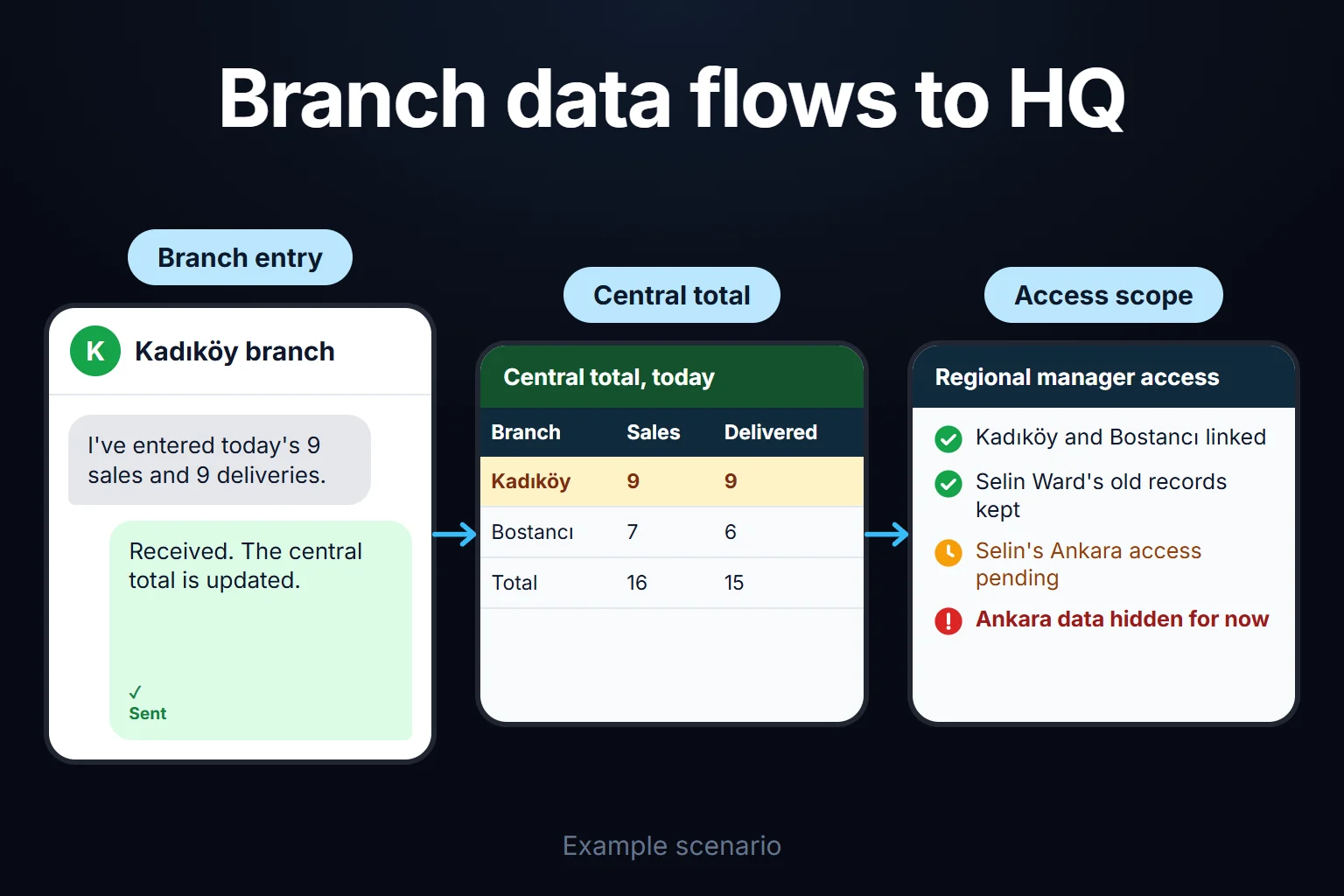
A branch-based data entry system is a custom web application where each branch enters its own daily sales, collections, service jobs and equipment movements; regional managers see only the branches assigned to their region; and head office sees the consolidated company picture in real time. I build this system around your multi-branch structure. Three traps break spreadsheet-based branch reporting: when 18 branches maintain separate workbooks, one branch inserts a helper column and breaks head office’s `IMPORTRANGE` or Power Query consolidation, whereas putting everyone in one shared sheet exposes every branch’s revenue to every other branch; when a manager transfers from Branch A to Branch B mid-month, changing folder permissions either orphans their past entries or leaves old branch data exposed; and when Branch A ships equipment to Branch B, Branch A deducts the item immediately while Branch B forgets to log receipt, making assets vanish from company totals. Below I follow one month at a fictional 18-branch equipment rental and service company through all three.
This page focuses on branch data entry, branch-level access isolation, date-bounded staff transfers, two-step inter-branch asset transfers and end-of-day locking. Comparing daily branch performance ratios on standardised KPIs is covered on the [branch daily report comparison app](https://oguzerol.com/en/branch-daily-report-comparison-app/) page, while general field- and row-level permission design is covered on the [expense permissions and reporting screen](https://oguzerol.com/en/expense-permissions-reporting-screen/) page. If you run two or three locations and one person at head office reviews every row each morning, your existing spreadsheet may suffice; see the checklist further down.
## A sample company: an 18-branch equipment rental company across 4 regions, four roles and six terms
*Sample data, fictional. Amounts are in a generic currency unit.* Consider a 140-person company that rents, sells and services industrial floor scrubbers and access platforms across **18 branches** grouped into 4 regions. Every branch manager logs daily rental dispatches, returns, collections and workshop jobs; four regional managers oversee their assigned branches; and head-office operations and finance review consolidated totals.
Today each branch updates its own Google Sheet by 18:00, and a master workbook at head office pulls all 18 files via `IMPORTRANGE`. Last month Branch West shipped 3 floor scrubbers to Branch East and deducted `-3` from its sheet. Because the lorry arrived late, Branch East unloaded 2 machines (`+2`) and left the third on the vehicle for a morning site drop. For two weeks the master workbook showed 1 machine worth $85,000$ missing from company inventory. In the same month, a relief manager covering a holiday accidentally overwrote a closed prior-month collection row.
Six terms used throughout this page:
- **Record branch stamp and active user scope:** Every transaction row is permanently stamped with its `branch_id` when created. A user’s **active scope** defines which branch(es) they are permitted to view and enter data for today.
- **Date-bounded branch assignment (rotation and relief cover):** A table linking a user to a branch with `valid_from` and `valid_to` timestamps. When staff transfer branches, past records stay stamped to the old branch while the user’s screen switches cleanly to the new branch.
- **Regional rollup scope:** A permission tier allowing a regional manager (for example Region North: 5 branches) to view individual rows and combined totals for their 5 branches while queries for the other 13 branches return zero rows at the database level.
- **Two-step inter-branch transfer:** When the sending branch logs an outbound transfer, the asset moves into **“In Transit / Pending Receipt”** rather than disappearing; it enters the receiving branch’s inventory only when the receiving manager clicks **Confirm Receipt**.
- **End-of-day lock and adjustment voucher:** Once a branch closes its day (or automatically at $10:00$ the next business day), historical rows become read-only. Corrections require a regional-manager-approved **adjustment voucher** (`+ / - delta row`) that preserves the original entry.
- **Submission status matrix:** A live head-office grid showing which of the 18 branches have closed and signed off today’s log and which are still open.
The four roles are **branch manager**, **relief / rotating staff member**, **regional manager** and **head-office operations / finance controller**.
## How an inter-branch transfer and end-of-day fleet count stay balanced
*Sample data.* Follow two branches in the same region (**Branch West** and **Branch East**) on the same business day:
- **Branch West:** Opens the day with **64 active machines**. During the day, **2 machines** return from customer hire ($+2$), **5 machines** go out on new hires ($-5$), and **3 machines** are dispatched on an inter-branch transfer to Branch East ($-3$). Daily collections total **$148,500$**. Branch West’s physical closing fleet is: $$64 + 2 - 5 - 3 = 58\\text{ machines}$$
- **Branch East:** Opens the day with **42 active machines**. During the day, **1 machine** returns from hire ($+1$) and **4 machines** go out on new hires ($-4$). From the 3 machines sent by Branch West, Branch East unloads and confirms receipt of **2 machines** ($+2$) at 17:30, while **1 machine** remains on the transport lorry overnight (**1 in transit**). Daily collections total **$112,000$**. Branch East’s physical closing fleet is: $$42 + 1 - 4 + 2 = 41\\text{ machines}$$
In disconnected spreadsheets, adding Branch West ($58$) and Branch East ($41$) gives $99\\text{ machines}$ instead of the expected $100$ ($106\\text{ opening} + 3\\text{ returns} - 9\\text{ new hires}$), triggering a hunt for a “missing” machine.
In the web app, the Regional Manager’s screen reconciles the two branches automatically:
| metric | Branch West | Branch East | In Transit (West → East) | Two-Branch Total |
| --- | --- | --- | --- | --- |
| Opening branch fleet | 64 | 42 | 0 | **106** |
| Hire returns ($+$) | +2 | +1 | 0 | **+3** |
| New hire dispatches ($-$) | −5 | −4 | 0 | **−9** |
| Inter-branch transfer movement | −3 | +2 | **+1 (Awaiting East receipt)** | **0 (Balanced)** |
| **Closing fleet count** | **58** | **41** | **1** | **100** |
| Daily collections | 148,500 | 112,000 | — | **260,500** |
If the 1 machine in transit is not confirmed by Branch East within your set window (for example 24 hours) or is flagged as *“Damaged / Discrepancy”*, the row stays highlighted on both branch managers’ and the regional manager’s dashboards.
## Branch scope, staff rotation and period-lock rules table
Below is the rule structure I recommend for the sample company (*labelled as my starting suggestion*; cutoff times and thresholds are configured to your operation):
| rule | starting suggestion in sample company | what it solves |
| --- | --- | --- |
| Server-side branch isolation | every database query appends `WHERE branch_id IN (user_active_branches)` on the server; other branches’ rows never reach the browser | prevents branches from seeing each other’s revenue, customer lists or bonus figures |
| Date-bounded staff rotation | if a manager moves from West to South on the 15th, West access ends `14th 23:59` and South access starts `15th 00:00` | keeps the first 14 days attributed to the user under Branch West while switching their screen to Branch South on the 15th |
| Time-limited relief delegation | when a branch manager takes 5 days’ leave, the regional manager grants a colleague a `5-day relief scope` that expires automatically | eliminates shared passwords and forgotten temporary permissions |
| Two-step transfer handshake | sending branch initiates transfer; items remain in `In Transit` until the receiving branch selects `Full Receipt`, `Partial Receipt` or `Dispute` | ends “we sent it / we never got it” inventory gaps between locations |
| End-of-day cutoff lock | branches click **Close Day** at sign-off; any unclosed day locks automatically at $10:00$ the next business day (*starting suggestion*) | stops silent backdated edits to closed daily cash or fleet numbers |
| Approved adjustment vouchers | correcting a locked day requires submitting a reasoned adjustment request; once approved by the regional manager, a delta row is appended without deleting the original row | preserves a complete audit trail of who changed a closed figure and why |
| Central master dictionary | product codes, transaction types and hire rates are maintained solely by head office; branches cannot add ad-hoc columns | stops 18 branches from inventing 18 different labels for the same service |
## Roles and permissions: who sees what and who unlocks closed days?
| action / view | branch manager | relief / rotating staff | regional manager (5 branches) | head-office operations / finance |
| --- | --- | --- | --- | --- |
| Enter daily sales, collections and jobs | own branch only | assigned relief branch only (during active dates) | view only | view all branches |
| View other branches’ revenue and rows | no | active assigned branches only | own region’s 5 branches only | all 18 branches |
| Initiate / confirm inter-branch transfer | dispatch from own branch; confirm incoming to own branch | yes, tagged as relief user | monitors in-transit items across region | monitors all inter-branch transfers |
| Request / approve adjustment on locked day | request adjustment | request adjustment | approve/reject within own region | approve all adjustments and monthly close |
| Assign staff rotation and relief scope | no | no | grant temporary relief within own region | manage permanent branch transfers and regions |
| Export to Excel / CSV | own branch summary only | no | own region only (logged) | full company export |
## A sample month: 18 branches, 396 branch-day closes and exceptions caught
*Sample data.* Across 22 business days in the first month, the 18 branches completed **396 branch-day closes** ($18 \\times 22 = 396$). Each branch-day is counted once below:
| close status | branch-days | details |
| --- | --- | --- |
| Closed on time with zero discrepancies | 358 | signed off by branch manager with balanced fleet and collections |
| Total branch-days intercepted by rule gates or approval workflows | 38 | broken down into the three categories below |
| · Post-cutoff ($10:00$ next day) corrections processed via approved adjustment vouchers | 19 | 14 late field-service vans returning after hours; 5 misclassified collection types |
| · Inter-branch transfers flagged after exceeding the 24-hour receipt window | 11 | 9 overnight carrier delays; 2 wrong destination branch codes fixed the same day |
| · Closed under a time-limited relief assignment during manager leave or rotation | 8 | completed under the relief user’s own login without sharing credentials |
| **Total** | **396** | **18 branches × 22 business days** |
**End-of-month decision.** Reviewing the 19 post-cutoff adjustment vouchers showed that 14 of them happened for the same operational reason: mobile field-service technicians returning to the depot after 17:30 handed in their paper job sheets the next morning after the 10:00 lock. Head office updated the cutoff rule: while daily cash and collection rows still lock at $10:00$ the next morning, “Field Service Job Log” rows stay open until $12:00$ the next business day, cutting post-cutoff adjustment requests by two-thirds without relaxing cash control.
## Why consolidating branch spreadsheets with `IMPORTRANGE` breaks
In Google Sheets, multi-branch rollups typically rely on stacking `IMPORTRANGE` calls:
`={IMPORTRANGE("branch1_key", "Log!A2:H500"); IMPORTRANGE("branch2_key", "Log!A2:H500")}`
As Google’s documentation notes, chaining `IMPORTRANGE` across many workbooks degrades recalculation speed, and granting a destination sheet access to a source workbook allows pulling any range from that source ([Google Docs Editors Help — IMPORTRANGE](https://support.google.com/docs/answer/3093340)). In daily operations, three failures are routine:
- **One inserted column corrupts the master rollup:** If Branch 7 inserts a “Notes” column at column `D`, every numeric column from Branch 7 shifts right and lands under the wrong header at head office.
- **Staff transfers mix past and present access:** Removing a transferred manager from Branch A’s file strips their ability to answer questions about last week’s entries, while leaving them on the file exposes Branch A’s future numbers.
- **Manual range locking does not scale:** Locking yesterday’s rows across 18 separate workbooks every morning at 10:00 requires tedious manual maintenance or fragile scripts that break whenever a tab is renamed.
## What AI does and does not do in a branch data entry system
AI **never calculates branch totals, fleet counts, cash balances or access permissions**; all consolidation and access control run in deterministic database queries. AI handles three assistive tasks, each requiring human confirmation:
1. **Pre-close anomaly checks:** When a branch manager clicks **Close Day**, the model checks the day’s entries against that branch’s own historical baseline and flags outliers: *“Today’s local transport expense (48,000) is roughly 10x your branch’s 30-day average; please verify before closing.”*
2. **Structuring field technician notes into draft job rows:** A technician’s mobile voice or text note (*“Replaced vacuum motor on scrubber ZY-402 at East Industrial site, 3 hrs labour”*) is parsed into a draft service row with matched asset ID for the branch manager to confirm.
3. **Region-scoped natural-language queries:** A regional manager can ask *“Which machine category had the most inter-branch transfers in my region this month?”* The model queries only the 5 branches in that manager’s scope; rows from other regions never enter the model’s context.
No row is sent to the model without passing the user’s permission filter first. Where records contain staff or customer personal data, cross-border transfer rules apply when using cloud-hosted models (under GDPR in the EU/UK, and in Turkey under KVKK Article 9 as amended effective 1 June 2024). I do not provide legal advice; I document every field sent to the model so your legal counsel can evaluate compliance.
## If your current spreadsheets or ERP branch module are enough, you do not need this system
Check five questions before commissioning a custom app:
1. Do you have only 2 or 3 locations with virtually no staff rotation between branches?
2. Is it acceptable for every branch to see the rows and revenue of every other branch?
3. Do branches rarely transfer inventory, machinery or cash between one another?
4. Does your existing ERP already provide simple, mobile-friendly branch screens without charging prohibitive per-user licence fees for every branch clerk?
5. Does your head-office consolidation run every week without column shifts or unlogged backdated edits?
If you answer yes to all five, stay with your current setup. If growing branch count has turned head-office reporting into weekly spreadsheet repair and unverified asset transfers, a branch-scoped web application replaces fragile file links with a single source of truth.
## How we start, who owns the data and code, and what happens when your branch network grows
We do not switch all 18 branches on the same Monday. First we document your branch-and-region hierarchy, daily entry fields, cutoff times and inter-branch transfer rules in writing. We launch the first version across 2 or 3 branches in a single pilot region, verify daily close speed and head-office reconciliation against your existing sheets, and then roll out to the remaining regions.
**Data, code and hosting.** The application runs on a virtual private server (VPS) in your company’s name; the database is yours and authorised users can export all records to Excel or CSV at any time. Source code, run instructions, dependency lists and known limits are delivered in a repository you control. There are no per-branch or per-user licence fees; opening 10 new branches or adding 40 branch users does not change software licensing costs, as your only ongoing cost is server hosting and maintenance. Every user logs in with an individual account, and every entry, transfer confirmation and post-lock adjustment is recorded in the audit log. When you open a new branch, merge two locations or restructure regions later, you update the organisation tree without breaking historical comparisons.
Share how many branches you operate, what data they log daily and where your current consolidation breaks via the [contact page](https://oguzerol.com/en/contact/), and we will map out your branch permission matrix and daily close workflow together.
## Frequently Asked Questions
### What happens to historical reports if we close or merge a branch?
A closed branch is never deleted from the database; its status is set to **“Inactive / Closed”** with an effective date. All historical sales, collections and asset movements remain stamped to that branch code so prior-year regional and company rollups stay accurate to the cent, while new entries for that branch are blocked after the closing date.
### Can branch staff enter data from a phone or tablet in a warehouse yard?
Yes. Instead of wide desktop spreadsheet grids, branch entry screens are designed as clean, mobile-friendly forms that work on a phone or tablet in the yard, with idempotency keys that prevent duplicate submissions if a mobile connection drops and reconnects.
### If head office adds a new required field mid-year, does it break locked historical days?
No. New fields carry an effective start date. Locked historical branch-days remain valid and untouched as recorded at the time, while the new field becomes required only on entries dated on or after its activation date.
[Back to top ↑](https://oguzerol.com/en/branch-based-data-entry-system/#icerik)
## You may also find these useful
[Role-Based Screens for Sales and OperationsA bespoke web app that gives sales, operations and management purpose-built views of the same records. Built for Excel and Google Sheets workflows.](https://oguzerol.com/en/role-based-sales-operations-screens/)[Rules-Based Data Entry FormA bespoke form that flags missing, required or incompatible information before a record is completed. Built for Excel and Google Sheets workflows.](https://oguzerol.com/en/rules-based-data-entry-form/)[Assigned Records Tracking PortalA tailored tracker where people see assigned customer records while managers retain a complete operational view. Built for Excel and Google Sheets workflows.](https://oguzerol.com/en/assigned-records-tracking-portal/)
[Browse all articles →](https://oguzerol.com/en/articles/)
WHAT YOU CAN ASK FOR
## How do I work?
Work-hour packages
Tell me about your business and what you need on WhatsApp or by phone; we agree on **a work block of somewhere between 5 and 40 hours** and I start doing what is needed. What you get is not a calendar window — it is net working hours spent directly on your business. I can use 40 hours working three days straight, or deliberately spread it out and finish it over a year — whatever the work calls for. I do not spend my time estimating how long something will take, I spend it doing the work; every hour I spend leaves a lasting result in your business. We keep going for as long as you find it useful.
WORK BLOCKS
## Why not monthly?
Is 40 hours a week?
On a fixed monthly fee both sides are watching the wrong thing: you watch a fixed cost, the other side watches how many more contracts like this they can line up. Working by the hour puts us both in front of the same thing — the real value of the work that got done. I know not having an upfront answer to "how much will this cost in total?" is the natural cost of this model. But instead of paying a fixed fee for months to a setup that is not producing results, you only pay for the qualified time spent on your work — and you see exactly where that time went, start to finish. That is why my clients keep coming back.
5hours300€ + VAT60€ per hour[Choose this block](https://wa.me/905496546489?text=Hi%2C%20I%27d%20like%20info%20about%20the%205-hour%20work%20block.)
10hours500€ + VAT50€ per hour[Choose this block](https://wa.me/905496546489?text=Hi%2C%20I%27d%20like%20info%20about%20the%2010-hour%20work%20block.)
20hours800€ + VAT40€ per hour[Choose this block](https://wa.me/905496546489?text=Hi%2C%20I%27d%20like%20info%20about%20the%2020-hour%20work%20block.)
40hours1,400€ + VAT35€ per hour[Choose this block](https://wa.me/905496546489?text=Hi%2C%20I%27d%20like%20info%20about%20the%2040-hour%20work%20block.)