Source: https://oguzerol.com/en/an-update-broke-my-site/ [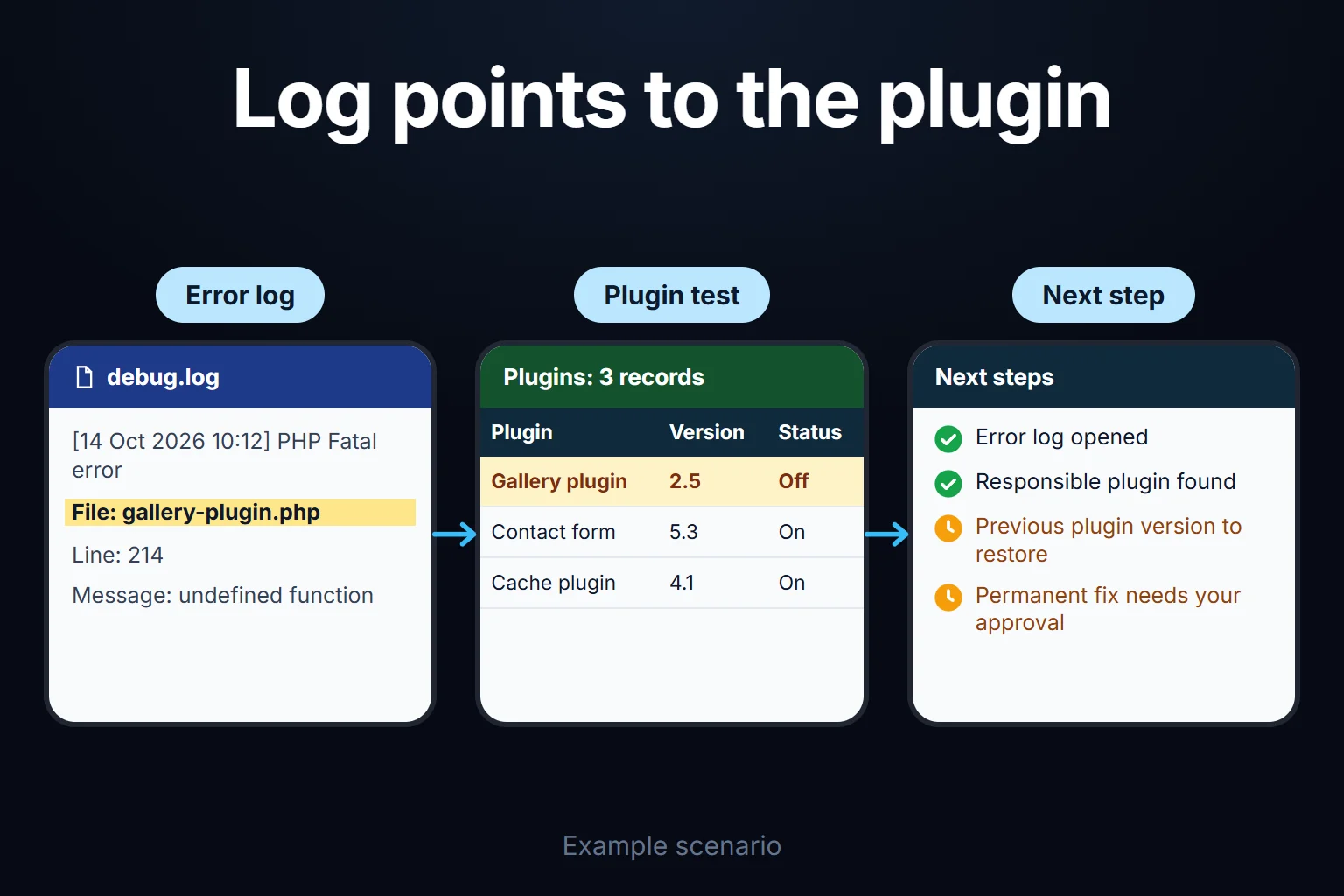 View full size](https://oguzerol.com/gorseller/senaryo/an-update-broke-my-site-senaryo-en.webp) # A WordPress Update Broke My Site [Oğuz Erol](https://oguzerol.com/en/about-me/) | 3 min read | Published: 19 August 2026 ## Quick summary The site won't load or the layout fell apart after an update. Solving the white screen, finding which plugin is responsible, and never repeating it. You pressed update and now the site won’t load: a blank white screen, a “critical error” message, or a design that has fallen apart. There’s a sequence to follow before panicking, and in most cases you get back without losing anything. ## See what actually happened first The white screen itself tells you nothing, because WordPress hides error messages by default. Turn on debugging in `wp-config.php` and write errors to a file, and it states outright which plugin failed on which line. That single step removes hours of guesswork. If you can’t reach the dashboard at all, you’ll need to do this over FTP or the file manager. ## Finding the culprit If the error doesn’t name a plugin, the method is: 1. Rename the `wp-content/plugins` folder over FTP — this disables every plugin at once 2. If the site loads, the problem is in the plugins; rename the folder back 3. Enable plugins one at a time, checking the site after each 4. If the site still won’t load, the theme is next — switch to a default theme and test It looks slow but it’s the only definitive method. Deleting plugins at random usually creates a second problem. ## Three common situations **A PHP version mismatch.** The new WordPress version won’t run on old PHP, or the reverse: hosting upgraded PHP and an old plugin isn’t compatible. The error message usually says so plainly. **Theme and page builder out of step.** When Elementor or a similar builder updates and the theme hasn’t kept pace, the layout falls apart. The site loads, but it looks wrong. **An interrupted update.** If the connection dropped mid-update, the site stays stuck in maintenance mode. Deleting the `.maintenance` file in the root directory fixes it. ## Rolling back If you have a backup, that’s the fastest route. If not, installing the plugin’s previous version is possible — the WordPress plugin repository keeps old releases. That’s a temporary fix; the durable one is resolving the incompatibility. ## Never repeating it Here’s the real point: updating directly on a live site is a gamble every time. The correct setup has three parts — an automatic backup before updating, testing on a staging copy first, then pushing live. Once that’s in place, updating stops being something to fear; it’s the core of [WordPress maintenance and support](https://oguzerol.com/en/wordpress-maintenance-and-support/). **If your site is down right now**, write in — we’ll get it up first and look at the cause afterwards. [Get in touch](https://oguzerol.com/en/contact/). ## Frequently Asked Questions ### Should I just turn off automatic updates? No. Un-updated plugins are the number one source of security holes — the usual cause behind [compromised sites](https://oguzerol.com/en/my-site-was-hacked/). The fix isn’t to stop updating, it’s to make updating safe. ### The white screen says nothing, where do I start? Turn on debugging and read `wp-content/debug.log`. A blank screen doesn’t mean there’s no error — only that it isn’t being displayed. ### Have I lost my data? Almost never. Posts and settings live in the database; what breaks is usually the file side. Always check before panic-buying anything or reinstalling from scratch. ### The site got slower after updating, is that related? It can be. The new version may load extra assets, or the cache may have been invalidated. The measurement step on [my website is very slow](https://oguzerol.com/en/my-website-is-very-slow/) applies here too. [Back to top ↑](https://oguzerol.com/en/an-update-broke-my-site/#icerik) ## You may also find these useful [WordPress Maintenance & Support | Your Site, SecuredUpdates, backups, security, and small fixes in one monthly package. Don't spend hours hunting for an expert when your site breaks; be ready ahead of time.](https://oguzerol.com/en/wordpress-maintenance-and-support/)[My Site Was Hacked, What Should I Do?If your WordPress site has been compromised the first hour matters. What to do in order, the mistake that destroys the evidence, and closing the way back in.](https://oguzerol.com/en/my-site-was-hacked/)[WordPress Speed OptimizationI measure why your WordPress site is slow, then fix the server, database, plugin and image causes, and hand over before/after measurements you can check.](https://oguzerol.com/en/wordpress-speed-optimization/) [Browse all articles →](https://oguzerol.com/en/articles/) WHAT YOU CAN ASK FOR ## How do I work? Work-hour packages Tell me about your business and what you need on WhatsApp or by phone; we agree on **a work block of somewhere between 5 and 40 hours** and I start doing what is needed. What you get is not a calendar window — it is net working hours spent directly on your business. I can use 40 hours working three days straight, or deliberately spread it out and finish it over a year — whatever the work calls for. I do not spend my time estimating how long something will take, I spend it doing the work; every hour I spend leaves a lasting result in your business. We keep going for as long as you find it useful. WORK BLOCKS ## Why not monthly? Is 40 hours a week? On a fixed monthly fee both sides are watching the wrong thing: you watch a fixed cost, the other side watches how many more contracts like this they can line up. Working by the hour puts us both in front of the same thing — the real value of the work that got done. I know not having an upfront answer to "how much will this cost in total?" is the natural cost of this model. But instead of paying a fixed fee for months to a setup that is not producing results, you only pay for the qualified time spent on your work — and you see exactly where that time went, start to finish. That is why my clients keep coming back. 5hours300€ + VAT60€ per hour[Choose this block](https://wa.me/905496546489?text=Hi%2C%20I%27d%20like%20info%20about%20the%205-hour%20work%20block.) 10hours500€ + VAT50€ per hour[Choose this block](https://wa.me/905496546489?text=Hi%2C%20I%27d%20like%20info%20about%20the%2010-hour%20work%20block.) 20hours800€ + VAT40€ per hour[Choose this block](https://wa.me/905496546489?text=Hi%2C%20I%27d%20like%20info%20about%20the%2020-hour%20work%20block.) 40hours1,400€ + VAT35€ per hour[Choose this block](https://wa.me/905496546489?text=Hi%2C%20I%27d%20like%20info%20about%20the%2040-hour%20work%20block.)