Source: https://oguzerol.com/en/ai-employee-setup/ [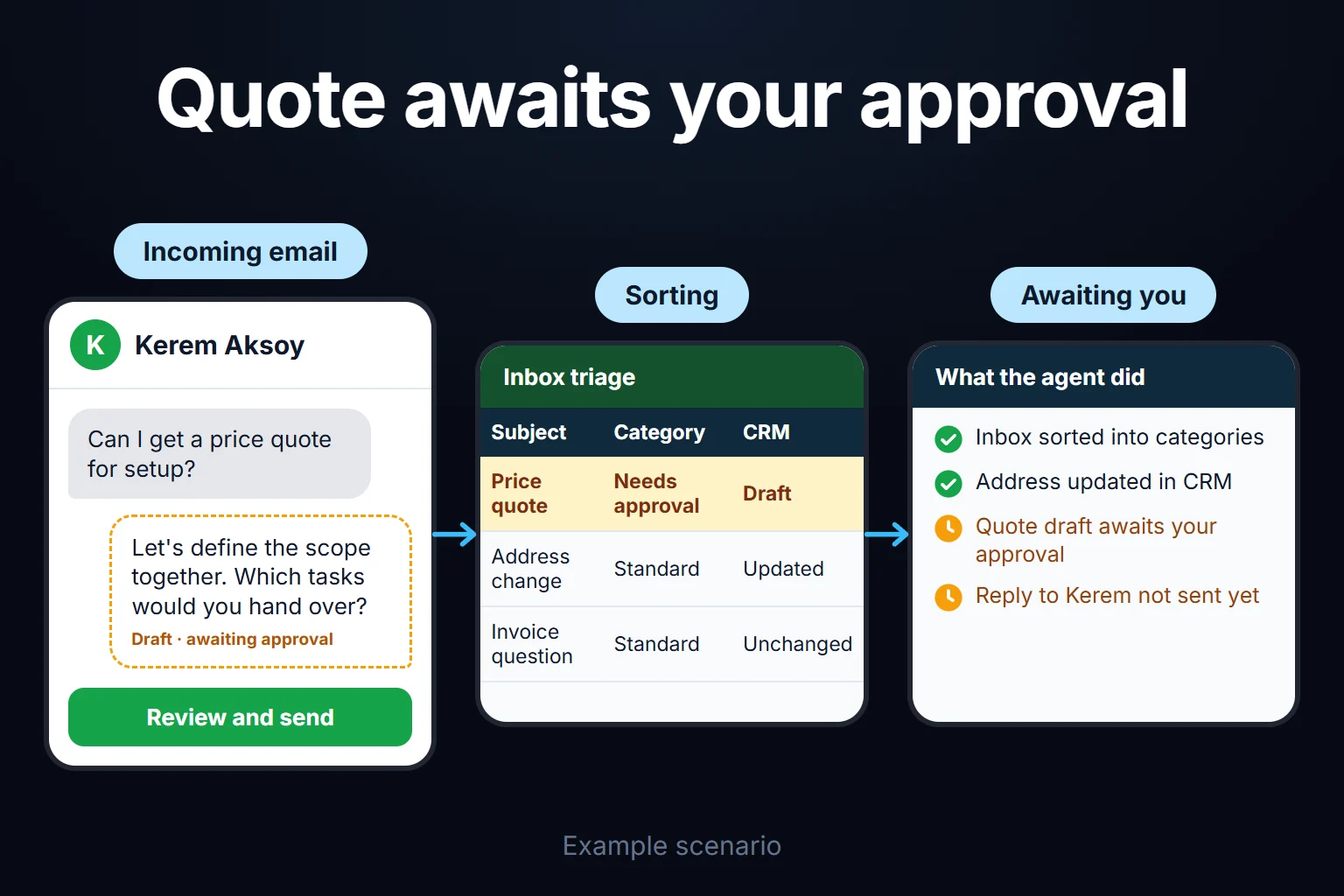 View full size](https://oguzerol.com/gorseller/senaryo/ai-employee-setup-senaryo-en.webp) # AI Employee Setup | Your Digital Hire [Oğuz Erol](https://oguzerol.com/en/about-me/) | 3 min read | Published: 29 July 2026 ## Quick summary Inbox triage, CRM updates, follow-up messages: a 'digital employee' setup that takes over defined tasks, with clear boundaries and reporting. The term “AI employee” — or “digital hire” — has spread fast over the past year or two: an AI agent that watches your inbox, logs entries in your CRM, sends follow-up messages. Not quite a human replacement, but it can genuinely take over defined, repetitive tasks. This isn’t yet a “digital employee” that does everything — it’s task automation with clearly drawn boundaries. When I set this up, I avoid overblown promises. We clarify exactly which tasks get handed off, define the agent’s boundaries (when it asks you, when it decides on its own), and build a regular reporting flow. The goal is a narrow, well-defined scope that actually saves your team real work. ## What genuinely works today Categorizing incoming emails, drafting replies to standard questions, updating deal records in your CRM, sending follow-up messages on specific triggers — these kinds of defined, repetitive tasks are genuinely and reliably automated today. This is the concrete, proven part of the “digital employee” concept. I start the setup with these tasks first, because they deliver fast results and carry low risk — if something goes wrong, it’s easy to spot and fix. ## What’s still too early I’m cautious about sweeping promises like “let AI manage all your customer relationships” or “let it take over the whole sales process.” For complex, context-heavy, or high-risk decisions (price quotes, contract approvals), I build human approval into the setup itself — it doesn’t stay outside it. If you don’t strike this balance, either the agent makes mistakes and burns trust, or nobody trusts it enough to actually use it. ## Setup and reporting With every setup, I build a simple reporting flow that shows what the agent did, when it stepped in, and when it asked you for input. Without this transparency, a “digital employee” turns into a black box that nobody trusts. **How do we start?** First, we talk about what you want and what’s realistic. If it’s a fit, I send the scope and price in writing, then we begin. You can reach me via the [contact page](https://oguzerol.com/en/contact/). ## Frequently Asked Questions ### Does an AI employee replace a real employee? No, not at today’s maturity level. It takes over defined, repetitive tasks, freeing up your existing team’s time — but humans still stay at the center of decision-making and customer relationships. ### Which tasks should I start with? I recommend starting with whatever repeats most and requires the least judgment — usually that’s inbox triage or standard follow-up messages. ### What happens if the agent gets something wrong? That’s exactly why I build in approval checkpoints and a reporting flow. On risky steps, the agent doesn’t act automatically — it asks you first. You can’t get the error rate to zero, but you can keep it visible and controllable. ### Is maintenance for this service separate? Yes, after setup, monitoring and maintenance continue as a separate monthly service, because tools and needs keep changing over time. [Back to top ↑](https://oguzerol.com/en/ai-employee-setup/#icerik)